Triangulation
Hello community,
I have 2 (or more) D435 cameras and want to extract a person skeleton from the cumulative point cloud. I align the depth stream to the rgb stream and calibrate the cameras using the krabsch algorithm. The pointclouds from the 2 cameras align nicely. Then I detect 2D keypoints in the rgb images and get the corresponding depth value. So far so good...
To fully exploid the redundancy of the multicam system, I would also like to triangulate the keypoint positions from the RGB streams. To do this, I get the intrinsics from the rgb stream and use the extrinsics from the krabsh calibration. (When I retrieve the extrinsics between rgb and depth sensors, I get the unity matrix. So it seems I can neglect them.)
As a starting point, I transform the camera origin to the world coordinate system. Then I create a 3D point for a detected keypoint (e.g. the nose) using rs2_deproject_pixel_to_point() and transform it to the world coordinate system too. The resulting line should intersect the pointcloud in the nose, but it doesn't.
The triangulated 3D pose has the right shape, but a different scale than the pointcloud. It usually also shows some offset to the side.
What do I miss here?
-
Hi Torsten Wilhelm Typically when using rs2_deproject_pixel_to_point with both depth and RGB streams enabled, depth-color alignment is first performed with the SDK's align_to instruction and then rs2_deproject_pixel_to_point is subsequently used afterwards.
-
Thank you very much. Could you provide more information about the statement As a starting point, I transform the camera origin to the world coordinate system please? The rs2_transform_pixel_to_point instruction converts a 2D pixel to a 3D point whose depth origin should be the 0,0,0 coordinate of the camera's depth coordinate system. So I would like to understand why the camera origin is first being transformed before rs2_pixel_to_point is performed. Thanks!
-
I calibrate several cameras against a checkerboard. So the world CS is positioned on the checkerboard. The extrinsic matrix (obtained from krabsch calibration) transforms from camera CS to world CS. rs2_pixel_to_point() transforms from pixel CS to the respective camera CS.
My goal is to construct a 3D line for each keypoint that starts from the cameras optical center. So first I take the origin of the camera CS [0,0,0] and transform to world CS. Then I take the pixel position of the keypoint and transform to camera CS using rs2_pixel_to_point (at an arbitrary distance from the camera), then I transform this point to world CS. The two points should give a line intersecting with the pointcloud in that feature.
Can I upload images here?
-
Hello again,
so here is an image of the extrinsic calibration:
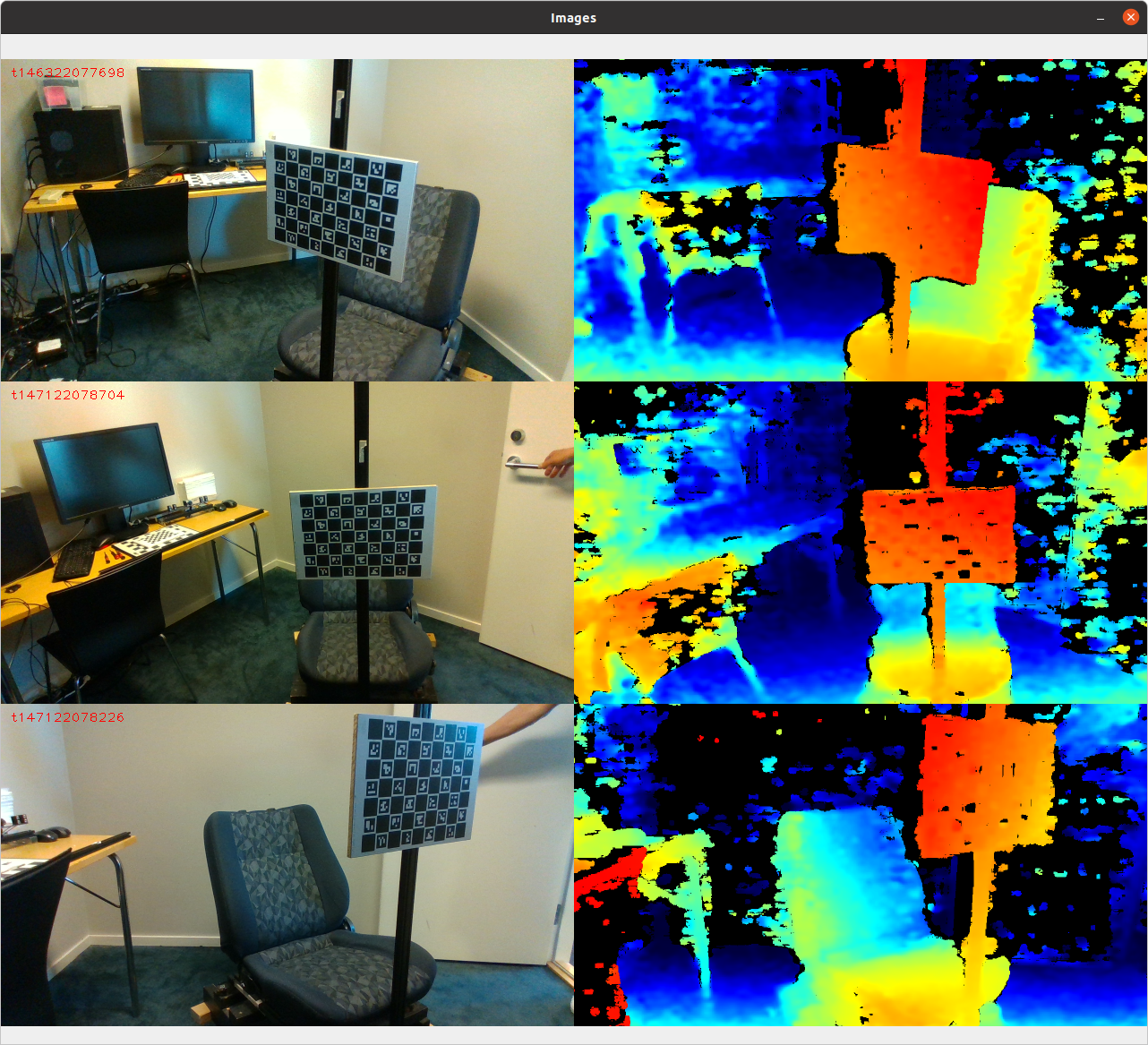
And here the keypoint detections in the rgb image:
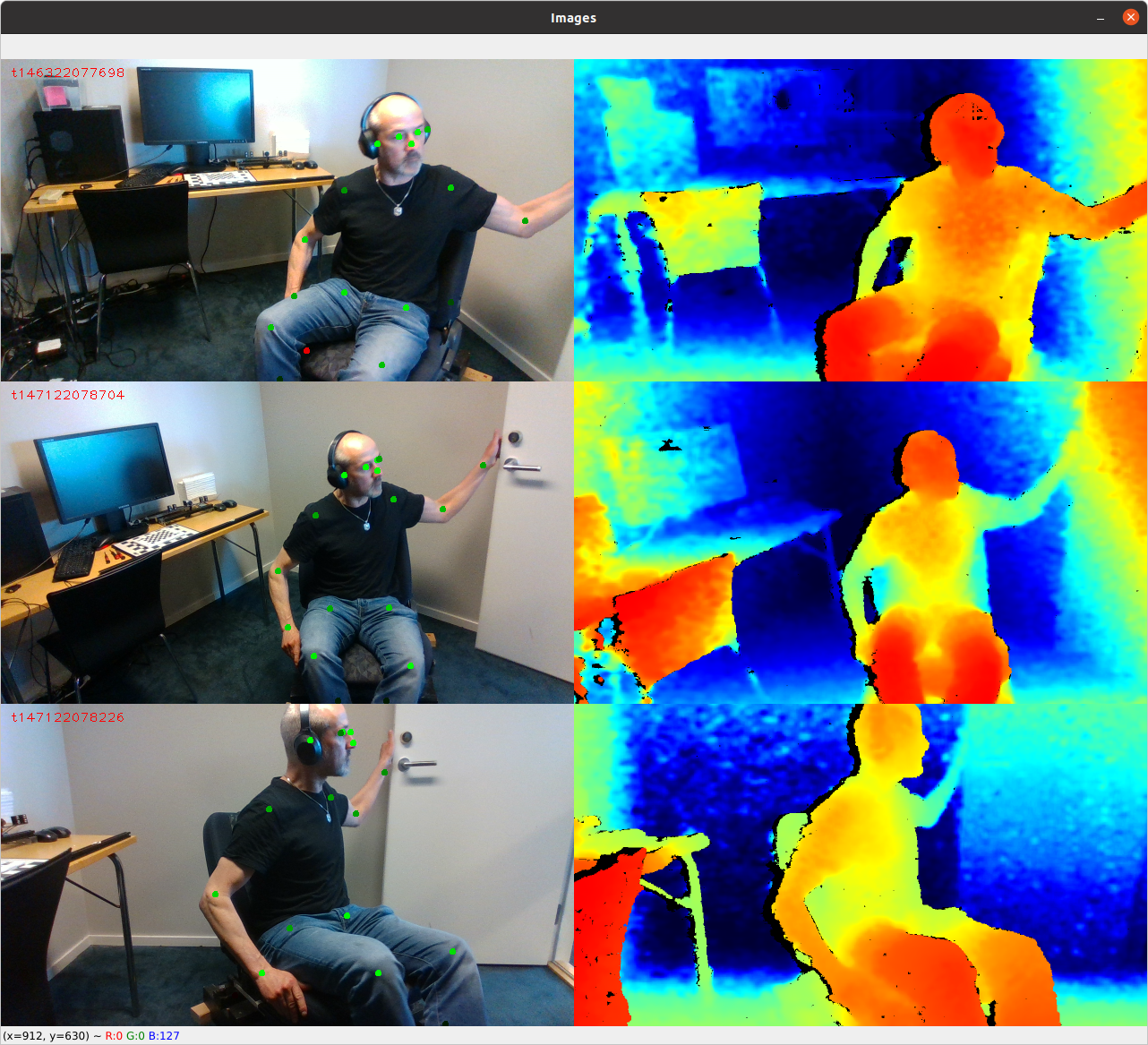
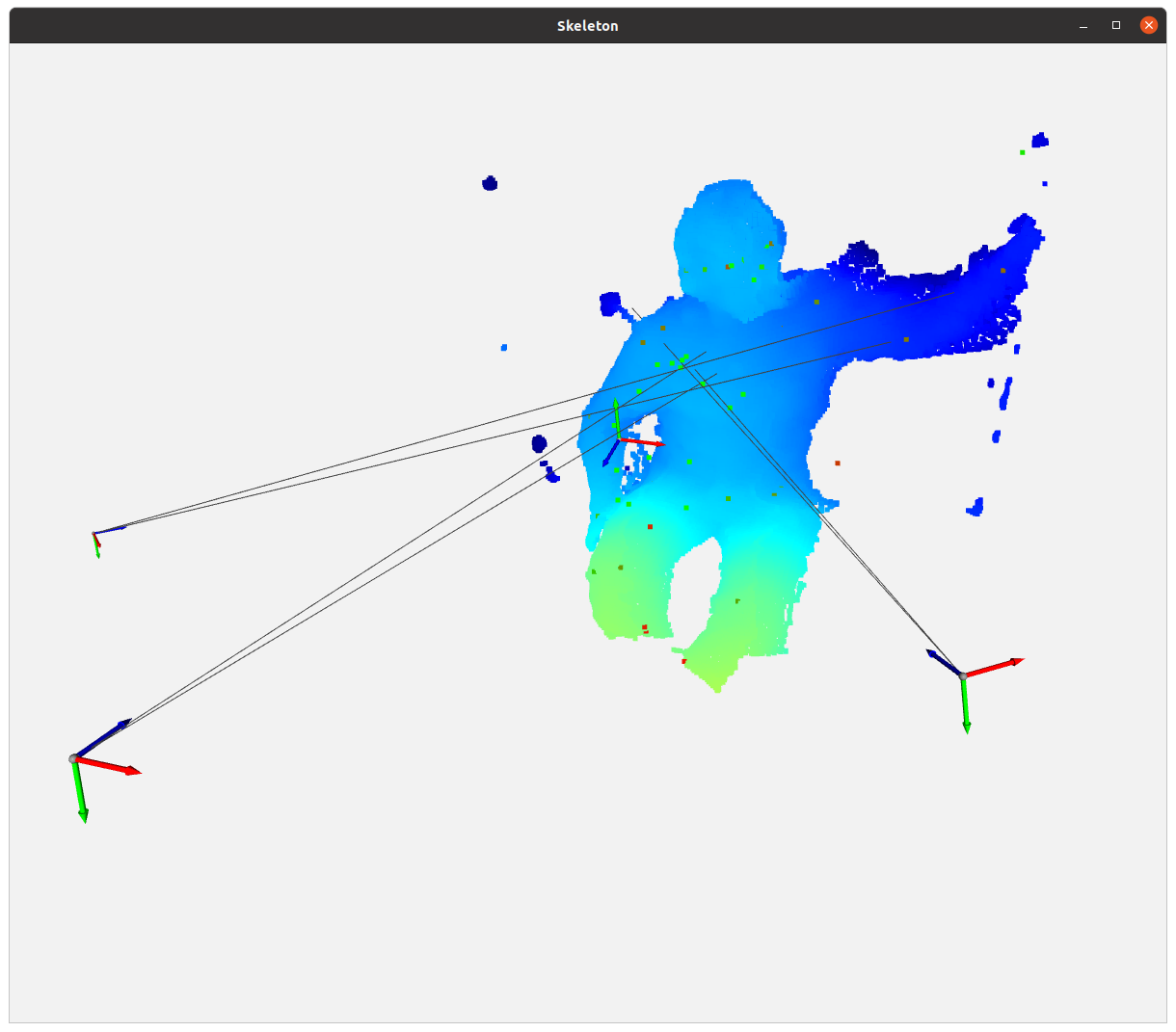
And the cumulative point cloud, the world CS and the 3 cameras with a line projected out towards the nose and the left shoulder. The triangulated points correspond to a smaller version of the person sitting in front of the point cloud. It suggests that the focal length (and principal point) used in rs2_pixel_to_point() are not correct.
I align the frameset to the color stream. So the rgb intrinsics are the same as the depth intrinsics, which makes sense, I guess.
-
As you are drawing lines over a point cloud, I wonder whether drawing 3D polylines might provide more accurate alignment of the lines to the pointcloud points.
https://github.com/IntelRealSense/librealsense/issues/3868#issuecomment-487654994
-
Hello, I use Open3D for plotting were I generate a bunch of o3d.utility.Vector3dVector to visualize the triangulation lines. I'm sure the line plotting is correct, because the triangulated points are where the lines intersect. The error must be in the line calculation where I use intrinsics and extrinsics.
-
If two pointclouds are being "stitched" together into a single combined cloud then a more common approach for doing so in Open3D is ICP registration, as described in the link below.
http://www.open3d.org/docs/latest/tutorial/Basic/icp_registration.html
Please sign in to leave a comment.
Comments
10 comments