Frame Rate Drop with 4x D405 Cameras When Depth Capture is Enabled
Hello,
I'm working on a robotics project using 4 Intel RealSense D405 cameras and have run into a frame rate drop challenge. When I enable depth capture on all four cameras at once in my Python script, I realized during playback that I had noticeable frame rate drop compared to when depth is disabled.
My computer setup is an Intel i9 running Ubuntu, with all cameras connected to USB 3.0 ports through a USB 3.0 hub. Is there a recommended way to keep frame rates stable with depth enabled across all four cameras? Any advice would be really appreciated.
Thanks!
-
Hi Nana Yaw Owusu Ofori-Ampofo Although an Intel i9 is good enough to handle 4 cameras simultaneously, if you are on a USB 3.0 connection then the cameras may be detected as being on a slow USB 2.1 connection and have a lower data transmission speed. This is because although USB 3.0 can be used with RealSense cameras, the camera's USB port should ideally be using at least USB 3.1 in order to access the camera's full capabilities.
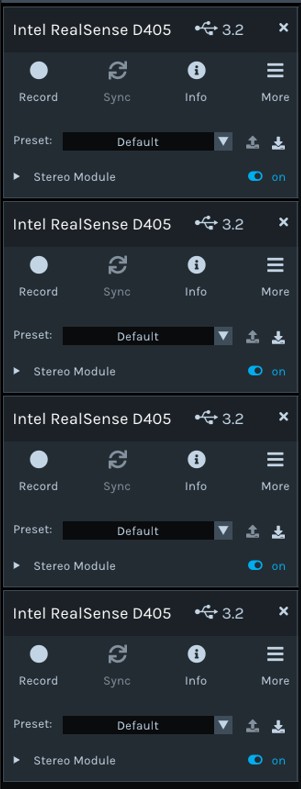
Are you able to access the RealSense Viewer tool to check one of the cameras? If you can, what is the number beside the camera's name at the top of the Viewer's options side-panel please? If it is '2.1' then the camera is on a slow connection, and if it is '3.2' then the camera is being detected as being on a full-speed USB3 connection.
If the camera is displayed as 2.1 and you have a USB 3.0 hub then I would recommend changing to a 3.1 hub if possible.
-
Incomplete video frame detected is an extremely rare error. Does it occur if you plug one camera directly into the i9 computer's USB port? You could free up a port by unplugging the hub.
If the camera works normally on the computer's port then it could indicate that the problem is with the hub.

Please sign in to leave a comment.
Comments
3 comments