D455 connection problem
I found that my Dot3D on Surface Go with original type-c cable frequently fail to recognized the D455. How to fix the problem?
Thank you.
-
Hi Lamlk1341 My understanding is that the original Surface Go runs Windows 10 in S mode, a more restricted version of Windows where apps can only be installed via the Microsoft Store. The Dot3D website states that Windows has to be switched out of S mode in order for Dot3D to be installed. The switch out of S Mode is a one-time change that cannot be reversed.
It sounds as though you have already installed Dot3D on your Surface Go though. Can you confirm this, please?
Could you also confirm whether you are using the original Surface Go or a newer model such as Surface Go 2 or 3.
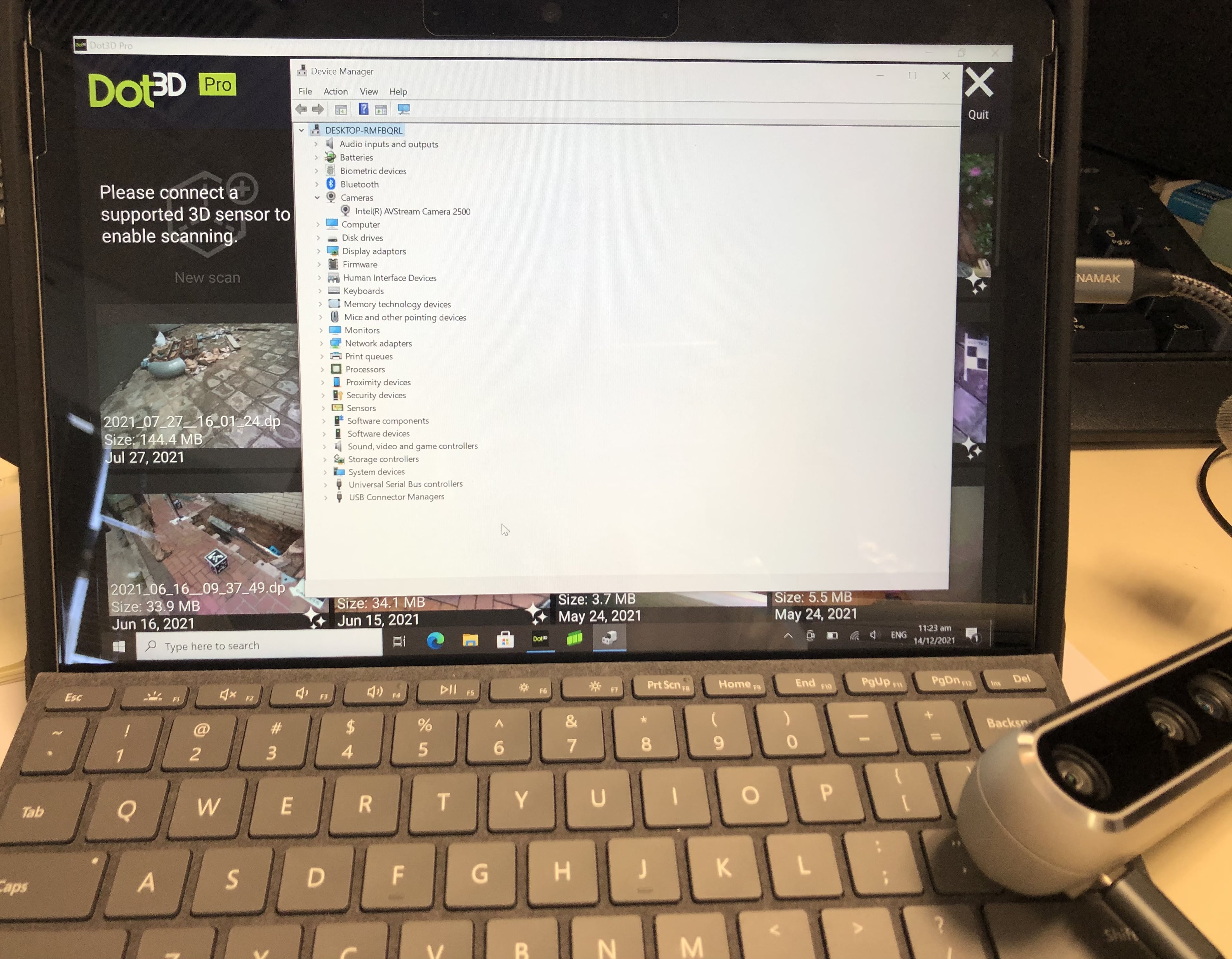
Also, are you able to access the Device Manager on Windows and check whether the D455 is detected. If it is then there should be two RealSense drivers - RGB and Depth - under the Cameras section of the Device Manager listing. If they are not present then also check the Imaging Devices section.
-
Please check the camera section of the Windows privacy settings to confirm that permission for Windows to access the camera hardware and permission for applications to access the camera are both set to On. This can be performed using the instructions in the link below. Once it is confirmed that both settings are On, check the Device Manager again to see whether the camera is listed.
https://github.com/IntelRealSense/librealsense/issues/3381#issuecomment-503424789
Please sign in to leave a comment.
Comments
3 comments