D435 get timestamp of each frame
I mainly use the Python API (Pyrealsense2)
I have the need to get the timestamp of each frame caught by camera.
The API provides a way to get timestamp:
frames.get_timestamp()
(frames = pyrealsense2.pipeline().wait_for_frames())
And I found the post yesterday:
https://github.com/IntelRealSense/librealsense/issues/2188
It says that there are 4 kinds of timestamps in metadata:
sensor_timestamp / frame_timestamp / backend_timestamp / time_of_arrival
The sensor_timestamp seems to be what I exactly need.
I tried to get them using python API:
frames.get_frame_metadata(rs.frame_metadata_value.backend_timestamp)
frames.get_frame_metadata(rs.frame_metadata_value.frame_timestamp)
frames.get_frame_metadata(rs.frame_metadata_value.sensor_timestamp)
frames.get_frame_metadata(rs.frame_metadata_value.time_of_arrival)
But I could only get backend_timestamp & time_of_arrival, errors happened when getting the other 2 timestamps.
I wanna ask two questions:
1. How to get the other 2 timestamps?
2. Which one of the timestamps above is frames.get_timestamp() identical to?
Thank you in advance for your reply :)
-
A member of Intel's RealSense support team told another user asking about the sensor timestamp that they could get it by using the CMake customization flag ENFORCE_METADATA that is set to False by default.
https://github.com/IntelRealSense/librealsense/wiki/Build-Configuration#build-customization-flags
Please let us know if you are able to also get the other timestamp you wanted after this flag is set to True.
frame.get_timestamp() returns the timestamp of the frame, in milliseconds since the device was started. I would therefore assume that it related to frame_timestamp
-
I have not personally used CMake (I develop in the Unity game engine). From the instructions for Windows though, it looks as though you can enable ENFORCE_METADATA by running CMake and placing a tick in the box beside the ENFORCE_METADATA option.
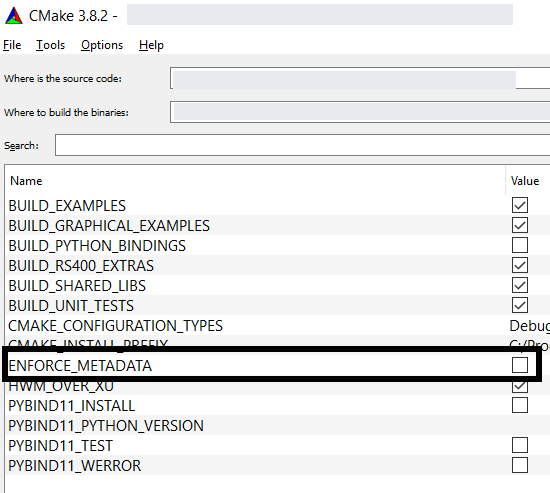
Here is the link to the full instructions:
https://dev.intelrealsense.com/docs/compiling-librealsense-for-windows-guide
-
The SDK source code can be obtained from the Releases page.
https://github.com/IntelRealSense/librealsense/releases/
If you scroll down to the bottom of the listing for each version then there is the word 'Assets' with an arrow beside it. Expanding this open shows the list of downloadable binary and source code files.
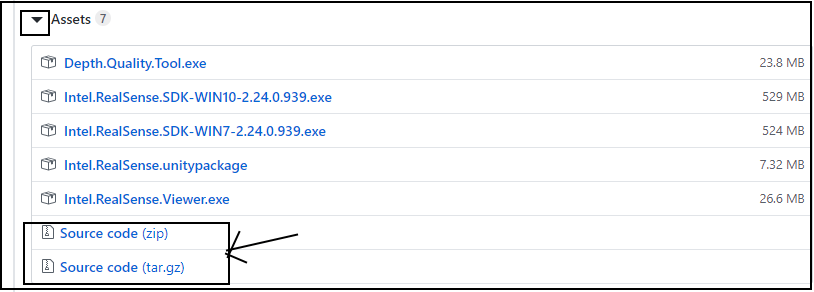
-
In addition to building the SDK with the mentioned flag there is also a powershell script that needs to be executed each time a new instance is attched.
The script is found in the source tree
https://github.com/IntelRealSense/librealsense/blob/master/scripts/realsense_metadata_win10.ps1
The full instructions are available below
-
Hello MartyG &Evgeni Raikhel,
I follow the instruction https://github.com/IntelRealSense/librealsense/blob/master/doc/installation_windows.md#use-automation-script
And I can get firmware timestamp successfully after modifying Windows Regisrty while I'm not sure why it works even though I don't reinstall the realsense sdk.
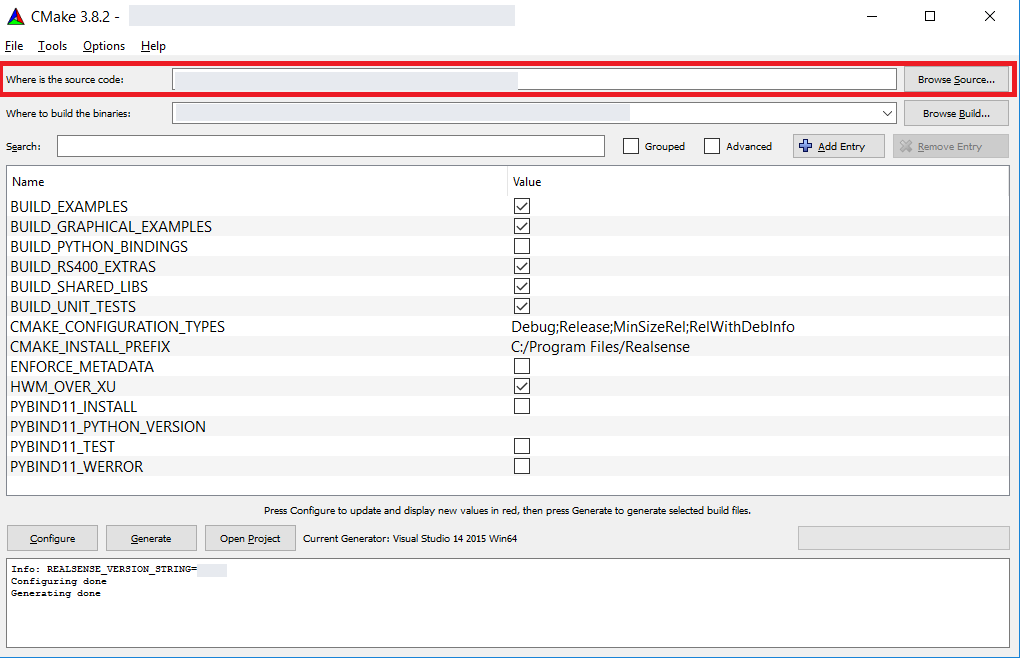
Please sign in to leave a comment.
Comments
8 comments