Move d435 RGB sensor and align to depth
Hi,
Due to an external constraint, I have to move the RGB sensor of the d435i under the d430 module instead of letting it on the right side (when facing the cameras). I also want to move the processor board directly on right side of the d430.
You can see below a scheme of what I want to do.
Everything is already disconnected. I have some questions:
1) I found that I can buy the HSF100 or HSF50 to connect the d430 to the D4 processor board. Is that true and is there one better than the other ?
2) How can I extend the ribbon use by the RGB sensor to connect it to the processor board ?
3) When everything is connected, what tool should I use to align the newly positioned rgb sensor to the depth stream ?
Thanks !
|----------------------------------------------------| |----------------------------------------------------|
| d430 | | rgb c processor board usb|
|------------------------------depth c------------| |---------depth c---------------------------------|
| RGB rgb c|
|------------------|
-
Hi Maxime Ambard Thanks very much for your questions.
1. Yes, the HSF interposer cables - available in the official RealSense Store - will connect the Vision Processor D4 Board to your D430 board. The number in the cable name refers to its length in mm (50 mm and 100 mm) - they are both equal quality.
2. A company called Cocom Consumer Logistics may be worth contacting regarding ordering a custom cable for the RGB sensor, as they are the recommended logistics source for custom interposer cable queries in the official data sheet document for the RealSense 400 Series cameras.
3. The official RealSense Dynamic Calibration software tool can be used to calibrate both the depth and RGB sensors. You can download the tool for Windows from the link below or use instructions on page 14 onwards of the tool's user guide document to install it on Ubuntu.
-
Hello,
I am using the D430 camera with the D4 mainboard connected to an RGB camera via HSF50, and I calibrated it using the software provided in the link you gave me. However, the calibration failed and encountered an issue.
The error code is 9901,
"#16:initialize dynamic calibration parameters .
#17: Start Initialize device ..
#18: initialization failed.
#19: Error (9901): calibration tables on device are not supported, please try again with latest Dynamic calibrator software.
If you are already using latest software, please re-calibrate the device with latest OEM calibration tools and try again.
check CustomRw tool.
#20: Failed to start calibration"
How can I solve this problem? -
Hi Yaser Jay This error has been encountered previously by a couple of other RealSense users. Guidance about the error written by Intel offers the advice below to attempt to correct the problem using the CustomRW software that is provided with the Dynamic Calibration software.
1. Launch the CustomRw tool with the command Intel.Realsense.CustomRW -r to output the calibration tables.
2. Then input Intel.Realsense.CustomRW -g to recover the calibration table.
3. And finally, attempt the Dynamic Calibration again to confirm that the recovery worked.
Unless you are going to be performing depth-color alignment then it is possible that you will not need to calibrate the RGB sensor. And you can calibrate depth using the alternative On-Chip Calibration tool.
https://dev.intelrealsense.com/docs/self-calibration-for-depth-cameras
If you are able to use Python programming code then an alternative approach to performing a Dynamic Calibration would be to define custom calibration values that are stored in the computer's memory instead of being written to the camera hardware by the calibration tool. Here is an example of Python scripting for doing so:
-
Yes, I am currently performing depth and color alignment.
My camera was originally a d430, but it was identified as a d435 due to the addition of a separate RGB. I suspect there is an issue with the internal information.
At the same time, I have used CustomRW for error correction as you suggested, but there is still a problem, and the error code is still 9901.
(I am currently using Windows 11. If you need Ubuntu, please let me know. Thank you)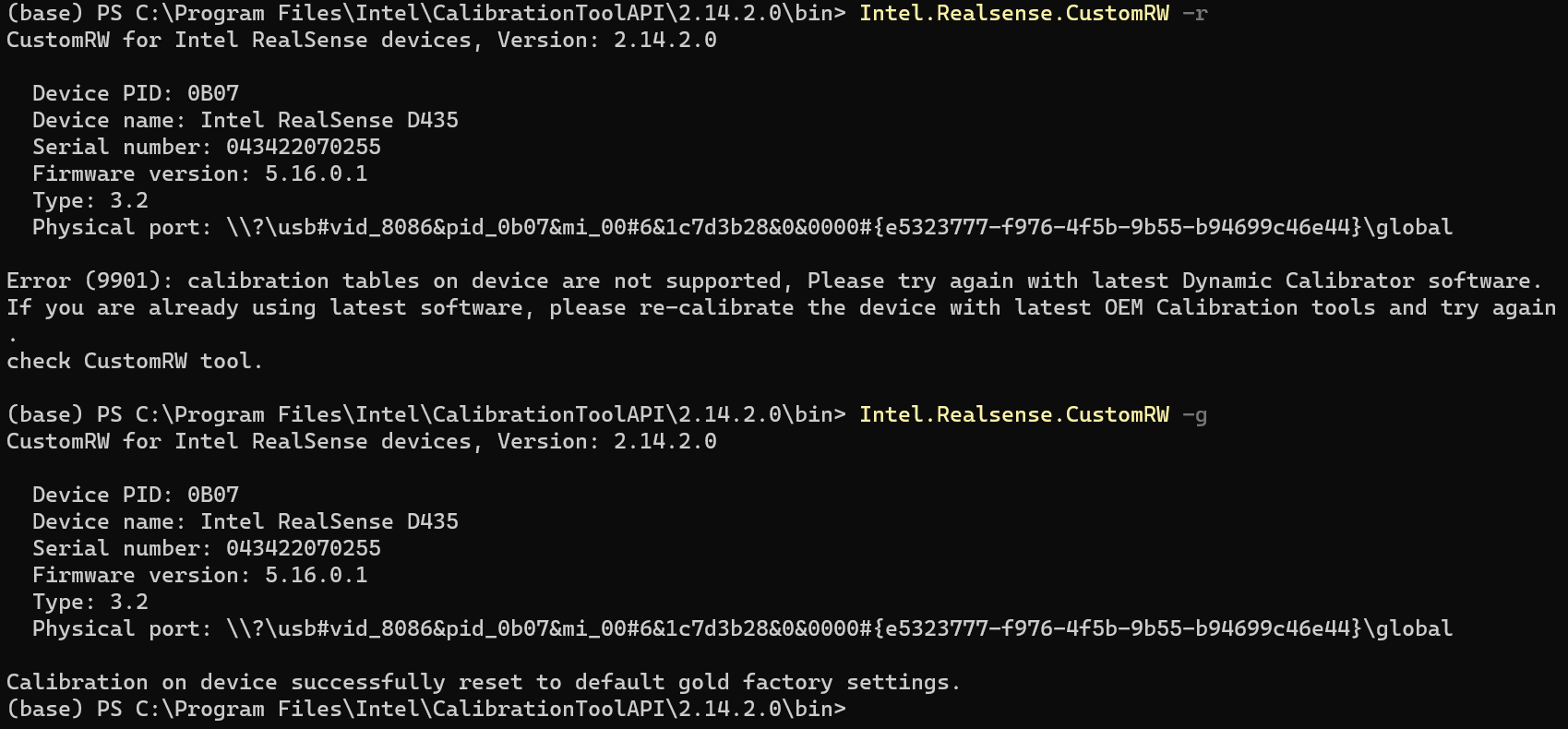
-
There is not an existing documented case to refer to where there was a successful outcome reported when dealing with this Dynamic Calibration tool error.
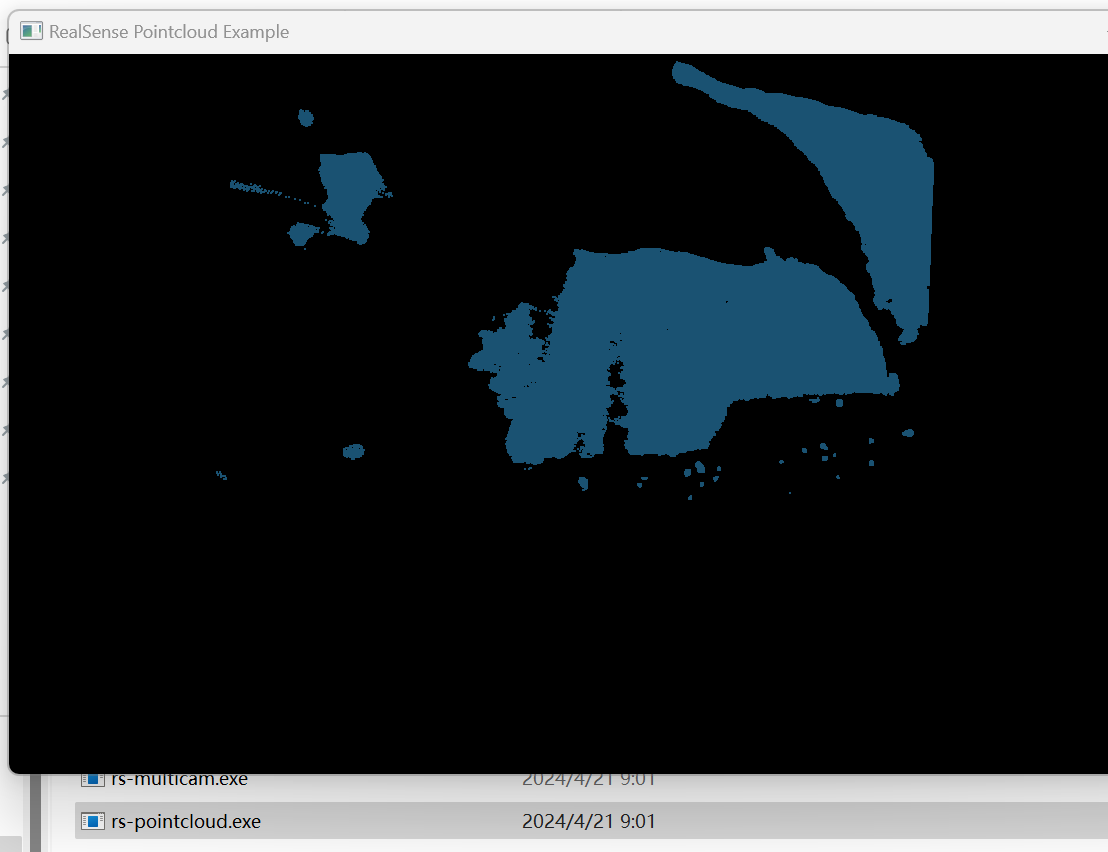
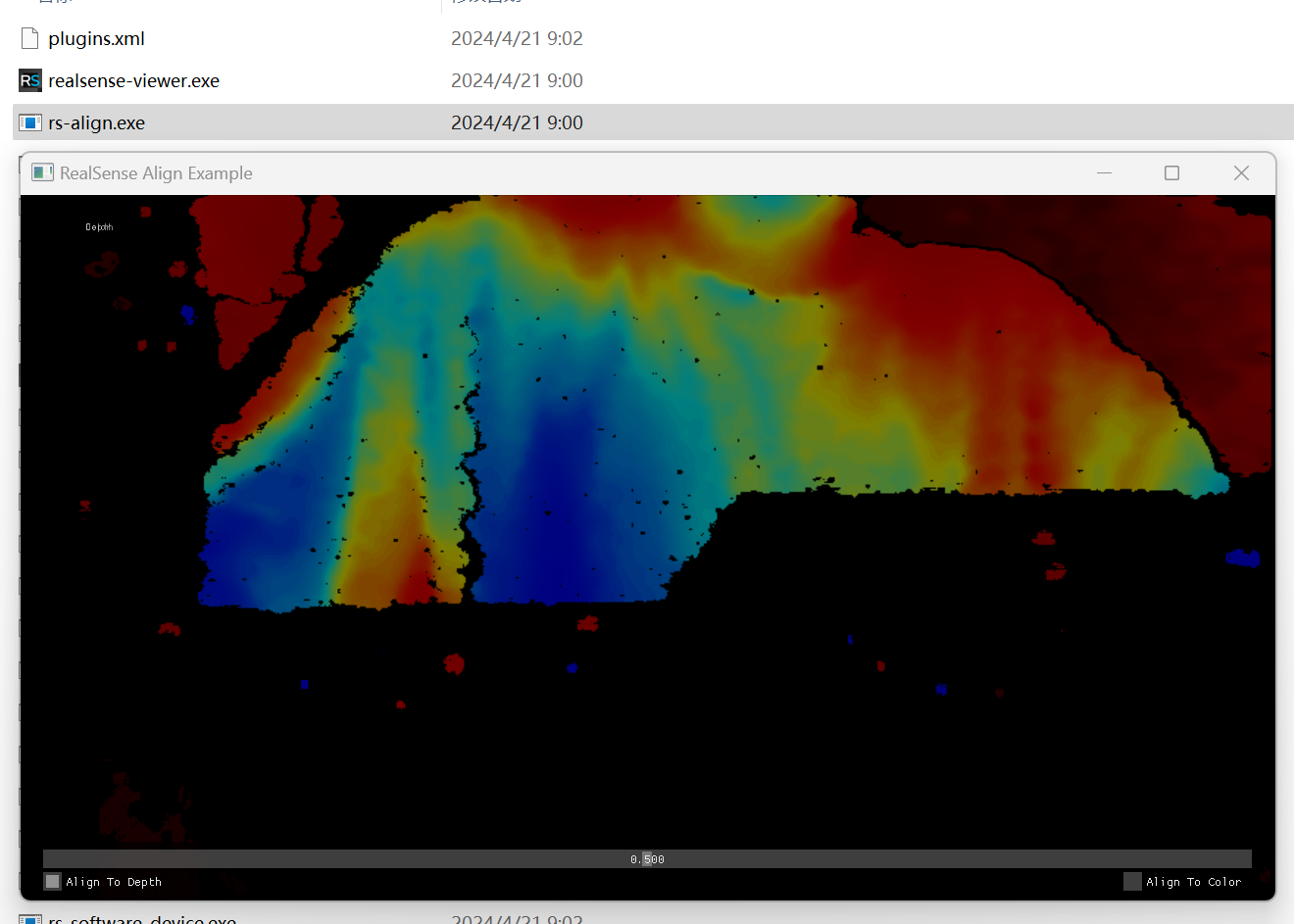
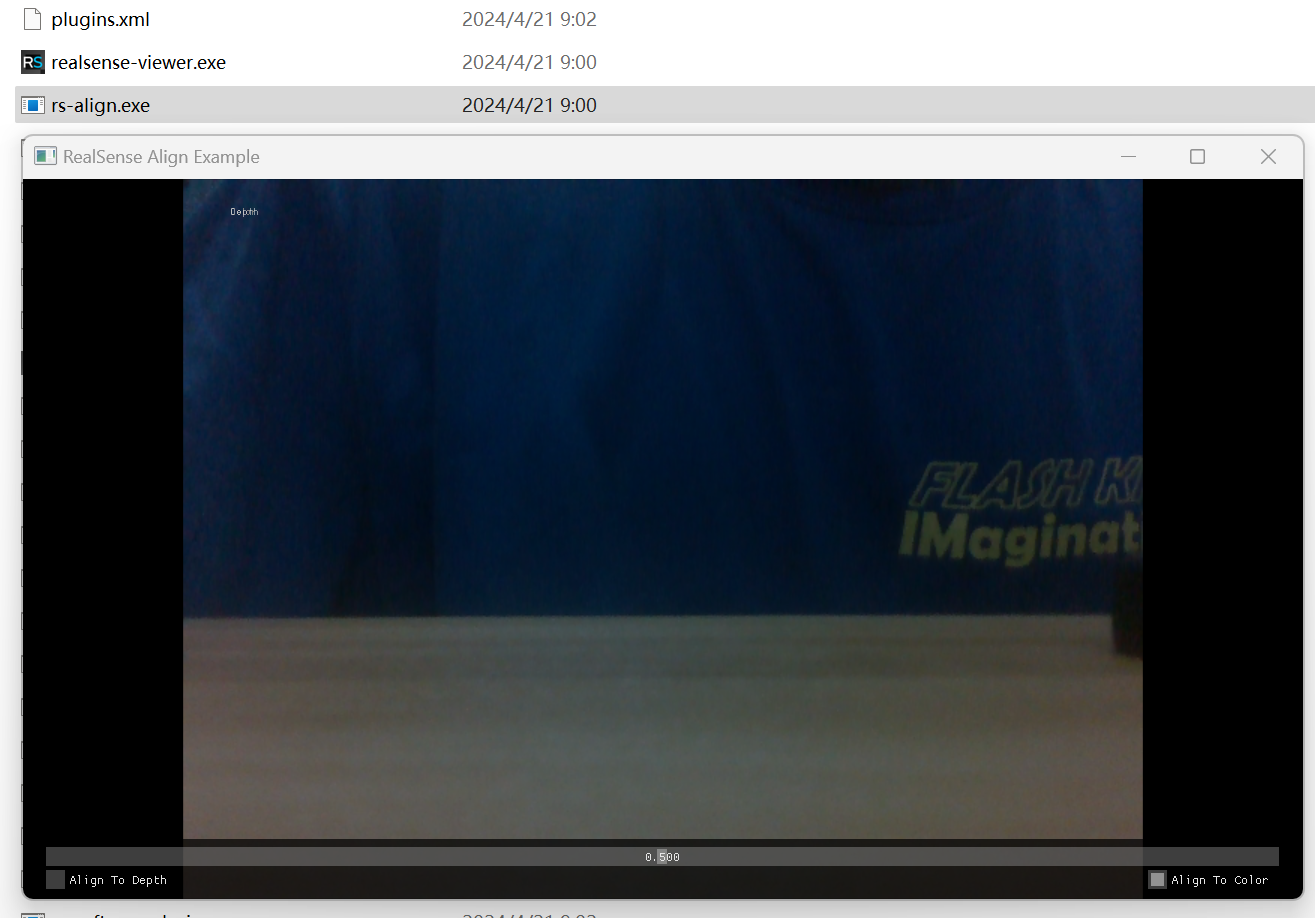
There are two main ways of performing depth-color alignment - align_to (like in the SDK example program 'rs-align') or mapping depth and RGB together into a pointcloud (the 'rs-pointcloud' example).
As you have the Windows version of the RealSense SDK installed, have you checked whether depth and RGB are able to correctly align together in either the rs-align or rs-pointcloud programs without having first calibrated the separate RGB sensor, please?
You can find the location of the example programs of the Windows SDK by right-clicking on the RealSense Viewer launch shortcut icon on the Windows desktop and selecting 'Open file location' from the drop-down menu.
-
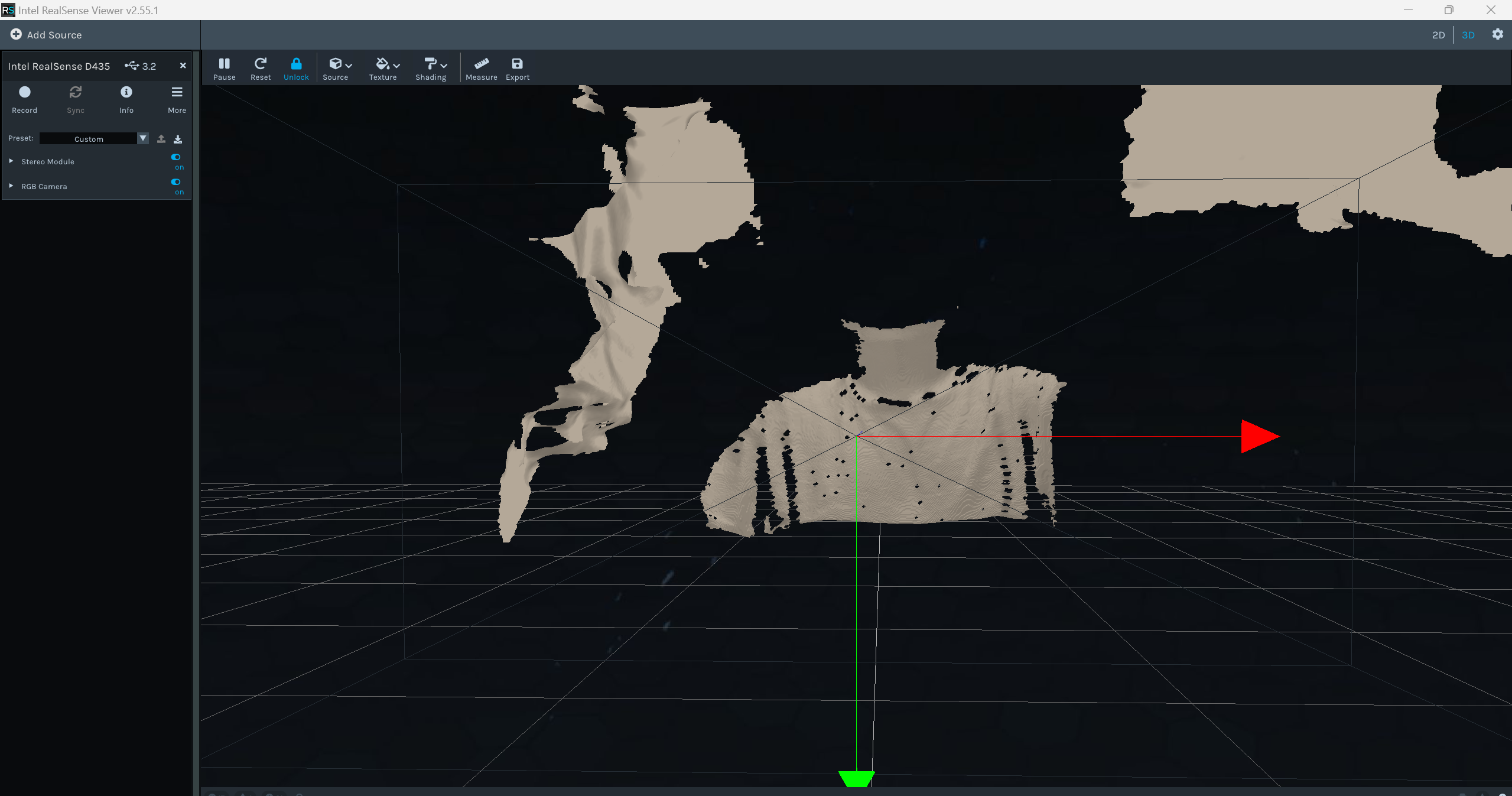
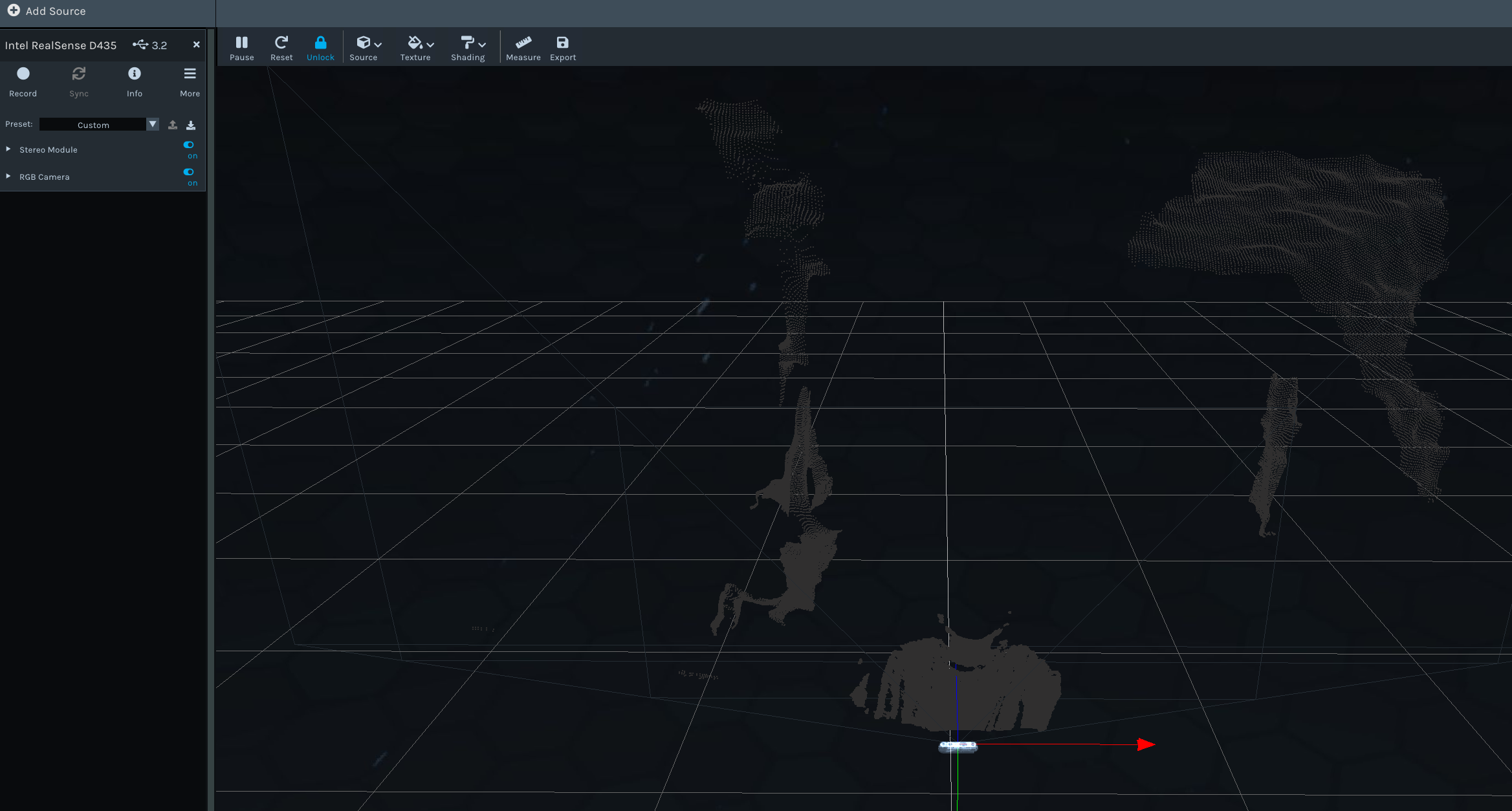
The RealSense Viewer's 3D pointcloud mode uses the same depth-RGB mapping method as rs-pointcloud. Could you open the Viewer please and click on the 3D option in the top-right corner of the Viewer window to make sure that you are in pointcloud mode, and then enable the depth stream (Stereo Module) first and the RGB second. Depth and RGB should then automatically align together.
If they map together in the Viewer okay, this will indicate that the alignment problem is with the rs-pointcloud program specifically rather than the map_to alignment method in general.
-
Thank you very much for your tests. Does your project require a 3D pointcoud image or would a non-pointcloud aligned depth-RGB image like that from rs-align be sufficient?
If you do require a pointcloud, please next try aligning depth to the infrared image in the Viewer instead of RGB, since the Infrared image is effectively like a monochrome RGB image. You can do this by enabling the Infrared stream in the Stereo Module settings before you enable the Stereo Module, and then go to the Texture option at the top of the Viewer in pointcloud mode and select Infrared as the texture instead of RGB color.
Do depth and Infrared images perfectly align? They should as they both originate from the same depth sensor.
-
My project involves drone tracking, requiring the use of the d435 camera in conjunction with the YOLO algorithm to achieve object tracking. Therefore, I need to align the color image and depth map, so that I can use YOLO to determine the distance information of the recognized objects. At the same time, I also need to run VINS-fusion with this camera, so RGB texture alignment is crucial.
:( -
If depth and the separate RGB align correctly with the non-pointcloud 'rs-align' then they are likely going to align okay with YOLO and VINS-Fusion too based on my (admittedly limited) knowledge of using RealSense cameras with those applications. Would it be possible for you to perform tests with YOLO or VINS-Fusion and let me know the outcome of the tests later?
-
I found that the problem I encountered is basically the same as the one in this link. D435 with new d4 will fuse depth and rgb in black pointcloud and dynamic calibr. tool doesn't work · Issue #7300 · IntelRealSense/librealsense
The color image and the point cloud cannot be aligned. May I ask if there is a solution now?
In any case, thank you again. -
In that particular case, the user experienced the error when replacing the Vision Processor D4 board inside a D435 camera with a new D4 board. So their camera would have been using the original RGB sensor and be in its normal position, meaning that it should not have needed a calibration to take account of a new RGB sensor position.
The calibration table is stored on the D4 board and not the D430 depth module.
I would recommend creating a new issue about this problem on the RealSense GitHub support website. The issue can then be highlighted to members of the RealSense team to identify a way forward. You can do this by clicking on the green 'New Issue' button on this page:
Please sign in to leave a comment.
Comments
15 comments