Please let me know how to resolve this.D435i
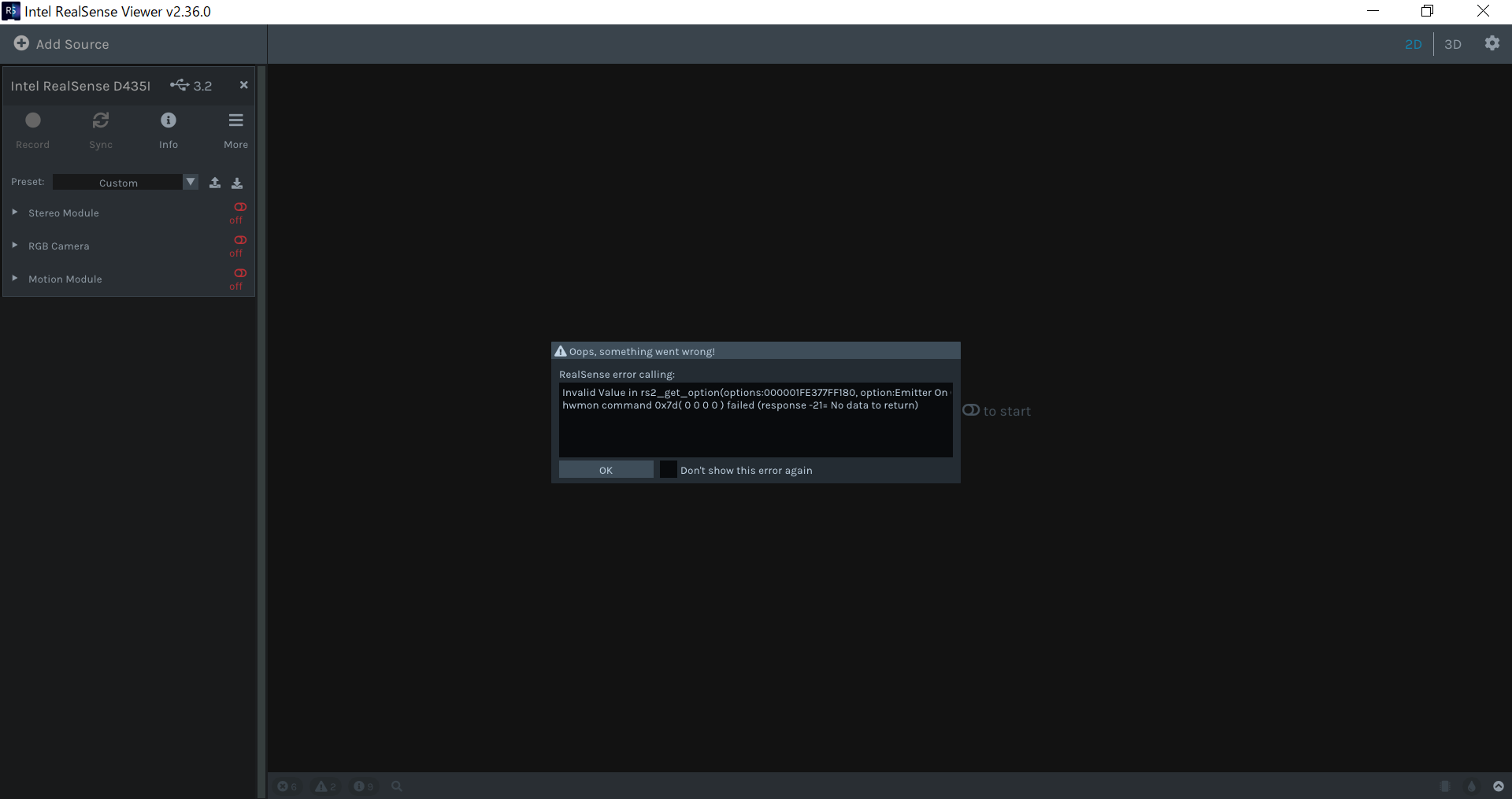
How does the error below occur?
Also, what is the solution?
-
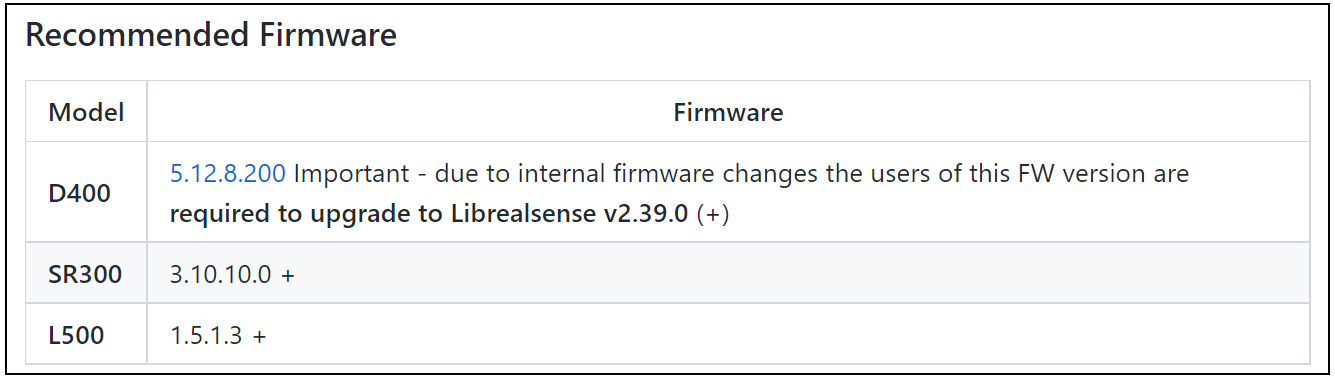
Hi R Ishizaki Which camera firmware driver version are you using, please? If you are using RealSense SDK version 2.36.0 then the newest firmware driver version that should be used is 5.12.7.100. This is because firmware drivers newer than 5.12.7.100 require use of SDK 2.39.0 or newer due to internal changes in the firmware from firmware version 5.12.8.200 onwards.
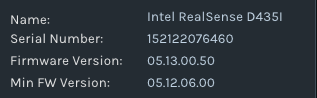
You can find which firmware is currently installed on your camera by left-clicking on the Info button at the top of the RealSense Viewer's options side-panel.
The image below is taken from the release notes for SDK 2.39.0.
-
こんにちはMartyG
これはカメラファームウェアドライバーの正しいバージョンですか?
-
Hello R Ishizaki Firmware driver 05.13.00.50 is currently the newest firmware version. If you are using SDK version 2.36.0 then I recommend downgrading your camera's installed firmware driver to 5.12.7.100
Or if you are using Windows, you could keep the firmware version that is currently installed and instead upgrade your SDK version to 2.50.0 using the installer program Intel.RealSense.SDK-WIN10
https://github.com/IntelRealSense/librealsense/releases/tag/v2.50.0
Hello @R Ishizakiファームウェアドライバ05.13.00.50は、現在最新のファームウェアバージョンです。 SDKバージョン2.36.0を使用している場合は、カメラにインストールされているファームウェアドライバーを5.12.7.100にダウングレードすることをお勧めします。
または、Windowsを使用している場合は、現在インストールされているファームウェアバージョンを保持し、代わりにインストーラープログラムIntel.RealSense.SDK-WIN10を使用してSDKバージョンを2.50.0にアップグレードできます。
https://github.com/IntelRealSense/librealsense/releases/tag/v2.50.0
Please sign in to leave a comment.
Comments
5 comments