d435i - save 3D model
Hi,
I have a d435i camera and Rasspberry Pi 4.
I control them with VNC viewer, I want to export the 3D model.
When I click on the export button but the 3D model wont save.
Please help me.
-
Hi Barakelisha098 Are you able to click on the Export option or is it grey and unresponsive? The depth stream needs to be enabled in order for the Export option to be able to be clicked on.
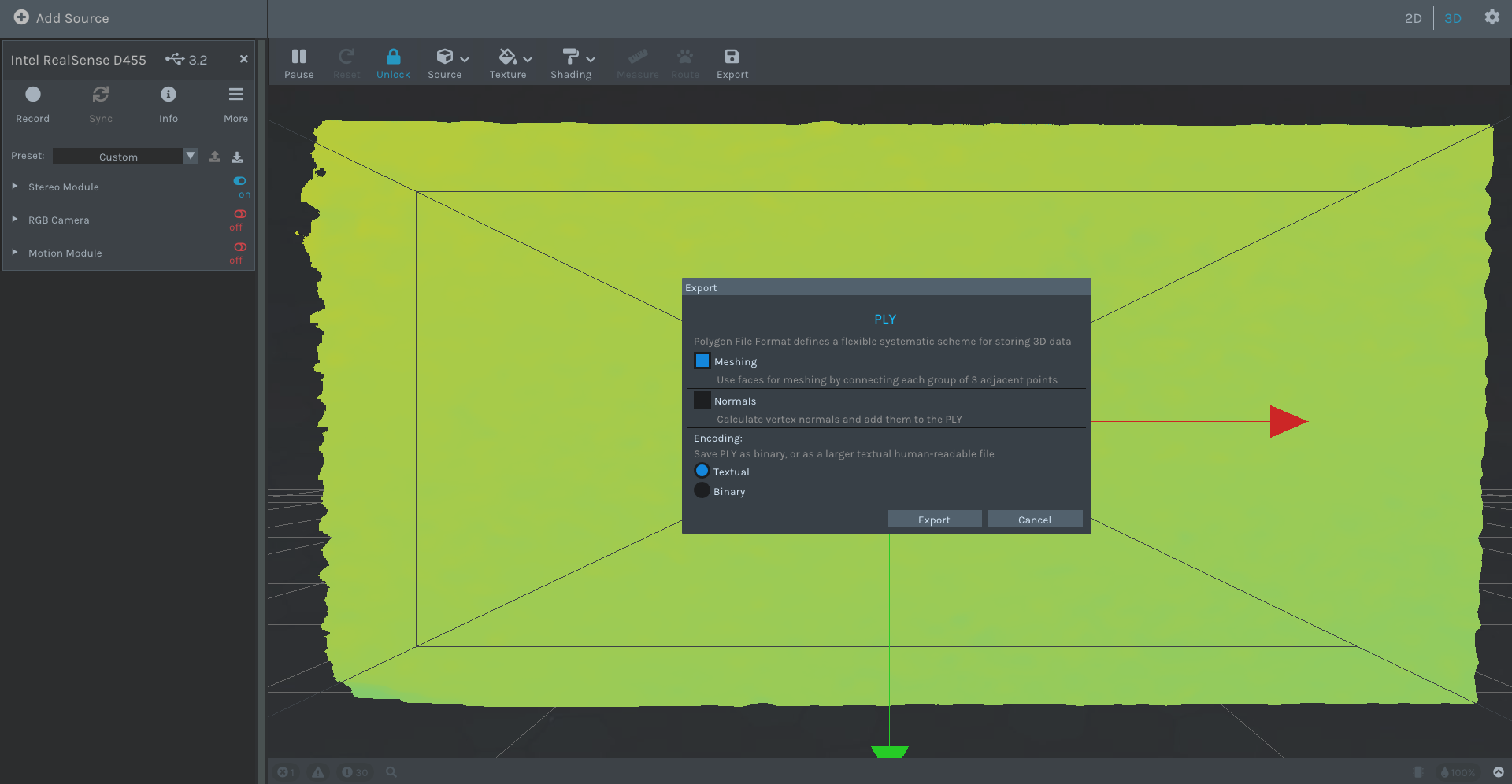
If the Export button does respond when clicked on, does an options box like the one in the image below appear? And if the options box does appear, does clicking on 'Export' open a file selector window to choose a location to save the ply file to?
-
I extensively researched the issue of the pop-up Export options not appearing but was not able to find a solution, unfortunately.
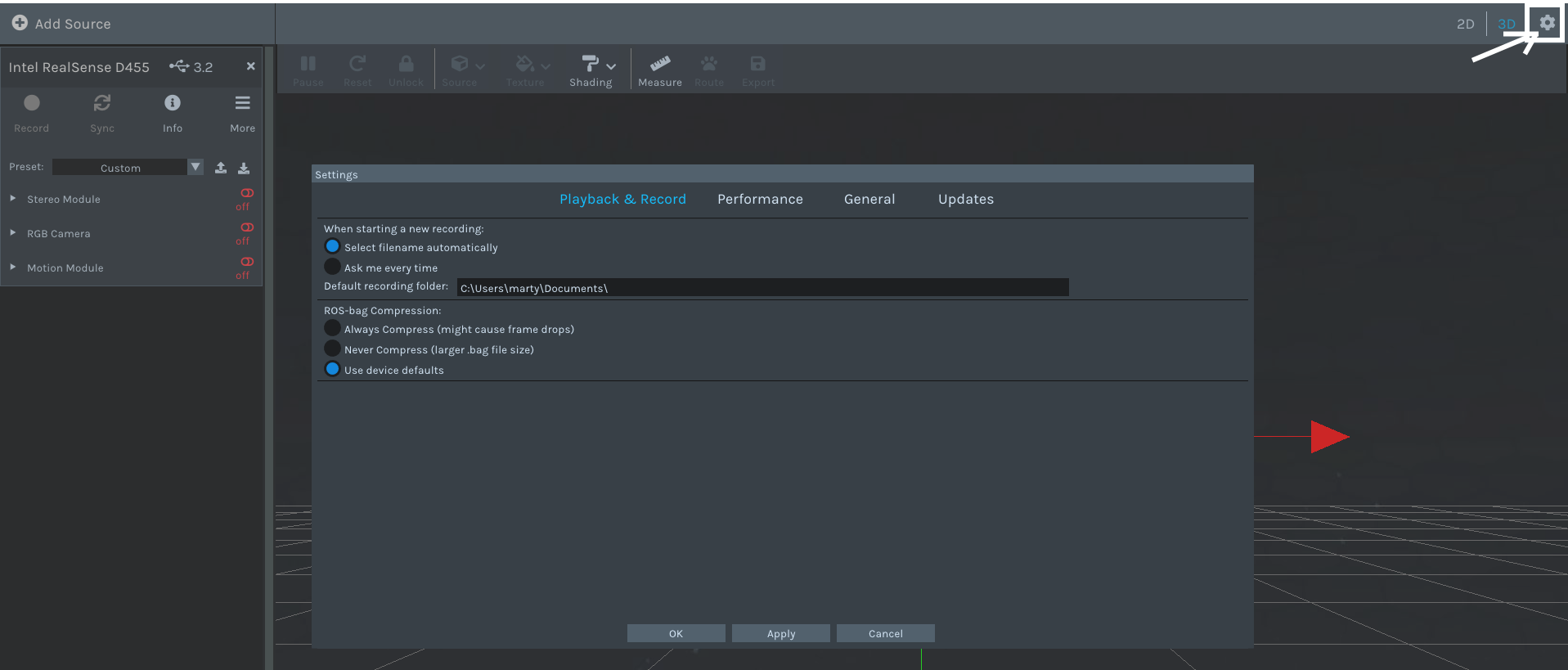
If you left-click on the gear wheel icon in the top corner of the Viewer and select Settings from its drop-down menu, does the Settings panel pop up? If it does not then this could suggest that there is a blocking issue with options in the Viewer that produce a pop-up overlay over the Viewer window when using VNC.
-
Thanks very much. It does appear that the problem that you are experiencing on a VNC Viewer connection is specifically affecting the ply Export option and not the other options. There is not an available solution for this except for writing your own point cloud generation and ply export script instead of exporting a ply from the Viewer.
You could also test whether installing a different VNC tool on your Pi than the VNC Viewer resolves the issue with the Export button.
Please sign in to leave a comment.
Comments
9 comments