Realsense D435i detected as D430I
Hello there,
I work with D435i sensor with a disassembled RGB sensor. I assumed, that the sensor works also without the RGB as a standalone depth module and might be detected as D430. Unfortunately, the sensor is detected as "Device with name Intel RealSense D430I was found.", which makes it unusable. Is there any option to resolve this issue? Thank you.
-
Hi Lucan Martin The firmware driver of RealSense cameras identifies the name of the camera from the physical sensors that it can detect. A D430i is a D430 matched with an IMU that does not have a detectable RGB sensor. So it would be expected for the camera to be identified as D430i if the RGB sensor was detached.
Are you able to access the depth stream normally in the RealSense Viewer tool with the D430i?
-
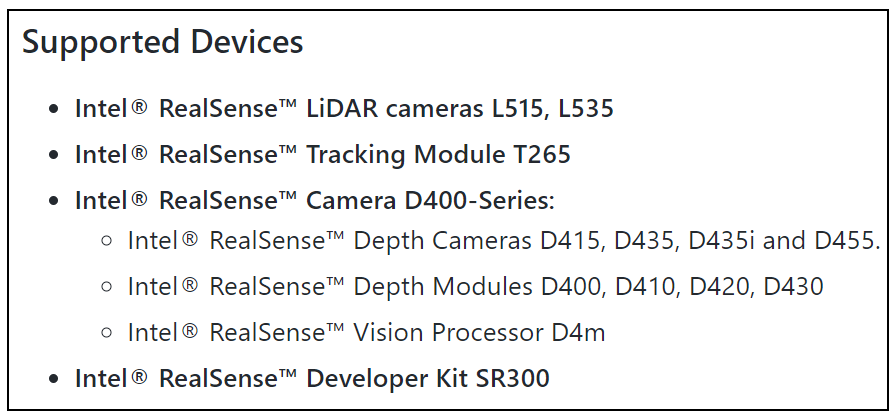
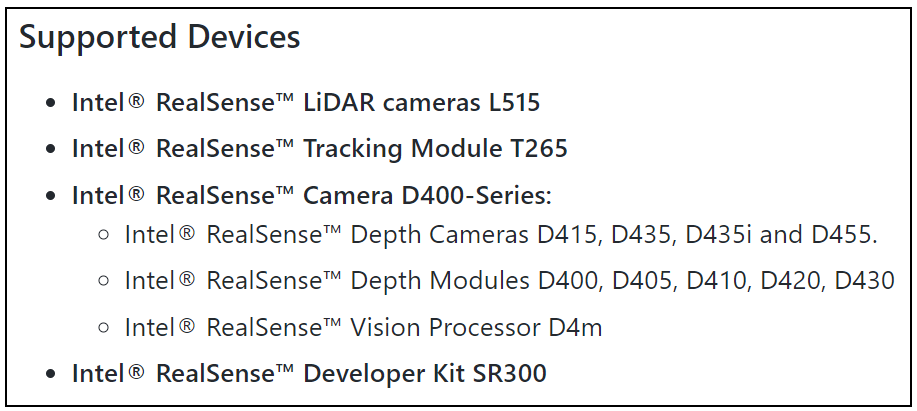
Whilst the RealSense SDK (librealsense) has a Product ID (PID) number 0x0B4B for the D430i configuration, in the RealSense ROS wrapper support for specific RealSense model numbers is added manually by the wrapper developers. The D430i configuration is not listed in the supported devices in the ROS wrappers.
ROS1 WRAPPER
ROS2 BETA WRAPPER
-
Thank you MartyX Grover. Unfortunately, I see this configuration is not supported by the ROS wrapper. Is there any option on how to use the original d435i without RGB sensor without replacing the Vision Board? I don't even strictly need an IMU. It's quite upsetting, that we cannot stream at least the depth in case of RGB sensor malfunction. Moreover, Realsense seems not to provide any repairs.
-
There is not a repair service for RealSense cameras, unfortunately.
A camera cannot be identified as D435i unless the RGB sensor and the IMU are detected.
May I ask why the RGB sensor was detached, please? It would not be active by default, so if the RGB sensor was not deliberately enabled by a program or a user input then its presence would not usually make a difference to the operation of the camera.
-
Sure, due to the space requirements of our device, we need to remove/change the position of the RGB module (related to question). During this operation, the ribbon cable of RGB sensor got damaged, therefore I intend to use the sensor without RGB for now, until we repair it or buy a new sensor.
-
Instead of replacing the RGB cable so you can use the detached RealSense RGB sensor, another option may be to attach an external non-RealSense RGB camera sensor to your device and align it to the D430's depth stream using the RealSense SDK's software device interface.
-
Yes, I see it as an alternative option. But I fail to find a compatible RGB module with MIPI protocol and compatible connector. MartyX Grover, do you know any purchasable module compatible with Vision Board? OmniVision, a provider of the original RGB module, seems to provide only high-volume orders. Thank you.
-
When using an external non-RealSense camera, compatibility with the Vision Processor D4 Board should not matter as it is not being connected to the V4 board.
If you wanted to replace the RealSense RGB sensor, my understanding is that a MIPI CSI-2 type sensor should be compatible. You can find more information about CSI-2 in the data sheet document for the 400 Series cameras by doing a 'find' operation in the document for the search term csi-2
https://dev.intelrealsense.com/docs/intel-realsense-d400-series-product-family-datasheet
Please sign in to leave a comment.
Comments
10 comments