Dynamic Calibrator
So I work for a Robot Integrator whom have robots with the D435 Realsense. The cameras use Firmware 05.12.10.00
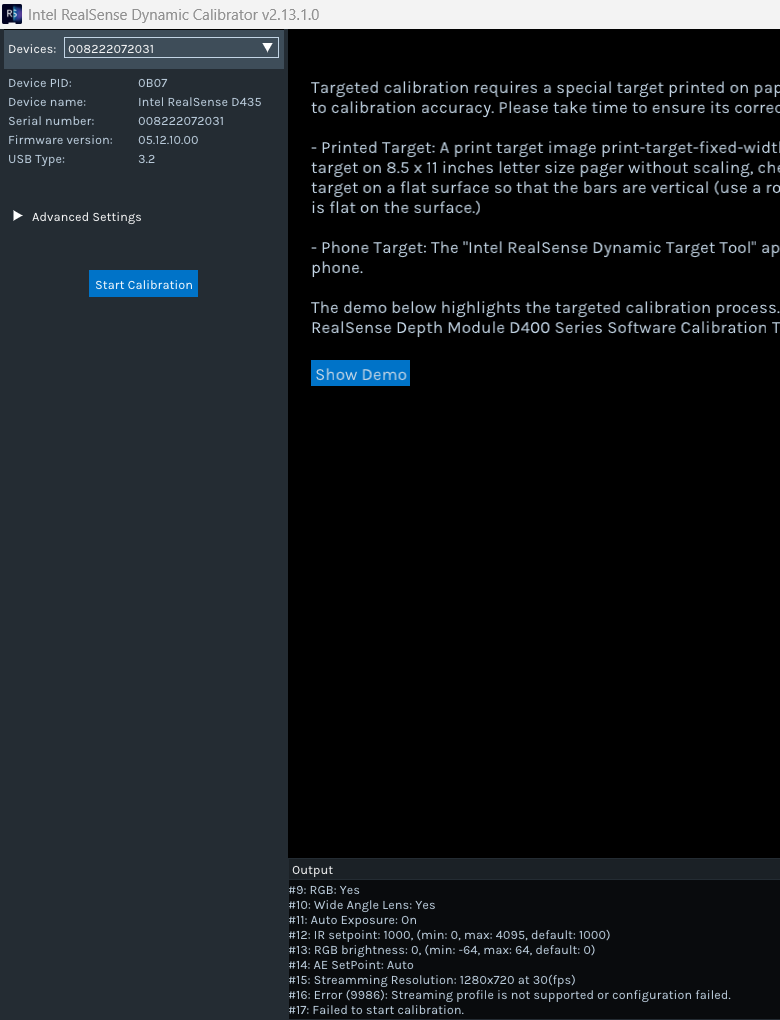
I wanted to manually calibrate the camera, though the Dynamic Calibrator (v2.6.4.0) tool does not commence the calibration tasks . However it does 'see' the camera , and identifies its serial number and FW version.
The tool will however run with stock cameras with older firmware (05.10.03.00). Though the ROBOT OS requires and flashes the camera to the version (05.12.10.00 )
Can anybody help me understand why the calibration tool will not run with this version ? Is there another version of the Tool that can calibrate the camera ?
-
Hi Joe Haynes The PDF user guide for the Dynamic Calibration tool states that firmware 5.10.6.0 and above is supported. The guide has not been updated since 2021 though. However, Dynamic Calibration version 2.6.4.0 was one of the first versions of the tool, released in 2018, so the 2021 guide's guidance about 5.10.6.0 and above being supported should in theory still be valid for that version of the tool.
The 5.10.3.0 firmware was only one month older than 5.10.6.0 so that is likely why it is able to work with the tool. It is not clear why it would accept 5.10.3.0 but have problems with the later 5.12.10.0.
If you have access to a Windows computer then there is a more recent version of the tool you could try that can be downloaded from the link below. The download of a zip file containing the Windows .exe installer program should start when the user agreement is accepted.
https://dev.realsenseai.com/firmware-download/?file=42115
RealSense has an alternative calibration toolset containing On-Chip and Tare calibration tools but these require a minimum of firmware 5.12.2.100 and so would not be usable with your firmwares.
Another way to recalibrate a camera is to reset it to its factory-new calibration values. Because of the age of your setup, you may have to do this using the Gold Reset mode of the CustomRW tool that is bundled with the Dynamic Calibration tool. The CustomRW tool can be launched in gold reset mode on Ubuntu or Windows with the command below:
Intel.Realsense.CustomRW -g
-
Hi Joe Haynes Do you require further assistance with this case, please? Thanks!
-
There was a past case of this start error reported in 2023. A solution was not found in that case, unfortunately. And the age of your firmware means that you will not be able to use the alternative On-Chip calibration tool that is built into the RealSense Viewer.
https://support.realsenseai.com/hc/en-us/community/posts/13025891795987
It is usually not necessary to perform a manual calibration of a new RealSense camera though as they are calibrated in the factory and so are already well calibrated when taken out of the box for first-time use.
Please sign in to leave a comment.
Comments
5 comments