Change D455f frame size/resolution with Unity asset
Hi,
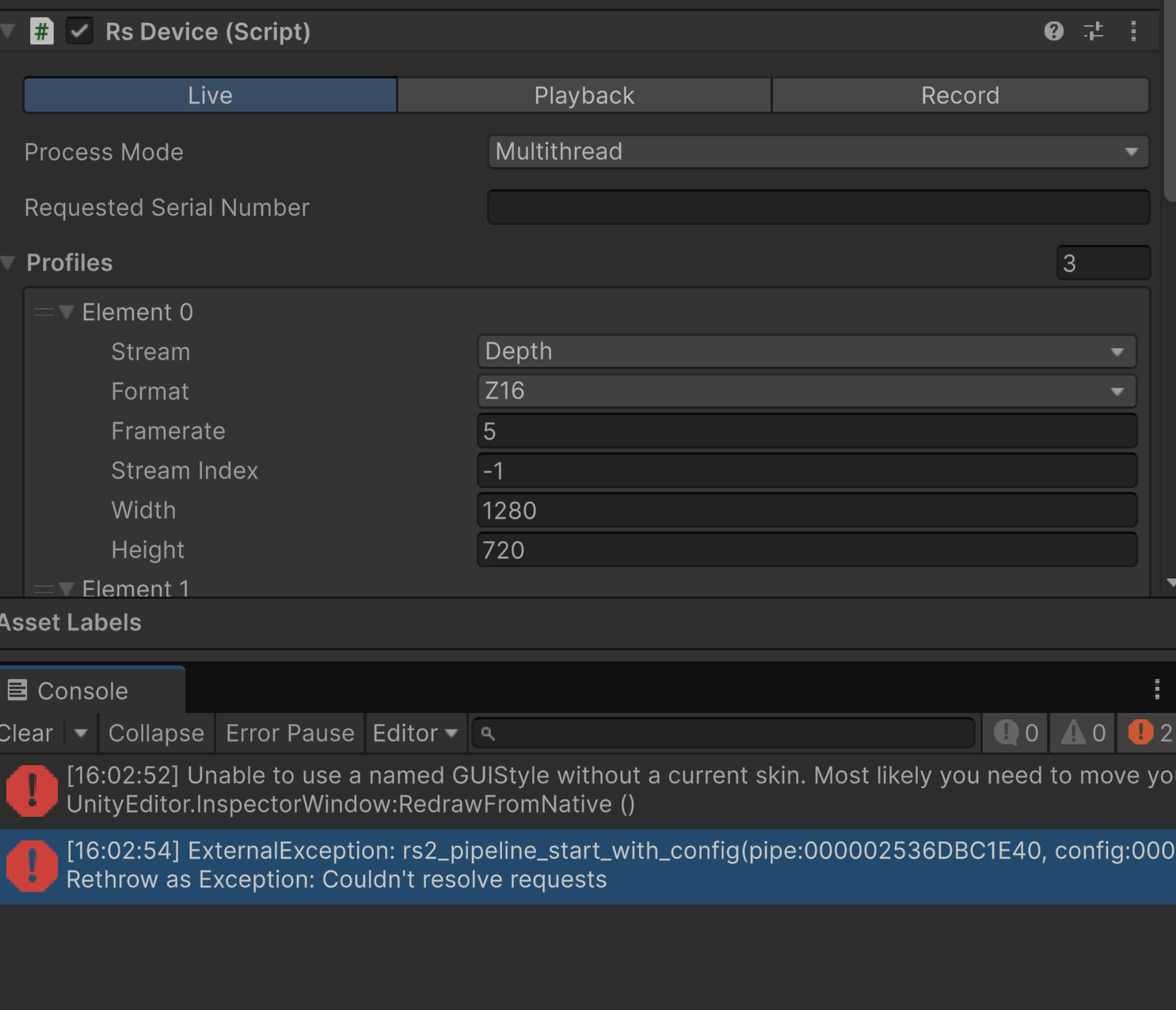
I fail to increase the image width and heigth in the RsDevice script provided with the Unity wrapper. I have tried to modify the public parameters and also the color RsVideoStreamRequest in the RsDevice script but a timout or an exception is always thrown.
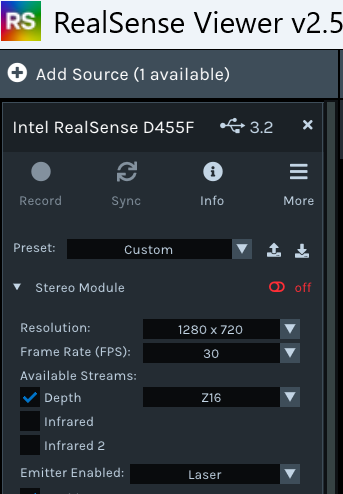
It is working fine in the standalone Intel RealSense Viewer, i try to set the same profiles like 1280x720@6fps/ 30fps but nothing except the default 640x480@30fps ever worked in Unity.
Thank you for your help !
-
Hi Sujeet Jha The D455f camera model will support 5 FPS as a minimum at 1280x720 resolution instead of the 6 FPS that D435 cameras support.
If your camera is detected as being on a USB 2.1 speed connection instead of the faster USB 3.2 then at 1280x720, the 30 FPS speed will be unavailable and only 5 FPS will be supported.
-
even at 5fps also it's not working MartyX Grover
-
In your Unity project, which version of the realsense2.dll file are you using, please? D455f support was introduced from SDK version 2.54.1 onwards. So you need to have a version of the DLL files in the RealSense folder of your Unity project that is from version 2.54.1 or newer.
The instructions at the link below describe how to obtain a recent version of the RealSense DLLs and import them into your Unity project.
https://github.com/realsenseai/librealsense/discussions/11944#discussioncomment-6297523
-
The link below provides advice about implementing post-processing filters in the Unity wrapper.
https://github.com/realsenseai/librealsense/issues/1898
If a Temporal filter is implemented then its 'Filter Smooth Alpha' setting can be used to reduce depth jittering.
-
Once the camera starts streaming, a RealSense Device Inspector configuration interface should appear in the Unity side-panel. So you could also try increasing the Laser Power setting during runtime from '150' to its maximum of '360' to see if it helps the camera to analyze the flat surface better by strengthening the pattern of invisible IR dots projected by the camera.
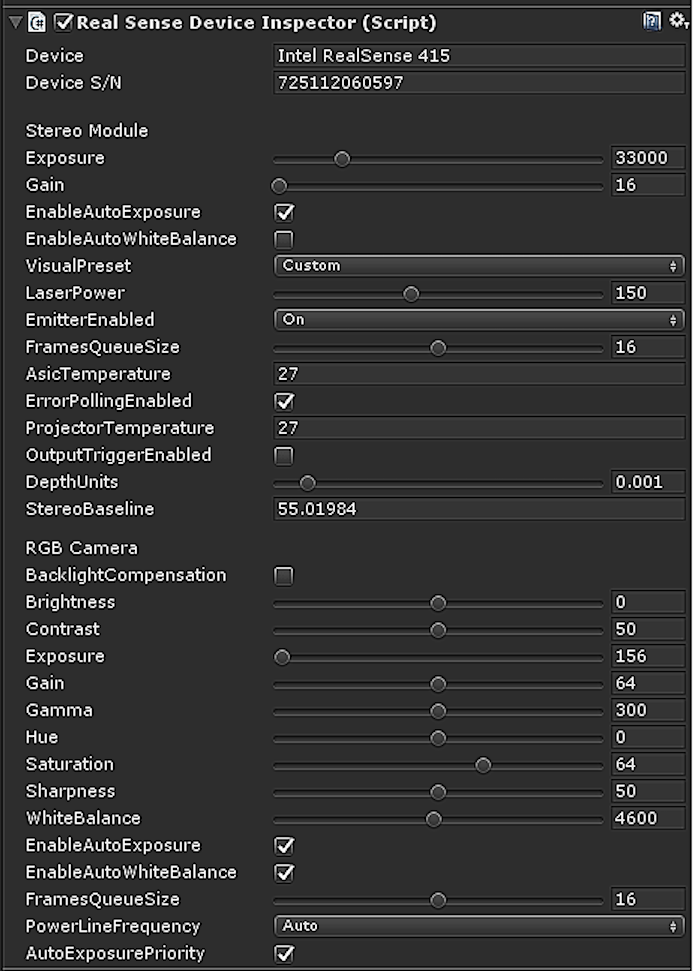
Changing the Visual Preset from 'Custom' to 'Medium Density' may also help with accuracy.
Please sign in to leave a comment.
Comments
9 comments