Problems with artefacts in the depth image
Hello Realsense family,
I have a question regarding artefacts appearing in my camera’s depth image.
I'm using a D456 camera and I’m noticing that some objects in the scene are being detected as much closer than they actually are. It seems that the camera has particular difficulties with objects on the ceiling that are perpendicular to its viewing direction. For example in this image (ceiling is on the bottom of the image, as the camera is mounted upside down):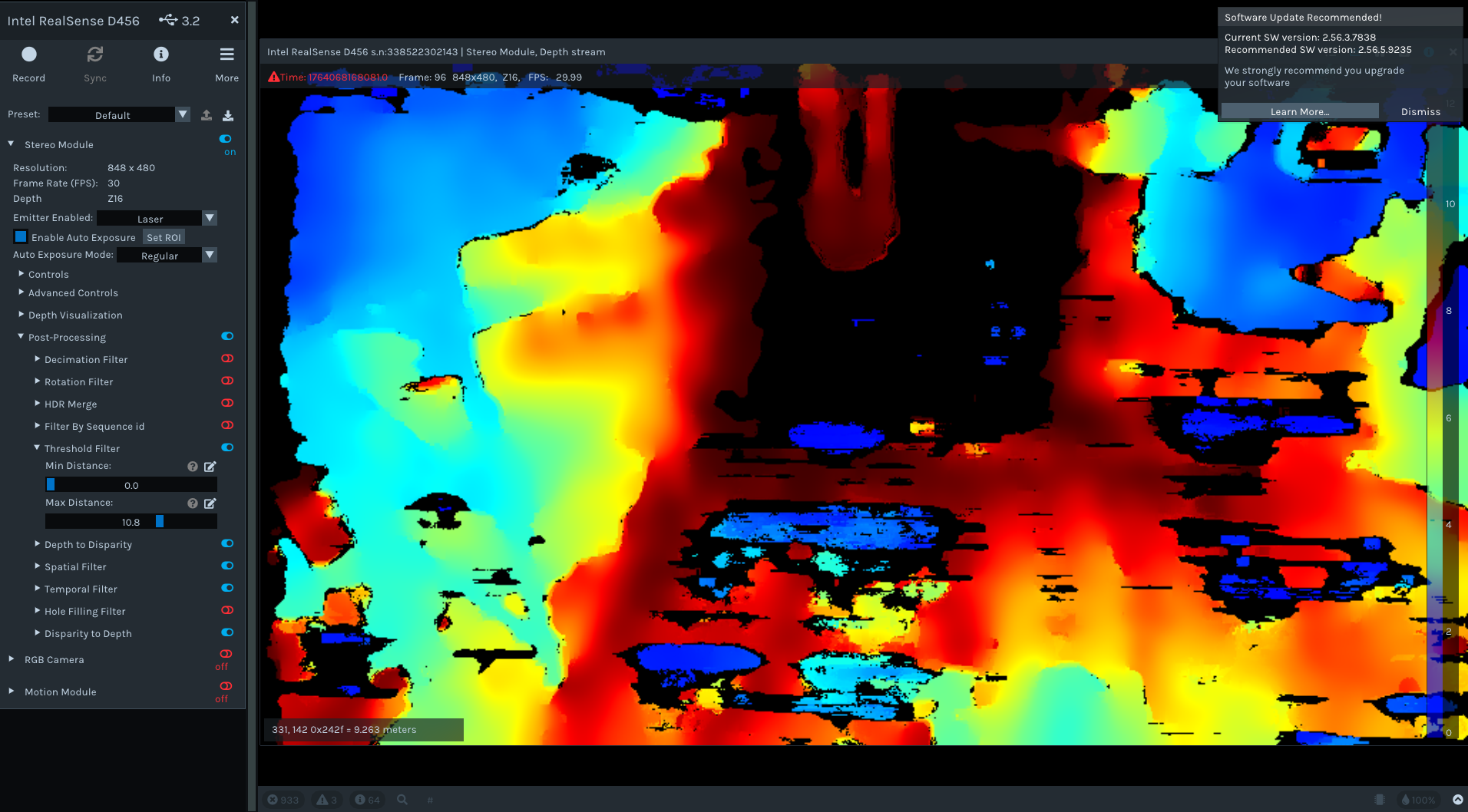
Here I’m using the default settings of the Intel RealSense Viewer. The artefacts appear in the bottom-center region of the image, visible as blue areas.
When examining the point cloud, the artefacts appear much closer than they should be and do not exist anywhere near that position in the real environment.
When I test with a different camera, the effect does not appear. This leads me to believe that there may be an issue with this particular device.
Do you have any experience with this kind of artefact? How can I address it? I have already tried performing a factory reset of the calibration data as well as updating to the latest firmware version.
Thank you for your help!
Yours sincerely,
Laurin
-
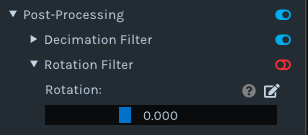
Hi Laurin Steiner As your camera is mounted upside down, you could test whether rotating the depth image the right way up makes a positive difference. The Post Processing section of the RealSense Viewer has a Rotation Filter that can rotate the depth image whilst automatically updating the calibration values and other settings for the new perspective.
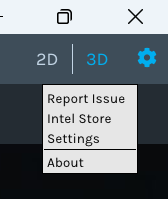
You could also try resetting the Viewer software's settings instead of the camera to determine whether the issue is caused by the Viewer when using that particular camera. Click on the gear-wheel icon in the top corner of the Viewer to drop its menu down and select 'Settings' from the menu to open the settings configuration interface.
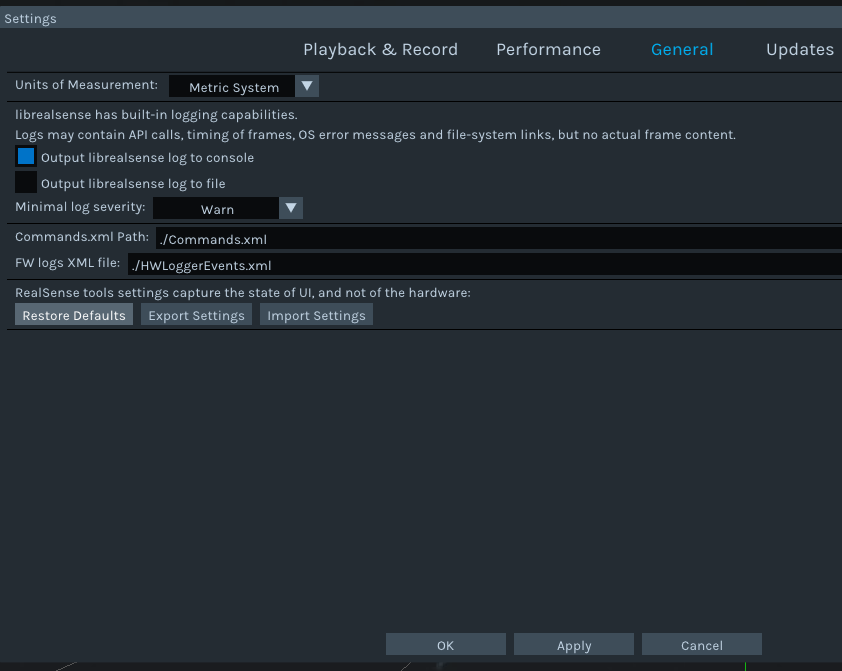
Click on the General tab of the Settings window, click the Restore Defaults button and then finally click the Apply button to reset the Viewer to its defaults.
Please sign in to leave a comment.
Comments
1 comment