IMU Calibration D455.
Hello,
I am trying to calibrate the IMU's of D455 as described in
https://dev.intelrealsense.com/docs/imu-calibration-tool-for-intel-realsense-depth-camera
For first position I have following state.
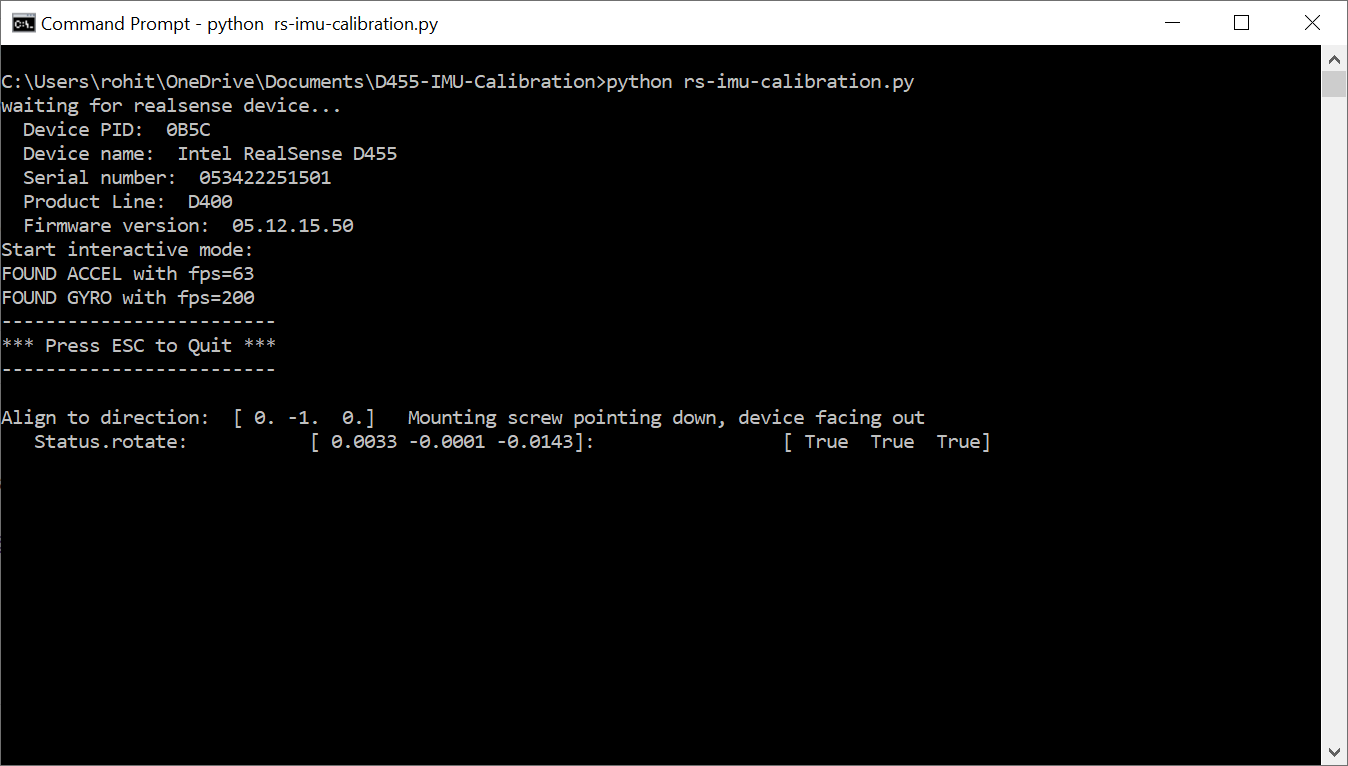
I am trying to match the position as per status: rotate and to make this vector [0, 0, 0]. But it is too much difficult and the script is not moving further or start recording data. By bare hands or specific supports it seems difficult. Is there any specific tools useful to hold camera intact and move to match up [0, 0, 0]?
I am using python 3.9, installed pip, numpy, enum34 and pyrealsense2.
Rohit
-
Hi Rohit The tripod supplied with the D455 is useful for most of the positions that the IMU calibration tool requests, as you can rotate the tripod with your hand or pivot the camera on its mounting point atop the tripod. For example, you can tilt the camera full sidewards on the tripod for the 'turned on side with USB cable connector pointing upwards' position, and for the position where the cable's connector points downwards you can unscrew and rotate the camera a little on the tripod mounting point so that the connector is pointing down.
If you do not have a tripod available, you can perform a couple of the positions simply by placing the camera without a tripod on a flat surface such as a table or book. In the positions where the camera needs to be held side-on, you can either try your best to hold it steady in your hand or wedge the camera between a couple of heavy objects such as a pair of books (it does not matter what the camera is seeing in this situation because it is only the camera's rotation angle that it is checking).
-
Dear MartyX Grover,
Yes I have tripod and tried almost everything. Even the precision received is
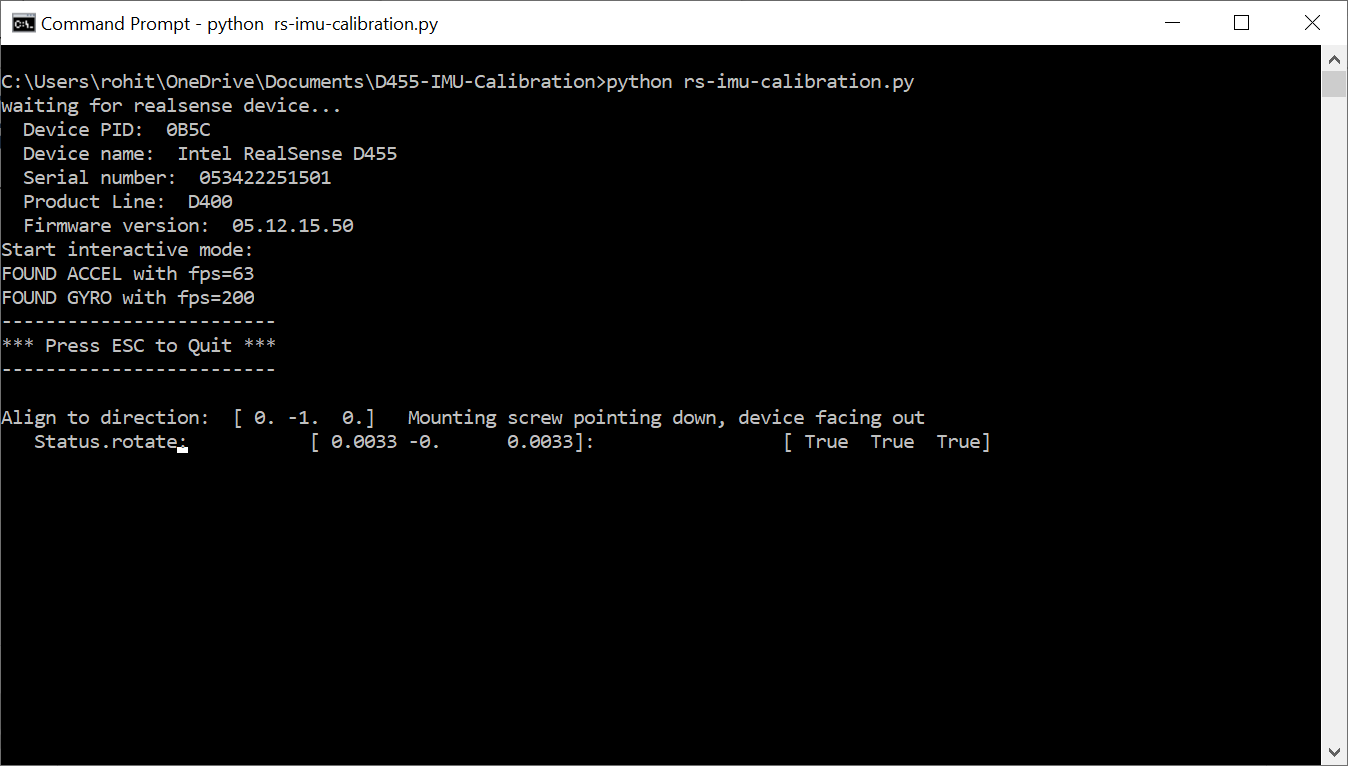
Still the recording is not starting. It also reached [0.11, -0, 0.11] still no progress. Does it require exact [0, 0, 0]?
Rohit
-
I believe there is some flexibility with the value when the tool is checking whether the requested orientation has been met. The Y value of '-0' when -1 is requested seems unusual though. Have you got the camera lenses facing forwards (like taking a photo with a normal photographic camera)? Does the Y value change if you move the camera?
-
Dear MartyG,
Yeah. I have read one of your comment on Github issues and I have also suspected if it requires to be [0, -1, 0]?
But again the rs-imu-calibration project on github mentions.
-
The script prints the following line, describing how to orient the camera:
Align to direction: [ 0. -1. 0.] Mounting screw pointing down, device facing out -
Then it prints the status (rotate) and the difference from the desired orientation:
Status.rotate: [ 1.0157 -0.1037 0.9945]: [False False False] -
You have to bring the numbers to [0,0,0] and then you are in the right direction and the script moves on to the next status.
This is little confusing. Please check my setup and I think it is like mentioned in the paper.
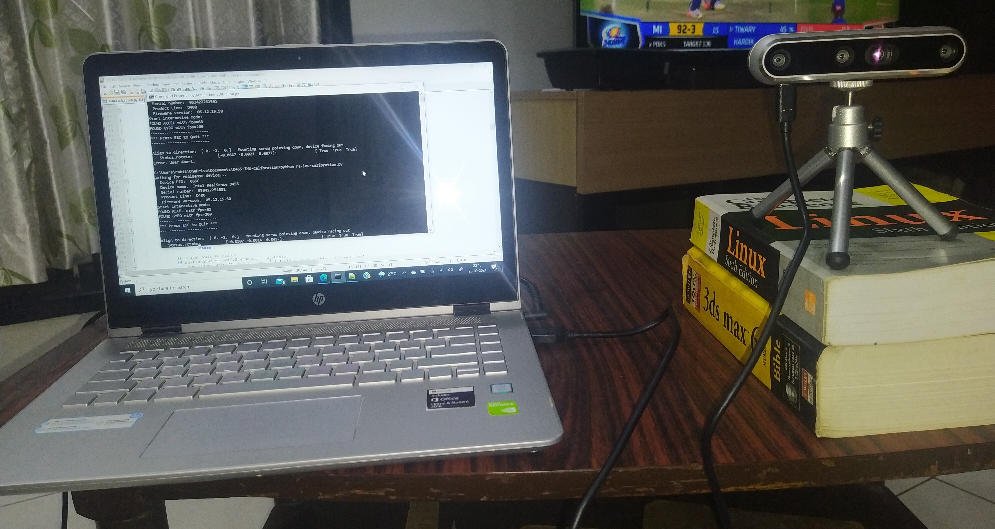
I am on windows, Python 3.9. Is it that the script will only work good on Python 2.7?
Rohit
-
-
The original PDF version of the calibration guide may be easier to follow as it goes through each individual orientation in detail instead of describing the process in a few lines. The guidance starts on page 15 of the document.
Basically, it is asking that the camera is oriented to the values specified in the Align to direction value.
I have not used this tool in a long time but my memory of is is that you are provided with the coordinates to align to and also a live-updating readout of the current orientation values, and have to move the camera until the live-updating values closely match the requested values. When you think you have got as close an alignment as possible, take your hand away from the camera.
If the tool agrees that the values match then an extending line of dots should start accumulating on the screen. When the count reaches a certain number of dots, the tool automatically moves on to the next orientation that it requests you to move the camera into, until all six orientations have been successfully completed.
The tool should work on Python 3, though I have not seen a report of it being tested on Python 3.9 specifically.
-
Dear MartyG,
Your last statement helped me to solve the problem. I have installed Python 3.6.8. Every other requirement is installed without problems on Windows 10 21H1 - Build 19043.1237. Then the rs-imu-calibration start as expected and the flow went smooth without many hurdles. I have used a tripod for the first four positions. Here is the image of my results and the flow of the program.
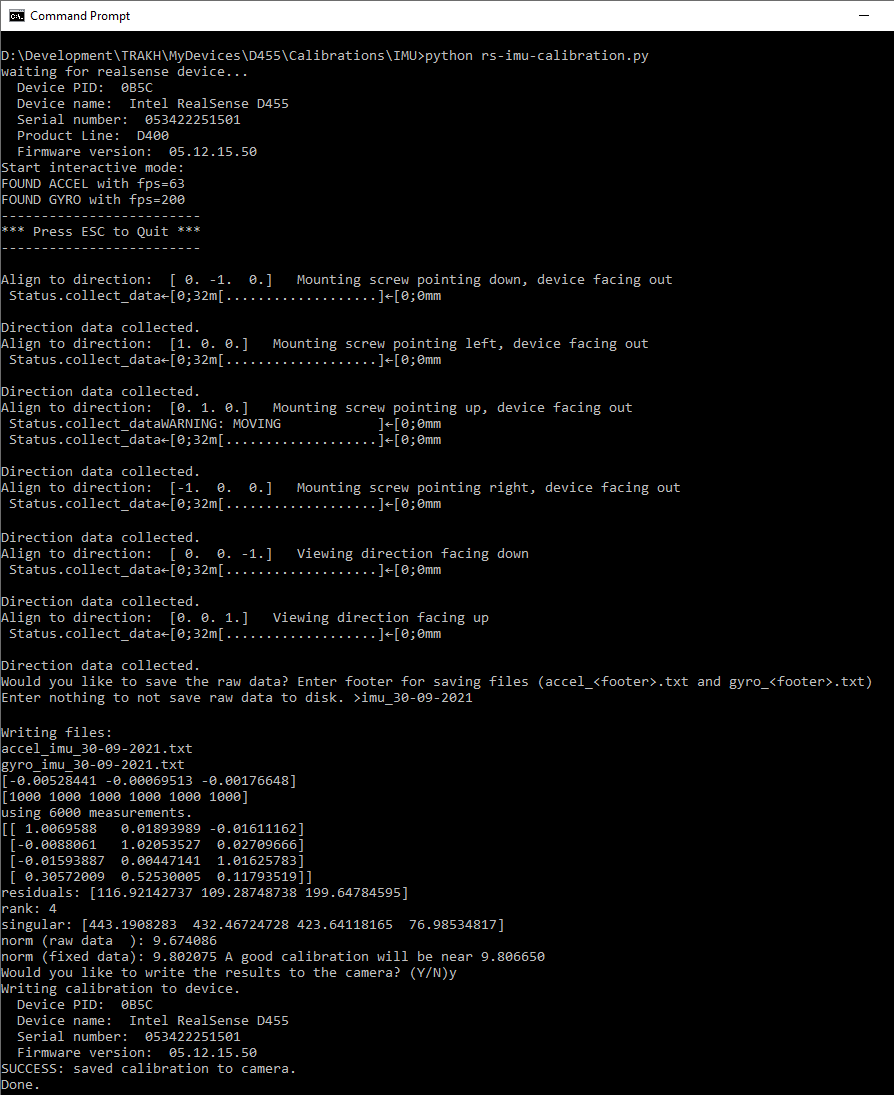
After I calibrated the IMU of my D455, The Results are good in RS Viewer.
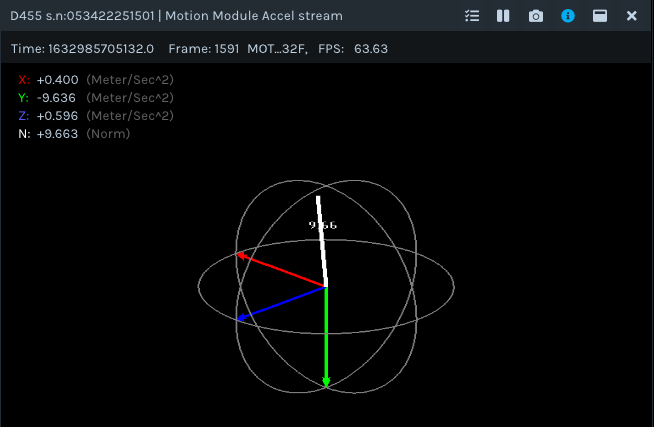
Previously for y, it was -8.0. So now My device D455 IMU is closer to -9.8 m/s^2 like I studied in my high school.
So far So Good. But with 3.9 and 3.10rc1. The script is nonfunctional for sure. Even the ESC handler requires a small change in Python3. on line number 121 => if c == b'\x1b': than if c == '\x1b':
I think the script needs testing on 3.9 and 3.10.
And I have used the paper from github link
https://dev.intelrealsense.com/docs/imu-calibration-tool-for-intel-realsense-depth-camera
Thanks, MartyG for your time. I am trying to use the D455 for AR and MR applications. Let's see how much success I get. Fingers Crossed.
Bingo!!!
Rohit
Please sign in to leave a comment.
Comments
7 comments