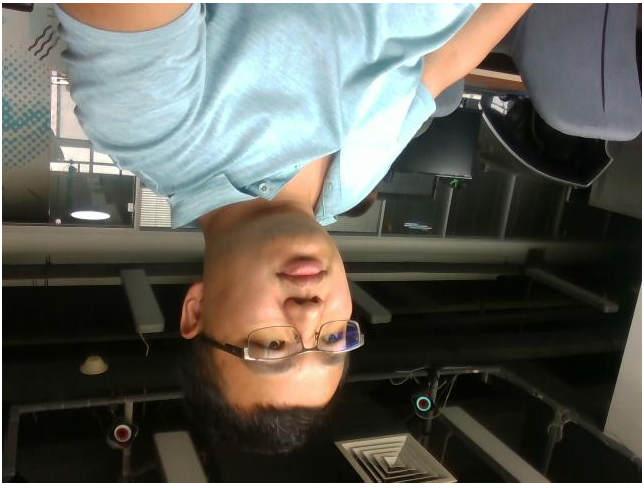
2d image obtained is inverted
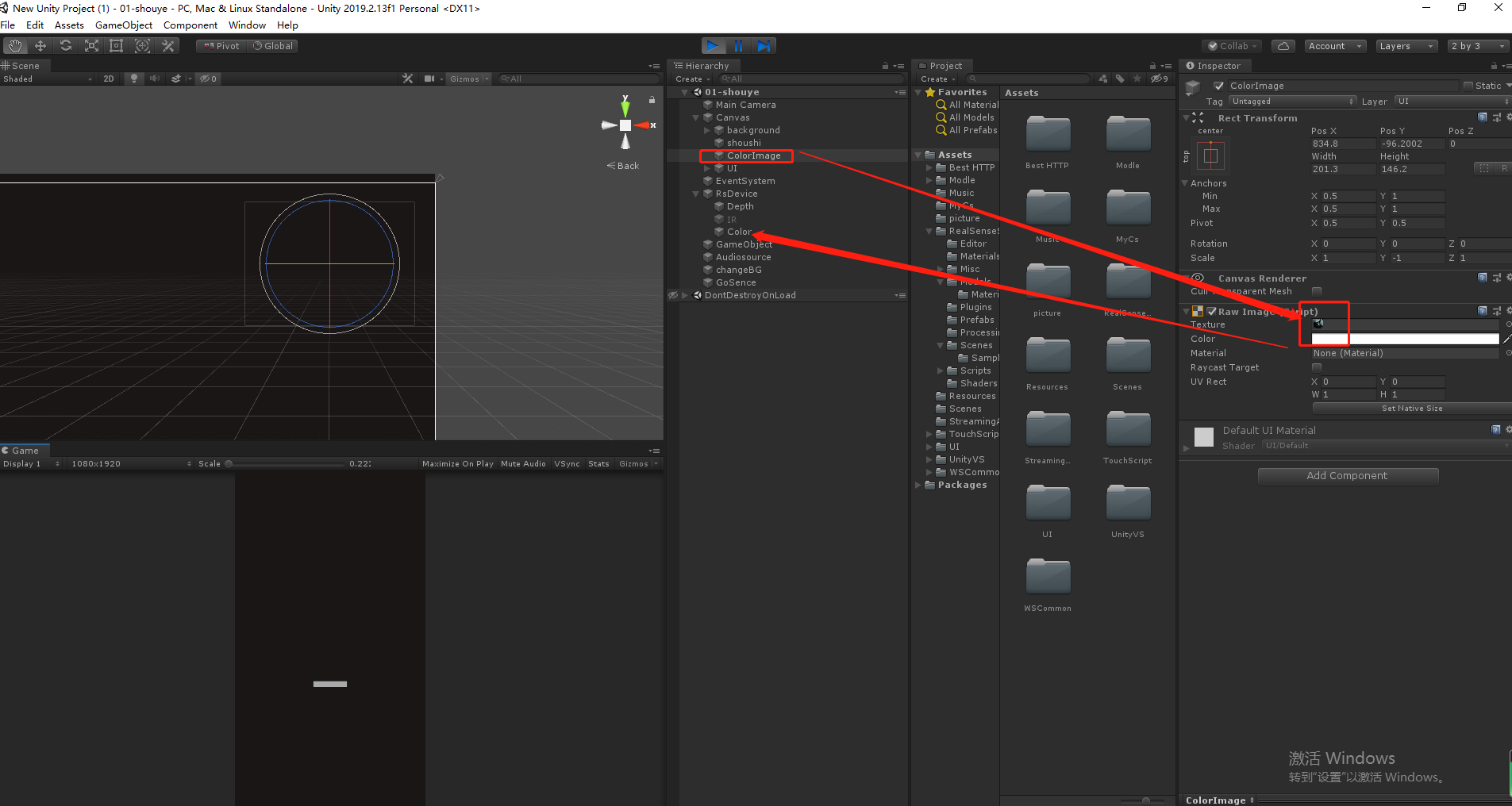
The camera I bought is D415,I use Unity to get pictures,The picture obtained is inverted,The class I use is RsStreamTextureRenderer.cs for examp,Can you help me solve it
I set
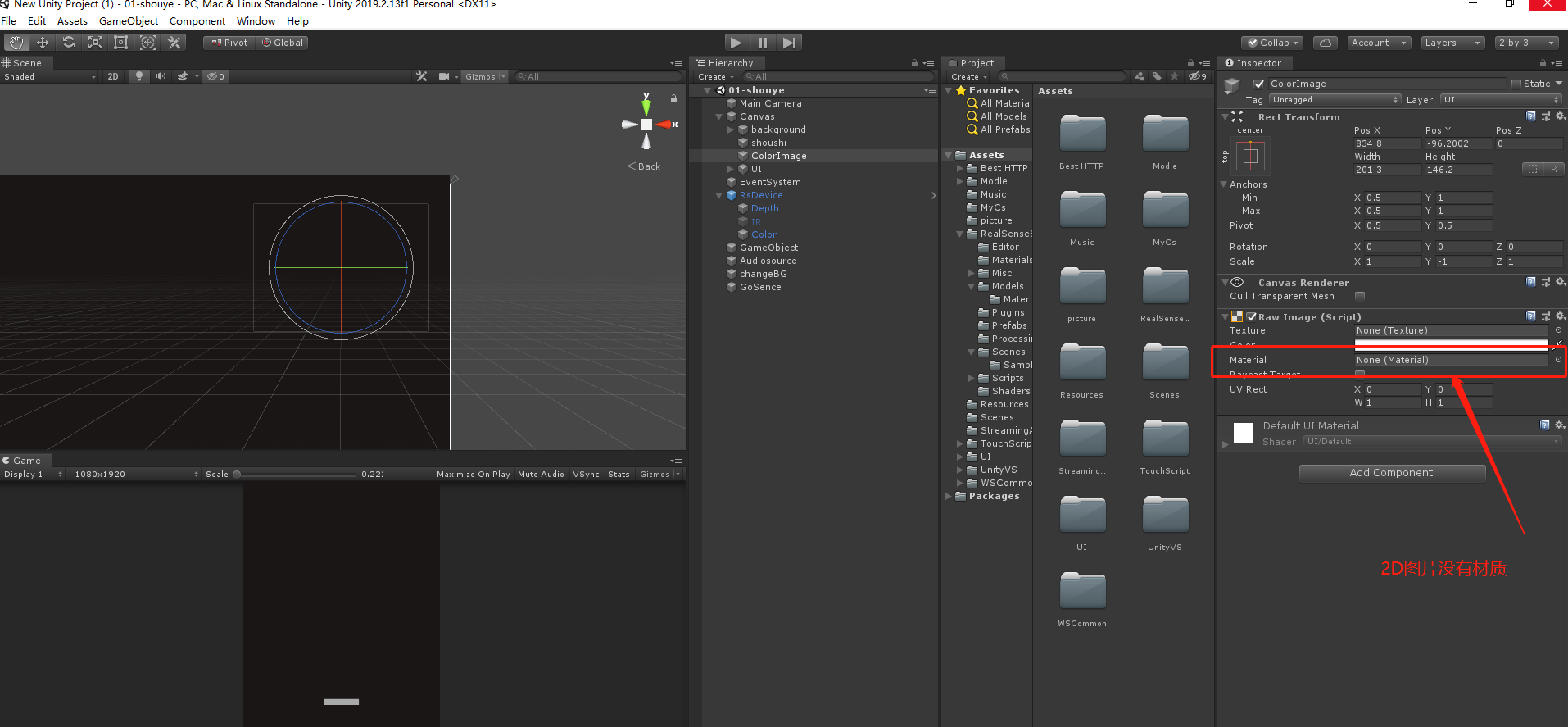
-
I located another RealSense Unity wrapper case where the RGB image was upside down.
https://github.com/IntelRealSense/librealsense/issues/2408
This was an image that was saved to file. Is your upside down RGB image also a saved file please or is it real-time?
-
I researched the problem carefully but could not find a way to alter the Uty wrapper to automatically flip an RGB image saved by the wrapper. If it is a PNG image, you may have to flip the image manually in art software after the file has been created. If you are using Windows then you can find its built-in Paint application by typing the word paint into the search box at the bottom of your Windows screen, next to the button in the corner where the PC is shut down.
-
MartyG :Thank you for your serious guidance. I'll study. Thank you
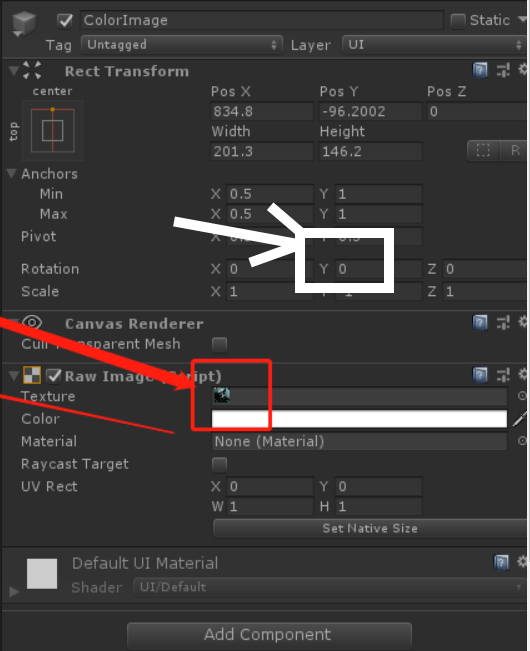
Please sign in to leave a comment.
Comments
7 comments