Irregular errors in infrared stream of d435i during operation
Hi community,
we are using d435i in a robot cell. during operation we sometimes get irregular errors in one infrared stream, see image bellow: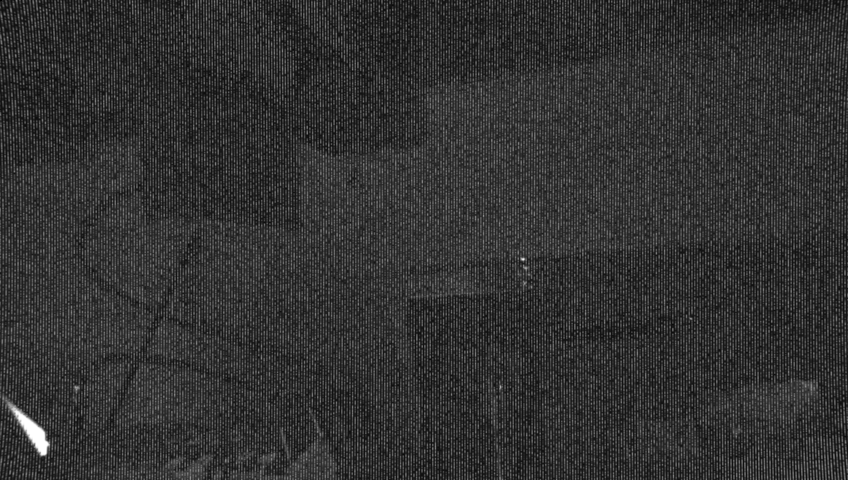
As you can see there are white stripes from top to bottom of the infrared image (pointcloud got no valid values). The whole image also much more darker then normal. Reconnection of the camera cable solves this. firmware was updated.
Does anyone know where this might be coming from? We had the same problem with another d435i, so it seams to be not a camera-depended error problem
Thank you! Johannes.
-
Hi Johannes Abicht The effect in your kindly provided infrared image is similar to one that was produced in the case linked to below, where the effect also occured periodically rather than all the time and was corrected with a reset or unplugging-replugging the USB cable.
https://github.com/IntelRealSense/librealsense/issues/8880
The RealSense user in that case found that the problem did not occur over a long-term period if the official 1 meter USB cable supplied with the camera was used. Are you using the official cable or your own lengthier choice of cable, please?
-
Hi Marty,
thanks for your fast reply and helpful link to the discussion - i keep that back in mind.
In fact, we are using longer (5m) usb cables because the camera is mounted on top of the robot flange/gripper.
Are there further investigations corresponding to the cables, please?
Johannes.
-
When using longer cables with RealSense cameras, cable quality is important due to the volume of data that RealSense cameras transmit. Ideally, premium quality 'industrial grade' cables that are proven for compatibility and stability with RealSense cameras should be used, such as the Newnex brand that the RealSense user in the linked case was using.
https://www.newnex.com/realsense-3d-camera-connectivity.php
If the cable is being moved around by the robot flange as it moves, a USB cable with a screw lock on its connector can be used to firmly fix the cable in the camera's USB port using the two small holes either side of the port on the side of the camera.
Please sign in to leave a comment.
Comments
3 comments