D435 depth issue on object's edge?
Device: Intel Realsense D435
Realsense viewer v2.48.0 < Preset = Default >
Sample height: 20mm (cube shape 115x153x20)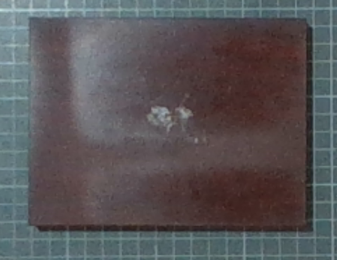
I'm trying to get 3D point cloud of object as accurately as possible at 20cm. up to 120 cm. My problem is it quite accurate at 20 to 40cm, other that that it wouldn't be good, the surface isn't flat anymore, and the most problematic is the edge of surface is slope down to the platform due to false depth value around that area.
At 43.5 cm. (quite good)
At 53.5 cm. At 63.5 cm.
So, is there any way to get the better results, and you can suggest me for better depth camera model. Thanks in advance.
-
Hi Mawin9587 The D435 that you are using is the most appropriate camera model for sensing at a 20 cm distance, as D435 and D435i have a minimum depth sensing distance of 0.1 meters (10 cm) that enables them to be positioned close to objects / surface. Other camera models such as D415, D455 and L515 have a larger minimum depth sensing distance. D435 and D435i are therefore best suited for very close range depth measurement.
Which resolution are you using for depth, please? The optimal depth accuracy resolution for D435/i is 848x480
The discussion in the link below is a good reference regarding smoothing out waviness in point clouds that increases as the distance of the observed object from the camera increases.
https://github.com/IntelRealSense/librealsense/issues/1375
The link below discusses problems with observing flat surfaces from an angle.
https://github.com/IntelRealSense/librealsense/issues/6857
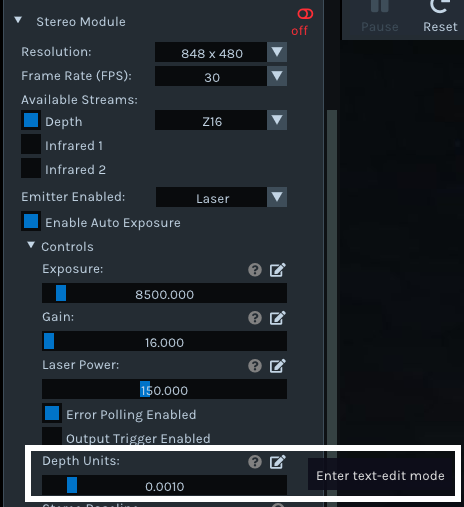
If you have an excess of empty area with no depth information on a point cloud, you may also find that a lot of that missing detail is filled in if you set the camera's depth unit scale to a value of '0.0001' instead of its default of '0.001'.
This can be tested in the RealSense Viewer program's 3D point cloud mode by adjusting the Depth Units option under the Controls sub-section of the Stereo Module options. You can input 0.0001 manually by left-clicking on the pencil icon beside the option.
Please sign in to leave a comment.
Comments
1 comment