NDVI with realsense d455f camera - registering NIR with RGB issue
Hi, I have already seen this post and it has no answer for my question.
https://support.intelrealsense.com/hc/en-us/community/posts/1500001232521-How-can-I-get-ndvi-850nm-image-from-d455
I am doing some research and I am desperately trying to register one of the NIR images (left for example) with the RGB using built in features in the API.
The results are:
experiment 1: align_to_depth = rs.align(rs.stream.depth)
ends up with perfectly aligned nir+depth+rgb but areas where depth could not be calculated all of the images have black areas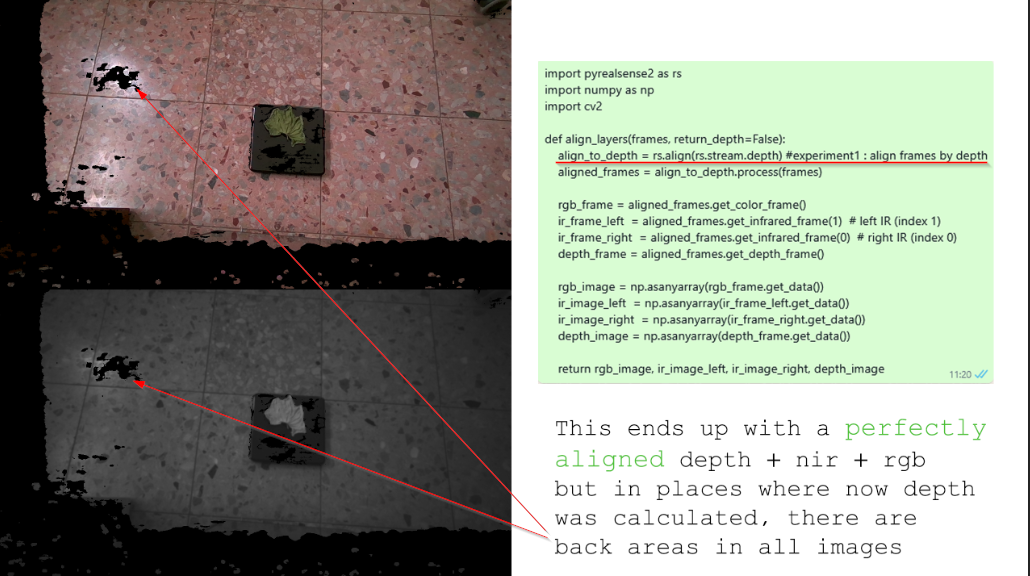
Experiment 2: align_to_ir = rs.align(rs.stream.infrared)
Created great RGB and NIR whitout black areas EVEN if the depth has them, but they are all NOT aligned to each other: 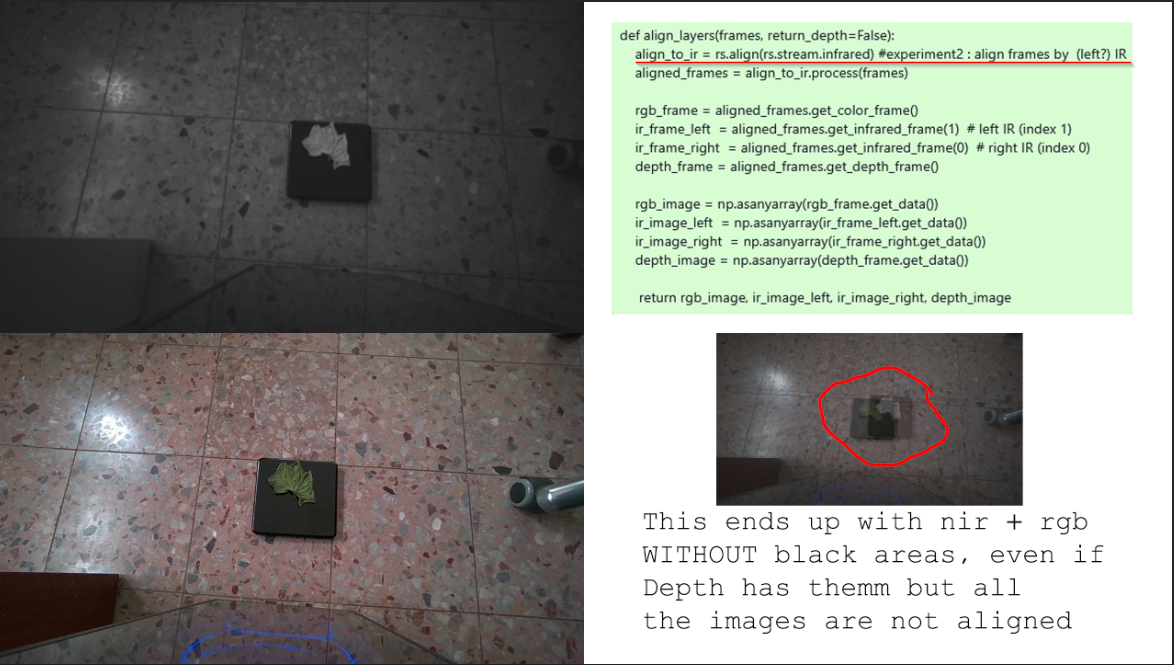
Experiment 3: align_to_rgb = rs.align(rs.stream.color)
Just like in experiment 2 : Created great RGB and NIR whitout black areas EVEN if the depth has them, but they are all NOT aligned to each other: 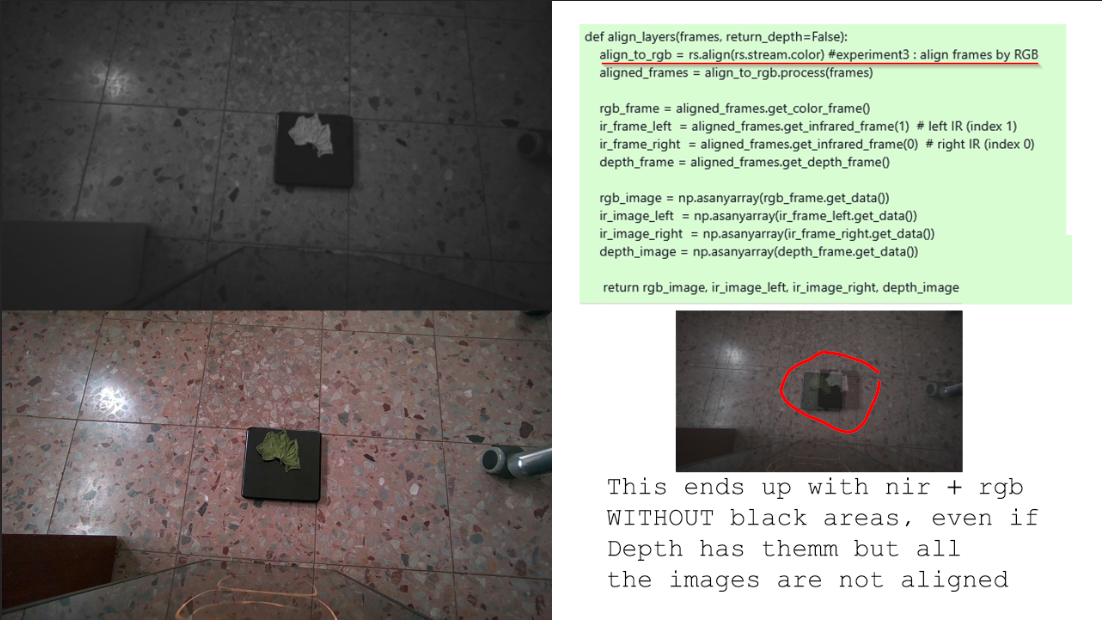 ----------------
Reminder: my goal is not a depth. I just want the RGB aligned to NIR without black areas.
Question: when streaming and exporting images from a bag file, there is an RGB aligned to DEPTH and this RGB has no black areas even if the depth has. Exactly same I want to happen to NIR - I want it to be aligned to DEPTH and have no black areas.
If this happens to NIR it will fit my RGB and they both will have no black areas.
---
please help me!
-
Hi Chijco If you are aiming to align depth, infrared and RGB then there is a Python script for doing so here:
-
@MartyG Thanks for an answer
I have seen those posts before but to be honest It seems to me that they end up all with one of 2 things:
1- they do not end up with any conclusion
2- some of them suggest one way or another to achieve what I have already got as described in experiment1
Please correct me if, I d be really glad if i missed something there -
align_to is designed to align two streams - one stream to another - and one of those two streams must be depth. The suggested Python script is the only available solution for a three-stream alignment of depth, infrared and RGB.
As you have a D455f, you should be able to access RGB from left IR sensor mode. This provides an alternative RGB image to the one from the RGB sensor that will be perfectly aligned with depth and with the left IR image, as all three originate from the same sensor.
You can generate the RGB from Left IR image in Python code with a cfg configuration instruction like the one below, where the infrared stream format is set to RGB8 or BGR8 instead of the Y8 infrared format.
cfg.enable_stream(rs.stream.infrared, 640, 480, rs.format.bgr8, 30)
-
@MartyG
Thanks I have tried this one and I wonder:
1- I am not sure I can use this together with the regular left IR:cfg.enable_stream(rs.stream.infrared, 640, 480, rs.format.bgr8, 30)
cfg.enable_stream(rs.stream.infrared,(1) 640, 480, rs.format.y8, 30)2-Are you sure that rs.format.bgr8, or rgb8 is a real rgb image? it seems to me that it is just an rgb pseudocolr for mapping NIR data, isn't it? Ithink so because when I use the rgb8 i see:
- redish image kinda redscale
- I have a black fabric which I know from before in NIR looks almost white (means it returns the NIR), so when I point my camera towards this fabric in this "red-scale" (rgb8) mode I see this black fabric white - which I think is another proof that I am writ and this is not really rgb camera
-and finally, If I turn laser on I can see it in this redscale image, which could not happen if it was a real rgb
since NIR laser is not visible in RGB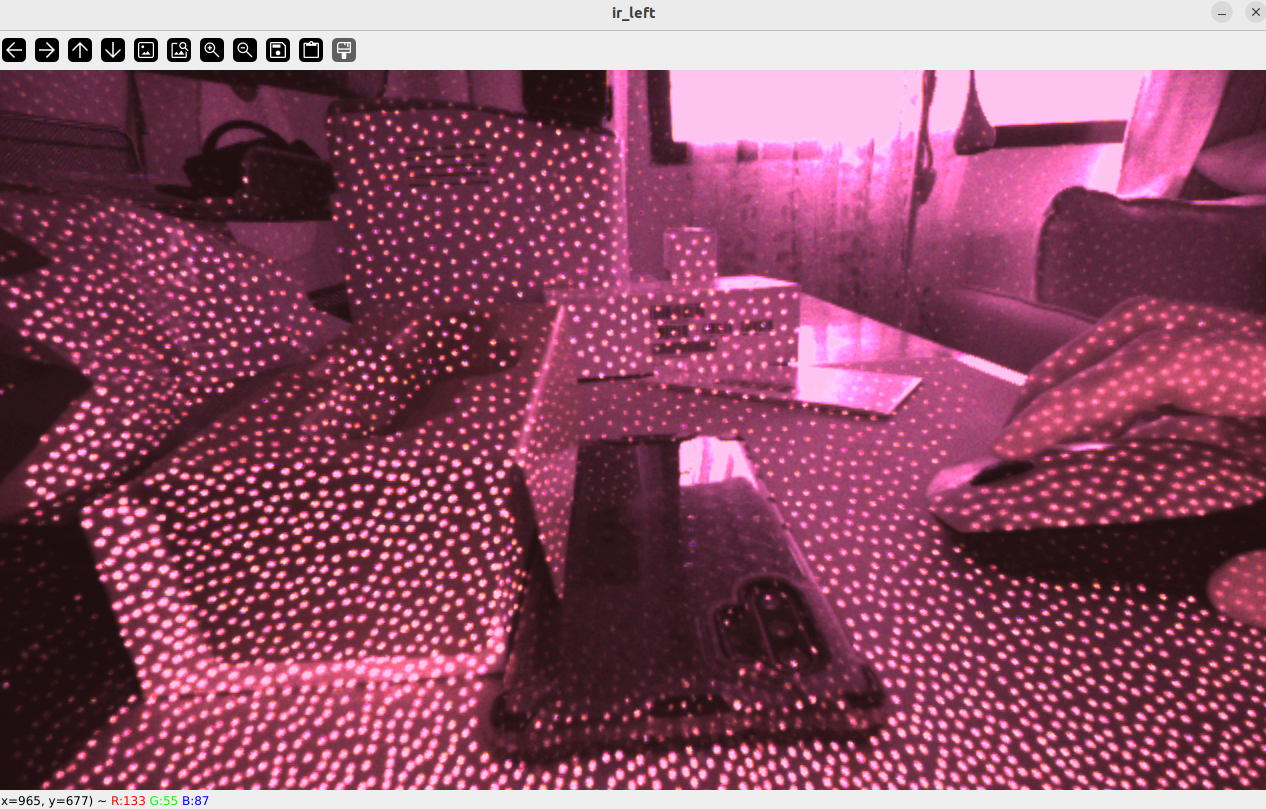
Correct me please if I am mistaken -
1. An RGB from Left IR image behaves like a colorized infrared image. For example, it can take advantage of the light projected by the camera's IR emitter to see in the dark, whilst the RGB sensor's RGB image is not visible in darkness. So perhaps you could use the left-IR RGB image instead of the monochrome IR image (as both will have the same viewpoint, coming from the same sensor).
-
2. RealSense camera models that support the RGB From Left IR mode can generate an image in RGB formats such as RG8 and BGR8 using the infrared sensor. So whilst the image is not coming from a sensor dedicated solely to the purpose of producing RGB, it is an RGB image in the sense of the format that it is provided in.
-
The OmniVision sensors that are used in RealSense cameras can output different types of stream with the same sensor component. For example, in D455-type cameras the left and right IR sensors that produce depth and IR, and the separate RGB sensor, are both the OmniVision OV9782. The RGB sensor's color image is produced by passing it through an Image Signal Processor (ISP) chip on the camera's Vision Procesor D4 circuit board.
-
The only other method that I am aware of for aligning RealSense RGB to IR is suggested here:
https://github.com/IntelRealSense/librealsense/issues/1556#issuecomment-389061477
Please sign in to leave a comment.
Comments
9 comments