Realsense D415 constant noise on one IR camera
We have observed a constant noise on the left (away from the USB port) IR camera in the Realsense D415 module. Is there any way to fix this noise on the sensor?
Few details: We are using a custom built case for the processor and sensor boards. We have another custom built model with realsense D415 hardware and that one works perfectly. We have tried using another processor board with it and it is still showing the same constant noise. We have also tried different cables including the one that comes with the out-of-the-box Realsense cameras.
The constant noise is affecting the depth measurement. We have tried calibrating the camera by using the tools provided by Intel for calibration but it has not improved the depth data.
Attached are images taken from the realsense-viewer.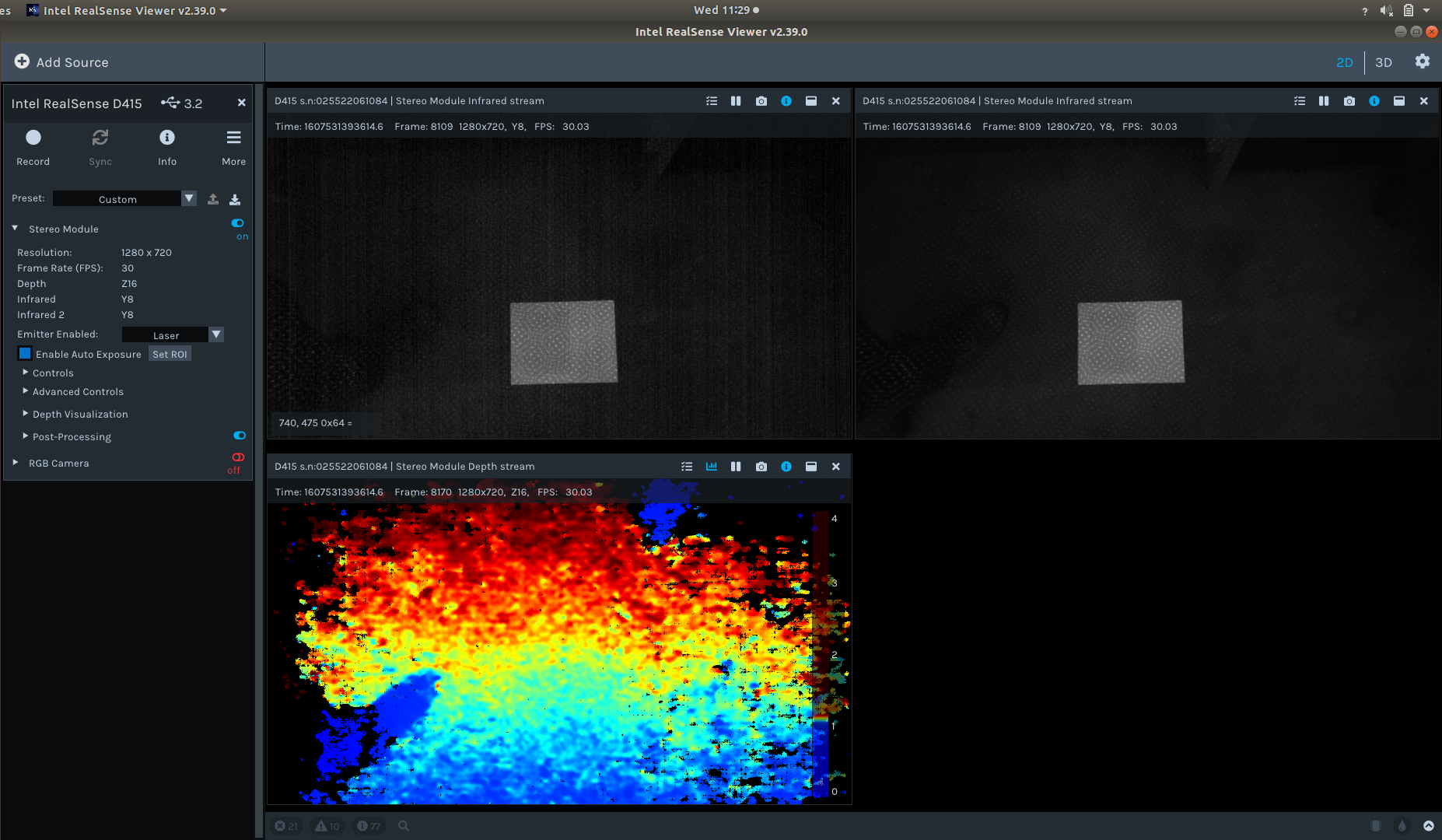
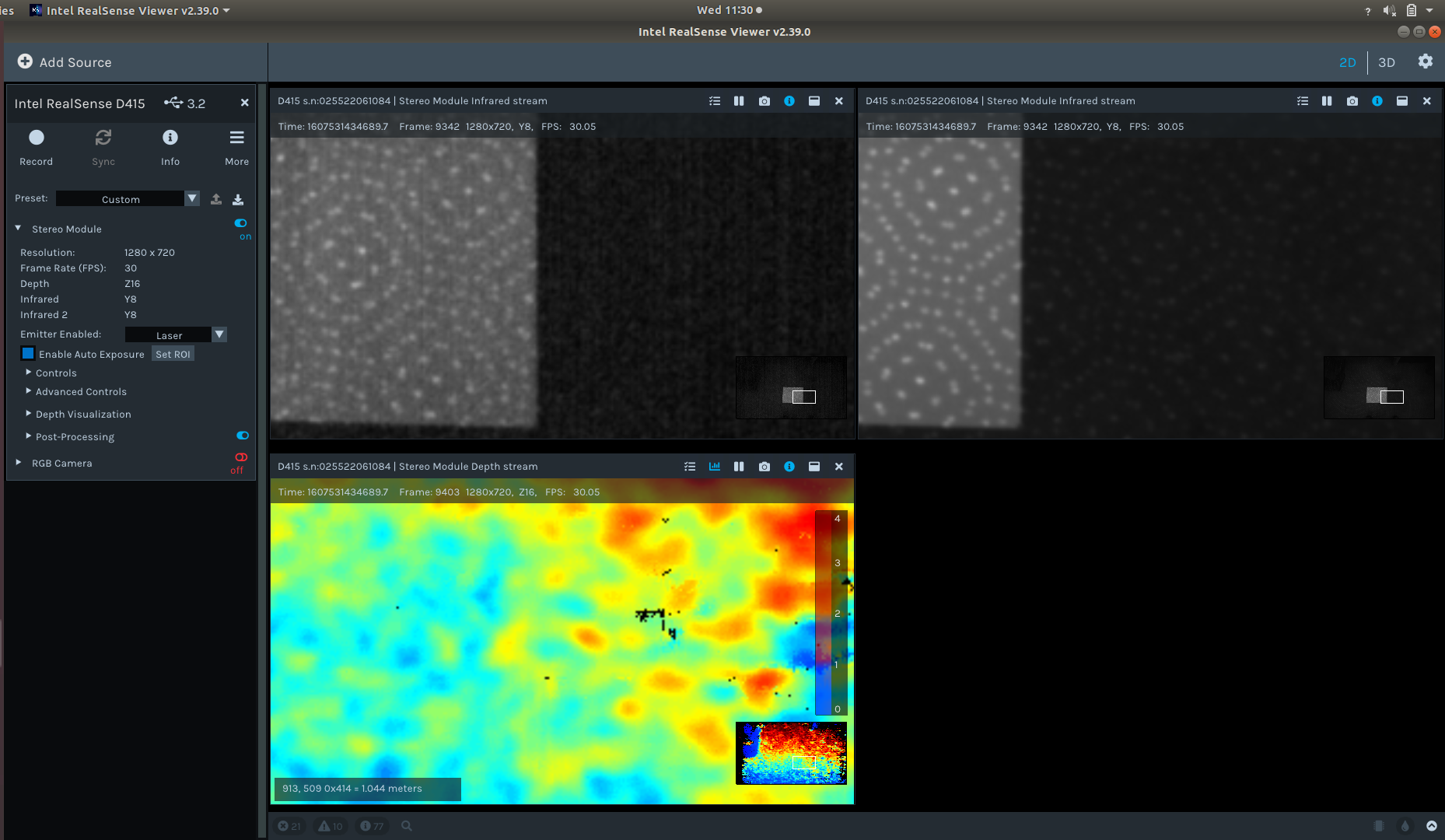
Thank you.
-
Hi A Panchpor As a starting point in investigating your case, may I ask please if you bought a Vision Processor D4 board and a D415 Depth Module Kit (caseless camera circuit board) separately and connected them together (with a rigid circuit board or with a flexible custom-made cable).
Or did you disassemble a cased USB retail version of the D415 and rearrange the parts in a custom-built case? Thanks!
-
Thank you for the confirmation. Have you checked please that the D4 board and the Depth Module Kit board are both fully seated in the connectors on the rigid connector board, and that one of the boards is not only partially inserted?
Also, is there the possibility that the depth module board may have been flexed with the hands during assembly? This can cause a miscalibration of the sensors (though the Dynamic Calibrator software should be able to correct it).
-
We have both the D4 board and the Depth Module Kit board screwed down on an aluminium face plate and we have a silicone pad on the connector board to stabilize the connection. We have swapped out the Depth Module Kit and it works with the same D4 board and same connector board setup.
We were also careful in the assembly so as to make sure the actual sensor is not affected. We have run the Dynamic Calibrator software after assembling and mounting it in the appropriate location.
-
If you have mounted the camera in a fixed location, is it under or near a fluorescent light such as a ceiling strip light? These lights have a heated gas inside them instead of a bulb, and they can flicker at frequencies that are hard to see with the human eye and introduce noise into the image.
If you do have such a ceiling light nearby, running the camera at an FPS speed close to the operating frequency of the light may help. For some lights it may be 60 FPS and for others it may be 30 FPS.
As you are already using 30 FPS in the RealSense Viewer images above, please try 60 FPS if you do have fluorescent lights and see it it makes a difference.
Please sign in to leave a comment.
Comments
6 comments