D435i , failed to display
My computer hardware config :
cpu : i5-10210U
with USB 3.0
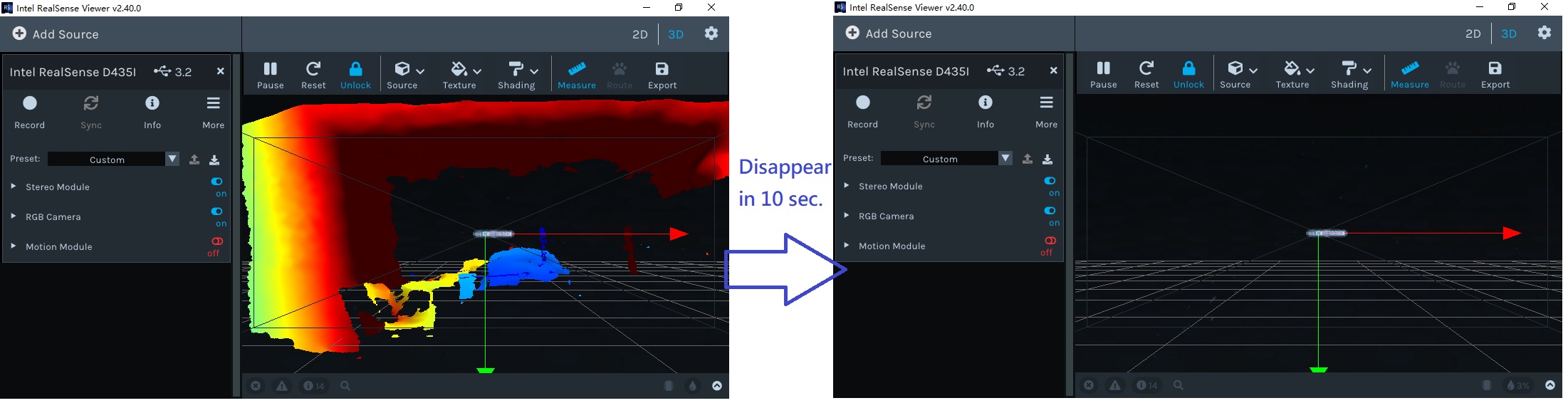
The image disappear after connected in 10 seconds ! I cannot find the object to measure, need to quit and restart program.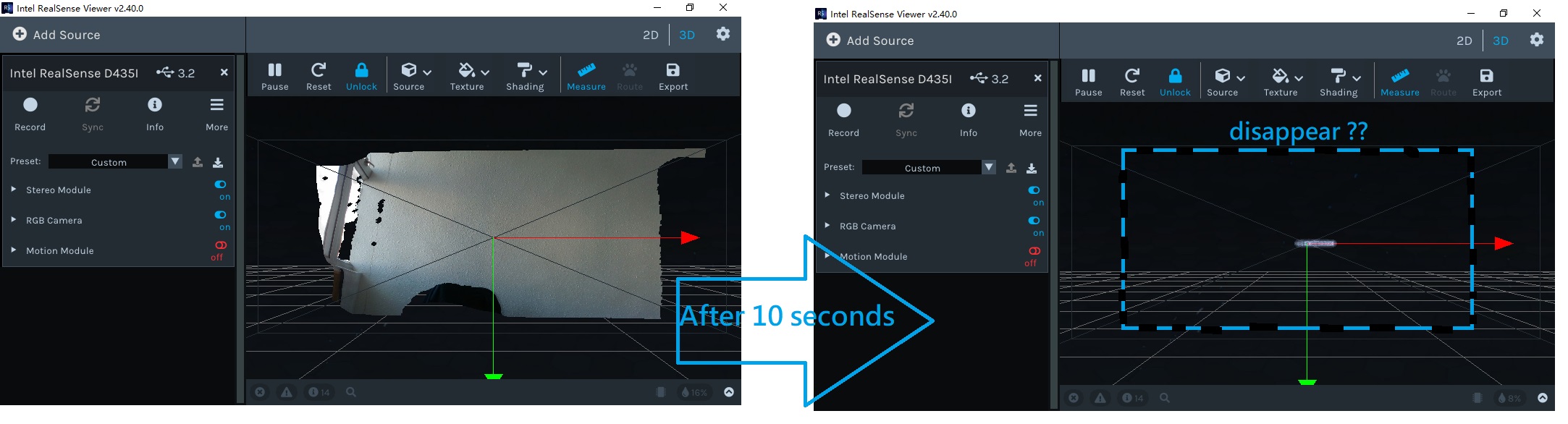
-
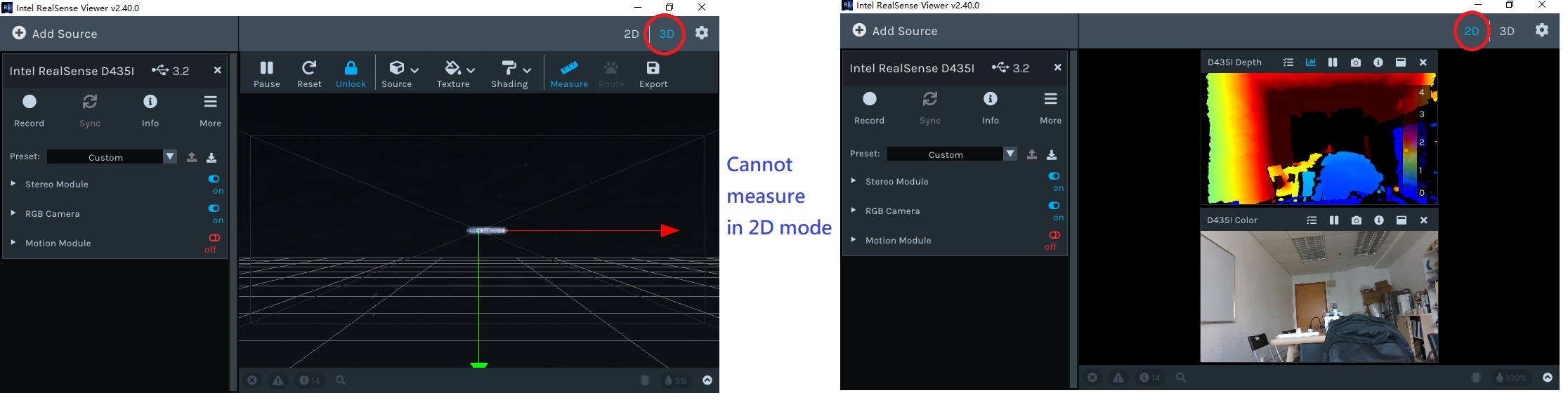
Hi Patrick Yu C W Does the image also disappear in 2D mode or only in 3D point cloud mode?
Also, does the depth still disappear in 3D mode if you only have Depth enabled?
-
There was a similar sounding problem reported recently where the depth image in 3D point cloud mode in the Viewer was disappearing after 3-4 seconds.
https://github.com/IntelRealSense/librealsense/issues/8110
The solution in that particular case was to disable GLSL in the Viewer's settings.
https://github.com/IntelRealSense/librealsense/issues/8110#issuecomment-754705023
-
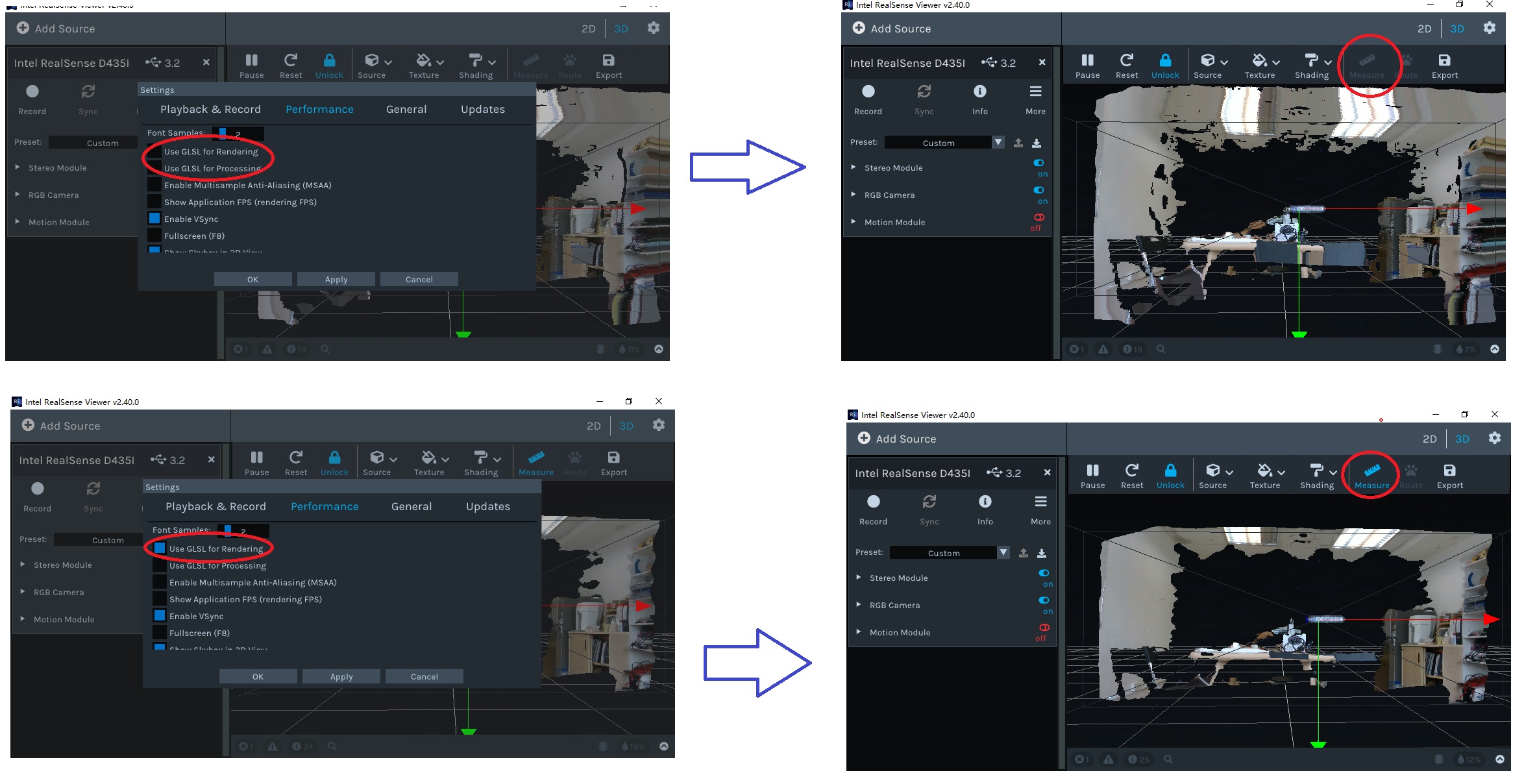
Problem fixed ! But cannot disable both GLSL feature, else the "measure" function will be disabled also !
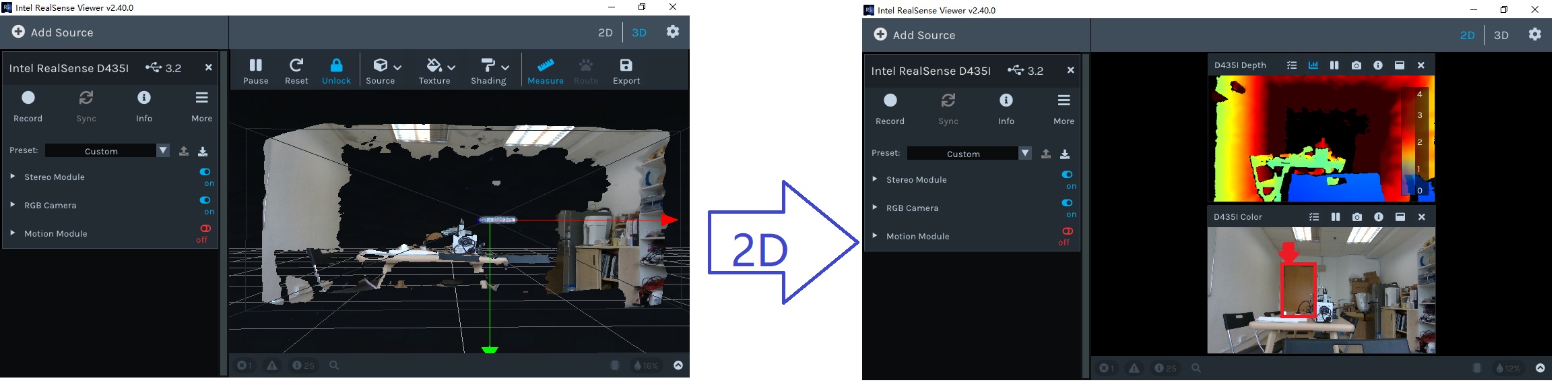
Another issue, for the below picture, the Door (in red box) is only 5 meters apart from the CAM but cannot shown and measure. What is the effective detective and measurable distance for D435i ?
Thanks !
-
The measurement function is available in a separate tool via the rs-measure program if you are unable to access it within the 3D mode of the Viewer when GLSL is disabled.
https://github.com/IntelRealSense/librealsense/tree/master/examples/measure
If the door is 5 meters away and not rendered on the depth image, please expand open the Post processing options that are within the Stereo Module options in the side-panel. Within the list of post processing filters, find one called Threshold Filter.
The purpose of this filter is to define a minimum and maximum observable depth, with data outside of the defined range excluded from the image. It is set to 4 (meters) by default. If it is enabled (indicated by a blue icon beside it), increase the setting's value to render further depth distance or left-click on the blue icon to toggle it to Off to remove the 4 meter rendering limitation.
-
There was a similar case on the RealSense GitHub forum in the past week of the image disappearing in 3D mode. The solution though was to disable GLSL in the settings, which you have previously stated is a problem for you due to losing access to the Measure function of the Viewer when doing so.
https://github.com/IntelRealSense/librealsense/issues/8813
Does the image disappear if you disable Use GLSL for Processing but keep Use GLSL for Rendering enabled in order to keep the Measure option accessible?
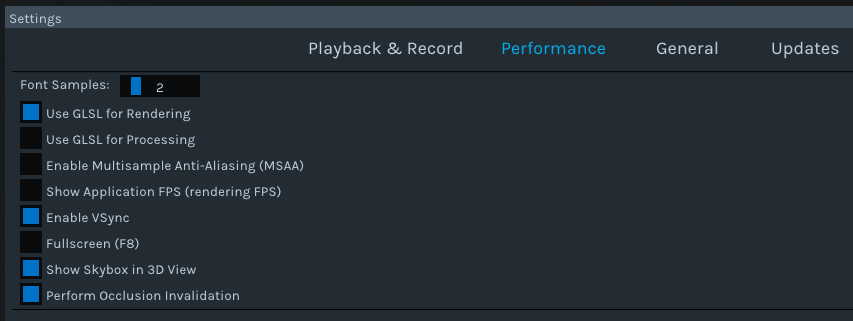
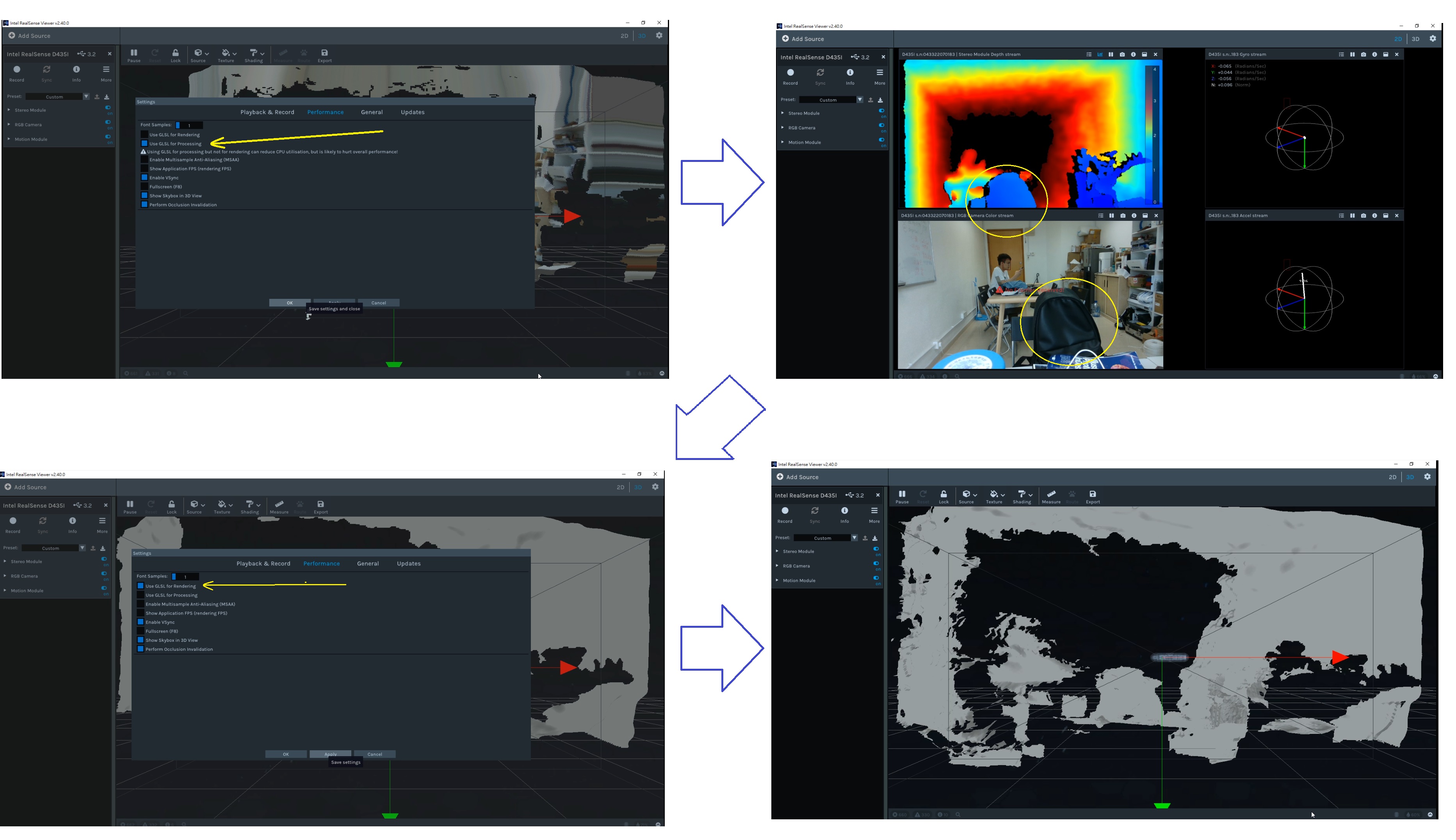
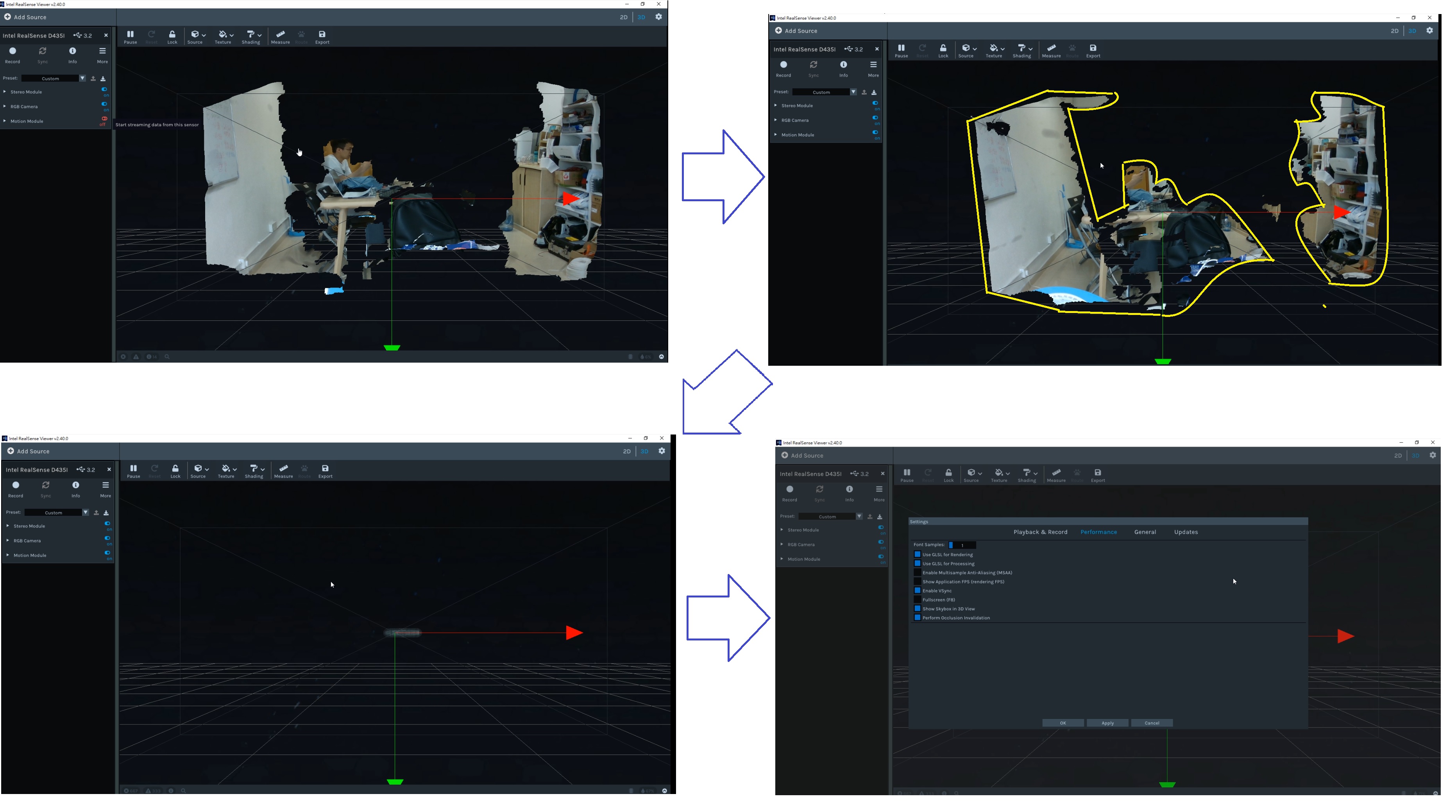 My Realsense disappear again and the photo is keep still not following the camera
Please sign in to leave a comment.
Comments
10 comments