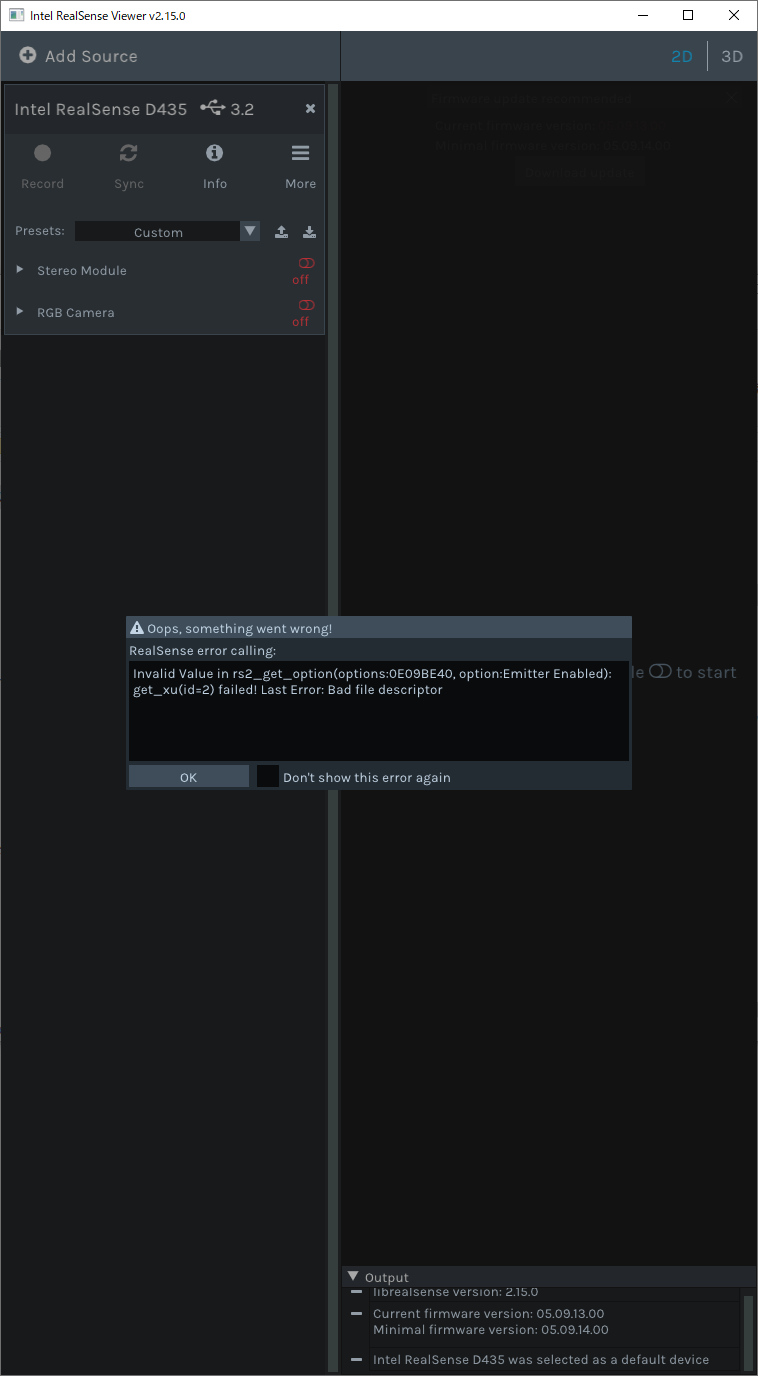
Intel.RealSense.Viewerを実行すると、「Invalid Value in rs2_get_option(options:0E09BE40,option:Emitter Enabled):get_xu(id=2)failed! last Error:bad file descriptor」が表示される
Intel.RealSense.Viewerを実行すると
「Invalid Value in rs2_get_option(options:0E09BE40,option:Emitter Enabled):get_xu(id=2)failed! last Error:bad file descriptor」
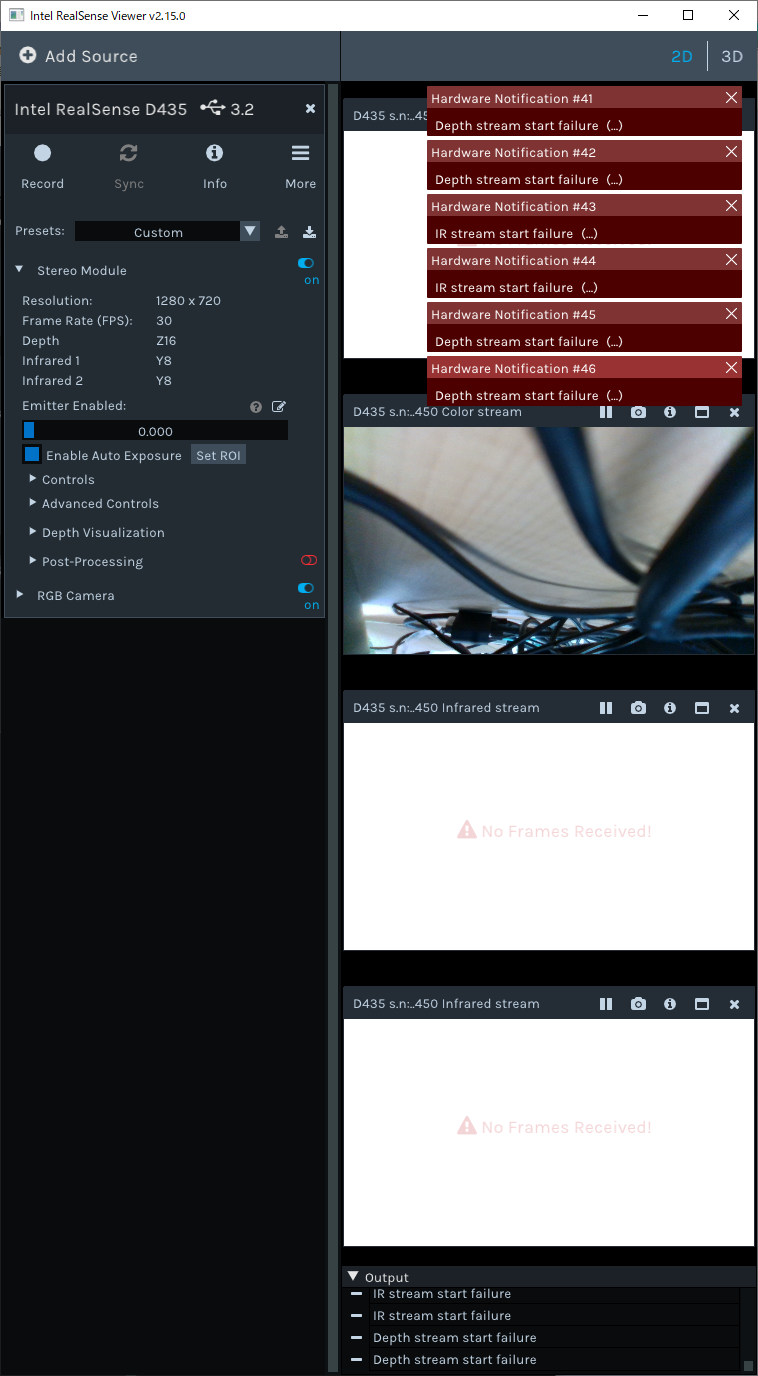
が表示され、Stereo ModuliをOnにすると3つのカメラがNo Frames Received!となります。
RGB CameraはOnにしても問題なく使えるようです。
購入しての初期動作での事象となります。
故障でしょうか?ご対応をご教示願います。
-
Hello! I would first recommend updating your RealSense SDK and camera firmware to the latest versions if possible. SDK 2.15.0 is from August 2018 and the camera firmware version is extremely old too. The latest versions at the time of writing this are RealSense SDK 2.39.0 and firmware 5.12.8.200. I recommend upgrading because it is good to have a current setup and also because the error that you experienced was corrected in SDK 2.18.1.
https://github.com/IntelRealSense/librealsense/issues/3137
************************
こんにちは! 可能であれば、まずRealSenseSDKとカメラファームウェアを最新バージョンに更新することをお勧めします。 SDK 2.15.0は2018年8月のものであり、カメラのファームウェアバージョンも非常に古いものです。 これを書いている時点での最新バージョンは、RealSense SDK2.39.0とファームウェア5.12.8.200です。 現在のセットアップが適切であり、発生したエラーがSDK 2.18.1で修正されているため、アップグレードすることをお勧めします。
-
If you are using Linux than please tell me and I can help you with instructions for installing the 2.39.0 SDK.
If you are using Microsoft Windows then you can install SDK 2.39.0 by visiting the link below and going to the Assets list of files at the bottom of the page. Then click on the file named Intel.RealSense.SDK-WIN10-2.39.0.2337.exe to download an installer for the SDK and run the file.
https://github.com/IntelRealSense/librealsense/releases/tag/v2.39.0
**************
Linuxを使用している場合は、教えてください。2.39.0SDKのインストール手順をお手伝いします。
Microsoft Windowsを使用している場合は、以下のリンクにアクセスし、ページの下部にあるファイルのアセットリストに移動して、SDK2.39.0をインストールできます。 次に、Intel.RealSense.SDK-WIN10-2.39.0.2337.exeという名前のファイルをクリックして、SDKのインストーラーをダウンロードし、ファイルを実行します。
https://github.com/IntelRealSense/librealsense/releases/tag/v2.39.0
-
A similar problem with No Frames Received that another RealSense user had was solved yesterday by recalibrating the camera with the Dynamic Calibrator tool.
昨日、別のRealSenseユーザーが抱えていたフレーム受信なしの同様の問題は、ダイナミックキャリブレーターツールを使用してカメラを再キャリブレーションすることで解決されました。
https://downloadcenter.intel.com/download/29618/Intel-RealSense-D400-Series-Dynamic-Calibration-Tool
-
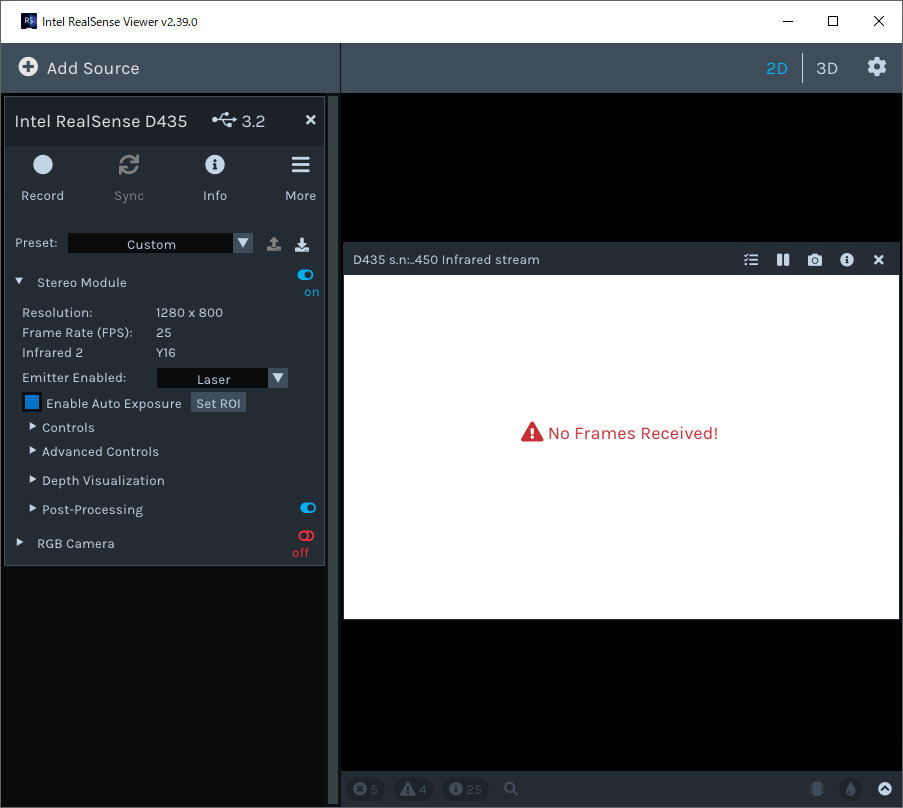
A way to test if the camera hardware is faulty is to configure it with the settings below. If you can receive an image in this mode then the camera hardware should be okay.
Infrared
1280x800
25 FPS
*********
カメラのハードウェアに障害があるかどうかをテストする方法は、以下の設定で構成することです。 このモードで画像を受信できる場合は、カメラのハードウェアに問題はありません。
赤外線
1280x800
25 FPS
-

Please sign in to leave a comment.
Comments
12 comments