Curvature on flat surface wall
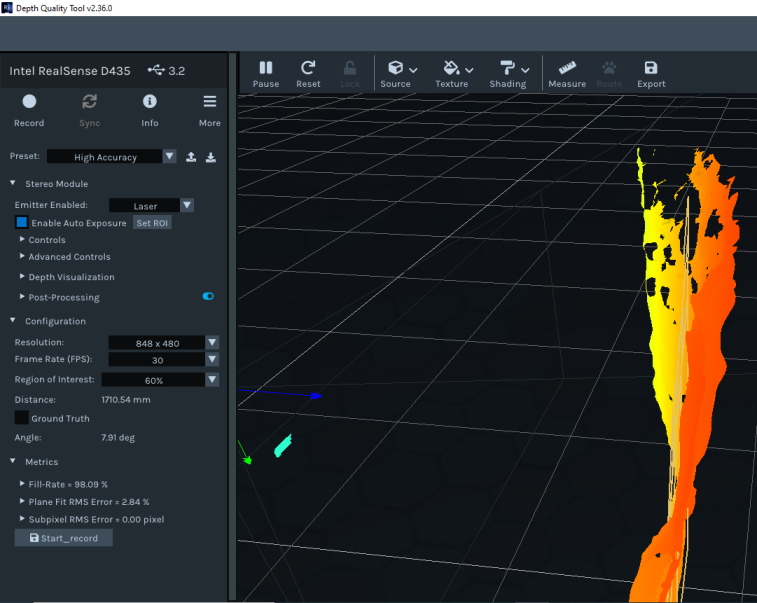
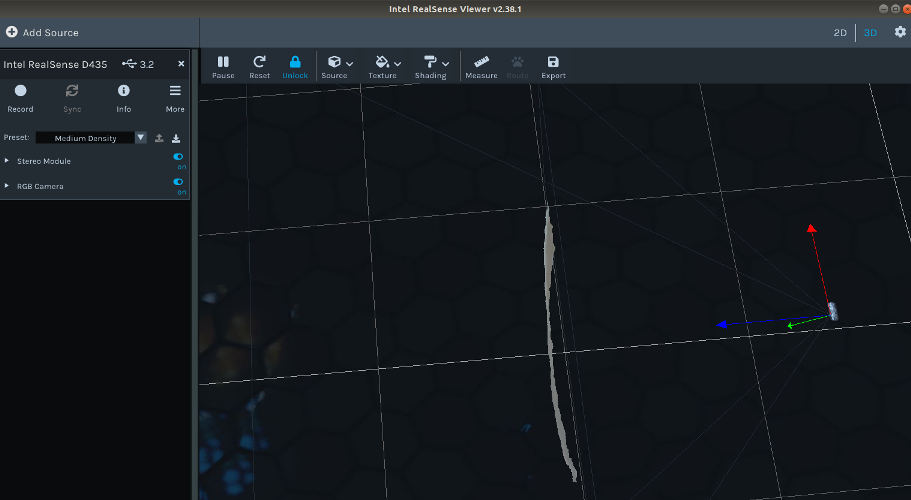
I checked the depth quality of Realsense D435 on a flat wall surface and the results shows curvature in surface as shown in figures:
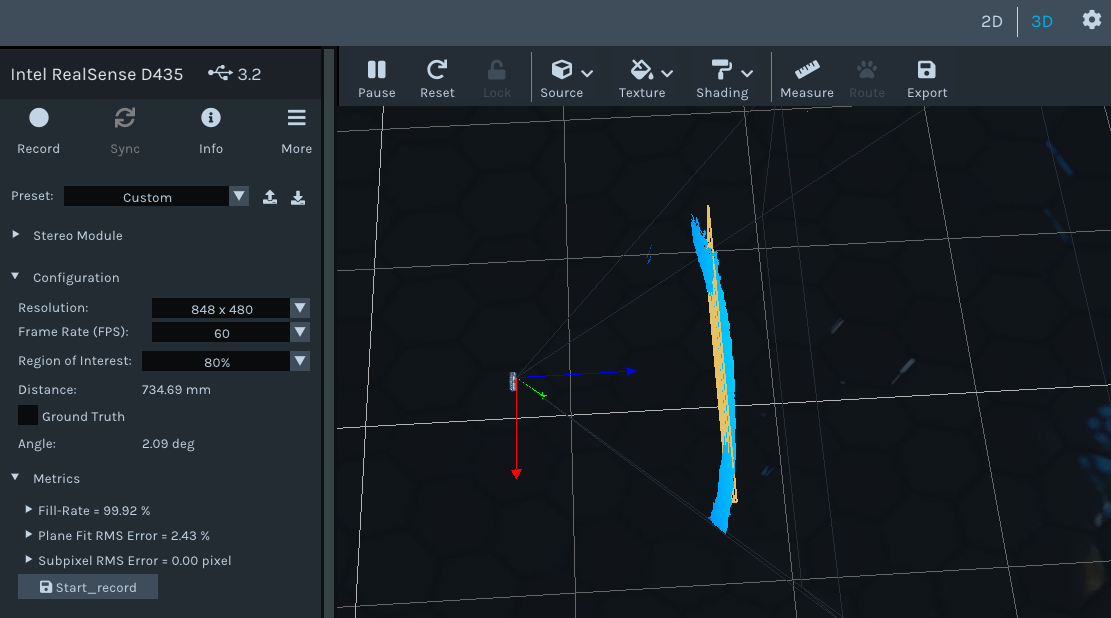
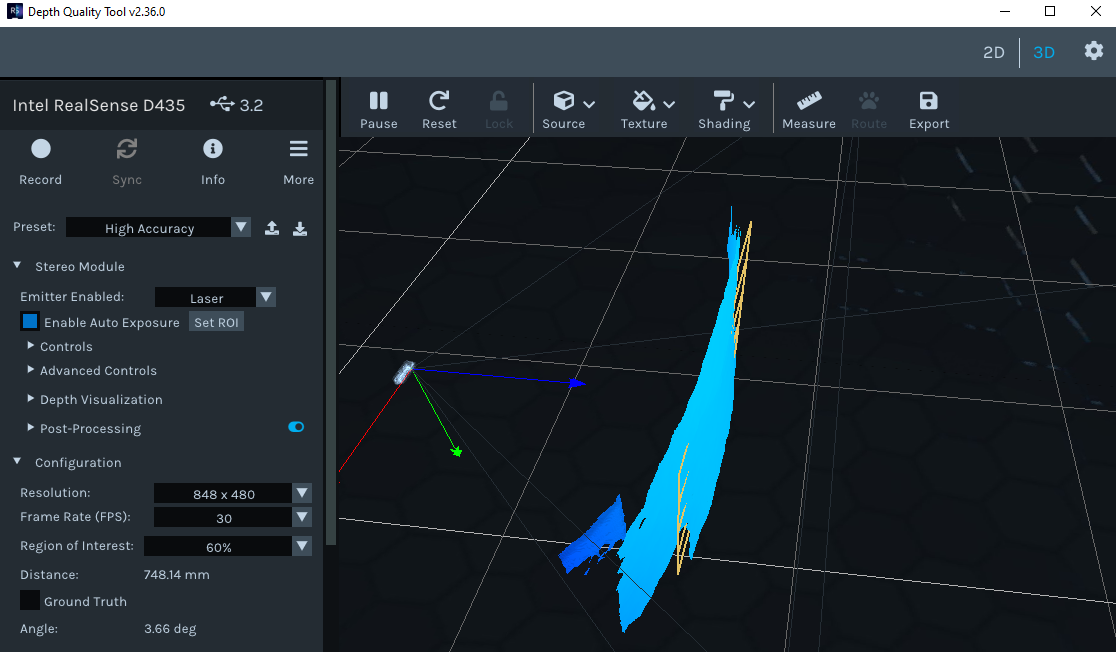
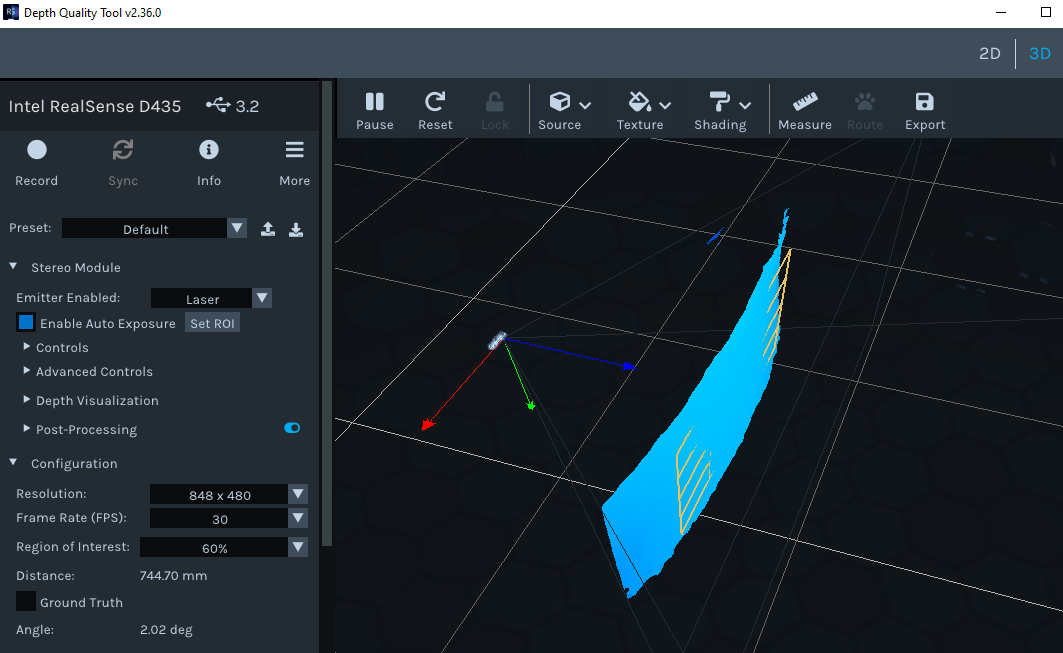
After this try recalibration three times but results are same.
What is solution to correct this.........?
-
Hi Sonu Mathur87 The case in the link below has a similar example where a flat wall is rendered as curved.
https://github.com/IntelRealSense/librealsense/issues/5435#issuecomment-622520372
A member of the RealSense team suggested using version 2.11 of the Dynamic Calibrator. Are you using this latest version released in May 2020, please?.
https://downloadcenter.intel.com/download/29618/Intel-RealSense-D400-Series-Dynamic-Calibration-Tool
-
Hi MartyG.
Thanks for reply.
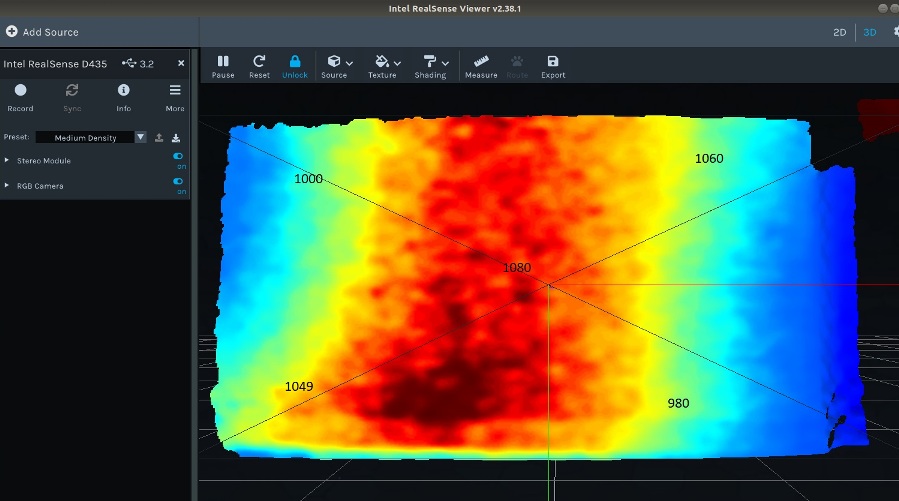
The result in 2D are as shown in fig. There is variation in depth at various points in view.
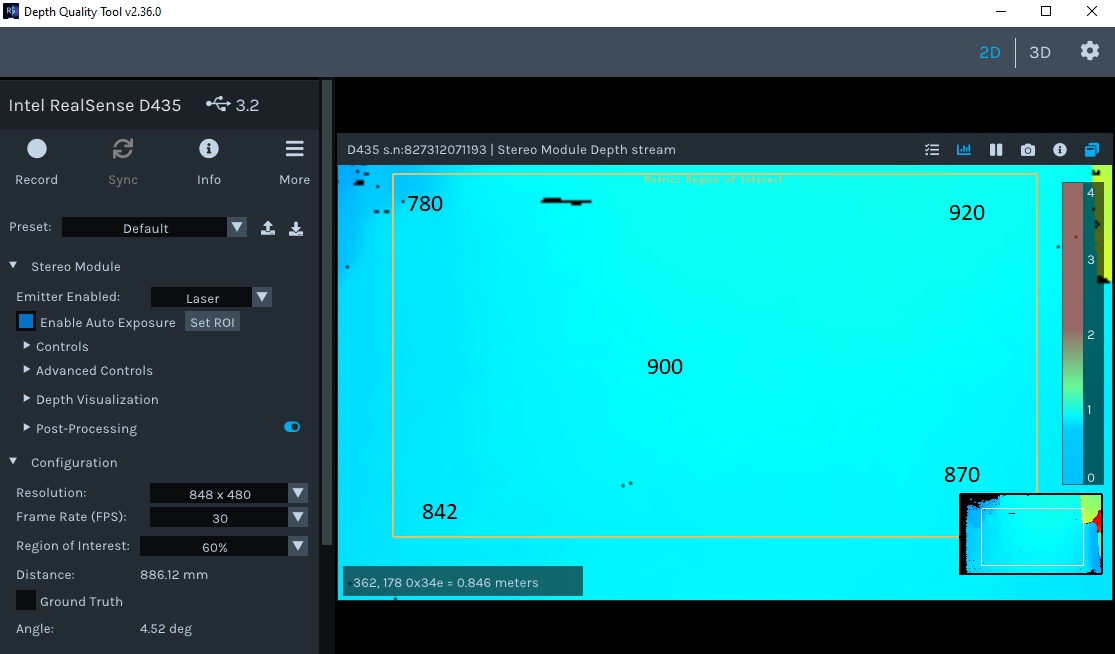
-
Are there any strong light-sources projecting onto the wall that cause some areas of it to be illuminated brighter than other areas? A very strong light source cast onto the flat and low-textured surface that a typical wall has could negatively affect the ease of which the camera can read depth detail from that area of the wall.
Also, are you pointing the camera straight ahead at the wall and not having the camera turned slightly left or right, please?
-
May I confirm please which method you used to calibrate the camera. There are two main methods. The first is to use the Dynamic Calibrator tool. This option provides the most robust calibration of the camera's imager components, and the one that I would recommend to use if a mis-calibration of the camera is suspected.
A mis-calibration could occur if the camera receives a physical shock such as a hard knock, drop on the ground or severe vibration. Exposure to high temperature may also cause mis-calibration.
The other method is to perform an On-Chip Calibration in the RealSense Viewer. This mode can provide a 'health check' value for the calibration. You can also perform a Tare operation in the Viewer to improve depth accuracy.
Both the On-Chip Calibration and the Tare can be accessed from a menu by left-clicking on the More option at the top of the Viewer's options side-panel.
https://dev.intelrealsense.com/docs/self-calibration-for-depth-cameras
https://dev.intelrealsense.com/docs/self-calibration-for-depth-cameras#section-3-depth-accuracy
-
I noticed that in all of your kindly provided images you are using the Depth Quality Tool program. This program is primarily designed to provide feedback about depth quality. Could you try observing the wall with the RealSense Viewer program instead to confirm whether the curvature is still present please, as the Viewer is the proper program for everyday general use with the camera.
-
The Dynamic Calibrator should ideally be able to correct such an issue if there was a mis-alignment in the imager components. Can you confirm please that after a calibration was completed, you saved the calibration into the camera please?
The curving effect reminds me of a lens distortion. Barrel Distortion is when the image bulges outwards, whilst Pincushion Distortion is when the curvature bends inwards. The subject is discussed in the link below, which recommends the Dynamic Calibrator tool as a remedy.
https://github.com/IntelRealSense/librealsense/issues/4939
In regard to alternative tools: whilst the Dynamic Calibrator is the optimal choice, in 2018 Intel were also making use of a tool called Vicalib for calibrating 400 Series cameras. I had heard that it had since become incompatible with RealSense, but you are welcome to investigate it.
Please sign in to leave a comment.
Comments
11 comments