Depth/RGB Image missing huge portions of the image
Hello. I have an Intel RealSense D435 connected with usb 2.1 to Windows 10. I am using the Intel Real Sense Viewer v2.36.0 software and I am having a strange problem. The image that is being displayed in real time seems to have random portions of the image completely blacked out no matter what direction I point the camera in. See the screenshot below where I am basically aiming my camera at a flat wall (with a lamp to the right). There is clearly something corrupted about the image and I'm not sure whether this is a software problem or a hardware problem. These missing black patches occur in any direction I point the camera at. This issue occurred right out of the box with default settings.
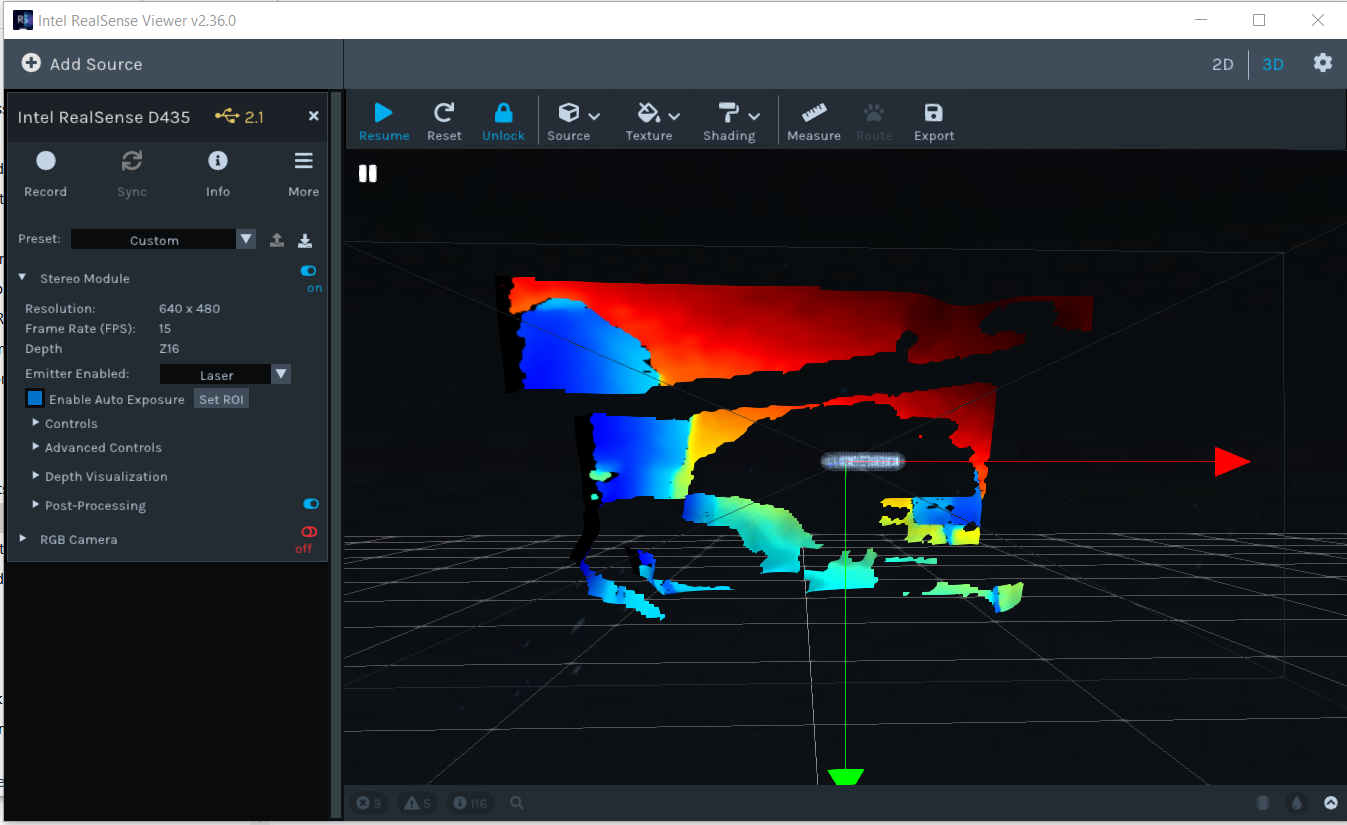
I have tried resetting the device using Intel.RealSense.CustomRW -g to the gold reset option as per another forum post.
When I open the app I get this message : Timestamp: 1596644157108.490479
Severity: Error
Description: RT IC2 Config error
My computer has usb 3.0 ports, but the app seems to detect usb port 2.1...
I would be happy to provide any additional information.
-
I seem to have changed the usb port and now the application display usb 3.2, same issue with huge splotches of the image. I installed the recommended firmware, and even tried reverting back to Signed_Image_UVC_5_12_6_0.bin, same results. I have also tried moving the camera back and I still see huge portions of the RGB image blotched out in black.
-
Hi James Mcc Dickens If you have the camera plugged into a USB 3 port then it should ideally have 3.2 beside the camera name in the Viewer to indicate that it is a full-capability USB 3 connection instead of USB 2 mode (on which the camera capabilities are much more limited due to USB bandwidth limitations). A USB 3 connection can sometimes be mis-detected as a USB 2 connection though.
Could you first try expanding open the Post Processing section of the options side-panel and check whether a filter called Threshold Filter is enabled (indicated by a blue icon beside the option). If it is blue, left-click on the blue icon to turn it red (off).
If the Threshold Filter is limiting observable depth range to 4 meters by default when enabled (causing detail on the image beyond that distance to be excluded), turning the filter off should enable the camera to see to its full 10 meter range.
-
It is a bit difficult to see what is in the kindly provided image. If you have a lot of black or dark grey surfaces in the scene (such as a black office chair), the camera will find it hard to read depth detail from them. This is not a RealSense specific problem but a general physics one affecting depth cameras, as black / dark grey surfaces absorb light instead of reflecting the light, making the objects difficult to analyse. The darker the hue, the harder it is to read.
Dark objects will be easier to depth-sense if there is a strong light-source casting illumination onto them.
Using the camera's projector to project a dot-pattern onto the scene may help improve the image, as the camera can use the dots projected onto the surfaces of objects as a texture source to analyse them for depth detail.
-
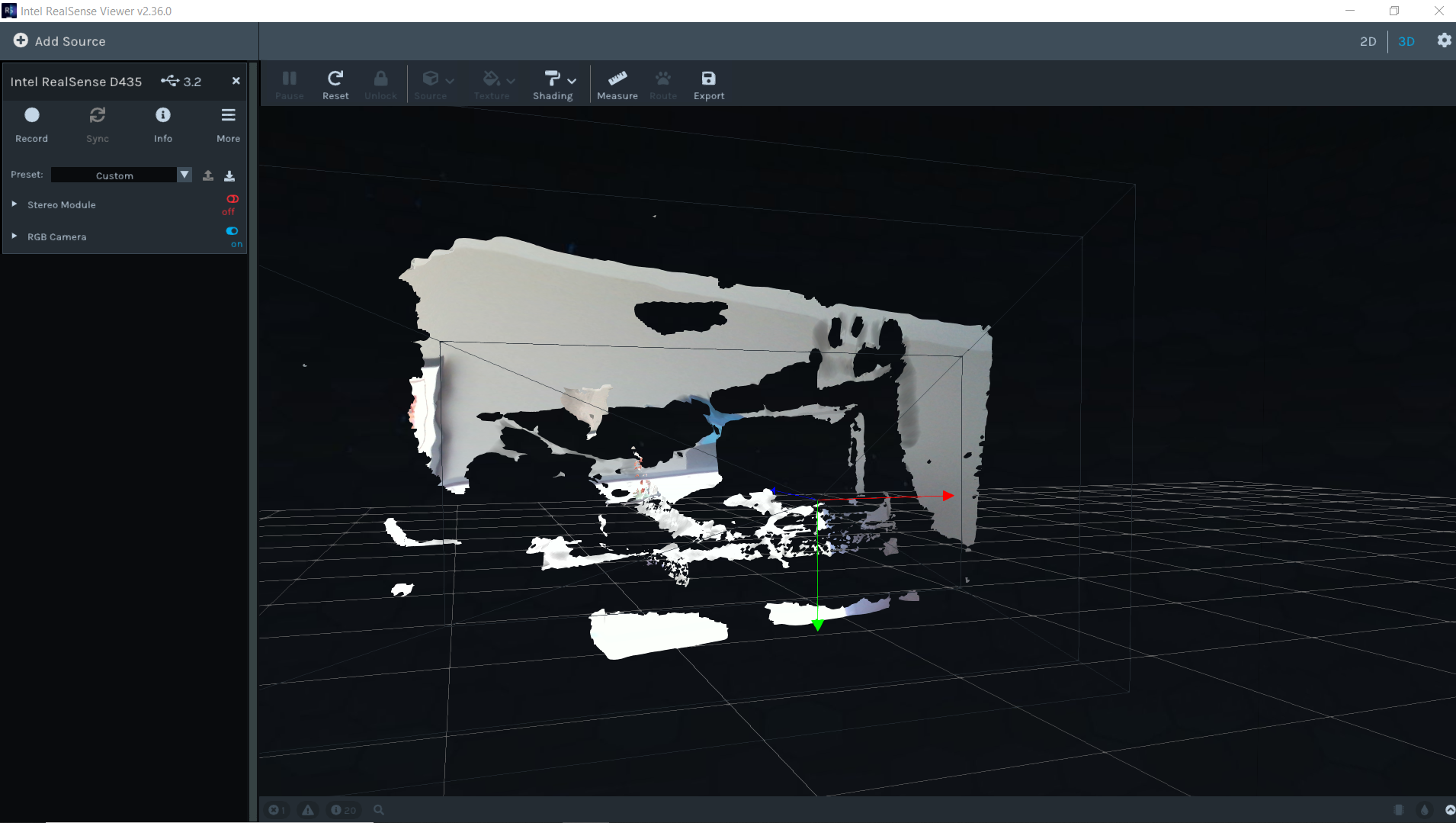
The issue is that the RGB image seems to have huge black splotches that don't meaningfully correspond to occlusions or changes in distance of the objects. I am pointing the camera at my screen right now with the stereo module completely disabled, and this is what I see. Clearly something is wrong with this. I am pointing the camera at a desk with a monitor, not too many black/grey surfaces really. These splotches are visible no matter what direction I point the camera in. Any additional suggestions much appreciated, although I think the hardware may be defective.
-
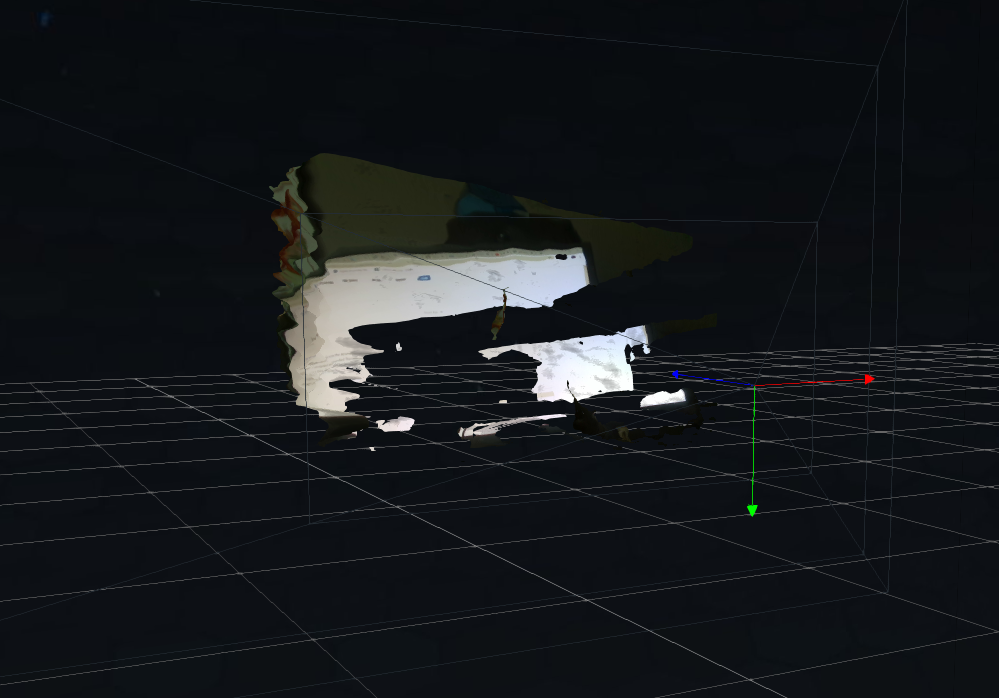
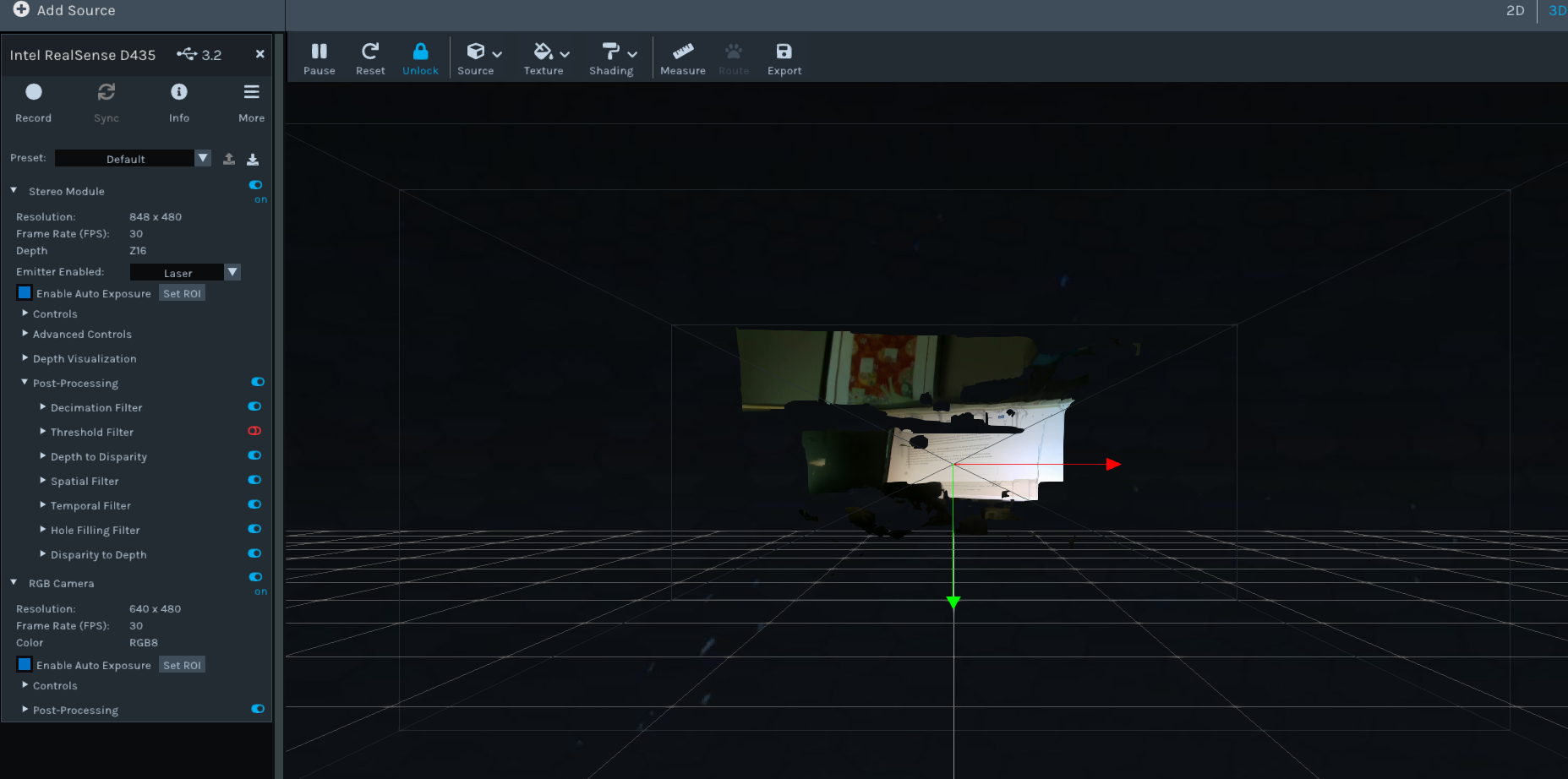
I note that you are in "3D" mode in the top corner of the Viewer. This is for generating a type of depth scan called a Point Cloud. If you click on the "2D" button in the corner then you will see a normal RGB video image. When the Depth stream is active in "2D" mode, depth is represented in colors that are graded according to the detected distance of the observed surfaces.
Please sign in to leave a comment.
Comments
9 comments