Intel Realsense D435 with RaspberryPi: Best practice installation guide
Dear Intel-Team,
I've followed this tutorial to install librealsense, pyrealsense2 library and the other libs:
https://github.com/acrobotic/Ai_Demos_RPi/wiki/Raspberry-Pi-4-and-Intel-RealSense-D435
Since I think the description on the Intel Github Repo might be a bit outdated and it didn't work for me in the first place.
The installation went fine for me, however when I've copied the SD card to test the image on another Raspberry PI (switched from lower performance 2GB version to higher performance 4GB version), the code execution time increased by a factor of 5 and I just couldn't see what I've done wrong.
Now, I'm wondering if it is possible to just generate an image using the built-in function of the Raspberry Pi Os or whether I always have to build it from scratch.
Could you please recommend a guide to the latest best practice installation of librealsense for Raspberry?
Thank you a lot!
-
Intel have an official installation guide for Raspbian, though designed for Pi 3.
https://github.com/IntelRealSense/librealsense/blob/master/doc/installation_raspbian.md
Comparing the instructions in this guide to the one that you used, they are quite similar. So if the acrobotic guide for Pi 4 works well for you, keep using it.
If you prefer the SD card route, that is certainly viable. Indeed, Intel offer a pre-made card image download link for Pi 4 here that you can use as a reference to test the process:
-
Deart MartyG, thank you a lot! that is super helpful! I'll try the image and see if it improves the execution time of the code. I can verify (by testing two different installations) that the execution time depends on the installation. I've tried different SD cards and an USB SSD to exclude that this could come from the storage.
I am using python, opencv and pyrealsense2 for real-time people detection. Is there eventually also a blog post from intel or another source that you are aware of?
-
If your preference is to use Python for person detection, there are programs based on MobileNet-SSD.
https://github.com/IntelRealSense/librealsense/issues/3086#issuecomment-455181310
Intel also have an official RealSense blog article on tracking here:
https://www.intelrealsense.com/types-of-tracking-overview/
In regard to commercial tracking solutions for RealSense, there is the Cubemos Skeleton Tracking SDK.
https://www.intelrealsense.com/skeleton-tracking/
-
Thank you Marty, very helpful! I didn't know about the skeleton-tracking software that's licenced for just 75EUR. It seems to be able to run on RPI4 4GB-8GB or Jetson Nano as it states there even edge devices can be used. Can you recommend Hardware that runs the skeleton?
I'll give it a try.
-
MartyG: I have used the pre-built image here:
but the packages opencv and pyrealsense are neither installed for python2 nor for python3. I'll just move on to following this tutorial again:
https://github.com/IntelRealSense/librealsense/blob/master/doc/installation_raspbian.md
on the prebuilt sd card.
-
Jup makes sense, I'll try Ubuntu18.04 on the RPI4 and see if it gives a performance boost and keep you posted. I've seen that you were active in a thread about installing pyrealsense on Ubuntu20.04 just a few days ago:
https://github.com/IntelRealSense/librealsense/issues/6436
I'll keep you posted about my progress
-
The posts on this thread are a bit old now, and I've been trying to install the RealSense SDK following Acrobotic's instructions and several others onto a Raspberry Pi 4b. Those stop with the cmake at about 60% complete.
I prefer to use the Rasbian since the GPIO is better/easier and Ubunto is slower, but also tried following the intel instructions for fresh Ubuntu installation from https://github.com/IntelRealSense/librealsense/blob/master/doc/libuvc_installation.md but Unbuntu is now V 21 and the install script had errors also and didn't finish.
My main goal is to get depth information from a face/eye detect routine using a D415. I've spent a lot of time following different instruction sets. Is there any new instructions or a disk image for Rasbian with Pi 4b?
Thank you,
Eric
-
Hi, the RealSense SDK currently officially supports up to Ubuntu 20 (Focal). It does not have official support at this time for Ubuntu 21. It is possible though to build the SDK for non-supported Linux versions and kernel versions with an installation method called RSUSB backend. The link below provides instructions for building from source code with RSUSB.
https://github.com/IntelRealSense/librealsense/issues/9931#issuecomment-964289692
In regard to a pre-made Pi 4 image, Intel provide one at the link below, though my understanding is that the build is based on SDK version 2.34.0 rather than an up to date one. 2.34.0 would not have support for the RealSense D455 camera model, which had support introduced in 2.38.1
If you build the SDK for Raspian yourself then you should be able to do so for Raspian Buster with the Acrobotic guide, though the more recent Raspian Bullseye has been reported to currently have problems with building. A RealSense user reported that they were able to solve it in their particular situation by using gcc 7 and g++ 7.
https://github.com/IntelRealSense/librealsense/issues/10033
Using a more modern protobuf version than the Acrobotic guide recommends, such as protobuf 3.14, may also provide a smoother build process.
-
Hi Marty,
Thank you, the gcc 7 and g++7 did resolve my issue installing using the Acrobotic guide.
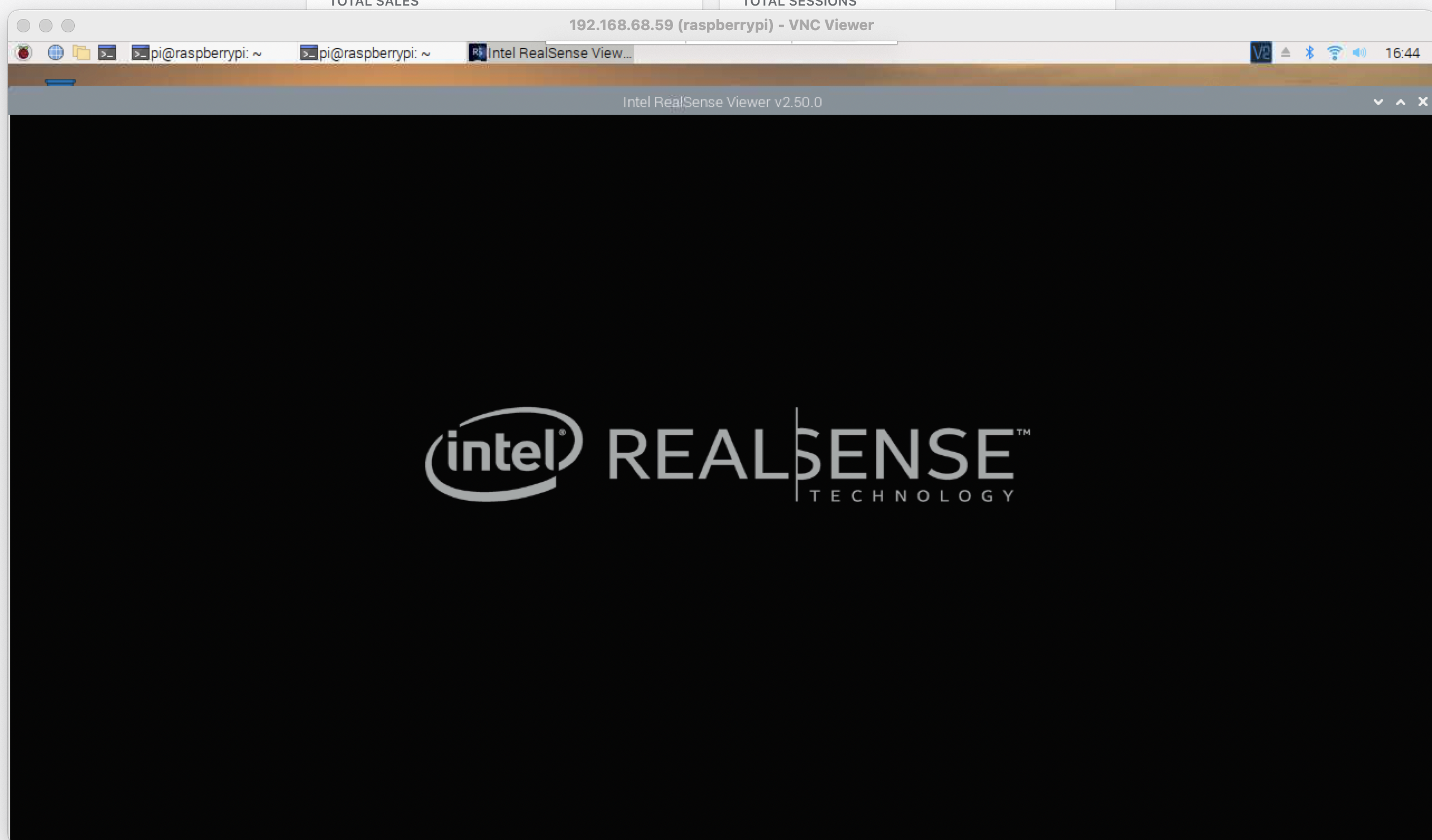
When I run the realsense-viewer from the terminal, it opens in an app window and the start up screen is displayed properly, but after that the scaling of the window is strange. I can only view the top left corner of the viewer (maybe just 5%) but at least I got that far and it seems to have detected my D415 unit unless that's the one shown by default.

-
The Viewer might be in fullscreen mode. Pressing the F8 key on the computer keyboard should toggle fullscreen on and off.
Non-fullscreen is the normal 'windowed' mode, whilst fullscreen may make only part of the Viewer visible depending on the screen resolution that your computer is currently using.
-
Hi Marty,
Thanks for your quick replies. No the full screen toggle doesn't affect this.
btw - I did have the pipeline attribute not found problem with this install (v2.50) but was able to fix it just by changing my code from "import pyrealsense2 as rs" to "import pyrealsense2.pyrealsense2 as rs" but that trick did not work for the backend ones. I read in the comments maybe an issue with the SKD since 2.35?
So far so good, I installed OpenCV and have gotten some of the realsense examples to run so I don't really need the viewer to work rn. Now searching for some example code for face or eye detect that gives the distance to the face as having the D415 recognize the faces in frame and give me the distance to their nearest eye is my ultimate goal.
Thanks again, Eric

-
I have seen the occasional script that uses 'import pyrealsense2.pyrealsense2' where the script creator has said that this is the only way that the code works for them. The correct code to use is normally import pyrealsense2 as rs but there are apparently some rare cases where that is not so.
The links below provide useful resources about Python face and eye detection, eye tracking and getting the real world distance of a face coordinate.https://github.com/IntelRealSense/librealsense/issues/8598
https://github.com/IntelRealSense/librealsense/issues/8095
-
Marty,
Thanks again for the great support. I'll check on those links, much appreciated. Since the OT of this thread was about Realsense install onto Raspberry the gcc 7 did the trick for the Acrobotic instructions, but maybe the best approach for now is to install 2.36? I don't know why the "import pyrealsense2.pyrealsense2 as rs" works actually but it does, but some of the other libraries might not.
-
2.36 is a good and stable version overall. It lacks support for the RealSense D455 camera model but that is not a problem if you do not intend to use that camera in future. You would also be limited to using a maximum firmware driver version of 5.12.7.100 though, as the firmwares that come after that require 2.39.0 as a minimum due to internal changes in the firmware from 5.12.8.200 onwards.
I recall a Raspberry Pi case with the error AttributeError: module 'pyrealsense2' has no attribute 'pipeline' that was corrected by performing a complete re-installation.
https://support.intelrealsense.com/hc/en-us/community/posts/360048396854/comments/360012486393
Please sign in to leave a comment.
Comments
17 comments