Depth camera image
Hi
I used to work with D435. i didn't use the camera for 3 months and i wanted to use it today but the depth image is strange and not like before. i change the distance but didnt correct it . would you please help me how can i fix it .
how can i attache image so you can see what i mean
Regards
-
The 400 Series cameras can become mis-calibrated if they receive knocks, which might have happened if the camera was in storage. High temperature may also cause mis-calibration.
The 400 Series cameras have a tool called the Dynamic Calibrator that can correct problems with the image caused by mis-calibration. If you have Windows then you can download the CalibrationTool-2.6.8.0-Setup.zip file from the page at the link below.
If you are using Linux then page 14 onward of the user guide for the tool describes how to perform a Linux installation of the Dynamic Calibrator.
If you would like to attach an image to a message, you can do so by using the 'Insert Image' option at the top of the message writing box.
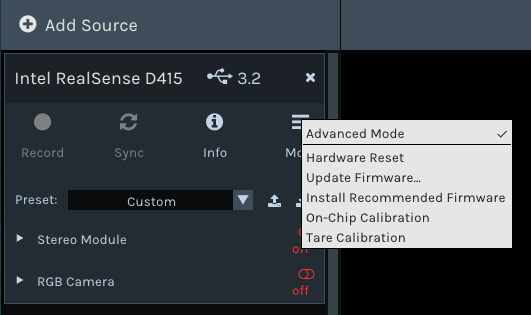
If the distortion on your image is not very severe, an alternative to the Dynamic Calibrator that you can try in order to attempt to improve the image is the On-Chip Calibration tool in the RealSense Viewer program. You can access this option by going to the 'More' option at the top of the Viewer's options side-panel and selecting On-Chip Calibration from its drop-down menu.
-
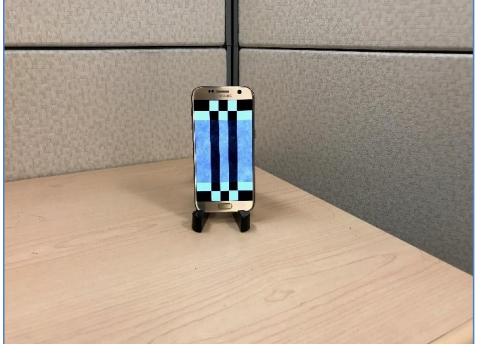
Instead of using a paper print-out, the Dynamic Calibrator software also allows you to calibrate by pointing the camera at an image displayed on an Android mobile device's screen if you have an Android device. The details for how to do this begin on page 78 of the software's user guide.
The firmware release notes state that to use On-Chip Calibration, you should have SDK version 2.29.0 or newer and firmware version 5.11.15.0 or newer. The On-Chip Calibration option should appear under the Viewer's "More" menu as illustrated earlier if you have the SDK and firmware versions to support it.
Regarding your kindly provided RGB image: please try reducing the value of the 'Laser Power' setting under the Controls section of the Viewer's options side-panel. This should enable you to test whether the IR image is leaking through to the RGB image because the Laser Power is too high.
-
Thank you for the reply. regarding the calibration , i have "Samsung A6+" which is not listed in the document, do you think it will work ?
about the Laser power , i dont know how to do it . in Stereo module, the laser power is 150000 what should it be . even though i decrease it but it didnt make any difference in RGB image
Thank you
-
The Android calibration image app asks for Android 4.4 or newer. It does not seem to be too strict about what devices with OS newer than this that it works on though, as it is quite a simple application.
https://play.google.com/store/apps/details?id=com.intel.realsenseviewer17613
The default laser power in the RealSense Viewer is 150 (150.000). If decreasing Laser Power in the Viewer did not affect the image then you are probably not experiencing IR detail leaking through to the RGB.
-
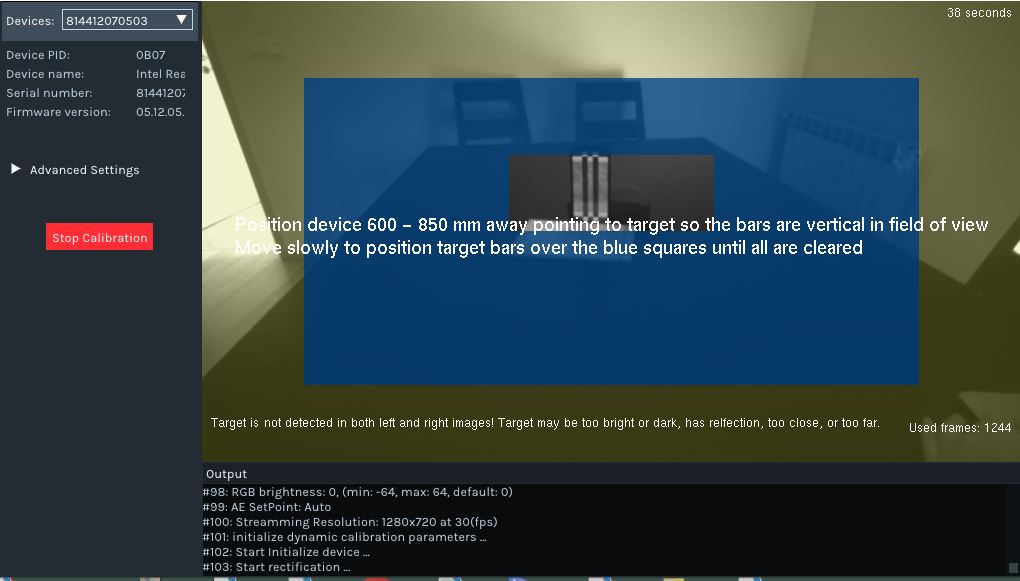
Assuming that the camera is between 60 to 85 cm away from the target, I wonder if the image is too dark for the calibration app to work compared to the example image in the documentation (below). The wall coloring reminds me of when I have tried to capture an RGB image in a room with a low-strength light bulb and the white walls have appeared to be a shade of yellow.
-
No this not the name . it is not my name . it is my email. in my profile i have my name .would you please fix it.
Also do you have another suggestion for my problem . are you sure the probem is related to calibration ? also when i calibrate the RGB camera with chessboard i get a high error like 0.73
Appreciate your help
-
I do not have any administrator power over the website design. There does not seem to be a way to contact the site designers. I do apologise.
Were you able to get the On-Chip Calibration function in the Viewer working so that you could try using it instead of the Dynamic Calibrator software? As mentioned earlier, the On-Chip Calibrator requires Librealsense SDK version 2.29.0 or newer and firmware version 5.11.15.0 or newer.
If you meet these requirements, the On-Chip Calibration option should appear under the Viewer's "More" menu.
-
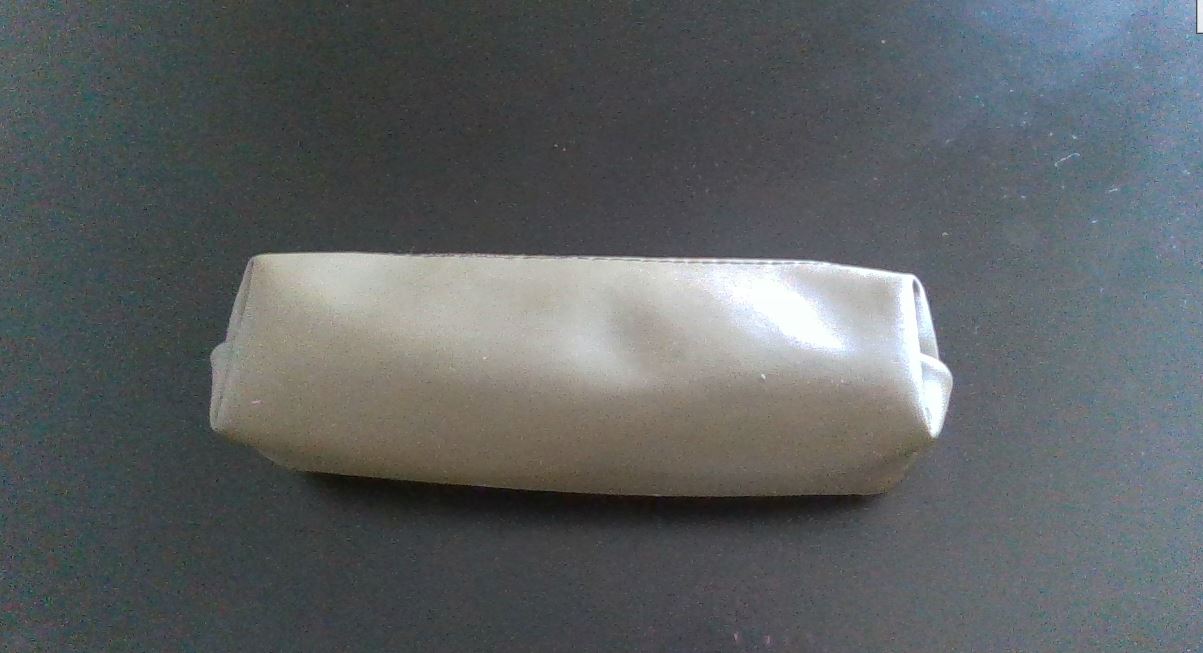
It looks as though you have a strong light ray at the right-hand side of the image that is casting a powerful light on the side of the object and also producing strong light noise on the edge of the image. Could you try moving the object and the camera sideways away from the light source so that it is not projecting so strongly onto the side of the object, please?
Please sign in to leave a comment.
Comments
16 comments