change scale Map Ruler Depth Quality tool / RealSense Viewer
Hello,
is it possible to change the map ruler scale in the realsense viewer or depth quality tool viewer (2.3.3.1)? The range is always 0 to 4m. I want to change it to 0.5 to 1m. Is this possible? I have the D435.
best regards,
Hanz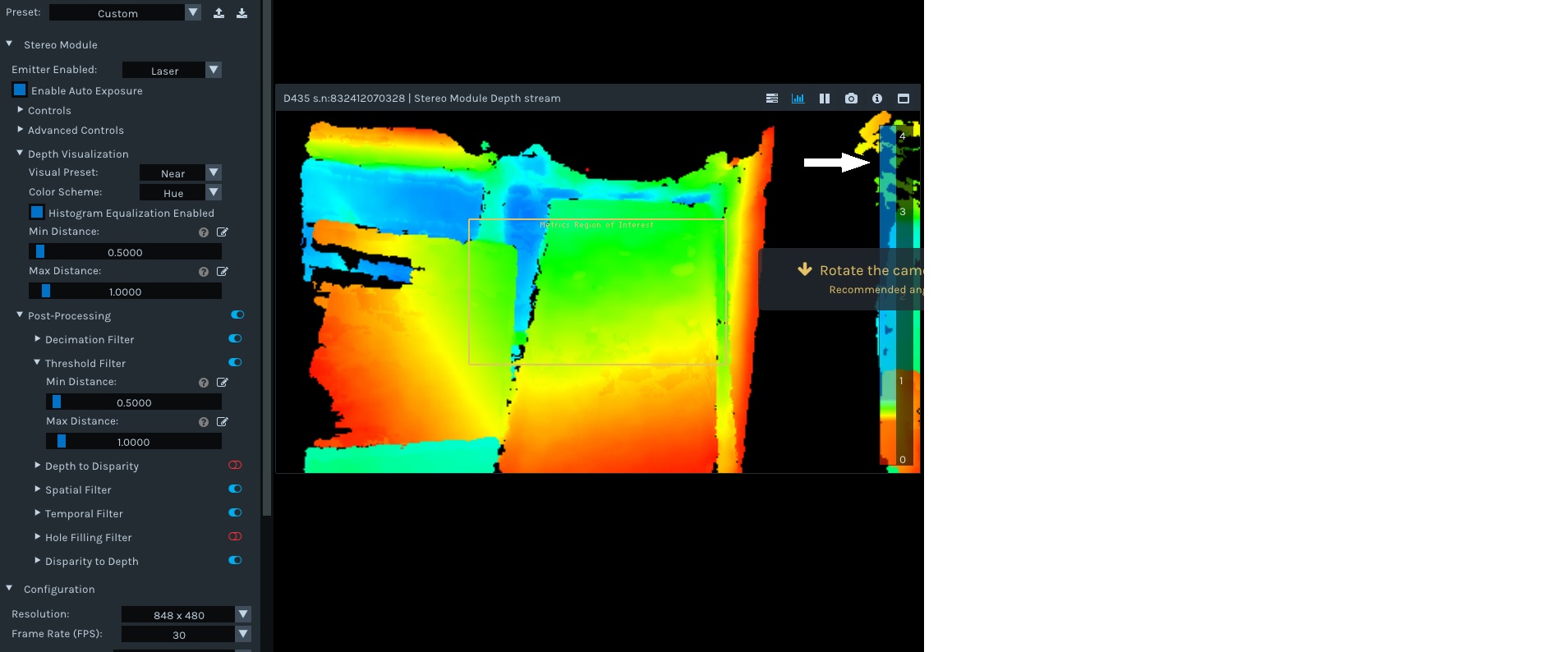
-
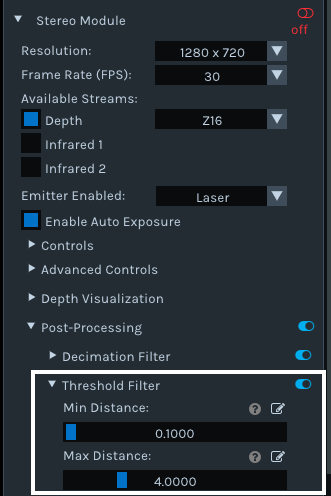
Hi Hanz Dieter1 If you want to define a minimum and maximum depth sensing distance, so that any data outside of that range is excluded from the image, then you can do this in the RealSense Viewer and the Depth Quality Tool by going to the Post-processing section of the options side-panel and expanding open the Threshold Filter option. There, you can use the sliders to set a minimum and maximum observable depth for the camera.
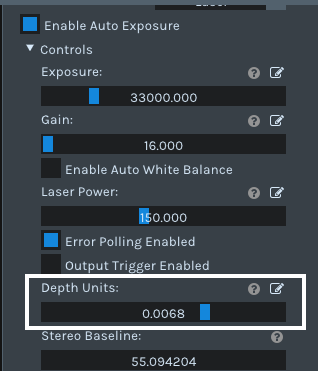
If though you want to change the scale ruler at the side of the image so that it says '0.5 to 1' instead of '0 to 4': You can increase the scale (e.g 0 to 25) by decreasing the 'Depth Units' value under the 'Controls' section of the side-panel. Increasing the Depth Units value above the default value of '0.001' never makes the scale smaller than '0 to 4' though.
-
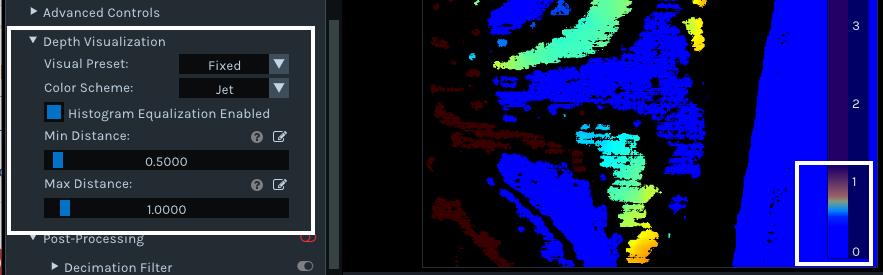
I cannot recall a case where the ruler has been shown at a scale smaller than '0 to 4'. I did extensive research and found that whilst you cannot make the meter display a number range smaller than '0 to 1', you can cap how much of the ruler is filled up with color when sensing objects. For example, if a minimum and maximum of 0.5 to 1 is set then the ruler's color will only rise up to the 1 m point.
If you wish to set this, go to the Depth Visualization section of the Viewer and set Min Distance and Max Distance.
Please sign in to leave a comment.
Comments
3 comments