D435i cannot calibrate IMU
I have one D435i. 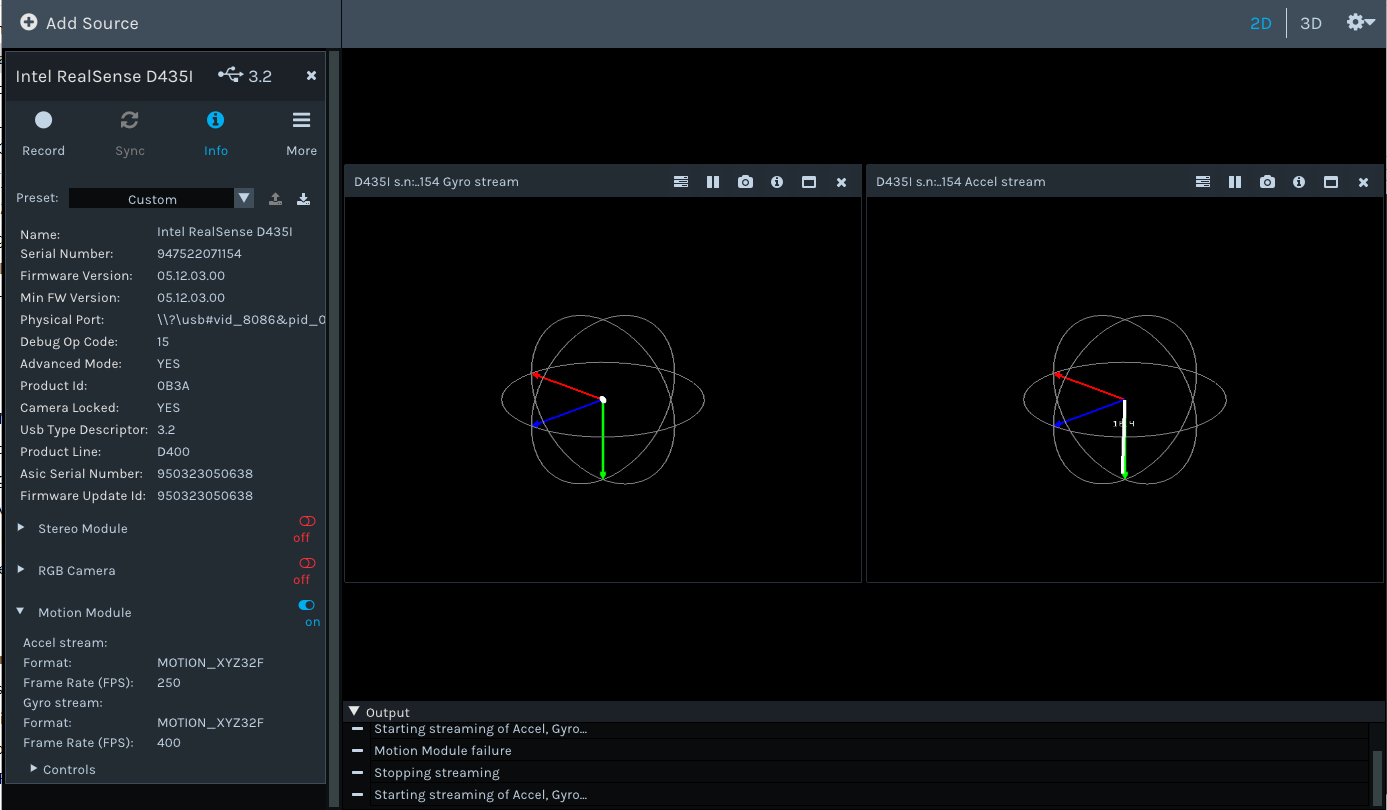
Intel Officials recommend that perform IMU calibration. so according https://www.intelrealsense.com/wp-content/uploads/2019/07/Intel_RealSense_Depth_D435i_IMU_Calibration.pdf, I tried on win10.
but on calibration, there is error.
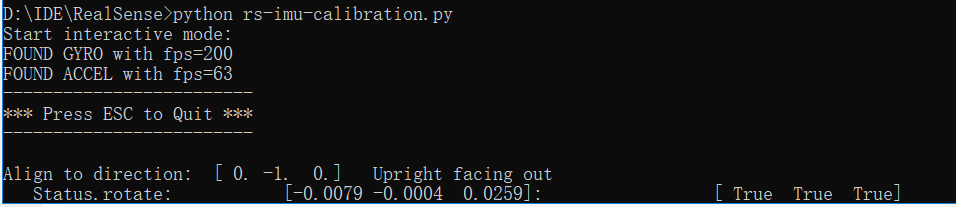
always is this "upright facing" screen, Normally, it would go to the next position.
i want to know, which step ignored??
-
Sometimes the IMU calibration program does get stuck on processing one particular orientation without progressing to the next step. Ideally, the camera should be placed on a flat surface without the tripod attached so that its base is fully flat on the surface without any tilting.
The aim is for the live-updating numbers beside Status: rotate to match the suggested coordinates on the Align to direction line above. So in order to progress, the camera is waiting for the Status: rotate values to match the suggested values.
Once the Status: rotate values match the suggested Align to direction values, the program is meant to start counting by generating a line of full-stops on the screen and then progress to the next stage once the full sequence of dots has appeared.
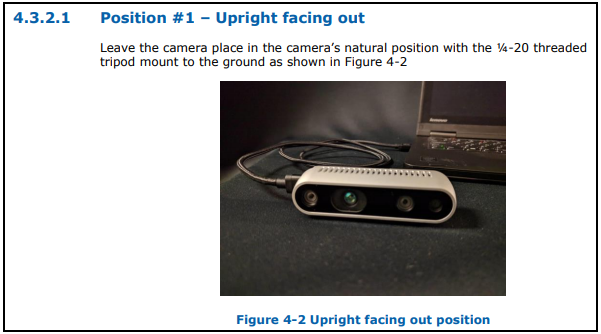
If you have not seen it already, the D435i IMU calibration guide is available at the link below:
https://dev.intelrealsense.com/docs/depth-camera-d435i-imu-calibration
Please sign in to leave a comment.
Comments
1 comment