Urgent: Need help: Binary image (to generate ROI) from Depth information D435
Hi,
I want to generate ROIs for a given frame (RGB or Depth). Goal is to make pixel values '1' if any object (with height) present at certain x,y, z location in frame in D435 frame and all other remaining pixels with no object to zero.
Basically want to generate Binary Image..with pixel value 1 for all the object present pixels and 0 if there is no object.
Any help...!!!!
-
The link below provides C++ scripting for saving a binary image file (.bin) and discusses how the code works. I hope that it will be helpful to you.
https://github.com/IntelRealSense/librealsense/issues/1485
I wonder if using the RealSense SDK's auto-exposure ROI function would satisfy your needs. It averages the intensity of the pixels within the ROI and tries to maintain them at a pre-defined "setpoint" level.
A C++ code example for setting the auto-exposure ROI is here:
https://github.com/IntelRealSense/librealsense/issues/4363#issuecomment-508405760
If you would like to test setting an auto-exposure ROI with the RealSense Viewer program by drag-selecting an area of the image, page 2 (section 2e) of Intel's excellent camera tuning guide describes how to do so.
https://www.intelrealsense.com/wp-content/uploads/2019/11/BKMs_Tuning_RealSense_D4xx_Cam.pdf
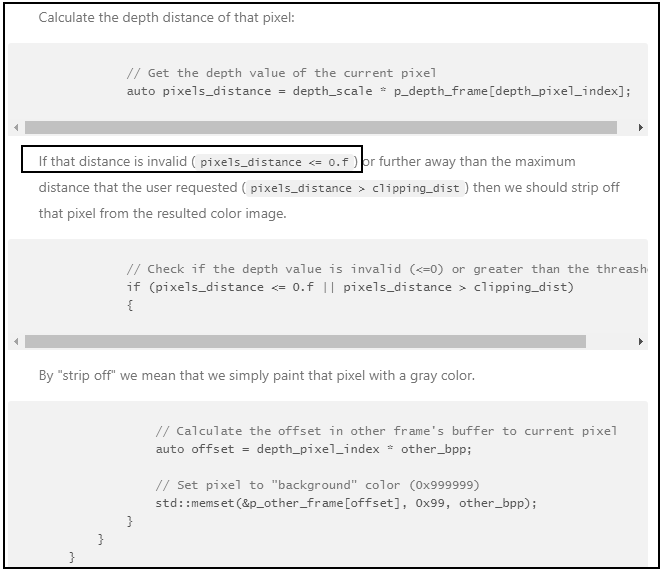
In regard to checking depth values so that they are not < 0, I wonder if you could adapt the depth value checker code in the rs_align_advanced sample program in the link below, so that if pixel distance < 0 then pixel distance = 0 (instead of cutting the pixel off). That way, invalid / NaN value pixels would still be represented in the data as '0'.
https://dev.intelrealsense.com/docs/rs-align-advanced
A similar technique could be used to say that if a pixel distance is > 0 then the pixel distance = 1.
The code is at the bottom of the sample program's page.
-
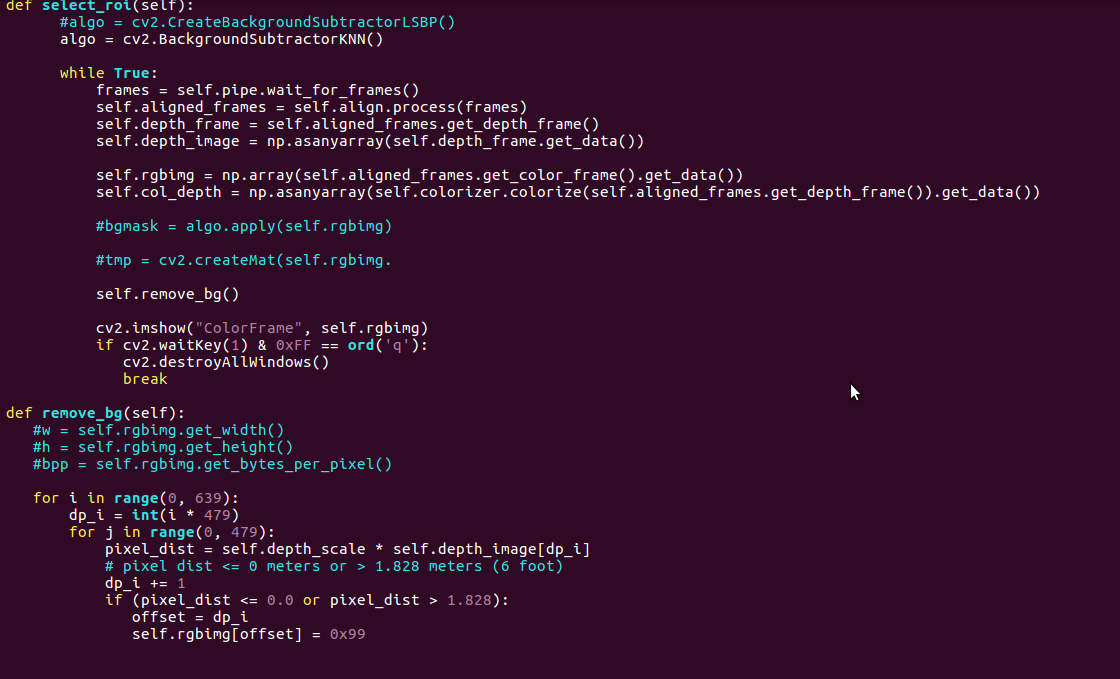
From reference cpp - Tried above code (python) - But hitting below error - I am getting depth_image as Numpy array - not single value...How should I proceed..please help
ERROR:
if (pixel_dist <= 0.0 or pixel_dist > 1.828):
ValueError: The truth value of an array with more than one element is ambiguous. Use a.any() or a.all()By the way I am not looking for " auto-exposure ROI" - Objective is to generate Binary image - White pixels covering area occupied by any objects with depth - all other pixels to Black...
-
My Python programming skills are not currently advanced enough to write my own solution, but I did find some Python programming advice on the link below that may be helpful.
https://stackoverflow.com/questions/34472814/use-a-any-or-a-all
-
Able to solve the problem with OpenCV threshold
-> Convert RGB to Gray
-> Do Gaussian blur
-> Apply OTSU threshold on blur image - This will give you binary image
Thank you for the support MartyG
Please sign in to leave a comment.
Comments
6 comments