Json configuration, change the min/max distance depth to get an image with the right colors | D415 camera C#
Hi, I'm working on a project where I have to map a fruit bin. I'm in an environment that shouldn't change, with the camera attached. So I would like to be able to set the min/max depth distance parameters, as it is possible to do in the viewer in the "Depth Vizualisation" tab. I don't see the parameters generated in the Json file and to have the same quality as with my viewer. Is it possible to modify these parameters? Either with a line of code or in the Json file? Thank you
-
Here are examples of the code to set depth clamp min-max in a json:
"aux-param-depthclampmin": "0",
"aux-param-depthclampmax": "65536",
The easiest way to generate a json is to set the desired parameters in the RealSense Viewer and then use the json export button on the toolbar at the top of the Viewer's options side-panel.
-
Thank you, Marty. That's already the technique I'm using to export the Json file from the viewer. I can really improve things by modifying "depthclampmax" and "depthclampmin", but I still can't get the same quality of color gradient that I can get with the viewer and the "depthmindistance" and "depthmaxdistance" parameters. Is there a formula that allows you to know according to the distance that you have to set its value of depthclampmax / min?
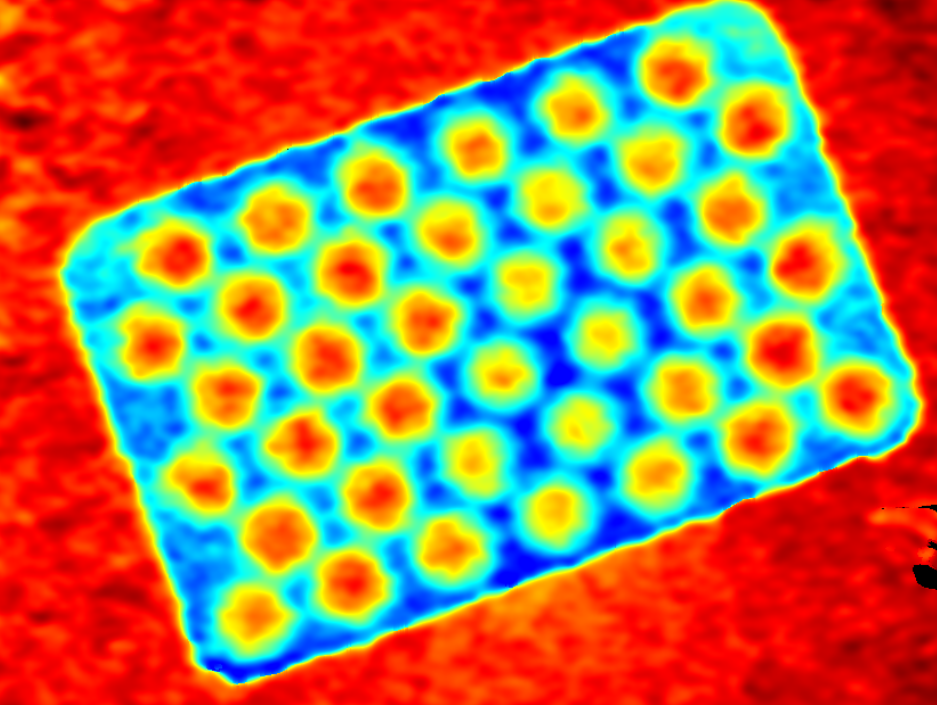
Result with the viewer and depthmin/maxdistance :
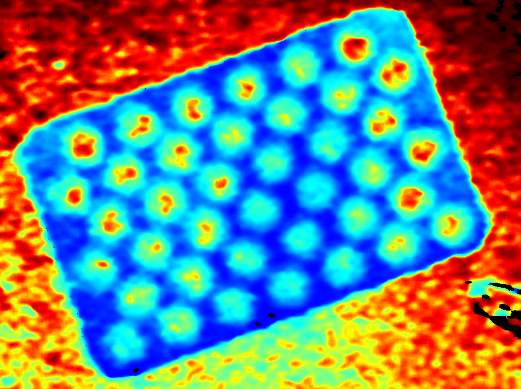
Result with depthclampmin/max configuration into my application :
-
If you are writing your own application then you will not necessarily automatically get the same results as you do from the Viewer. This is because the Viewer has most of the Post Processing image improvement functions enabled by default, whereas you have to turn these on manually in your own program.
There isn't much information about accessing post-processing filters in C#. I did find a script that a RealSense user offered, adapted from the SDK's C# processing example.
https://forums.intel.com/s/question/0D50P00004D2MSBSA3/depth-postprocessing-in-%D1%81?language=en_US
A RealSense team member provided information about accessing it with C# through Unity too:
https://github.com/IntelRealSense/librealsense/issues/1898#issuecomment-399816643
Information on the post-processing filters can be found here:
https://github.com/IntelRealSense/librealsense/blob/master/doc/post-processing-filters.md
Edit: Thanks so much for the images. It looks like the Viewer image is certainly benefiting from filters such as hole-filling.
-
Good morning,
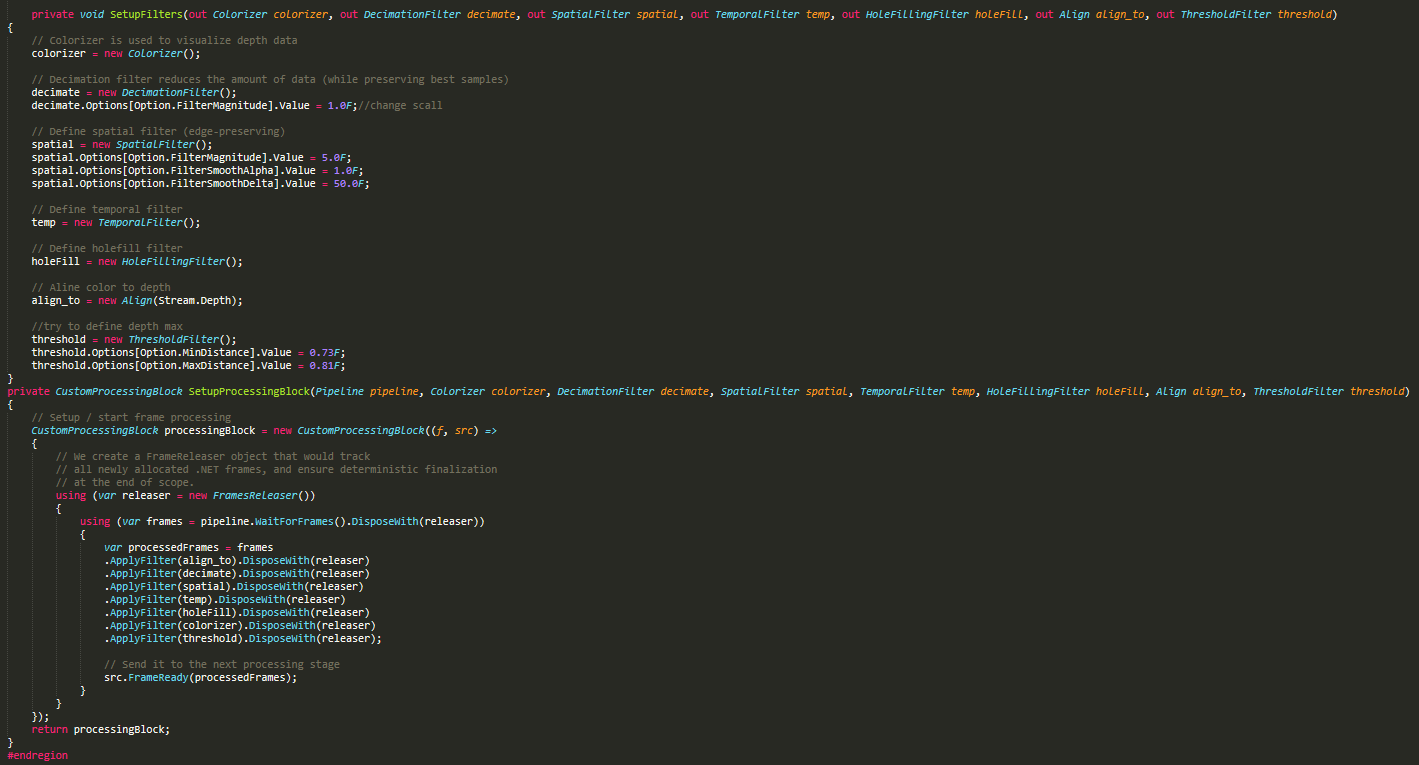
I've applied the post-processing filters that you've linked to me. Still I still can't get the texture as good as in the viewer (see image above). But I discovered today that in the Options I could put
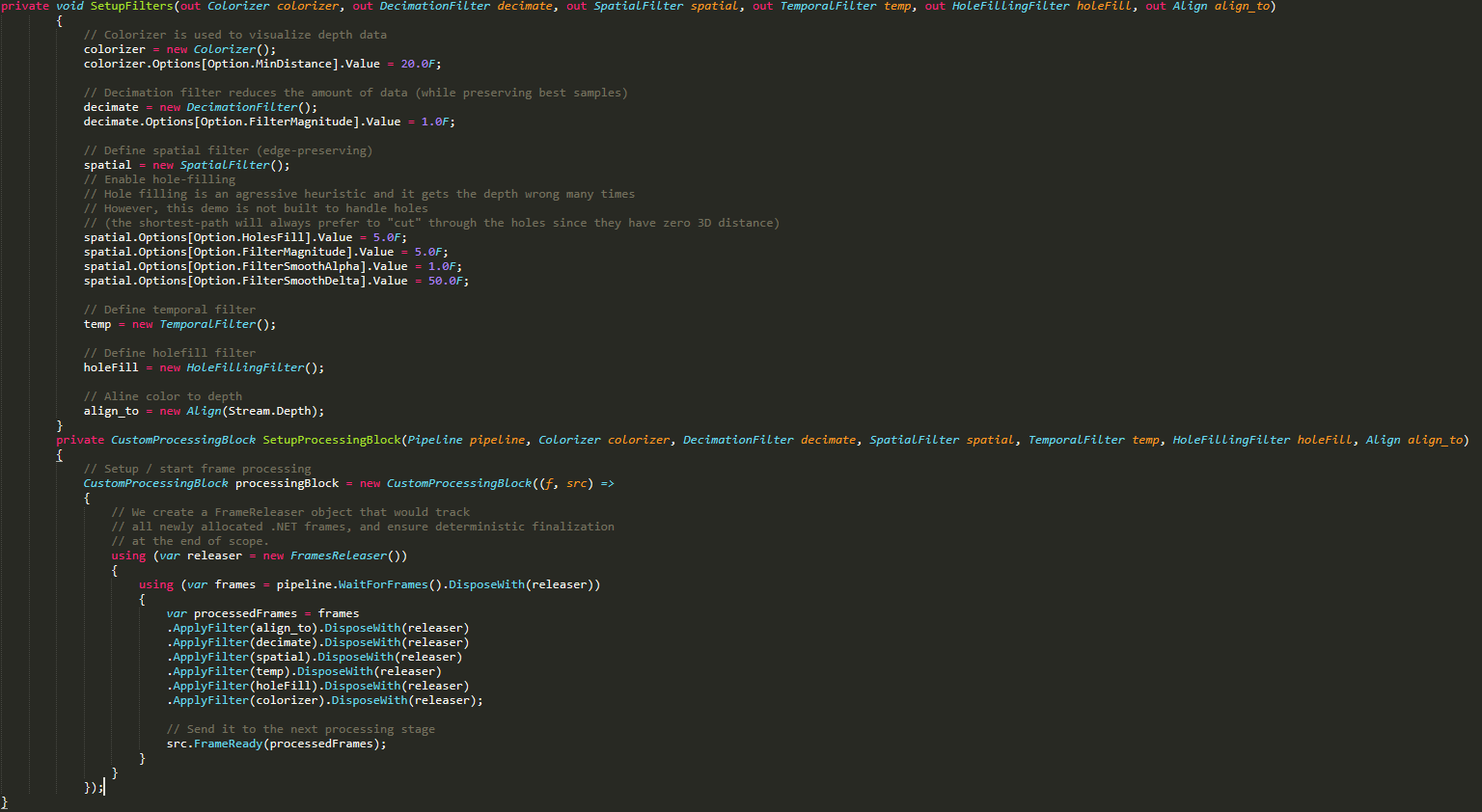
"colorizer.Options[Option.MinDistance].Value = 20.0F;"
here the min/max distance values can be found. But I can't apply it on my image. I then apply it with the linevar processedFrames = frames
.ApplyFilter(align_to).DisposeWith(releaser)
.ApplyFilter(decimate).DisposeWith(releaser)
.ApplyFilter(spatial).DisposeWith(releaser)
.ApplyFilter(temp).DisposeWith(releaser)
.ApplyFilter(holeFill).DisposeWith(releaser)
.ApplyFilter(colorizer).DisposeWith(releaser);
here you can find the colorizer, but it doesn't change my min/max distanceWhat did I miss? I would really like to be able to set these parameters, it's important for my application to have the same precision as with the viewer.
my code of the filter block :
-
Since the last time that you messaged, I found that the best approach was to do the depth clamping through the 'Threshold Filter' in the "Post-Processing" section of the Viewer. If you enable this filter then the detail in the background should be limited to 4 meters maximum from the camera if the maximum distance of the filter is set to '4'.
Earlier today I found a script for setting the Threshold Filter with C++ code.
https://stackoverflow.com/questions/59054413/intel-realsense-depth-camera-d435i-noises-and-mounds
Edit: I'm reminded by the discussion title that you are using C#.
-
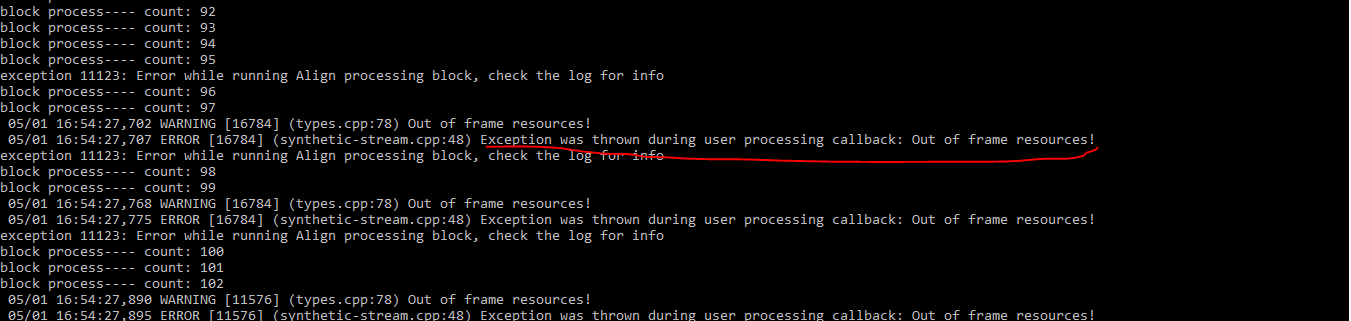
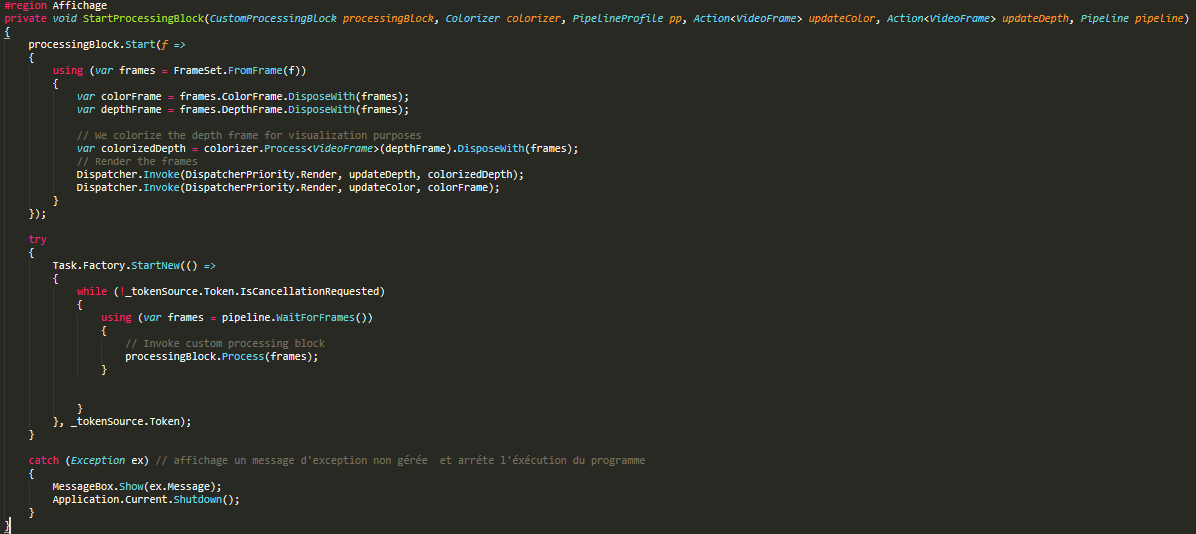
Hi Thomas Chenus33, I used your c # code above, run for a while with an error: Exception was thrown during user processing callback: Out of frame resources! "Can you help me solve this problem.
Please sign in to leave a comment.
Comments
10 comments