D400 auto exposure mode
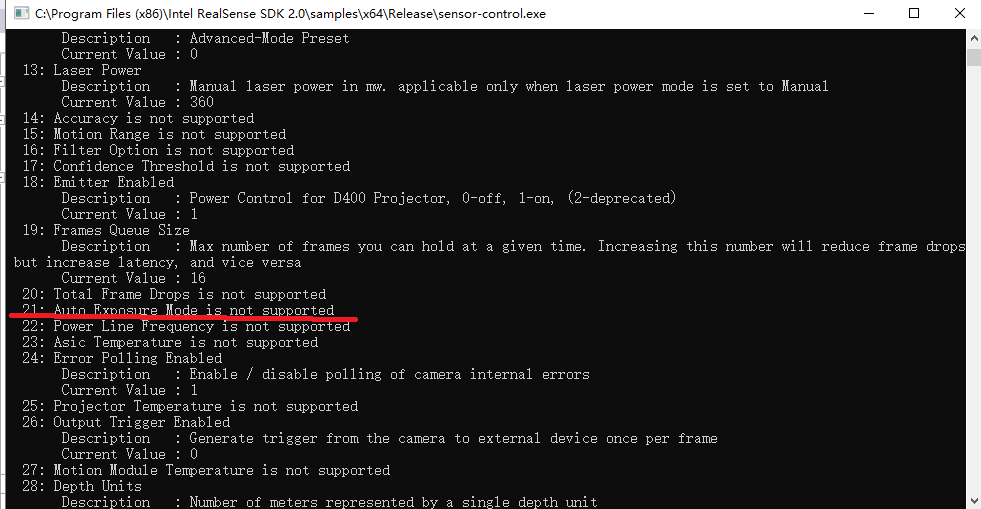
In the file rs_option.h, I find a rs2_option named RS2_OPTION_AUTO_EXPOSURE_MODE, which might solve depth camera's flicker problem. But I find my camera doesn't support this option. My camera is D435, so what kind of camera can support changing auto exposure mode?
-
As far as I know, any RealSense 400 Series camera model can have its auto-exposure settings changed.
I have not encountered the RS2_OPTION_AUTO_EXPOSURE_MODE instruction before. My experience is that the RS2_OPTION commands tend to follow a standard structure though, so if you know one command then you can adapt it for another. Below is a link to changing the laser settings (see the section headed 'librealsense2').
https://github.com/IntelRealSense/librealsense/wiki/API-How-To#controlling-the-laser
In that script, please try changing the RS2_OPTION line to say something like this:
rs2::pipeline pipe;
rs2::pipeline_profile selection = pipe.start();
rs2::device selected_device = selection.get_device();
auto depth_sensor = selected_device.first<rs2::depth_sensor>();depth_sensor.set_option(RS2_OPTION_AUTO_EXPOSURE_MODE, 1.f); // Enable auto-exposure anti flicker mode
-
There are some options that are formally defined in the SDK's scripts but never been used and have no references for how to use them other than a one line description of what they are meant to do. The best course of action in such cases may be to forget about them and try another approach to solving your flicker problem.
Could you tell me please if the location that you are using the camera in has fluorescent lighting such as ceiling strip lights? These can negatively affect a camera image because the gas inside them flickers at a rate hard to see with the human eye. If you do have such lights and have flicker, it may help to use s camera FPS that is close to the operating frequency of the lights. This may be 30 FPS or 60 FPS.
-
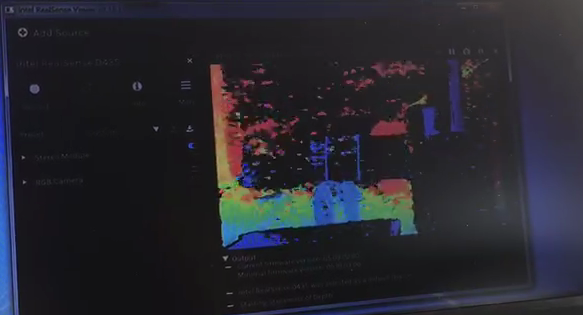
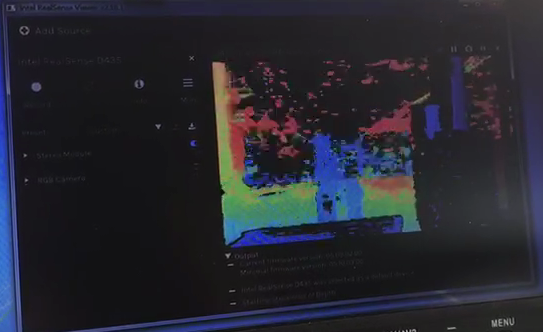
I can't upload a video. I can just say the depth frame is constantly flickering between these 2 images.
The testing environment is outdoor, dusk,with sunlight only.
The interesting thing is that there is no flickering problem when I test at noon with really strong sunlight,or in the evening with almost no light.
-
The exposure value does not update when auto-exposure is active, so you need to get the real exposure value from the camera's metadata.
https://github.com/IntelRealSense/librealsense/issues/1624#issuecomment-389085387
-
On a discussion about exposure problems outdoors, Dorodnic the RealSense SDK Manager suggests a method for changing exposure at per-frame rate.
https://github.com/IntelRealSense/librealsense/issues/3844#issuecomment-487566532
-
I have tried. When auto exposure is enabled, the value of exposure i got by running get_option(rs2_option::RS2_OPTION_EXPOSURE)
doesn't change, it is always the value I set before.
Dorodnic's method looks good, but my group doesn't want to use terminal command.
I guess I need to write anti-flicker algorithm by myself.
-
Here is some more background information on exposure control.
https://github.com/IntelRealSense/librealsense/issues/4490
Also, when you get the chance to test at dusk again, try covering your hand over the camera lens for a few seconds and then removing it. If the camera resets to normal operation, this may indicate that the problem is related to IR sensor saturation.
Please sign in to leave a comment.
Comments
9 comments