Realsense D435 not detected by windows 10
when i connected D435 camera to my laptop nothing happens. Device is not even recognize by device manager
-
Some detection is better than no detection at all.
I'm not certain if the Viewer and Depth Quality Tool programs can even function in Windows 8.1. If you were on Windows 10, then my advice would be to update your computer's graphics drivers. This is because these two programs rely on OpenGL graphics support, and problems with the OpenGL drivers (e.g they are out of date) can cause these two programs to not launch, or to freeze / crash on launch.
-
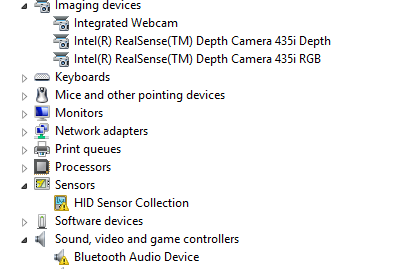
Your drivers in the Device Manager look okay.
I would not recommend installing the RealSense SDK software on Win 8.1 using the Windows 10 pre-built installer though, but instead build the SDK from source code for best Windows 8.1 compatibility if you have not installed it this way already.
https://github.com/IntelRealSense/librealsense/blob/master/doc/installation_windows.md
When compiling from source, two special patches have to be installed to fix video driver problems in Win 8.1 that are already fixed in Windows 10.
https://github.com/IntelRealSense/librealsense/blob/master/doc/installation_windows.md#windows-81
-
I'm having similar issues on multiple machines. I have 12 Windows 10 machines with a D435 camera & Leap Motion attached. Each time we boot up the group of computers 1-4 of them don't recognize the RealSense. Which machine changes randomly on each boot up. If we unplug-replug the USB it recognizes the camera.
I have a second setup having the same issue. I have a Windows 10 machine with 2 D435 connected. It randomly doesn't recognize one or both of the cameras. Today's version = it sees the 2 cameras and can stream the RGB, but can't access the depth. I get the error - attached image.
Help please!
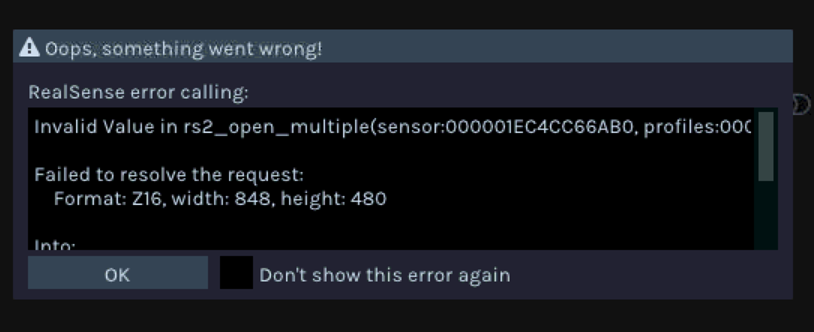
-
Scott Stevens It sounds as though both situations may be caused by insufficient power available for all USB devices attached to the computer. So during boot, one of the devices may not get detected ("enumerated") because it is not sufficiently powered at the time that it is being enumerated during boot.
A way to test this would be to unplug the Leap Motion before booting (and the second D435 when testing the other setup) and see if it decreases the amount of failed RealSense camera detections during boot.
If it becomes apparent that it is a power related issue, using a mains electricity powered USB 3 hub can provide greater power stability than an unpowered hub, or attaching the cameras directly to the computer.
-
FYI - on the computer with the 2 D435s - I lost all connections to the cameras. I unplugged-replugged the USB cable at the computer numerous time, no help. I downloaded a slightly newer version of the Viewer, no help. Finally I unplugged-replugged at the cameras and they were recognized. I don't understand why replugging at the camera would be different than at the computer.
(Unfortunately in the plugging process the cameras got moved and I had to re-do a lengthy calibration process for my custom software.)
-
Intel have successfully tested the Amazon AmazonBasics powered USB 3 hub with a multicam setup in their multiple camera white paper document. On that recommendation, I bought the 7-port AmazonBasics model myself and have had no problems with it.
Hubs from other manufacturers may also work but are not certain to be problem-free when used with RealSense. For example, there was a case where an expensive industrial grade USB 3.2 hub did not work but an inexpensive USB 3.1 hub did. That is why recommendations are useful.
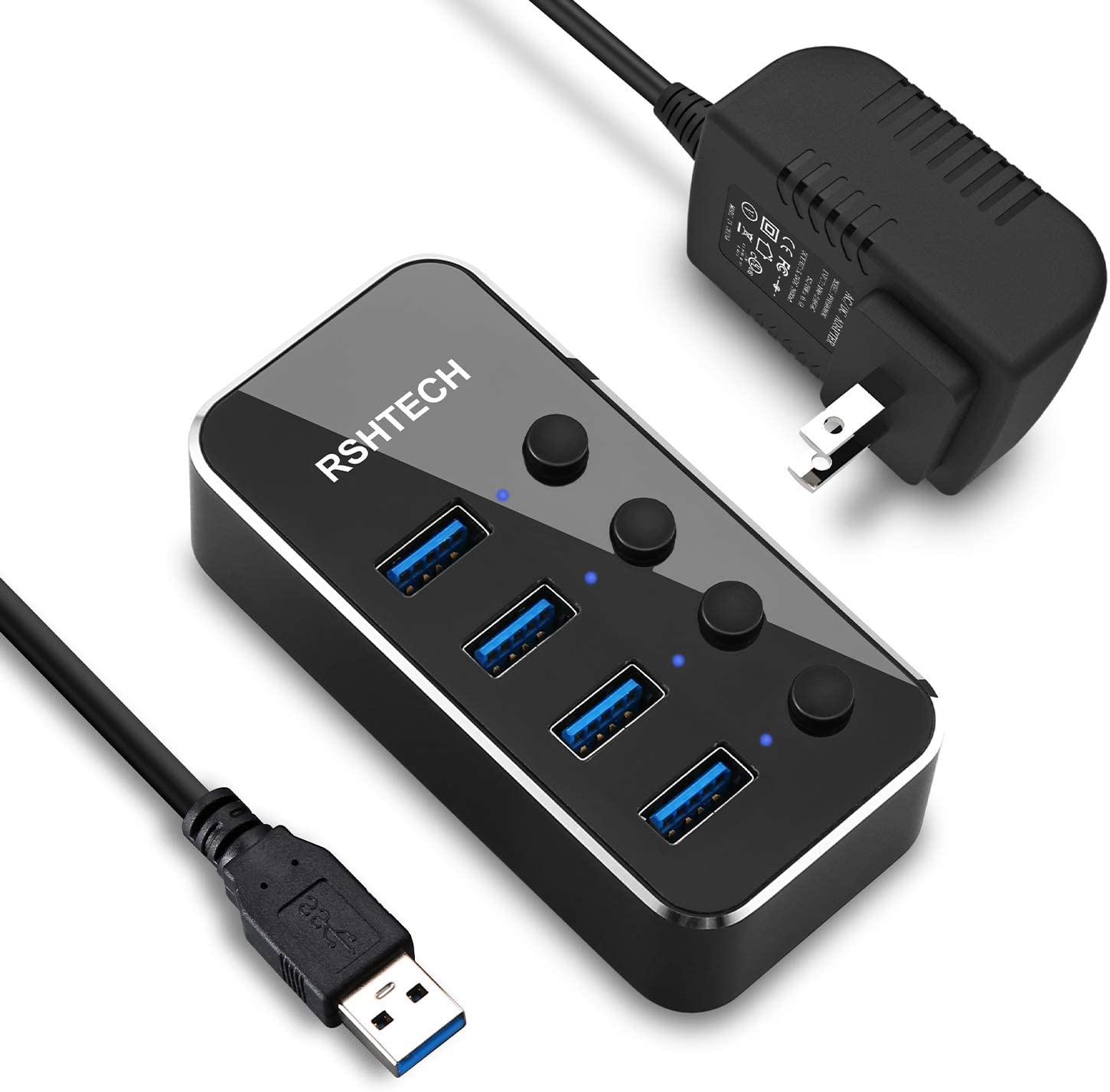
When choosing a hub, be careful to get one with the correct USB connector for the cable between the hub and the computer. Instead of a full size USB-A connector, I bought the micro-ended USB-C model, but fortunately had a USB-C port on my computer. The connector in the example you showed above is a full-size USB-A connector (the 'standard' size),
Also bear in mind that the equipment (like the example above) may be supplied with a 2-prong plug that may not fit mains power sockets in Europe and the United Kingdom, so an additional adaptor plug would need to be obtained.
In regard to why the cameras are detected at unplug-replug but not at boot, I believe it is simply a matter of timing - that the camera may be in an inadequately powered state during boot and misses the opportunity to be detected during the boot process, but unplugging and replugging the camera after boot has completed has the effect of resetting the camera.
-
In considering a powered hub how much power will each Realsense draw?
For example - the AmazonBasics hub provides 1 port with 1.4amps; and the others with 900mA each; a max total of 4A.
The reason I'm asking so many questions is that I have, and will purchase many RealSense units. I may spend $10,000-$20,000 on them over the next 6-12 months. I must insure that I get the power/connections/etc correct.
Given the above is there tech support person I can get in contact with?
Thanks for your help!
-
I recommend budgeting for 2W maximum power draw per camera, and the hub being able to supply 12W power. The USB standard allows up to 5 hubs to be linked together on a single computer. The average maximum number of cameras that I have seen attached to one machine is 6, though there have been a few cases with 10 and 20 cameras.
My recommendation for a maximum on the same machine would be 6 if you plan to have all of them streaming simultaneously, unless you have a very powerful computer that can cope with more. You can easily spread cameras over multiple networked machines linked to a central computer though, as described in Intel's white paper document for open source ethernet networking with RealSense.
If you require specialised technical support, please open a case at the RealSense GitHub forum and describe your specialist needs in the message so that an appropriately skilled RealSense team member can advise you if your questions are outside of my own knowledge (I work on the GitHub too)
https://github.com/IntelRealSense/librealsense/issues
Please sign in to leave a comment.
Comments
44 comments