Recording Video in 60fps with threading and queue (Python)
Hello, my camera is Realsense D435.
I asked how to get 60fps RGB video stream before.
Now I want to record the RGB stream into a video, but I want to separate the step of getting RGB image and the step of writing them into video.
So I use threading and queue to implement it.
The concept is that the camera catch RGB image in 60fps, putting them into rgb_queue, and the other thread called RecordingJob get the images from rgb_queue, writing them into video continuously.
Unfortunately, when I run the code, the error Frame didn't arrived within 5000 usually happens.
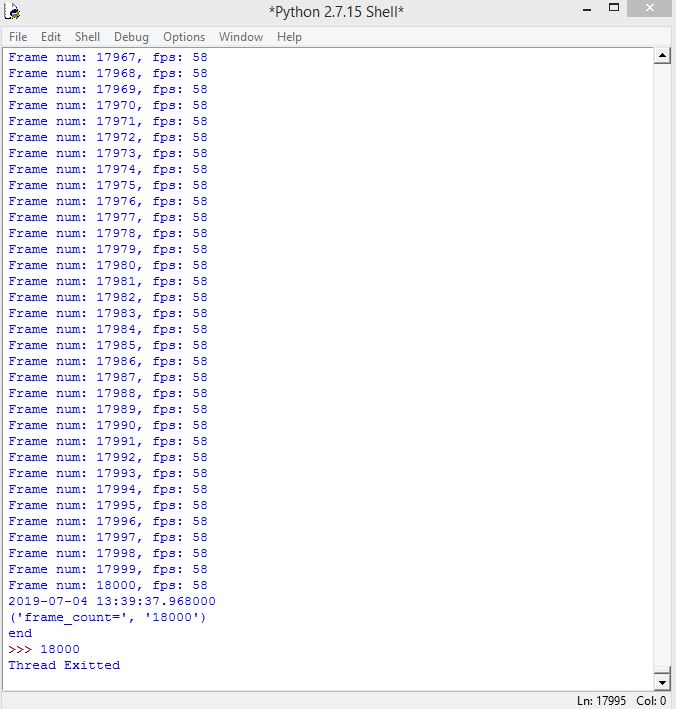
For example, I would like to record a 5-min video(18000frames), but the code stuck at the 173th frame, the RecordingJob only write 160 frames into video, and 13 frames are still in rgb_queue.
If RecordingJob just get the images from queue and doesn't write them into video, the code can be run without error.
If I just get an image and write it into video directly in 60fps, the code can be executed without error, too.
I wanna know how to solve the problem, thank you in advance for your apply.
My code is below.(It seems that I cannot make an attachment?)
https://drive.google.com/open?id=1bTpFLGkQ5ewTzsyYADcCXCRgYC7Zf7ir
-
Hi Satsuna1352,
Thank you for your interest in the Intel RealSense D435 camera.
Can you please tell me if you see the same behavior with the RealSense samples/tools?
Also, please make sure you are using the latest librealsense and firmware version.
https://downloadcenter.intel.com/product/128255/Intel-RealSense-Depth-Camera-D435
https://github.com/IntelRealSense/librealsense/releases
Regards,
Alexandra
-
Hello Satsuna1352,
We are able to run your code but we do not get the same problem. We get over 1000 frames without a problem. The “frames didn’t arrive” issue usually occurs because of latencies somewhere in the system, not related to RealSense. It may be that your computer is processing the threads too slowly.
Can you please tell me what are the specs of your system?
Regards,
Alexandra
-
Hi, Alexandra
Sorry for my late reply, I ran the code on another computer.
Sometimes it could record 18000 frames successfully, but sometimes it failed.
The computer spec is below:
CPU: Intel i5-7400
RAM: 8GB DDR4
GPU: NVIDIA GeForce GTX 1050Ti
May I have your computer spec?
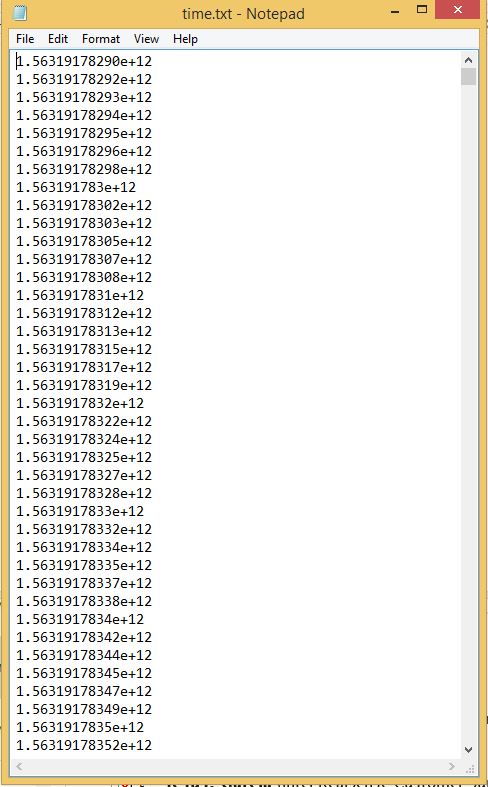
Besides, the program will output "time.txt" as video recording finishes, can I get your txt file?
I wanna see if the time difference of every 2 frames is always 16.6ms
-
Hi, Alexandra,
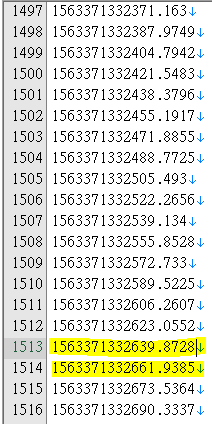
Based on your snapshot, the time difference of every 2 frames is 10~20ms.
And it meets the 60 fps (16.6ms difference of every 2 frames).
Attached is my snapshot, most time differences are reasonable (about 17ms), but you can see that the highlight space is an 22ms difference.
Would you mind giving the whole time.txt so that I can check the time difference is always stable?
Please sign in to leave a comment.
Comments
13 comments