3D point cloud
Hi, I have a question. As shown in the figure below, why is the point cloud I got still stuck in the original point cloud picture when I closed the infrared image or adjusted the pixel to reopen it? The point cloud generated before cannot be eliminated.

-
Hello, I note that you are using version 2.39.0 of the RealSense Viewer tool, which is now very old. If your camera has a modern firmware driver installed in it then the camera is unlikely to work well with an old Viewer version.
You can check which firmware version is currently installed in your camera by clicking on the Info button at the top of the Viewer's options side-panel. The recommended firmware for 2.39.0 is 5.12.8.200
Depending on your camera model though, you might cause your camera to become non-functioning if you downgrade to such an old firmware version.
I would recommend using the current latest 2.55.1 version of the Viewer if possible, and firmware 5.16.0.1. If you are using Windows then you can use the 2.55.1 version of the Viewer by visiting the link below, going to the 'Assets' file list at the bottom of the page and downloading and running the file Intel.RealSense.Viewer.exe
https://github.com/IntelRealSense/librealsense/releases/tag/v2.55.1
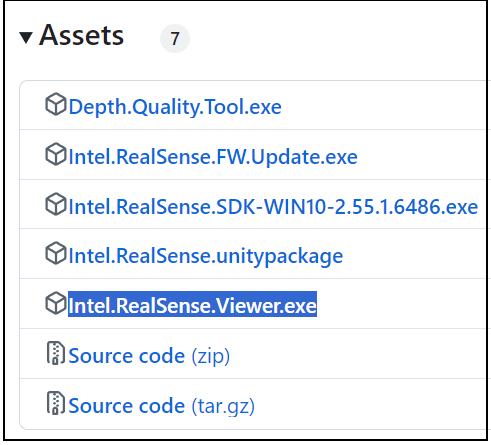
-
There is an official Python pointcloud example called opencv_pointcloud_viewer.py at the link below.
-
If your aim is to generate a point cloud from saved image files such as PNG then there are few references for doing so. The RealSense article with Python scripting in the link below might be helpful though. If you get a pop-up box suggesting that you register for the website then just click the 'X' in the corner of the box to remove the pop-up and view the article.

Please sign in to leave a comment.
Comments
6 comments