Realsense D455 Data Visualization Difference between RGB Camera & Stereo Mou
Hello,
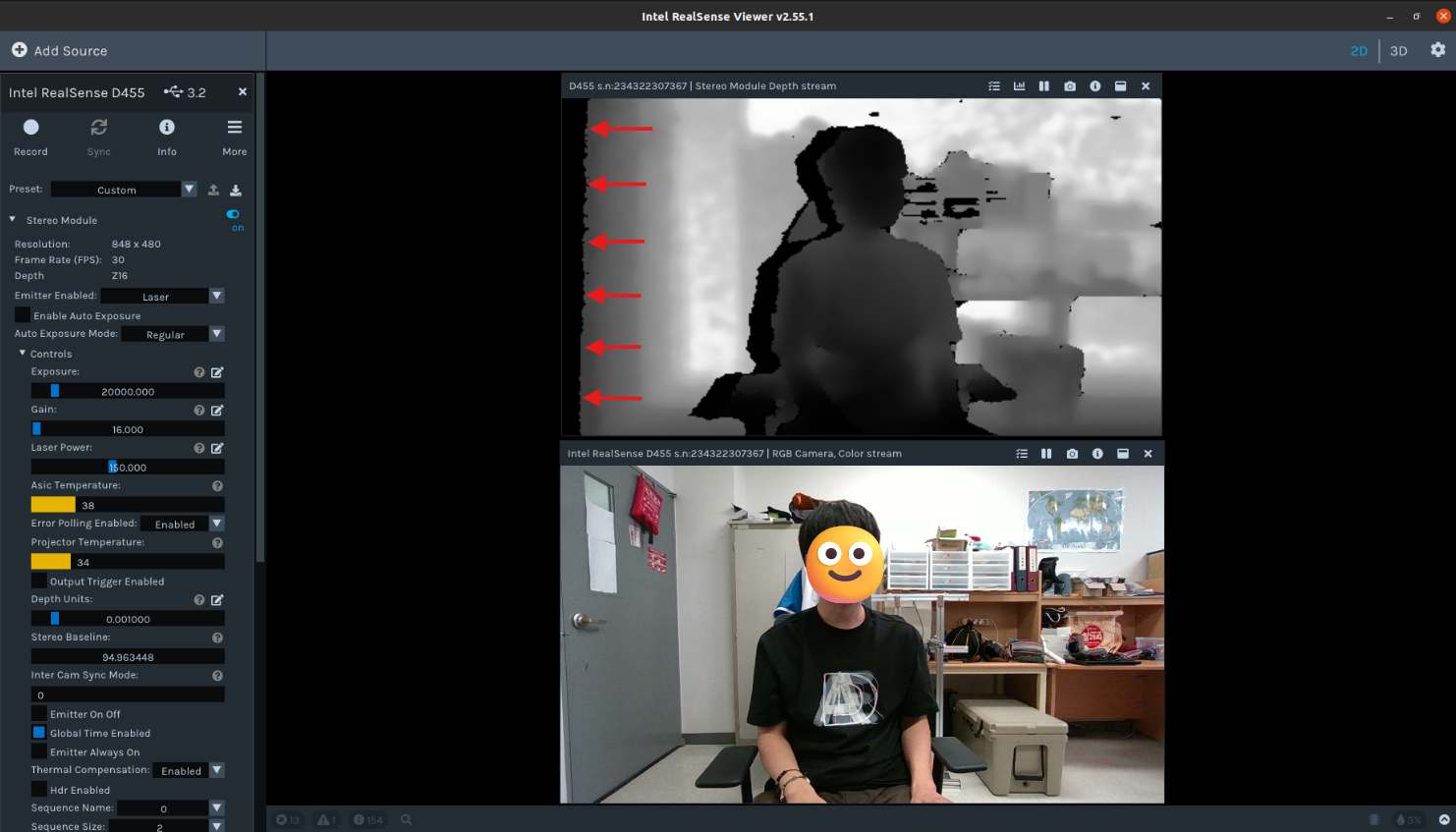
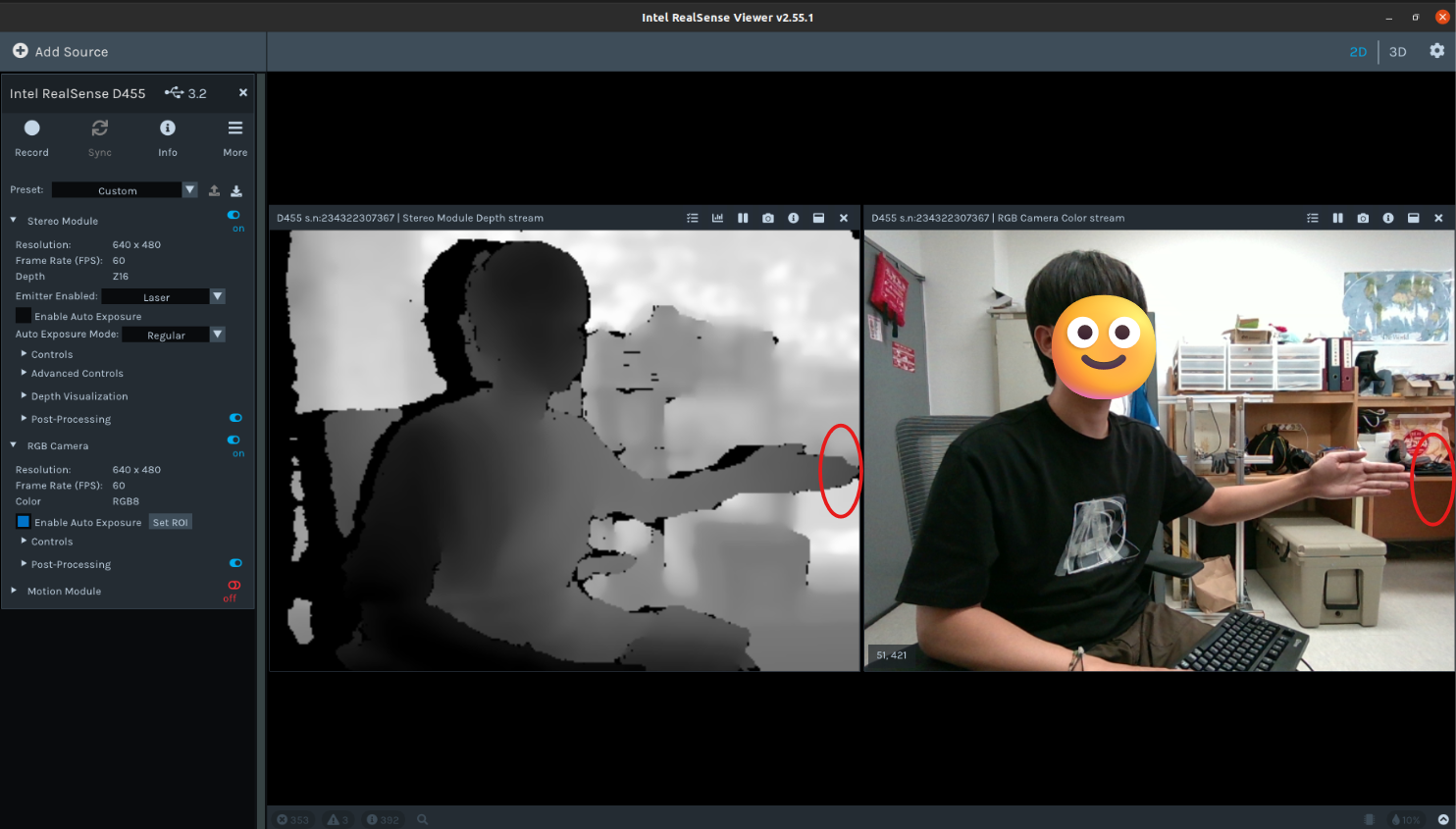
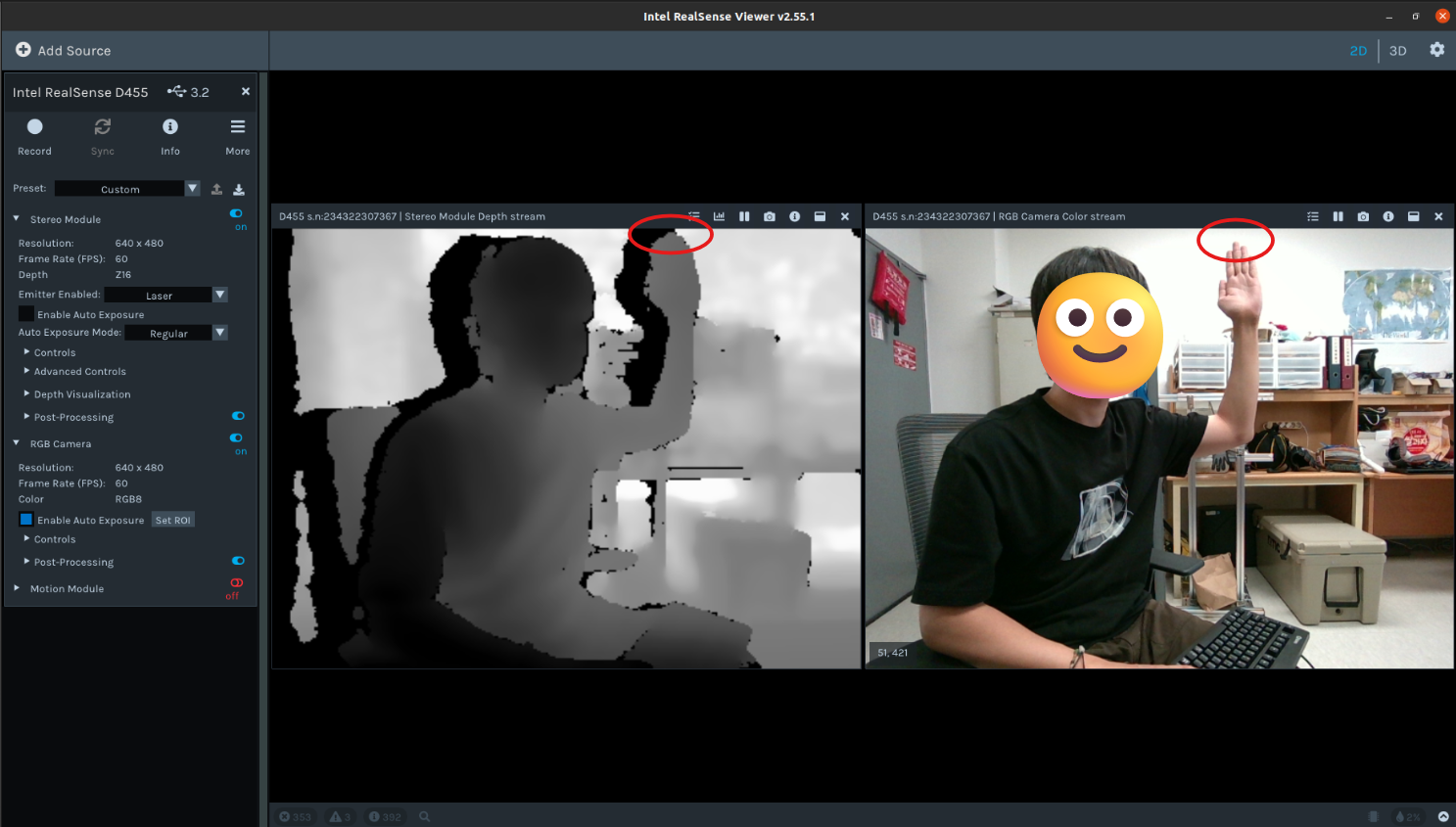
I am currently using the RealSense D455 camera to capture RGB data and depth map data. To ensure that the data is captured at the same size, I have set both to a resolution of 640 x 480. However, as shown in the attached files, there is an issue with the image resolution not being correct.
It seems that the left side of the Stereo Module is generating a black empty space, which might be causing the issue. It feels as though the Stereo Module is slightly shifted to the right and downward.
To help you understand, I have attached the test images.
Is it an issue with the sensor itself?
-
Hi Thflgg133 The area of empty black space on the left edge of the depth image is normal and expected. It is a phenomenon called the Invalid Depth Band. Pages 87-88 of the current edition of the data sheet document for the 400 Series cameras have information about it.
https://dev.intelrealsense.com/docs/intel-realsense-d400-series-product-family-datasheet
In regard to resolution, by default the RealSense Viewer has a post-processing filter called the Decimation Filter which 'downsamples' the depth resolution. Its default setting is to halve the currently set resolution. You can disable the filter by going to 'Stereo Module > Post-Processing', expanding open the list of filters and left-clicking on the blue icon beside Decimation Filter to turn it to black (off). The depth resolution should then show as 640x480.
In regard to shifting, the viewpoint of the depth and RGB streams is partly dependent on their physical position on the front of the camera. The RGB sensor is horizontally offset from the depth sensor, so RGB will not have exactly the same viewpoint.
On the D455 model there is a workaround for this. Instead of enabling the RGB stream, you can enable the Infrared option in Stereo Module and set its format to RGB8 instead of the default Y8 infrared format. An RGB image that originates from the left infrared sensor (which is also the origin of the depth image) will be displayed.
-
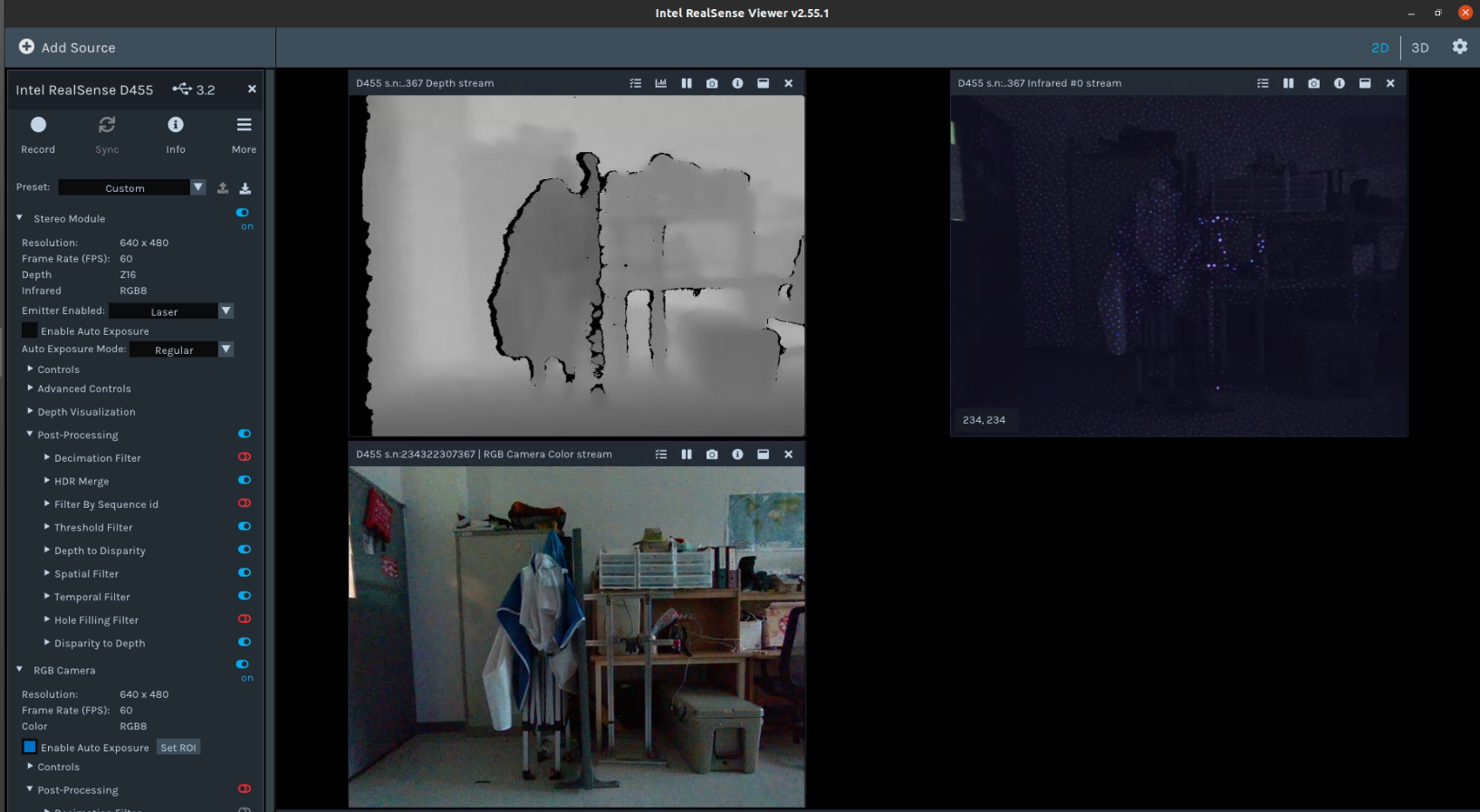
As you suggested, I removed the Decimation Filter option and set the infrared format to RGB8.
However, the issue is that the infrared RGB8 format does not provide depth values, unlike the depth sensor.
For my research, I need to retrieve the depth values corresponding to the pixels in the RGB Camera. Therefore, if I acquire a distorted depth image, I am unable to obtain accurate depth values corresponding to the RGB pixels.
Is there any way to manually or through parameter adjustments align the depth sensor and the RGB sensor?
Or is using the SDK the only way to solve this problem?
-
When using RGB from the left infrared sensor it is not necessary to perform alignment. Because depth and the RGB from IR originate from the same sensor, the left IR image has the benefit of always:
1. Being pixel-perfect aligned, calibrated, and overlapped with the depth map.
2. Being perfectly time-synchronized
3. Requiring no additional computational overhead to align color-to-depth
4. Giving no additional occlusion artifacts, because it is exactly co-aligned.
When using the RGB sensor for color, the only way to map depth and color together in the Viewer is to enter 3D pointcloud mode by clicking the '3D' option in the top corner of the Viewer window, then enabling the Depth stream first and the RGB stream second.
-
What I want to say is that I want to accurately obtain the depth value corresponding to the pixel in the RGB image.
Of course, when I enable the Stereo Module with infrared (IR), I can obtain the corresponding pixel without any error, but I cannot get the depth value.
What I need is the depth value.
However, even when the depth camera has the same resolution as the RGB image, there is a left-right offset, and I cannot obtain the accurate depth value for the exact pixel I want.
If you look at the attached picture, you can see that when I mark the same pixel position in the RGB image and the depth map obtained through the Stereo Module, the position I get is different from the position I want to obtain.
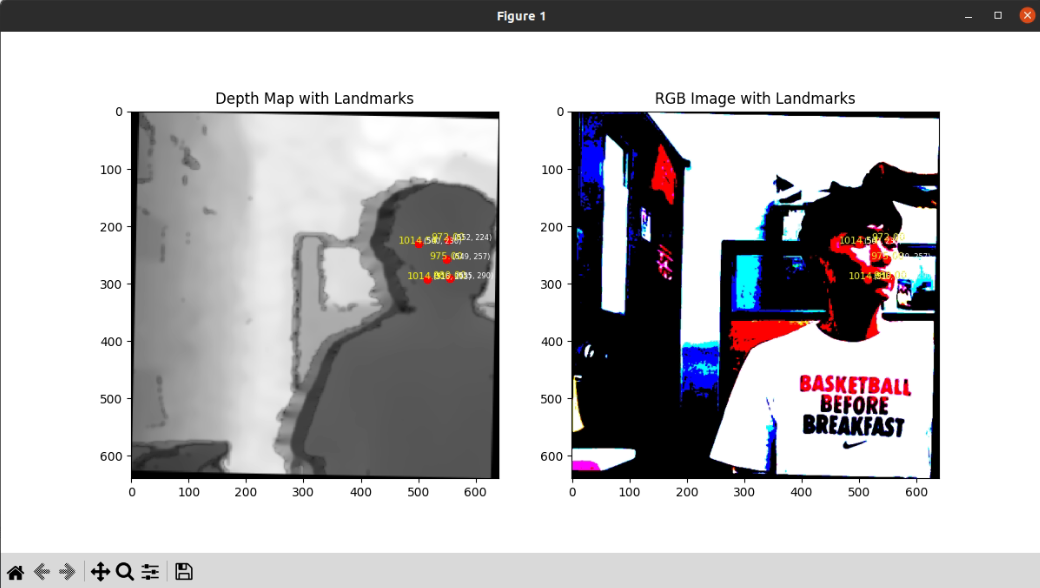
-
If you use the 'RGB from left infrared sensor' RGB mode then it should perfectly align with the depth image as the infrared RGB image and the depth image are both originating from the left-side IR sensor.
If you use the normal RGB image from the RGB sensor then there will be a horizontal offset between depth and RGB because the RGB sensor is physically in a different location from the left IR sensor on the front of the camera. If you map depth and RGB together into a combined pointcloud in the Viewer's 3D mode then depth and RGB pixels should have shared coordinates.
If you hover the mouse cursor over a coordinate on the depth-RGB pointcloud then the real-world distance in meters of that coordinate will be displayed as text.
-
As instructed, I confirmed that the depth and IR sensors are aligned.
However, the RGB8 images captured by the IR sensor don’t preserve colors as well as the RGB images captured by the RGB camera, making them difficult to use as research data.
In short, what I want is the precise alignment between the RGB data captured by the RGB camera sensor and the data captured by the depth sensor.
Ultimately, is the only solution to this issue to directly measure the discrepancy between the RGB images and the depth map, and then apply post-processing to correct the differences after data acquisition?
Thank you always for your responses :)
-
As mentioned above, using the Viewer's 3D pointcloud mode to map depth and RGB data together into an aligned image and then take a distance reading from a coordinate is likely to be the best solution.
Alternatively, you could use the Depth, RGB and Infrared RGB streams so that you have aligned depth-RGB from the Depth and Infrared streams, and also the normal RGB stream to refer to in order to see what the correct color is meant to be.
-
Thank you.
I tried the method you suggested, but I encountered some unclear issues. Fortunately, I was able to resolve the problem in a different way! By using the
alignmodule from the RealSense SDK, the issue was fixed.However, another problem arose: I understand that depth detection should start from 0mm, but why is it that no depth values are output when the distance is less than 30mm?
I want to obtain depth data for distances below 30mm.
Is there a way to obtain depth data for distances below 30mm...??
-
I'm pleased to hear that you achieved a solution!
RealSense cameras have a minimum depth sensing distance that varies depending on the camera model. Because D455 is a long-range model that can depth sense up to 20 meters, it has a larger minimum depth distance (0.5 meters) than other models This means that with depth detail closer to the camera than 0.5 meters / 50 cm, that detail will progressively break up and then disappear from the depth image.
You can reduce the camera's minimum depth distance using a setting called Disparity Shift so that detail nearer to the camera can be included on the depth image. However, the D455 will unfortunately be unsuited to reducing as low as 30 mm (3 cm) or less from the camera. The model that could get nearest to that with Disparity Shift is the D405, which is designed for very close range sensing. Even with D405 and Disparity Shift you could likely only get as close as 40 mm / 4 cm before the depth values become unusable though.
Please sign in to leave a comment.
Comments
9 comments