The distance to the object is not correctly determined if the object is not on the same axis as the camera
This code, written in python for the D435 camera, works fine - you can fairly accurately determine the distance to an object that is in a straight line with the camera. But if the object moves sideways, the resulting distance is zero or too large (2600 mm at 30-40 mm). How to always determine the correct distance to the object if the object is not directly in front of the camera, but 20, 30, 40 centimeters lateral to the camera axis?
In this case, if you turn on the SDK, the distance determination happens quite accurately in it.
We're using a D435 camera. The code is below
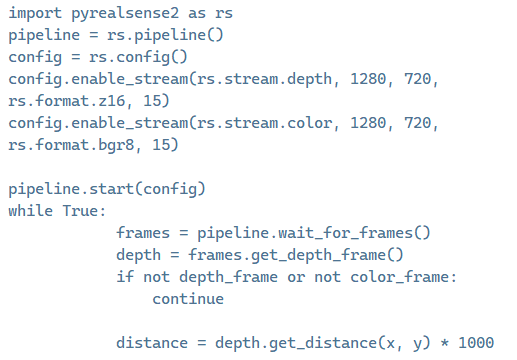
import pyrealsense2 as rs
pipeline = rs.pipeline()
config = rs.config()
config.enable_stream(rs.stream.depth, 1280, 720, rs.format.z16, 15)
config.enable_stream(rs.stream.color, 1280, 720, rs.format.bgr8, 15)
pipeline.start(config)
while True:
frames = pipeline.wait_for_frames()
depth_frame = frames.get_depth_frame()
color_frame = frames.get_color_frame()
if not depth_frame or not color_frame:
continue
depth_image = np.asanyarray(depth_frame.get_data())
color_image = np.asanyarray(color_frame.get_data())
distance = depth_frame.get_distance(x, y) * 1000
-
Hello, the D435 camera model has a smaller field of view size on its RGB sensor than the depth sensor. So when using the get_distance() instruction, the ideal approach is to (1) perform depth to color alignment in order to map depth and color data together, and (2) use color intrinsics, because after depth-color alignment the origin point of depth changes from the center of the left IR sensor to the center of the RGB sensor.
If depth and color are not aligned and color intrinsics are not used then measurements may be accurate at the center of the image but become increasingly inaccurate when checking coordinates towards the edges of the image.
A Python script at the link below that uses alignment and color intrinsics may be a helpful reference.
https://support.intelrealsense.com/hc/en-us/community/posts/23541262437011/comments/23566066750355
-
The link works if you copy it and paste it into the browser address window instead of clicking on the link. I will put the script here though so that you do not need the link.
import pyrealsense2 as rs
import numpy as np
import math
import cv2

pipeline = rs.pipeline()
config = rs.config()
config.enable_stream(rs.stream.depth, 640, 480, rs.format.z16, 30)
config.enable_stream(rs.stream.color, 640, 480, rs.format.bgr8, 30)
pipeline.start(config)

align_to = rs.stream.depth
align = rs.align(align_to)

target_x = 320
target_y = 240

try:
    while True:
        # This call waits until a new coherent set of frames is available on a device
        frames = pipeline.wait_for_frames()

        # Aligning color frame to depth frame
        aligned_frames = align.process(frames)
        depth_frame = aligned_frames.get_depth_frame()
        aligned_color_frame = aligned_frames.get_color_frame()

        if not depth_frame or not aligned_color_frame:
            continue

        color_intrin = aligned_color_frame.profile.as_video_stream_profile().intrinsics

        # Draw two perpendicular lines
        cv2.line(color_image, (target_x, 0), (target_x, 480), (0, 0, 255), 2)  # Vertical line
        cv2.line(color_image, (0, target_y), (640, target_y), (0, 0, 255), 2)  # Horizontal line

        # Display the image with the changes
        cv2.imshow("Color Image", color_image)

        # Blur the image to reduce noise
        blurred_image = cv2.GaussianBlur(color_image, (25, 25), 0)

        # Convert the image to grayscale for better processing performance
        gray_image = cv2.cvtColor(blurred_image, cv2.COLOR_BGR2GRAY)

        # Find circles in the image
        circles = cv2.HoughCircles(
            gray_image,
            cv2.HOUGH_GRADIENT,
            dp=1,
            minDist=20,
            param1=50,
            param2=30,
            minRadius=0,
            maxRadius=0
        )

        if circles is not None:
            circles = np.uint16(np.around(circles))

            for circle in circles[0, :]:
                # Get the coordinates of the circle's center and its radius
                x, y, radius = circle

                depth_width = depth_frame.get_width()
                depth_height = depth_frame.get_height()

                if 0 <= x < depth_width and 0 <= y < depth_height:
                    depth_at_center = depth_frame.get_distance(x, y)
                    depth_at_center_cm = depth_at_center * 100  # Convert to centimeters

                    # Continue processing depth data
                else:
                    print("Coordinates (x, y) are outside the valid range of the depth image.")

                # Display depth on the color image
                depth_text = "     {:.2f} cm".format(depth_at_center_cm)
                cv2.putText(color_image, depth_text, (x, y), cv2.FONT_HERSHEY_SIMPLEX, 0.5, (0, 0, 255), 2)

                # Depth at the center of the circle
                depth_value = depth_at_center_cm  # Replace with the depth at the center of the circle

                # Calculate 3D coordinates
                dx, dy, dz = rs.rs2_deproject_pixel_to_point(color_intrin, [x, y], depth_value)

                distance = math.sqrt(((dx) ** 2) + ((dy) ** 2) + ((dz) ** 2))

                # Print the manually calculated 3D coordinates of the circle center
                print("Manually calculated 3D coordinates of the circle center (X, Y, Z):", (dx, dy, dz))

                # Draw the circle and center on the color image
                cv2.circle(color_image, (x, y), radius, (0, 255, 0), 2)
                cv2.circle(color_image, (x, y), 2, (0, 0, 255), 3)

                # Display the resulting image
                cv2.imshow('Detected Circles with Depth', color_image)

        # Wait for the 'q' key to exit the loop
        if cv2.waitKey(1) & 0xFF == ord('q'):
            break

finally:
    # Close the connection and clean up
    pipeline.stop()
cv2.destroyAllWindows() -
A simpler method would be to use only the depth data and not the RGB to get the distance in meters.
import pyrealsense2 as rs
import numpy as np

pipeline = rs.pipeline()

# Start streaming
pipeline.start()

frames = pipeline.wait_for_frames()
depth = frames.get_depth_frame()

width = depth.get_width()
height = depth.get_height()

dist = depth.get_distance(width/2, height/2)
print(dist)

# Stop streaming
pipeline.stop()
In the line dist = depth.get_distance(width/2, height/2), dividing the width and height values of the depth resolution by half gives the center coordinate of the image. For example for 1280x720 depth resolution, 1280 / 2 and 720 / 2 gives the center coordinate 640, 360 for the image.
-
The most obvious difference is that the script above is using the resolution width and height values directly from the frame information, whilst your original script at the beginning of this case stores stream values in numpy (np) arrays. The arrays do not seem to be used for anything in the script though as the depth value used in get_distance is still being retrieved directly from the pipeline via depth_frame
depth_frame.get_distance(x, y) * 1000
-
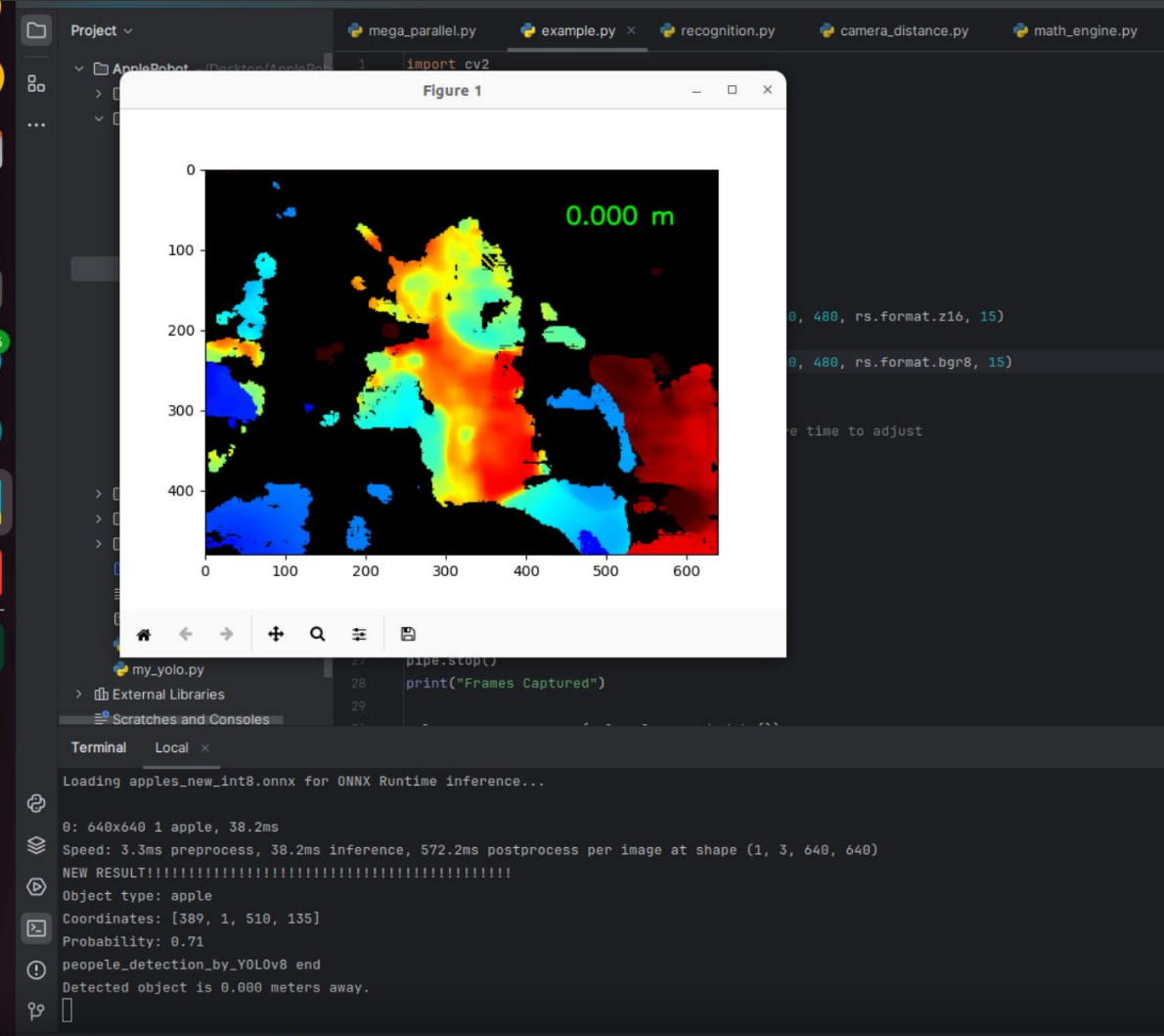
Multiplying depth.get_distance(x, y) by 1000 is not usually done. Doing so may be combining together two different methods of obtaining the distance that should not be used together. The alternative approach to using get_distance is to retrieve the raw depth value of the distance and then multiply it by 0.001 meters / 1000 mm to get the distance in real-world meters. The value output by get_distance() does not need to be converted to meters as it is already expressed in meters.
How do the measurements behave if you remove the multiplication, please?
depth = depth.get_distance(x, y)
-
Do you get results if you test the Python script at the link below, which instead of get_distance uses the method of multiplying the raw pixel depth value by the depth scale?
https://github.com/IntelRealSense/librealsense/issues/3473#issuecomment-474637827
Please sign in to leave a comment.
Comments
12 comments