Python Calls the Temporal Filter
Hello, may I ask why there are errors in my calling the temporal filter method below? In the process of debugging the code, I found that the filtering results did not have any effect.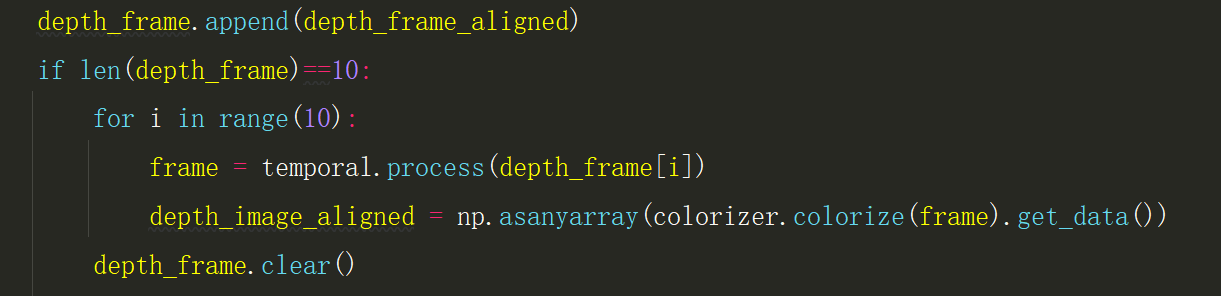
-
Hello, not all post-processing filters will have a significant effect on the image. Unless you have a problem with unstable, fluctuating depth values then you may not need to use a temporal filter at all. This filter also relies on historical data from previous frames to carry out its calculations, so it would not be effective in applications where only one frame is retrieved.
-
To stabilize fluctuating depth values using the temporal filter, its filter smooth alpha setting should be configured. By default its value is '0.4', but data should fluctuate less if it is changed to '0.1'.
Assuming that you have an rs.temporal_filter() instruction somewhere in your script that defines the temporal filter, the code below provides an example of how to set the filter's smooth alpha by adding commands to the instruction's brackets.
temp_filter = rs.temporal_filter(smooth_alpha=0.1, smooth_delta=80, persistence_control=8)
-
The filter smooth alpha setting slows down the rate at which the image is updated, So whilst it can stabilize depth fluctuations, it can also cause a visible delay in responding to movement of the camera. This is unavoidable.
Would it be possible to provide an RGB color image of the scene that your camera is observing please so that I can see whether there are elements in the scene that might be difficult for the camera to read or confusing its depth sensing.
-
Factors visible in the RGB scene that could affect depth accuracy include natural lighting (facing the camera directly towards the sun), artificial lighting (such as fluorescent ceiling strip lights), reflective surfaces and the presence of vertical or horizontal regular patterns such as tiled floors / ceilings.
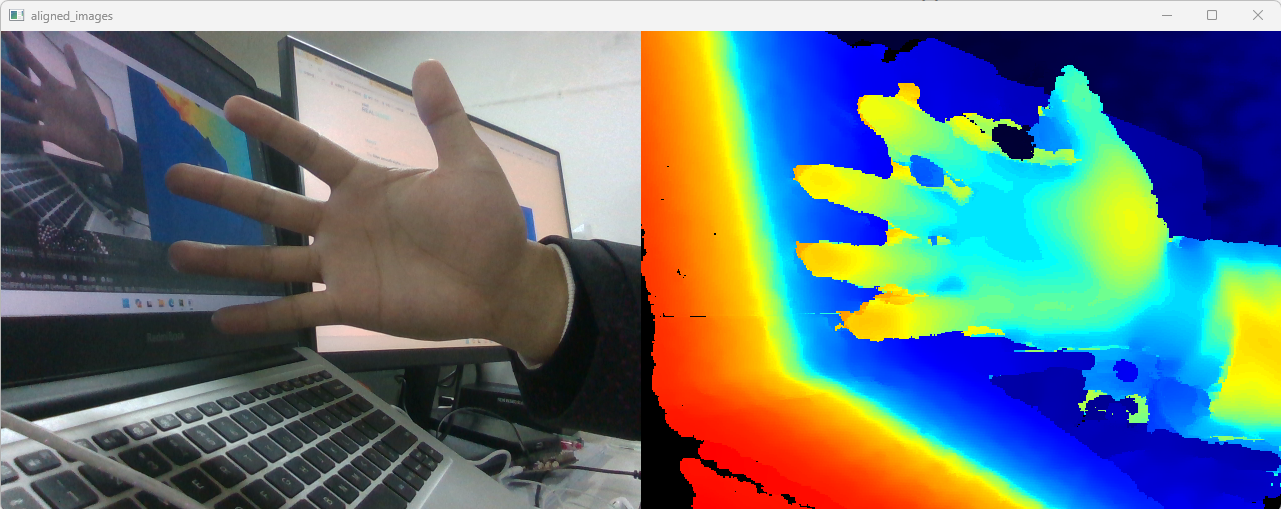
As mentioned above, if the temporal filter's Filter Smooth Alpha is set to a low value to reduce depth value fluctuation then a side-effect of doing so can be blurring and trails left behind by movement. The depth image of your hand is very good quality, aside from the movement trails that are probably occurring when the Alpha is 0.1 instead of its default of 0.4.
Please sign in to leave a comment.
Comments
8 comments