D405 surface depth resolution
Hello everyone,
we are using the Real Sense D405 for a university project. We want to scan unknown objects with the camera to label them with a robot. So scan an object, get the object coordinates from the camera (point cloud) and send them to the robot.
At the moment we have the problem that we can scan some objects with a good depth resolution and some objects where the point clouds have a lot of disturbances (Have a look at the pictures: 3D printed Pumpkin, 3D printed cube and a laptop mouse). We tried to solve the problem with different filter settings with the Real Sense Viewer but we are not able to find suitable settings for different objects. We are not sure if the camera has maybe some limits with different surfaces or curvatures.
Does anyone had the same problem or knows how to fix it?
Thanks
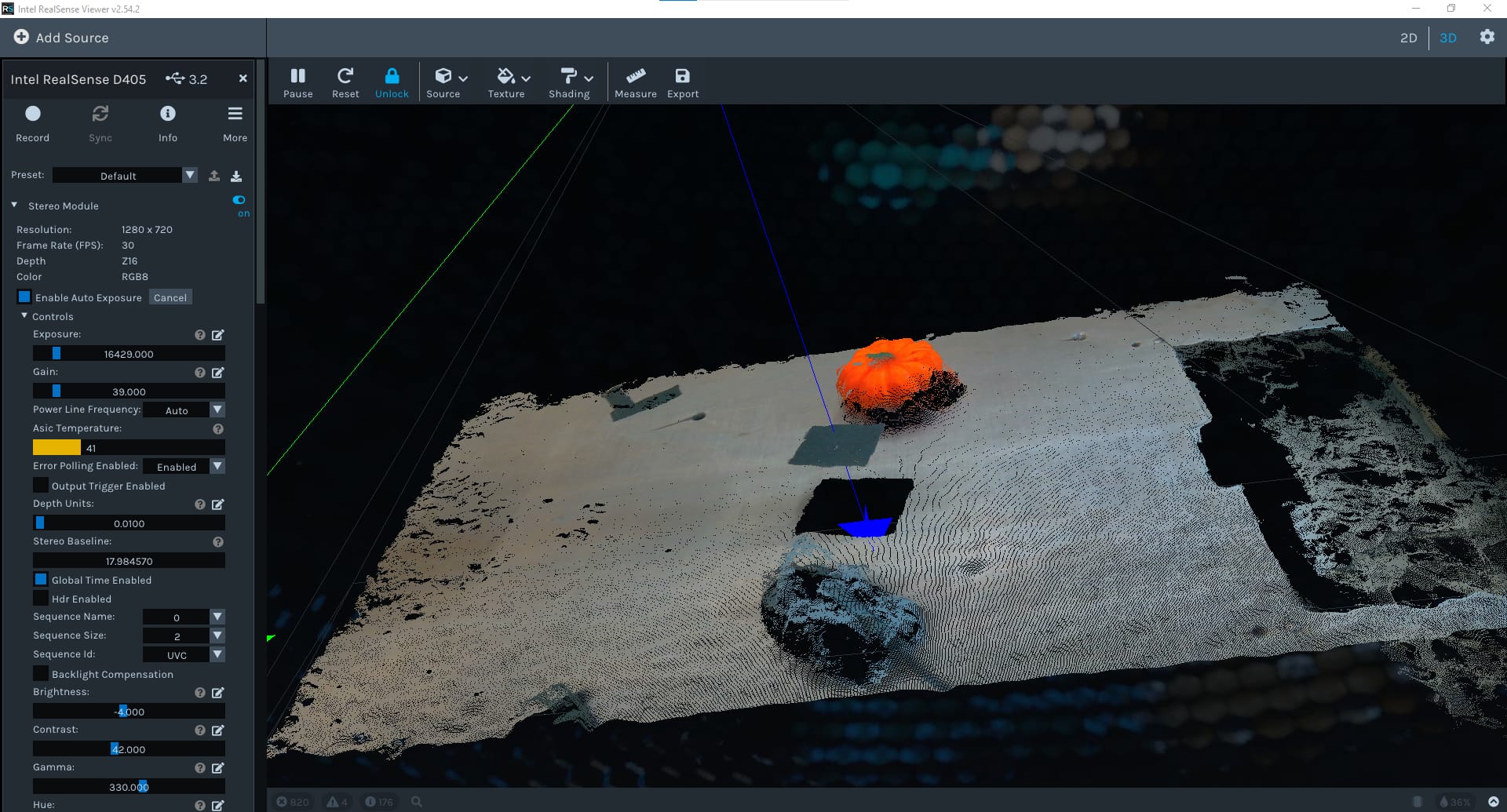
-
Hi Nh438999 The RealSense D405 camera model is not equipped with an infrared projector component. On models that have this projector, the camera can cast a semi-random pattern of invisible dots onto surfaces in the real-world scene to aid the camera's depth analysis. Without this pattern, the camera has greater difficulty analyzing plain surfaces that have little texture or no texture. The plastic of a computer mouse would have such a surface.
In the absence of a dot pattern, RealSense 400 Series cameras can make use of the ambient light in a scene to aid depth analysis. So increasing the level of illumination in the scene (perhaps by adding a lamp) may help to improve the depth image.
If the color of the mouse is dark gray or black then this could also negatively affect the depth image. This is because it is a general physics principle (not specific to RealSense) that dark gray or black absorbs light and so makes it more difficult for depth cameras to read depth information from such surfaces. The darker the color shade, the more light that is absorbed and so the less depth detail that the camera can obtain. Again, casting a strong light source onto such surfaces can help to bring out depth detail.
I would also recommend trying the Medium Density Visual Preset instead of the 'Default' one that you have set in the image above, as Medium Density provides a good balance between accuracy and the amount of detail on the depth image.
Please sign in to leave a comment.
Comments
1 comment