Mutilple camera realsense camera d435
hello. I plan to use Intel Realsense D435. I think I'll be using three D435 models. It seems like real-time shooting is possible with these three cameras at the same time. Is it possible to take photos or record at the same time?
-
Hi Mistahan Yes you can record from multiple cameras, though the recordings would be individual to each camera and not time-synchronized with each other. They will also be saved to individual .bag files and not as a single file for all cameras.
You can test multicam recording in the RealSense Viewer tool by adding additional cameras to the options side-panel. This can be done by going to the Add Source option at the top of the side-panel and selecting an attached camera from the camera list to add it to the side-panel. You can then individually click the Record option for each individual listed camera to start a bag file recording for it. Again, the individual recordings will not be time-synced.
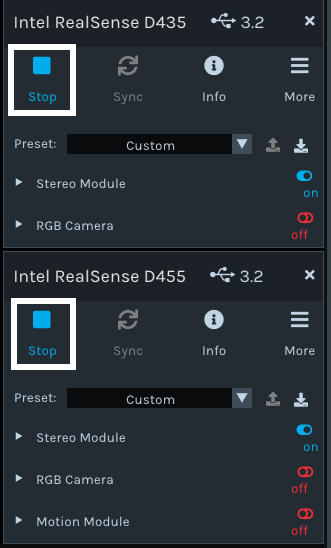
It is possible though to sync the timings of multiple cameras if you wish to do so by using the Hardware Sync feature.
In regard to capturing multicam images instead of video, the link below has a C++ program script for capturing an image from all attached cameras simultaneously when the script is run.
https://github.com/IntelRealSense/librealsense/issues/2219#issuecomment-412899468
-
A RealSense user at the link below explored multi-camera recording in Python and provided their code.
https://github.com/IntelRealSense/librealsense/issues/8183
Alternatively, you could set up a separate pipeline for each camera with that camera's unique serial number, and configure an individual set of configuration (cfg) instructions for each pipeline. An example of a Python script for doing this can be found here:
https://github.com/IntelRealSense/librealsense/issues/1735#issuecomment-390840337
Please sign in to leave a comment.
Comments
3 comments