Basic Install - I installed the USB driver, but the software still can't see the camera
I'm trying to get the software to see a camera which is extended via fiber using a Newnex Firenex 5000H+ fiber extender. I've installed the USB driver but it doesn't register the camera. Does someone have a known-good link for the USB driver compatible with Windows 10 Pro?
-
Hi Steven Klems I am not aware of a requirement for a special driver for the Newnex fiber optic cable. In the YouTube video demonstration at the link below, Newnex change seamlessly from a 20 m USB connection to a 100 m fiber one.
https://www.youtube.com/watch?v=GLQgR1jT04M
Have you installed the full RealSense SDK for Windows by downloading and running the Intel.RealSense.SDK-WIN10 installer file from the 'Assets' file list at the bottom of the page at the link below, please?
https://github.com/IntelRealSense/librealsense/releases/tag/v2.54.1
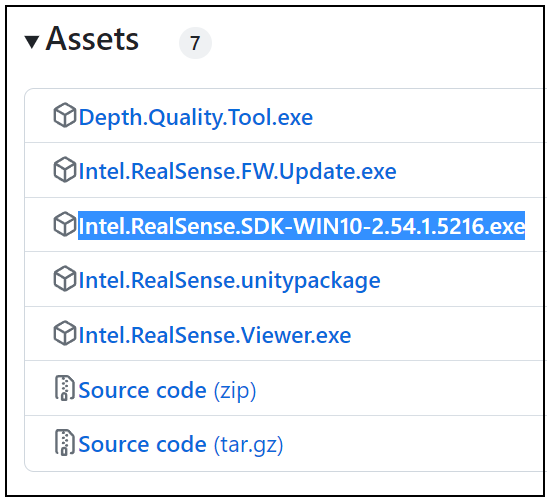
The SDK and the RealSense Viewer tool that the installer laces a launch shortcut icon for on the Windows desktop will enable you to test the camera. The drivers for the camera are already automatically installed into the Windows Device Manager when the camera is inserted into the USB port though.
Also, which RealSense camera model are you using please? If it is a D457 then you need to move the position of a mode switch in the camera casing in order for it to be detected on a USB connection, as described at the link below.
https://support.intelrealsense.com/hc/en-us/community/posts/14840675121043/comments/14843232242835
Please sign in to leave a comment.
Comments
1 comment