Can Intel RealSense depth camera recognize a small object (e. g. bolt washer) from distance 1m?
I have a use case in which I need to count small objects (e. g. bolt washer) which lie on a flat surface. The objects have a height of about 2 mm. The camera can be mounted parallel to the flat surface.
Do Intel RealSense cameras are good hardware for that use case?
Which of the cameras will be the best for this kind of use case?
I don't need to recognize colors, and I don't expect to get any type of measurements (e. g. object position, or height). I just need to recognize that the object lies on a surface.
-
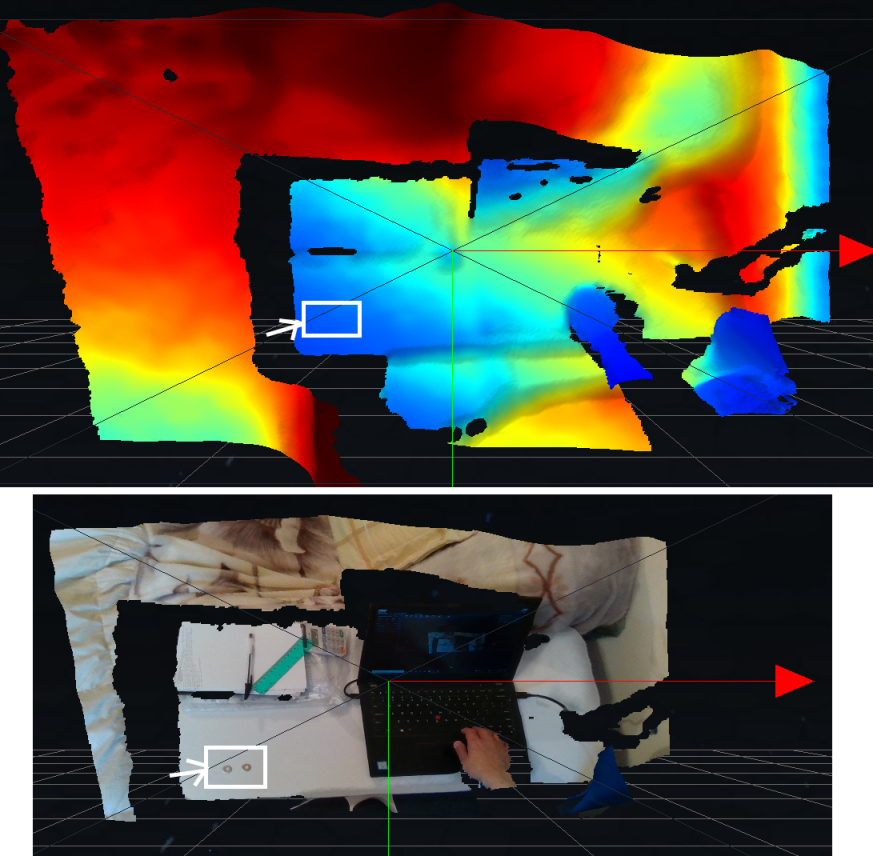
Hi Tomek I performed an overhead 3D point cloud scan on washers similar to your described specification, placed on a flat surface at 1m range with a RealSense D435i camera model. When using depth only, the washers could nt be distinguished from the flat surface. When using a textured point cloud (RGB color mapped to 3D depth points), the washers were able to be clearly distinguished from the flat surface, as shown in the comparison image below.
-
Hi MartyG.
As far as I understand correctly: one the first photo you are using depth mode, on the second textured point cloud.
I see the washers, but I don't know how can you recognize the theme. I'm completely new to in-depth cameras, but I expected to see something similar as you provided in the first image. I expected to see only two colors (in simplification) - representing the surface, and the washers respectively. How can you get information about the washer from the second picture?
-
The two images are both from the 3D point cloud mode of the RealSense Viewer tool. The first image is a depth-only point cloud that is colorized - it is not using RGB color, but instead shading the depth points according to their measured depth values. The second image is one where RGB information is mapped onto the depth coordinates to produce a textured point cloud.
By default the Viewer uses a color scheme where depth is colorized on a blue to red scale, with blue representing near-distance values and red representing the far distance. In-between you can have a range of different color shades at the 'middling' distances as the color spectrum shifts over distance from blue to red. You can select a range of different color customization options from the Viewer to adjust the colorization according to your preferences.
It is important to note that the depth is colorized like this in the Viewer tool because the Viewer applies a range of depth colororization configuration presets. If you are creating your own application then colorization settings need to be deliberately programmed into the application. For example, you may prefer to use a black and white color scheme such as White to Black (where near depth is shaded in white and far depth in black), or Black to White (the opposite, with near depth in black and far depth in white).
As you mentioned though, your goal is to isolate and count the washers rather than read depth information about them or physically interact with them (e.g handling with a robot arm). In that case, it may be appropriate to instead analyze the RGB image with OpenCV (with which the RealSense SDK is fully compatible) to count the washers in this way. An article in the link below has a tutorial about doing so with a image of coins.
https://medium.com/analytics-vidhya/detecting-and-counting-objects-with-opencv-b0f59bc1e111
-
Thank you for detail explanation.
Unfortunately, In my case, I can't use "classic" detecting methods on an image because I can't control the color of my "flat surface". For example, the surface can have the same color as washers. That is why I started to investigate how can I solve this problem using depth cameras.
How close to the object you need to put the camera to recognize washers using depth-only point cloud? -
If you use a RealSense D435 or D435i camera model, they have a default minimum depth distance (MinZ) of 0.1 meters (10 cm), allowing them to depth-sense at close range to surfaces. The D415 model has a minimum distance of 0.3 m, and the D455 is 0.4 m.
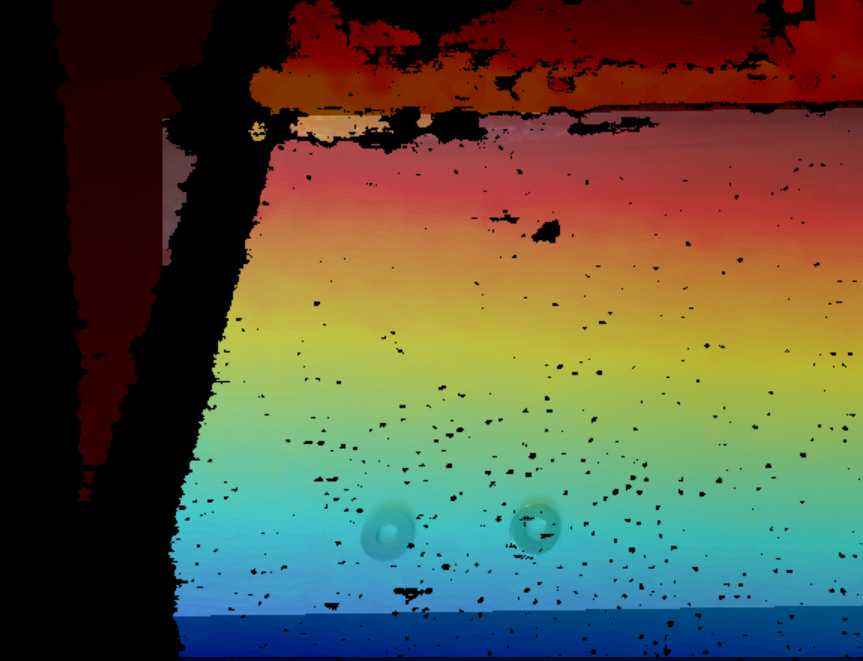
I ran extensive depth tests at 10 cm range with a D435i but the washers could not be identified on the image as separate identities. This may be because of their thinness making them almost the same distance from the camera as the flat suface (a finger placed between the washers that is much thicker was rendered more clearly). I tested whether the metal reflectivity of the washer was a factor by using a similar non-reflective object beside them but it made little difference.
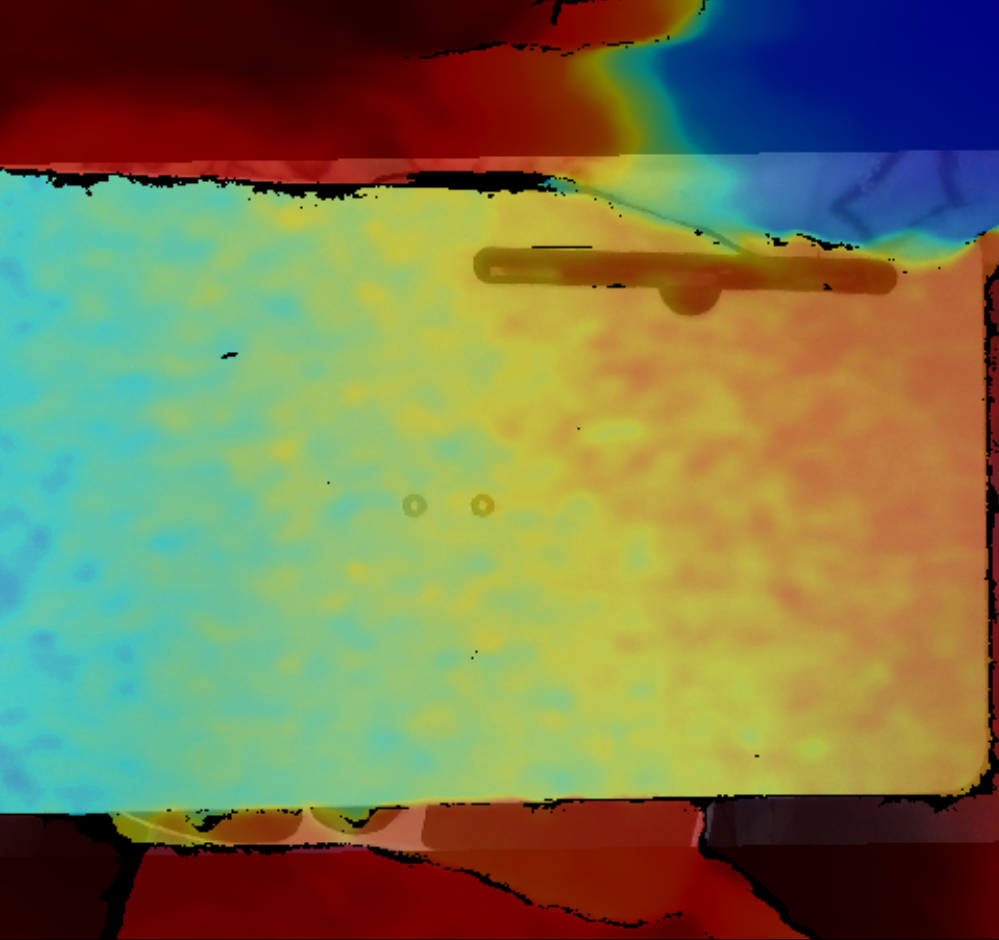
The clearest results at 10 cm came from aligning depth and RGB using a non-pointcloud aligned image.
-
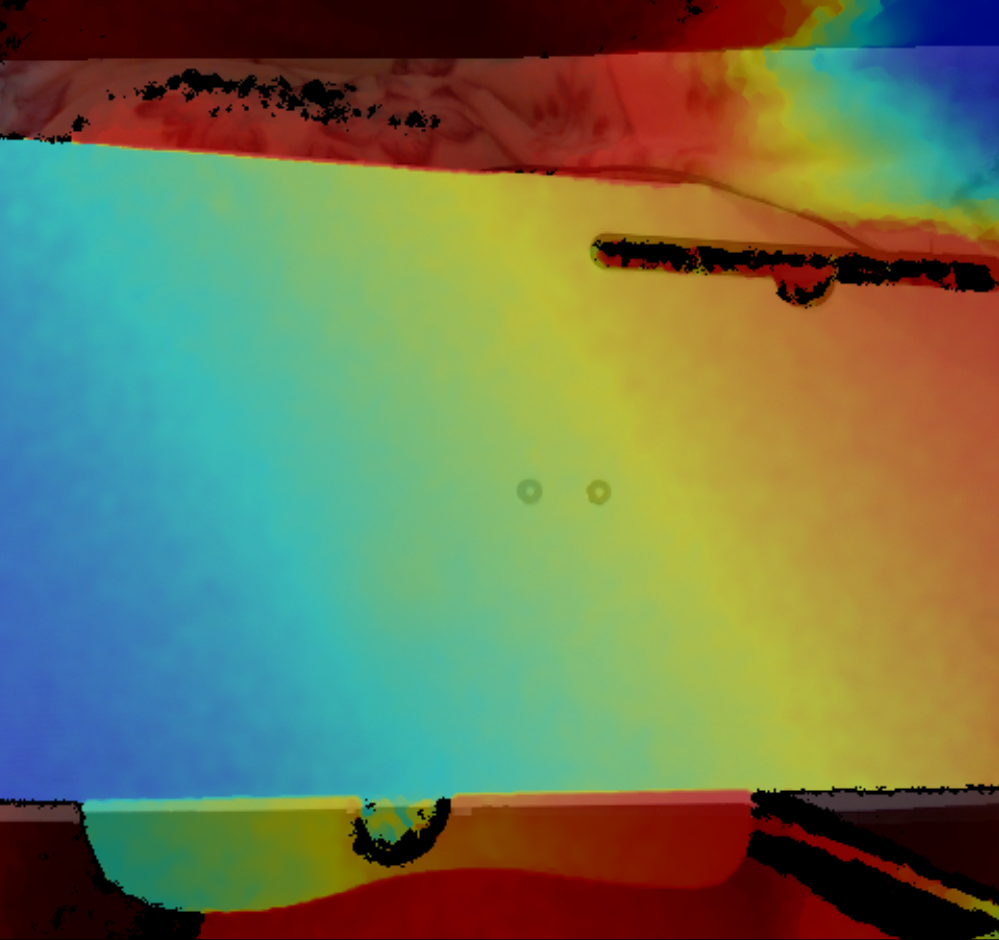
From your tests, one can conduct that there is no possibility to detect such small objects using RealSens cameras. There is one more thing which can be tested. If you could please put the camera in parallel to the desk. I expect to see the whole desk surface with e.g. yellow color and washer in green/blue.
Did you try the Lidar camera (L515)? -
Base on the above photo, one can conclude that it is possible to detect small objects as washers.
Do I understand correctly that the result of the photo made by the camera is exactly what you provided (png RGB image)?
Does RealSense SDK provided tools to extract an object from the photo or one should use e.g. OpenCV to detect and count objects? -
The above image is a direct screen capture of the live camera image from a depth-color alignment program called rs-align that is packaged as part of the RealSense SDK software.
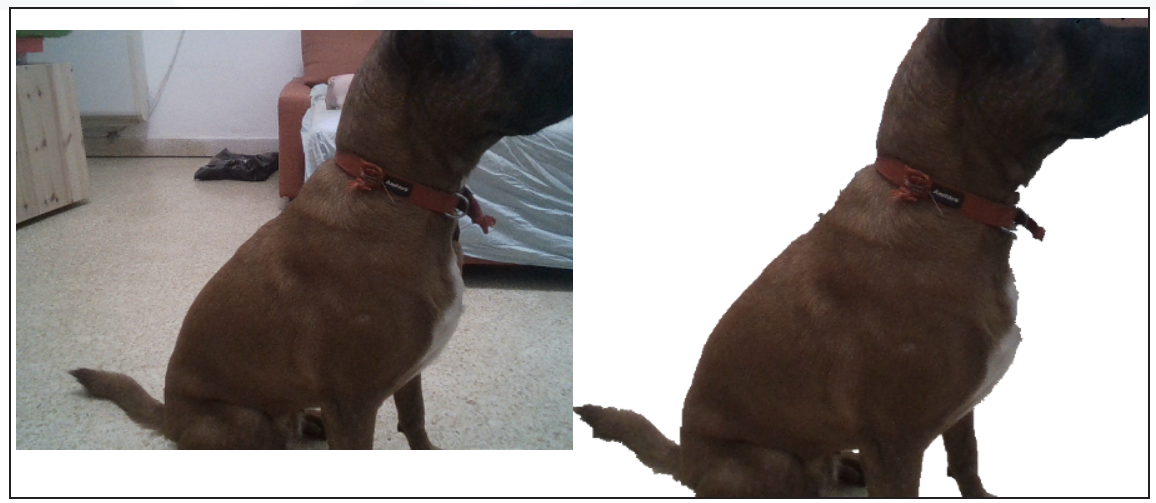
The SDK has an example called rs-grabcuts that uses C++ and OpenCV to perform depth-color alignment and extract the background.
https://github.com/IntelRealSense/librealsense/tree/master/wrappers/opencv/grabcuts
Please sign in to leave a comment.
Comments
10 comments