Skewed alignment depth and visual images taken from moving vehicle D435i
Hi,
I am trying to align depth and visual images taken from a slowly moving vehicle usnig the D435i. I am reading ROS stored data using code similar to https://github.com/IntelRealSense/librealsense/blob/master/wrappers/python/examples/align-depth2color.py
There seems to be a non-constant deviation between the visual and depth images. Could you provide support on how I may resolve this? The framerate of the depth captures is 90 so there should always be an image that aligns well.
Thank you for your support.
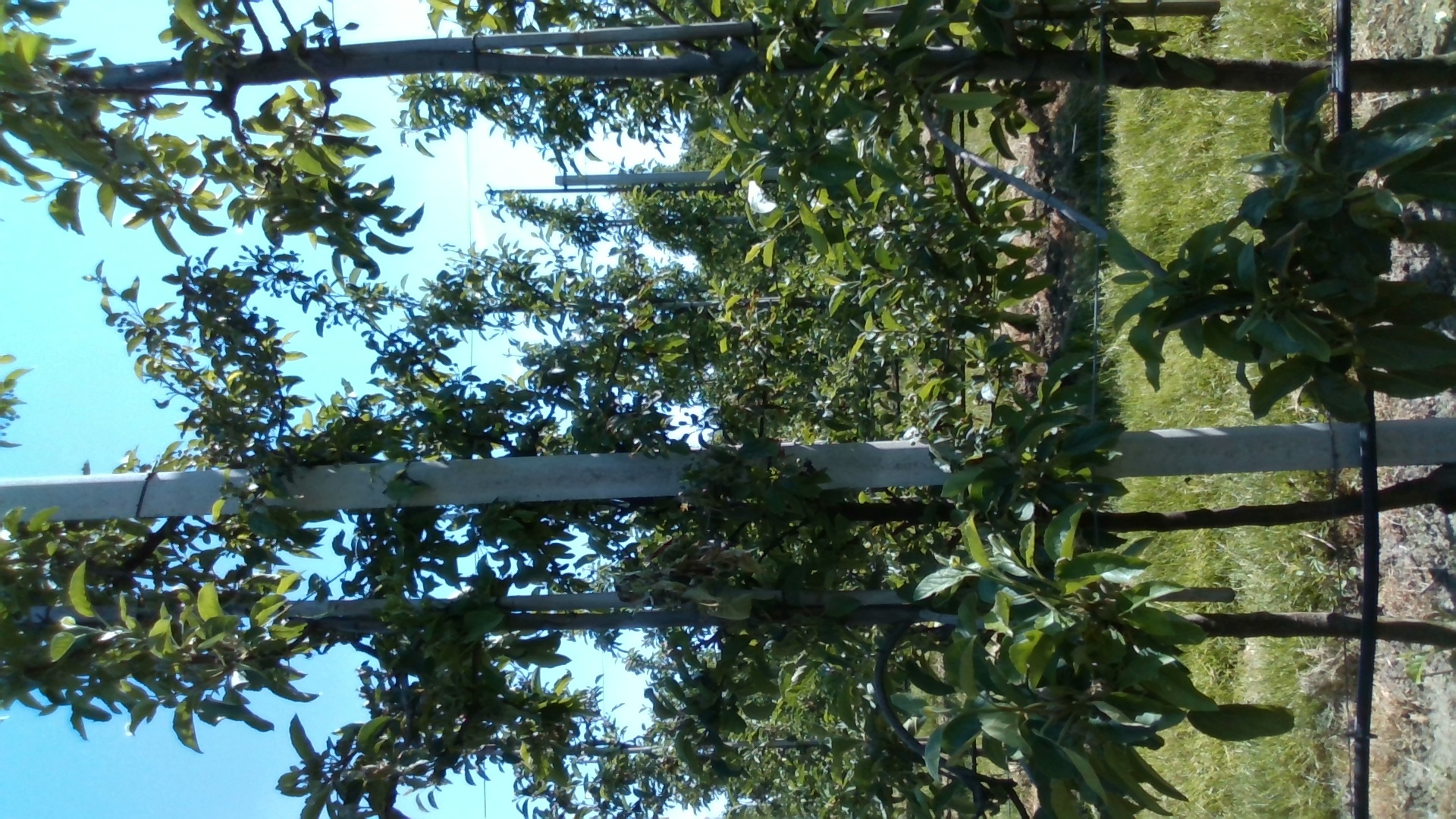
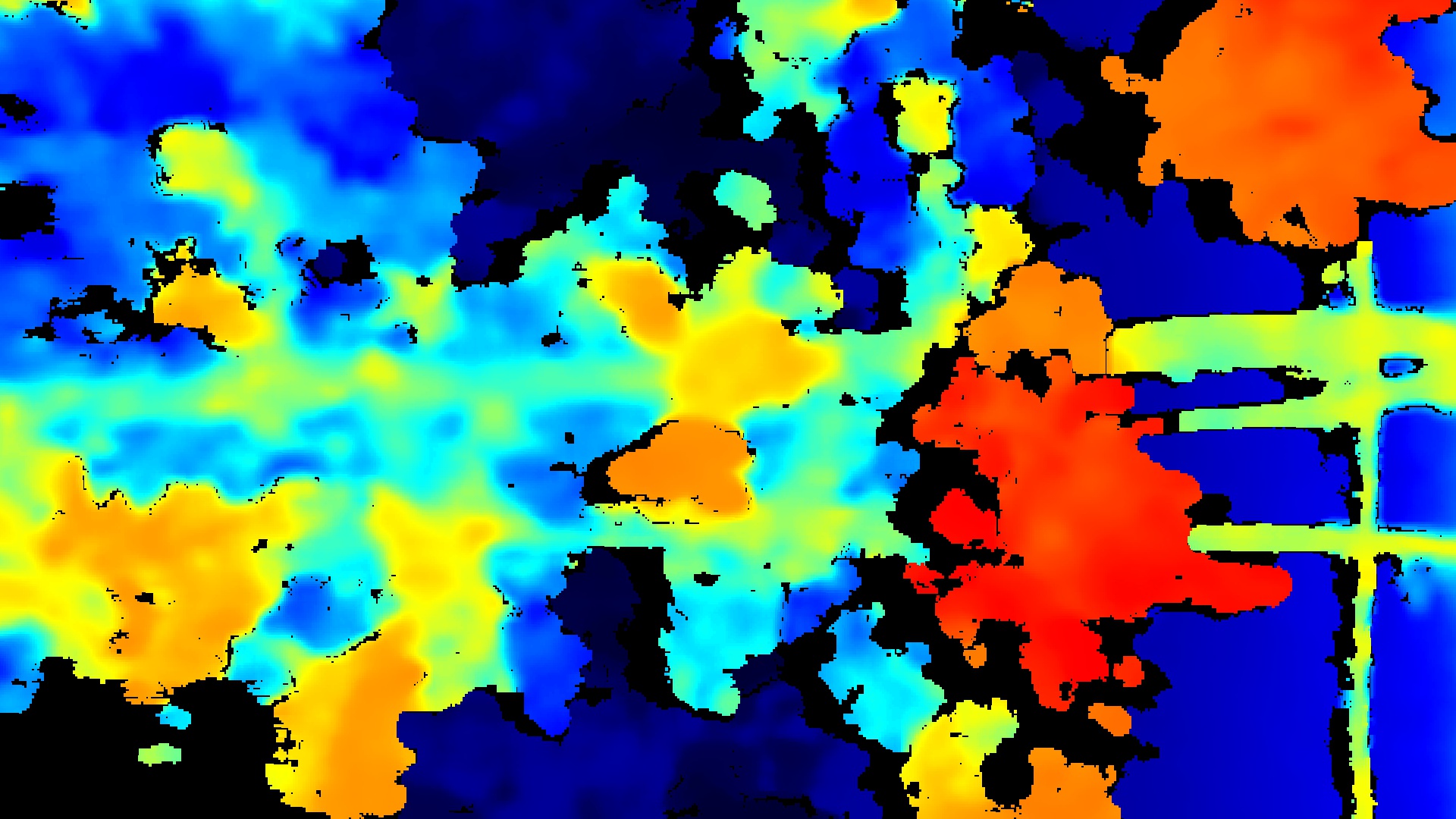
-
Hi Derek There is a large difference between the frames per second (FPS) of depth and color. If it is a slow moving vehicle, I would therefore suggest returning to 6 FPS for depth (which your commenting-out indicates that you have already tested).
If you find that there is a varying of frame rate when using depth and color together, if you have Auto-Exposure enabled then you can enforce a constant FPS by disabling an RGB option called Auto-Exposure Priority. A simple code snippet for disabling it in Python is provided in the link below.
https://github.com/IntelRealSense/librealsense/issues/5885#issuecomment-590502775
A more complex example of disabling Auto-Exposure Priority in a Python script is here:
-
Hi MartyG, thanks for the quick response.
I have indeed tried to set the framerate lower for depth. This didn't resolve the issue. In fact, the discrepancy appears to be higher when the framerates of both images are set lower.
I also tried disabling the RGB option using the code snippet you provided, but a lag between the depth and visual remains, although it seems slightly lesser.
Is it possible that the camera is not ideally suited to deal well with movement in the images? Since only the depth shutter is global and the rgb is not..
-
The depth sensing of the RealSense models that are equipped with a global-shutter depth sensor is well suited to capturing during motion when mounted to a vehicle even when it is travelling at high speed, as illustrated in the YouTube video link below.
https://www.youtube.com/watch?v=OwJmCyAn3JQ
Whilst the RGB sensor of the D415, D435 and D435i does have a slower rolling shutter (the D455 has a global shutter on both RGB and depth), matching up depth and RGB should not be a significant problem if the vehicle is travelling at a slow speed. How fast is your test vehicle travelling though, please? I could see RGB rolling shutter speed becoming an issue if the vehicle speed was faster than human walking pace.
How does it perform if you set both depth and RGB to 60 FPS at 848x480 resolution?
-
We have tried different speeds, ranging from 1-8 km/h. Ideally we would like to move to a situation where we can go 8 km/h. We looked at the d455 but found the same issue here as with https://github.com/IntelRealSense/librealsense/issues/7155.
Cool video! I don't see a discrepancy in my live either though, I only see it when I store the images. The trees in our videofeed are also quite close to the camera and therefore move quite fast.
By setting both to 60fps and 848x480 I get the best results. I have not yet tried this from the vehicle, only by walking in front of the camera. We are trying to run multiple camera's on an Intel Nuc, so I'm not sure if such a high fps for rgb and depth is feasible. Can you explain to me why setting rgb 6fps and depth 60fps does not work as well as setting both to 60?
-
My understanding is that as the FPS of the RGB stream is increased, the amount of rolling shutter delay compared to the depth stream progressively decreases. A RealSense team member comments on this in the link below.
https://github.com/IntelRealSense/librealsense/issues/3554#issuecomment-478712289
In another case, it was advised that setting RGB to 6 FPS and setting a manual RGB exposure value of '70' could help (there are separate exposure settings for depth and RGB sensors).
-
Ahh yes my findings coincide more or less with this issue. Is the manual RGB exposure value 'exposure' in https://intelrealsense.github.io/librealsense/python_docs/_generated/pyrealsense2.option.html?
-
RGB exposure can be manually defined by specifying a reference for identifying the RGB sensor, either by using first_color_sensor or by providing an index number ('0' for the depth sensor and '1' for the RGB sensor). The link below provides Python scripting for setting the RGB manual exposure with an index number of '1' (change '156.000' in the script to '70.000').
https://support.intelrealsense.com/hc/en-us/community/posts/360052346893/comments/360014794613
Please sign in to leave a comment.
Comments
8 comments