Getting started hosting an F455 on Raspberry Pi 4
Hi All.
We would like to integrate with the RealSense F455 with a Raspberry Pi 4 via USB.
Are there instructions for setting up this environment with some sample code for getting Face Authentication events?
-
Hi Ualtboum,
We do not have any sample and tutorial on the client code and server code for the communication between the Raspberry Pi and the host machine. Perhaps my previously proposed solution may help you with your needs. You only enrolled once and saved it into a db file but you have to manually import the db file to every device.
Regards,
Yu-Chern
Intel Customer Support -
Hello There,
Thanks for your support
We do not understand how to manually import the db file ?
where do we need to place it in PI?
How do we import it to the PI device?
Is there an API call on the PI side to load the file ?
Please provide a sample for this manual import operation.
Thanks You!
-
Are you connecting one F455 camera for one Raspberry Pi?
YES
The db file is imported into the F455 camera and that F455 camera is used with Raspberry Pi in device mode.
What do you mean is being imported?
How is the import operation done on the PI side?
Is there an API/SDK call we should make to load the file to the F455 memory?
-
Hi Ualtboum,
Enroll the users in host mode of RealSense ID Viewer. The database will save in a .db file. If you save the .db file in default path, you can find this .db file in this way: Right-click the Intel RealSense ID Viewer and then select "open file location".
After done enroll, change the mode to device mode (which is 'Host mode: No' in the setting). You can save the database to the device by importing this .db file. It is a good practice to click the "store updates to flash" button although the system will auto-update after importing the .db file.
You may refer to the link below for a better picture.
https://www.intelrealsense.com/get-started-intel-realsense-id/This import function is in the RealSense ID Viewer with the "import" button at the top right corner of the viewer. Importing db file manually means you have to repeat in doing this with all the F455 cameras.
Regards,
Yu-Chern
Intel Customer Support -
Thanks this is all already understood please try to read my question below at the end .
We already know how to produce the db file on the host device .you gave us great instructions and we done it well!
We did not find a code that imports the db file to the camera?
The example code imports a JSON file not a db file .
So this is the question:
Do you have a CPP sample code that imports the DB file(not the json file) to the PI camera?
-
Hi Ualtboum,
All the samples are already available here.
The example code imports a JSON file not a db file . Which example code you mean here?
Regards,
Yu-Chern
Intel Customer Support -
Hi ,
When I run the Realsense ID viewer I see there is an import option .
When I press it it opens a file dialog that expects to get a .json file .
and when selected the faces are being imported from the file on my windows machine c# .
What I want to know is -
On cpp code How can I make this import operation?
What is the cpp function call I should make to load the file on PI c++?
-
Hi ,
I am running the cmd line sample server mode functions .
First step I do:
'E' to enroll with faceprints.
And then :
'A' to authenticate with faceprints.and I get version mismatch when trying to authenticate (see below full) .
021-07-05 18:10:27.873] [error] [Matcher] version mismatch between 2 vectors. Skipping this match()!
so I am not able to authenticate my self ...
Any ideas what could cause this?
[2021-07-05 18:10:27.873] [error] [Matcher] version mismatch between 2 vectors. Skipping this match()!
[2021-07-05 18:10:27.873] [debug] [Matcher] Match score: 0.000000, confidence: 0.000000, isSame: 0, shouldUpdate: 0******* Forbidden (no faceprint matched) *******
[2021-07-05 18:10:27.873] [debug] [PacketSender] Waiting packet..
[2021-07-05 18:10:27.873] [debug] [PacketSender] Received packet 'Y' after 0 millis
[2021-07-05 18:10:27.873] [debug] [NonSecureSession] Close session
Please select an option:'e' to enroll.
'a' to authenticate.
'd' to delete all users.
's' to set authentication settings.
'g' to query authentication settings.
'u' to query ids of users.
'n' to query number of users.
'b' to save device's database before standby.
'v' to view additional information.
'x' to ping the device.
'q' to quit.
server mode options:
'E' to enroll with faceprints.
'A' to authenticate with faceprints.
'U' to list enrolled users
'D' to delete all users. -
Hi Ualtboum,
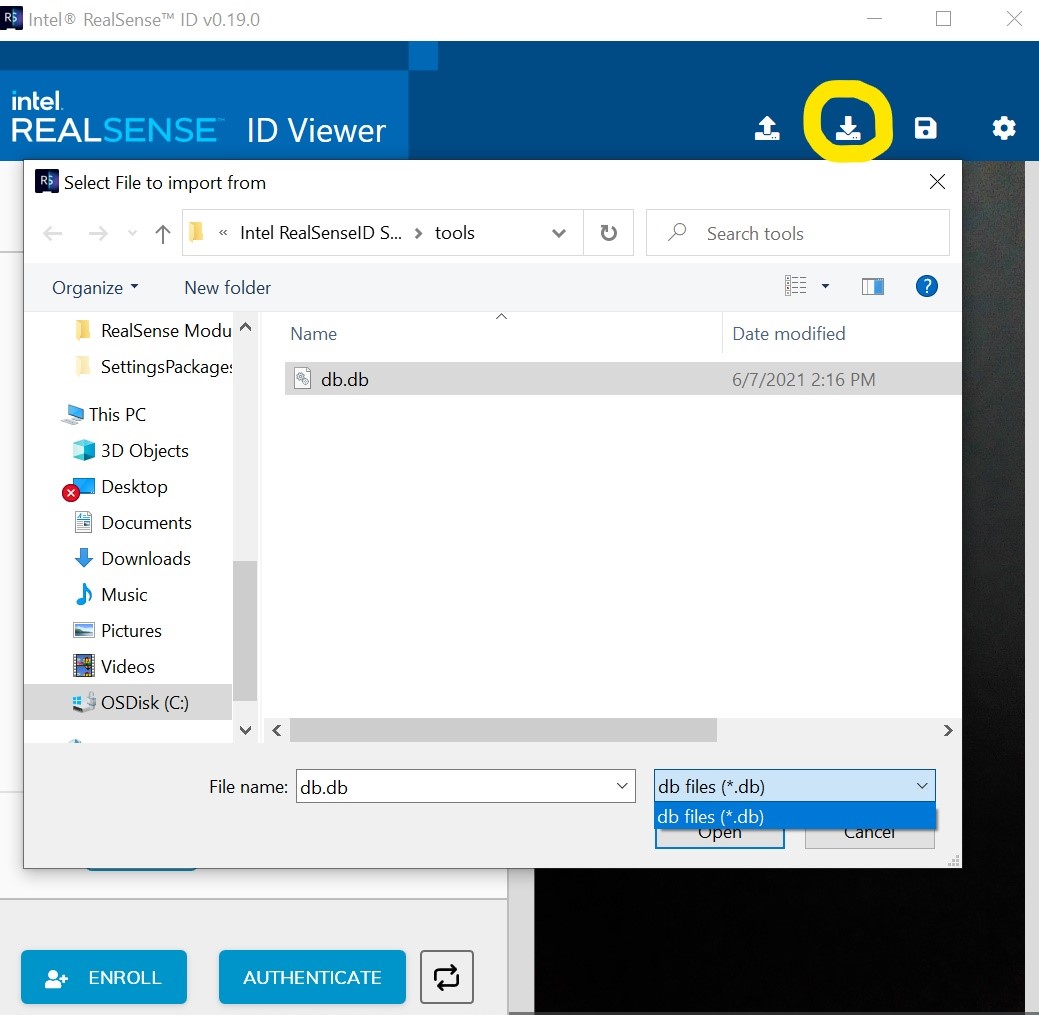
On my side, when I press "Import" button, it opens a file dialogue that only allows importing a db file. Please see the attached picture.
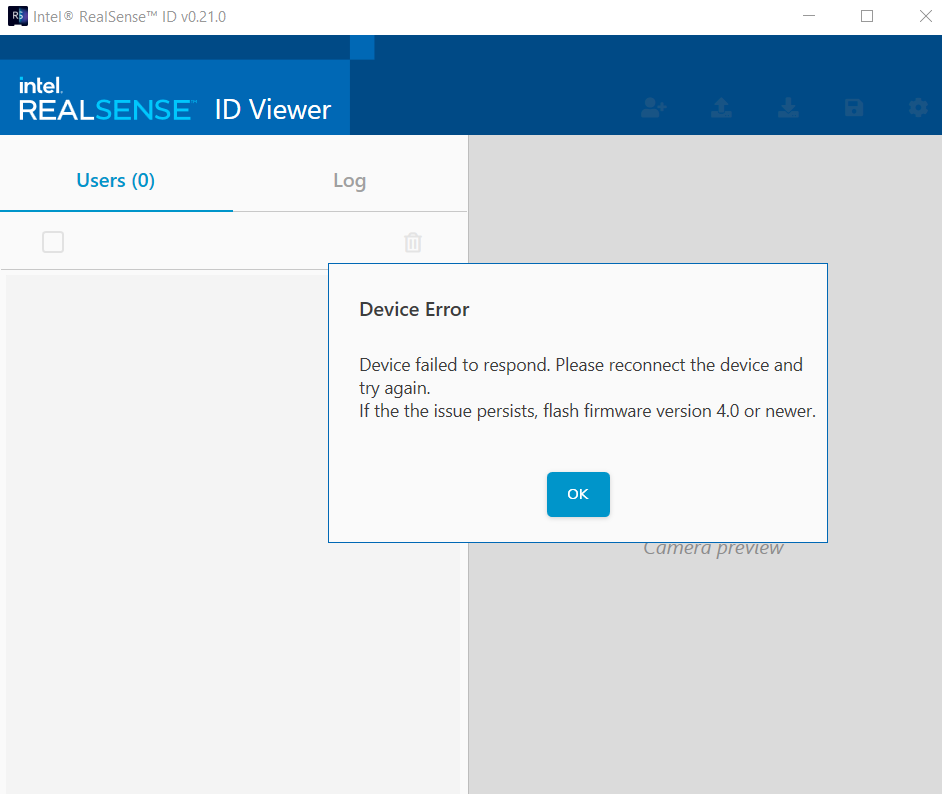
For the version mismatch error, try to update the Firmware according to the version of RealSenseID. Have a look at this GitHub issue as well.
-
hello ,
it seems like the code in git hub is not compatible with the latest firmware and the software installation is not valid as well
please send me a links that you no for sure that is compatible .
also my version of realsense ID is diffrent then yours since in the selection it searches for a .json file not a .db .
this means there are pieces of codes and installation which do not work well together and it is a bit of a mess .
I would like to get 3 links to download :
1. the latest stable firmware
2.latest code to work with the firmware
3.latest software installation on windows of Realsense ID .
can you please send me the above 3 links?
many thanks
-
All the links for the latest versions can be found here: https://github.com/IntelRealSense/RealSenseID/releases.
1. F450_4.0.0.37_SKU1_SIGNED.bin
3. rsid_sdk_v0.21.0_signed_win64.exe
Regards,
Yu-Chern
Intel Customer Support -
Hi Ualtboum,
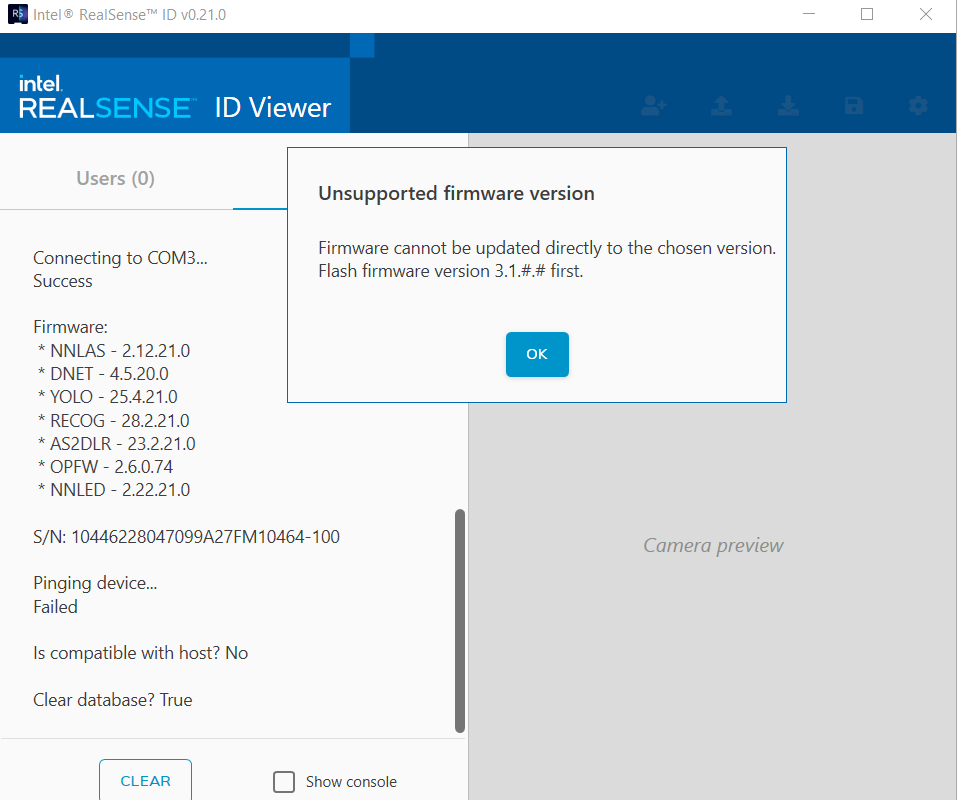
Try to update the firmware by running rsid-fw-update.exe with the command:
rsid-fw-update.exe --file "<downloaded_dir>\F450_3.1.0.29_SKU1_SIGNED.bin" --port COM3 --force-version
After the firmware updated successfully, update the firmware again.
rsid-fw-update.exe --file "<downloaded_dir>\F450_4.0.0.37_SKU1_SIGNED.bin" --port COM3
Right-click Intel RealSense ID Viewer in the Desktop and then select "open file location".
The rsid-fw-update.exe file is located there.Regards,
Yu-Chern
Intel Customer Support -
Hello ,
Thanks for your help I got it to work .
I managed to export a db file on my windows machine .
I copied this file to my my PI which is of course linux running cpp .
I now wish to load this db (created with the realsenseId software in windows) file into the memory of the camera so the camera will be the one authenticating .
How do I do so in c++? (please provide a sample)
thanks
-
ello ,
Thanks for your help I got it to work .
I managed to export a db file on my windows machine .
I copied this file (db.db) to my my PI which is of course linux running cpp .
I now wish to load this db.db (created with the realsenseId software in windows) file into the memory of the camera so the camera will be the one authenticating .
How do I do so in c++? (please provide a sample)
I have seen a sample in c# : public static List<(rsid.Faceprints, string)> Deserialize
I need the exact same function in c++ - Do you have such ?
thanks
-
Hi Ualtboum,
Glad to know you can get it to work.
Most of the cool functionality is demonstrated in the C# wrapper which is the RealSenseID Viewer. However, we do not this function in the CPP sample. All the samples are already available here.
Regards,
Yu-Chern
Intel Customer Support
Please sign in to leave a comment.
Comments
47 comments