Intel RealSense D435i to work with LabView 2019 32-bit?
For our bachelor thesis, we want to implement the RealSense for reading the position and velocity of a user on the treadmill.
Is it possible to use the D435i in LabView 2019 32-bit?
-
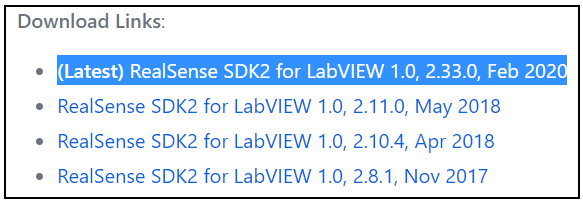
Hi Alexs16 LabVIEW 2019 has been successfully tested with D435i in the past, as demonstrated in the link below from February 2020.
-
Thank you for your quick response, MartyG!
I have tried these steps, as well as implementing the 32-bit .dll file.
The camera works in Intel RS Viewer, but, when trying the given examples VI, the camera is not found in LabView.
Is there a way to connect to the camera internally in LabView, or should it just find the camera automatically?
-
Thank you for the confirmation of USB status.
I have not personally used the LabVIEW wrapper myself. Reading the instructions in the link below though, it sounds though that if a camera is attached then you should simply need to launch one of the LabVIEW wrapper's sample applications and then use the Run arrow to run the example.
If the examples do not run with your D435i attached, could you describe the method by which you created your 32-bit DLL please?
Though documentation for wrappers does tend to suggest compiling DLLs, there is a shortcut for Windows users though where you can obtain pre-built DLLs.
If the RealSense SDK is installed on Windows 10 using the automated installer file on the SDK Releases page then you can obtain a pre-built 32 bit realsense2.dll with the following steps:
STEP 1
Navigate to the computer location below:
C: > Program Files (x86) > Intel RealSense SDK 2.0 > bin > x86
x86 is the 32-bit file folder, compared to x64 which is the 64-bit file folder.
STEP 2
In this folder you will find the 32-bit version of realsense2.dll that you can simply copy and paste to another location on your computer, such as the LabVIEw folder.
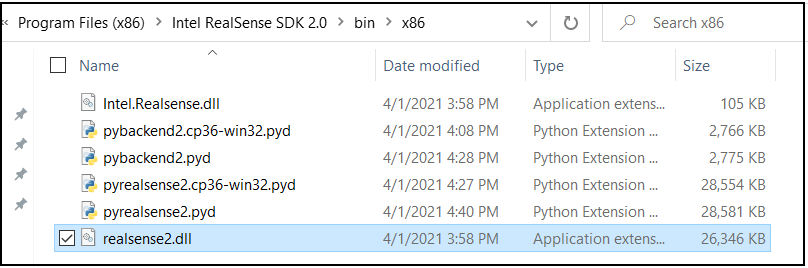
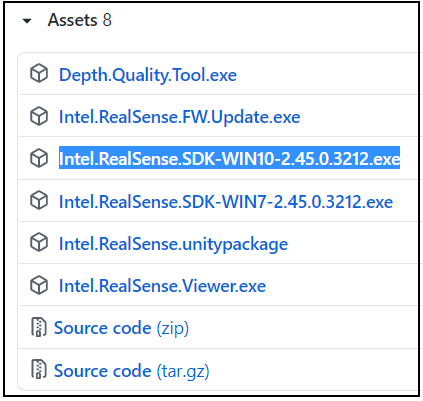
The SDK Releases page can be found at the link below.
https://github.com/IntelRealSense/librealsense/releases
The automated RealSense installer file for Windows can be found in the Assets file list at the bottom of the listing for each SDK version.
-
Update!
Some of the VI's are working now!Although, the depth+color VI example above does not work...
Do you have any suggestions of what example VI to use to measure depth in a specific point or area?
I want to filter the surroundings and only measure the depth of the legs and get the rate of change when walking. -
The procedure as described by the wrapper documentation seems to be:
1. Download and unzip the RealSense SDK for LabVIEW folder.
2. Go to the unzipped folder and replace the realsense2.dll file there with the one obtained from the x86 folder of the SDK.
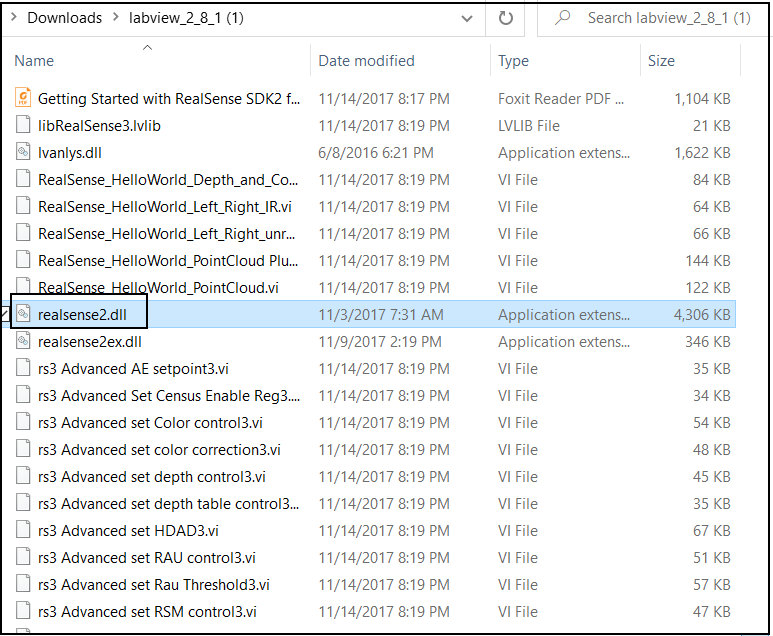
3. Run the LabVIEW example programs in the same folder, such as RealSense_HelloWorld_Depth_and_Color, so that the example program can use the new realsense2.dll file that you have substituted into the folder,
Have you followed this procedure please? If you have, do any of the examples in the folder work?
-
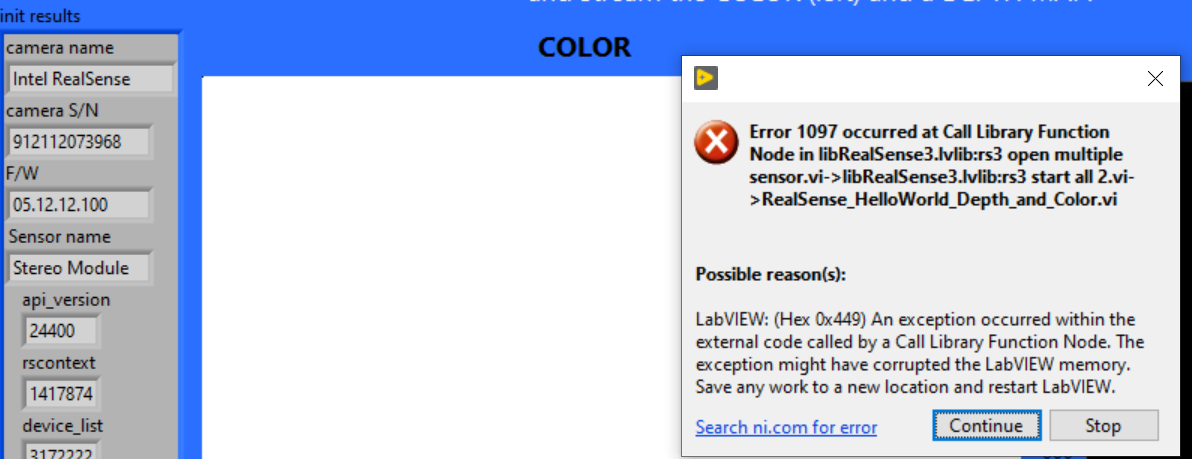
If you have a suggestion of how to fix the problem pictured above with "Call Library Function Node" in the depth+color example I have, I would be grateful.
Also, do you have some knowledge about the different examples in the folder? If so, can you suggest what example I should start with to be able to solve this problem?
-
I located a RealSense LabVIEW wrapper case relating to Call Library Function Node
https://github.com/IntelRealSense/librealsense/issues/1589#issuecomment-383187350
The RealSense user was also having problems with Hello World Depth and Color.
LabVIEW documentation about troubleshooting this specific error message can also be found in the link below.
https://knowledge.ni.com/KnowledgeArticleDetails?id=kA00Z000000PAckSAG
The LabVIEW examples are described in detail in Intel's wrapper documentation below.
https://github.com/IntelRealSense/librealsense/tree/master/wrappers/labview
-
I am trying to run the RealSense_HelloWorld_PointCloud Plus2.vi as discussed in the link you sent about "Call Library Function Node". Now, I have problems with the realsense2ex.dll. Is this .dll 64-bit? If so, I guess I need to implement a 32-bit realsense2ex.dll in the same way I did with the realsense2.dll 32-bit? If that is the case, is it available somewhere?
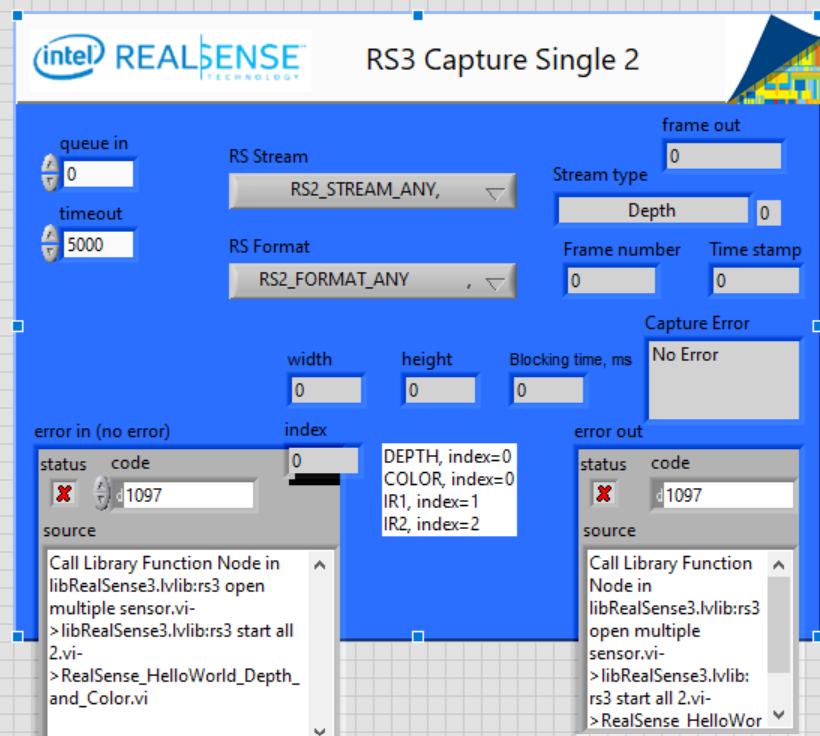
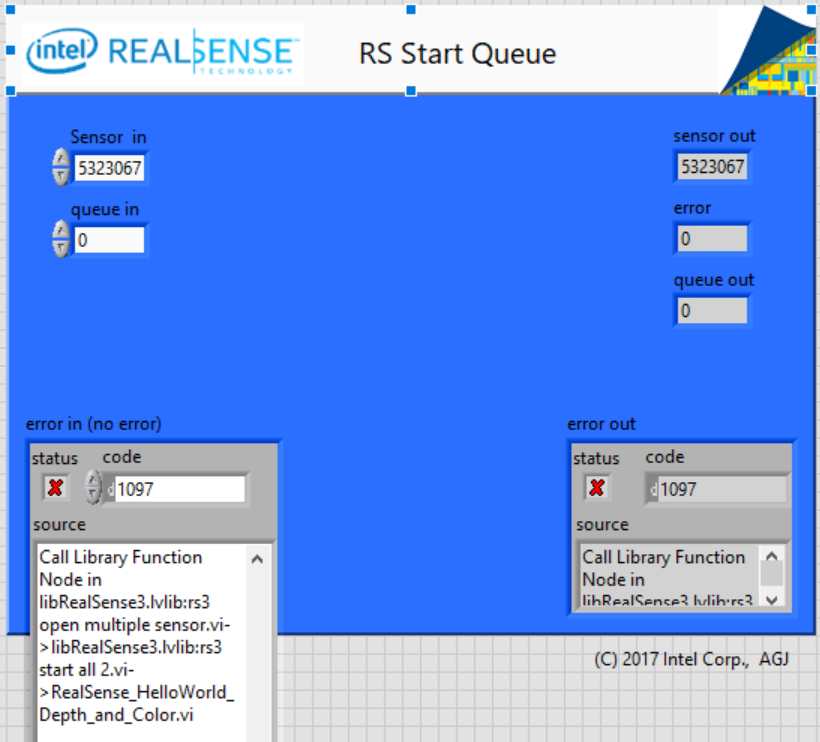
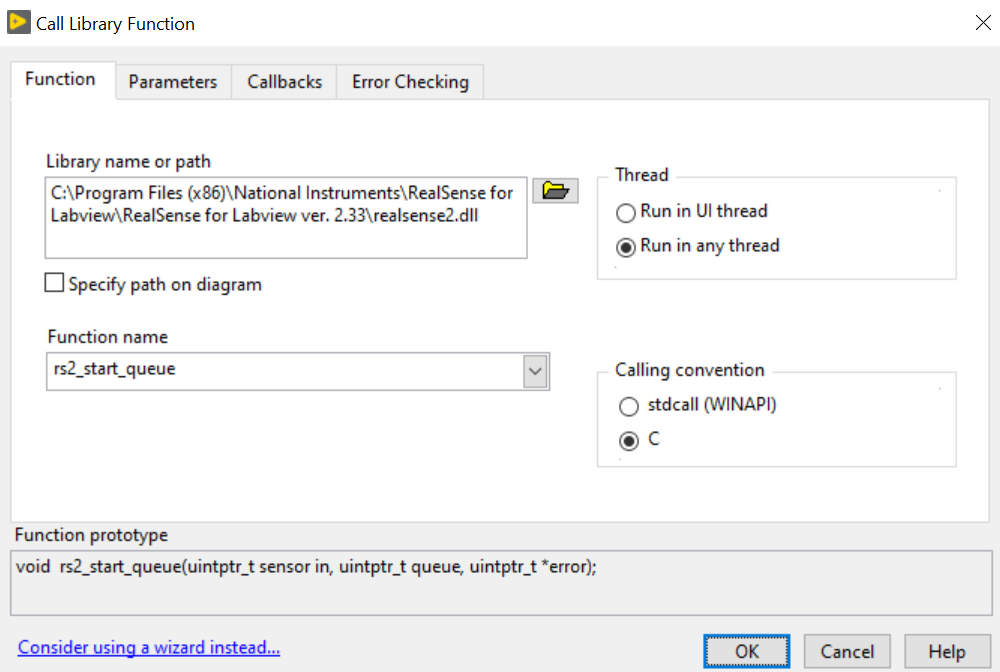
I am trying to solve the problem in "Depth and Color", but still have the same "Call Library Function Node" error. I do not understand how to solve it although I follow the steps from the error message link you sent.
The problem seems to be from the Sub VI's...
-
It seems that realsense2ex.dll was once a problem for 32-bit LabVIEW when using the example RealSense_HelloWorld_PointCloud Plus2 but should not have been needed after the early librealsense version 2.11.0 in 2018. So I do not know why that problem would be experienced with modern librealsense and LabVIEW versions, though it would seem to only affect that one particular example.
https://github.com/IntelRealSense/librealsense/issues/1589#issuecomment-383601295
Given that the latest version of the LabVIEW package (RealSense SDK2 for LabVIEW 1.0, 2.33.0) makes specific mention of SDK 2.33.0, you could try installing 2.33 on Windows using the Releases page's installer file and obtain the 32-bit DLL from its x86 folder to see whether it makes a difference regarding the errors that you are experiencing.
https://github.com/IntelRealSense/librealsense/releases/tag/v2.33.1
Please sign in to leave a comment.
Comments
15 comments