D435 Depth No frames received
- OS: Ubuntu 20.04 VM (VMWare) on Windows 10 host, as well as the Windows 10 machine
- SDK: v2.43.0 (Linux), v2.42 & v2.41 (Windows)
- USB: 3.2
- Firmware: 5.12.12.100 (Linux) 5.12.11.00 (Windows)
- Language: Python
I've recently set up a D435 camera on a Linux VM running on a Windows Host. At first, the camera seemed to work with the realsense-viewer, as well as the Python tutorial code.
However, depth frames arrived at non-constant rates. The following day, without changing anything, no depth frames came through. In the viewer, I get a display like this:
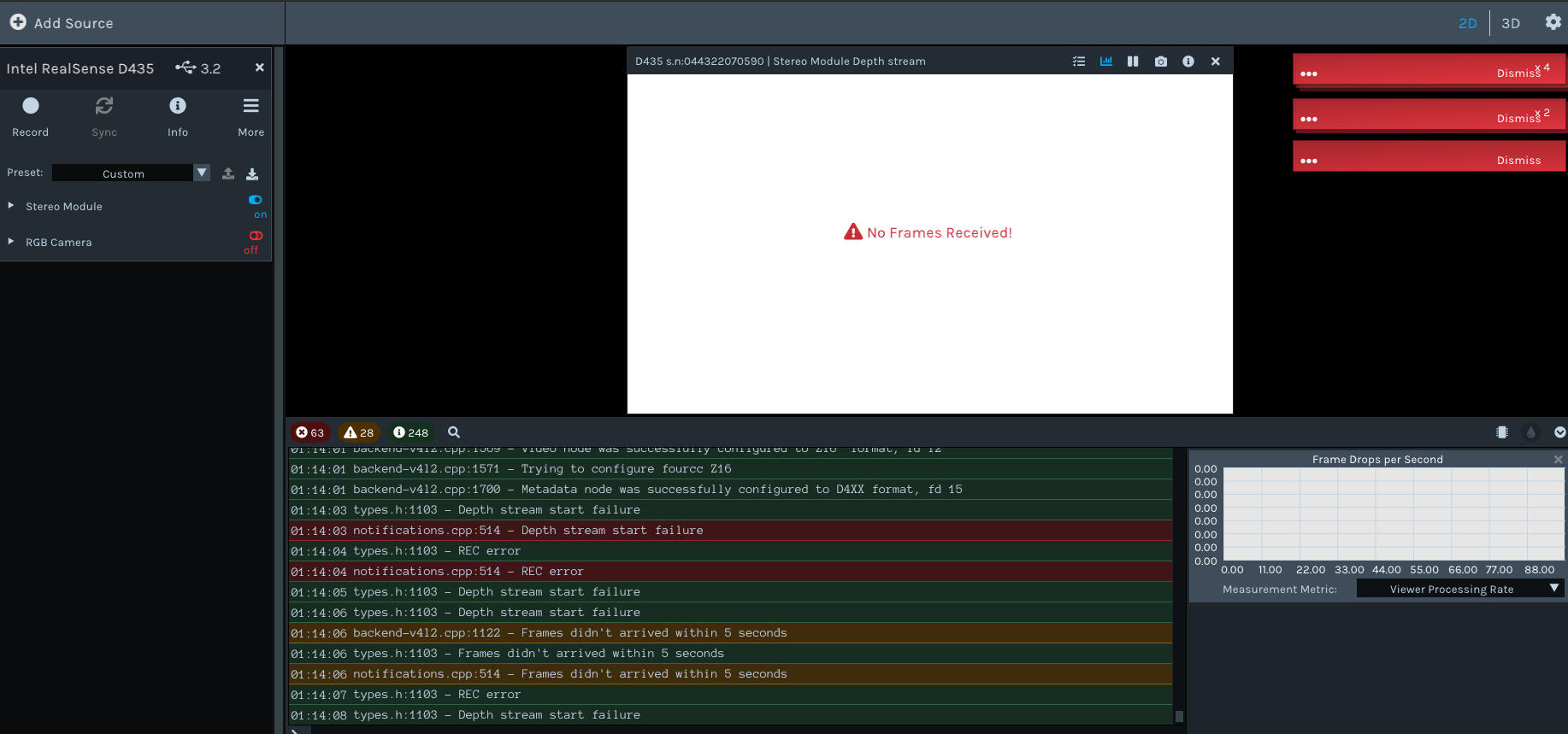
And in Python, the pipeline.wait_for_frames() method just reaches the timeout, no matter what I set it to.
I've tried rebooting the VM, unplugging and replugging the camera and resetting the hardware. I've also updated the firmware using rs-fw-update. Two days ago, rs-fw-update -r -f Signed_Image_UVC_5_12_12_100.bin gave the desired output, and the camera briefly worked. However, without me changing the code since then, it has stopped working.
I've read that Intel don't recommend using their depth cameras through VMs, so I also tried out the camera on my Windows host. I've Intel.Realsense.Viewer from both the 2.41 and 2.42 SDKs, and they both give the exact same output as my Linux VM (see image)
Any suggestions are appreciated.
Update: I've tried running the same code on a different D435 camera, and it works fine. I've tried gold resetting, hardware resetting, and reinstalling the firmware of the D435 that doesn't work, but nothing changes. I'm positive that the camera didn't experience physical trauma. What else can I try?
-
Hi Kapitanyv I have considered your case carefully. Could you confirm to me please that you are running both Linux and Windows on the same Windows host computer, please? And if so, are you using Windows Subsystem for Linux (WSL) as the basis of your Linux system?
Also, is the Windows version of the RealSense Viewer still able to detect the camera and display its details with the 'Info' option at the top of the options side-panel, even if you cannot successfully activate the depth stream? If it can show these details, and display the correct firmware version, then that would make it less likely that the firmware is the cause of the problem.
Do you have a different USB port on the computer that you can try the camera in if you have not done so already, please?
-
Hi MartyG thanks for responding!
Both Linux and Windows are running on the same Windows host, yes.
No I'm not using WSL, I'm using VMWare to run a real virtual machine, and have tried a VM in Virtualbox as well before, but I read on github that Intel recommend to use VMWare instead because it claims better USB emulation https://github.com/IntelRealSense/librealsense/blob/development/doc/installation.md
Yep, both the Linux and Windows Realsense Viewers detect the camera, show the RGB stream and show 'info'
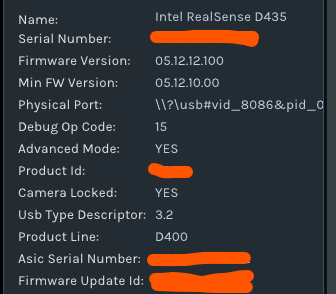
I don't know if it helps, but if I try to update the firmware, it gives me this error message
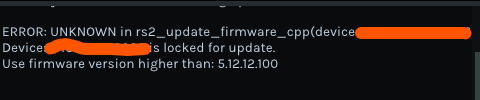
I get here by clicking 'update firmware' and selecting a .bin file I downloaded from https://downloadcenter.intel.com/download/30246/Firmware-for-Intel-RealSense-D400-Product-Family. Although, the firmware on the device is v5.12.12.100, so maybe this is only telling me that 'update firmware' cannot downgrade the firmware, only upgrade it.
-
The camera will prevent downgrade to an older firmware version if such a downgrade has been performed 20 times in the camera's lifetime. After that, the camera will only permit update to a newer firmware than the one that is currently installed (which is 5.12.12.0 in your case). The firmware looks okay to me though.
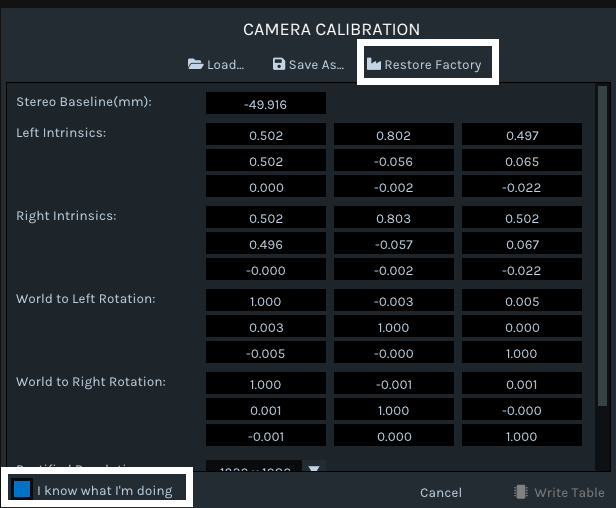
Next, we will try restoring the calibration of the camera to its factory settings. Please go to the More option in the Viewer and select Calibration Data from its menu.
In the box that appears on screen, left-click on the box in the bottom corner labelled I know what I'm doing to highlight it. Then left-click on the Restore Factory option in the top corner of the box.
Finally, left-click on Cancel to exit the window and try enabling the depth stream.
Does this improve the camera's ability to stream depth, please?
-
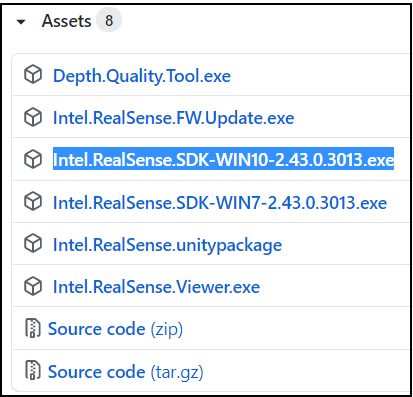
Which method did you use to install the RealSense SDK on Windows, please? Did you go to the SDK Releases page and use the automated installer file?
-
There was a recent case on the RealSense GitHub forum involving a VMware virtual machine on Windows that also had No Frames Received (on the RGB stream instead of depth in that case).
https://github.com/IntelRealSense/librealsense/issues/8651
The RealSense user in that case found that the camera worked fine on the host but not on the VM, and the highest resolution that they could use successfully on the VM was 640x480 at 30 FPS.
-
Hi Arvind Sonar Has your camera been stored unused for a period of weeks / months in a location such as a cupboard or drawer before you tried the camera and experienced the no frames received error, please?
-
Storing a RealSense camera in a cupboard for a long period can cause a fault in the camera hardware that results in the No Frames Received message on the depth stream shown at the top of this discussion. It is not known why it occurs but it may be related to the environmental conditions within the storage space. As it is a hardware issue there is usually no way to recover the camera to working condition, unfortunately.
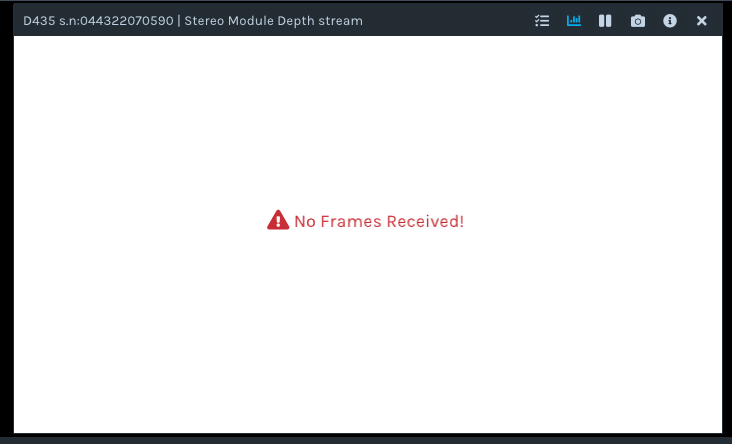
There was one case where a camera with this condition recovered after being sent through the post, perhaps restored by warmth during transit, but in most cases the only course of action available is to replace the camera. If the cameras were purchased less than 12 months ago then they will still be under warranty and you could enquire to the retailer they were purchased from about an RMA return for a replacement.
-
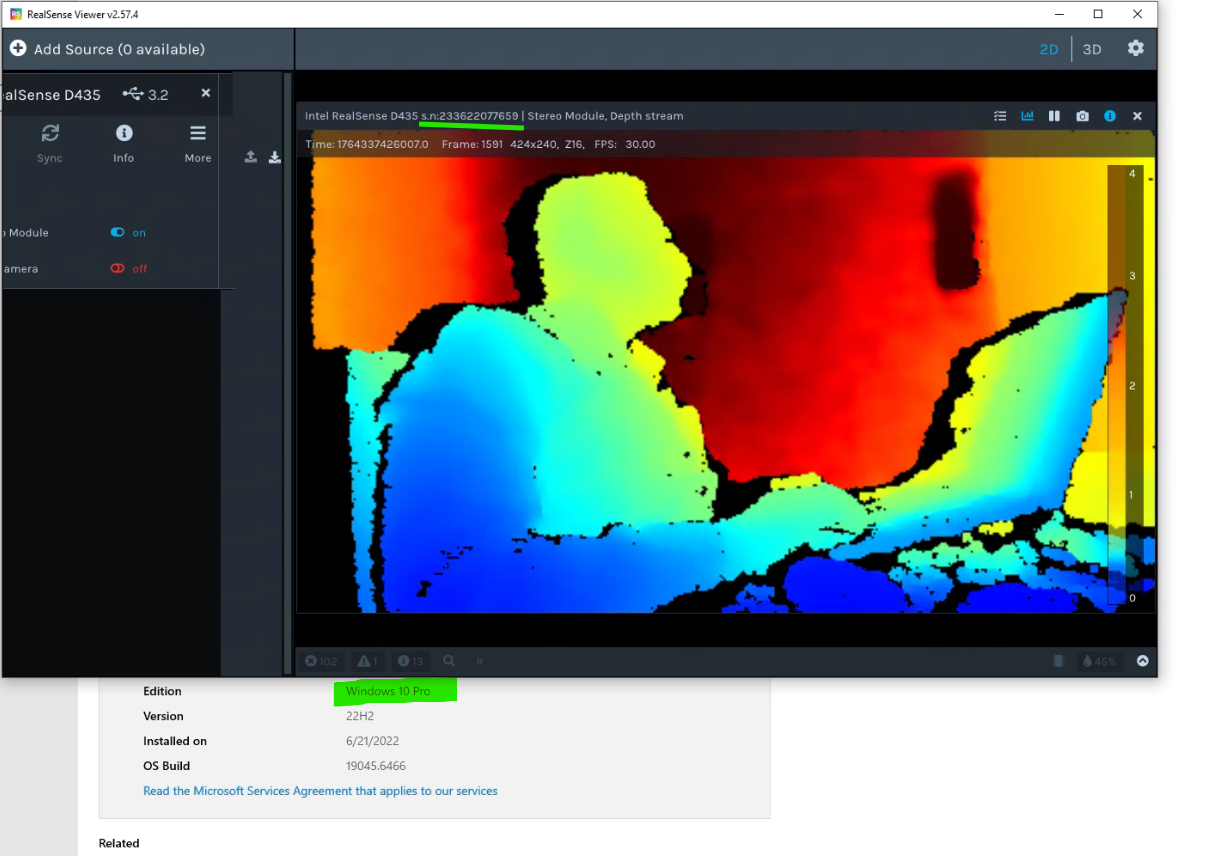
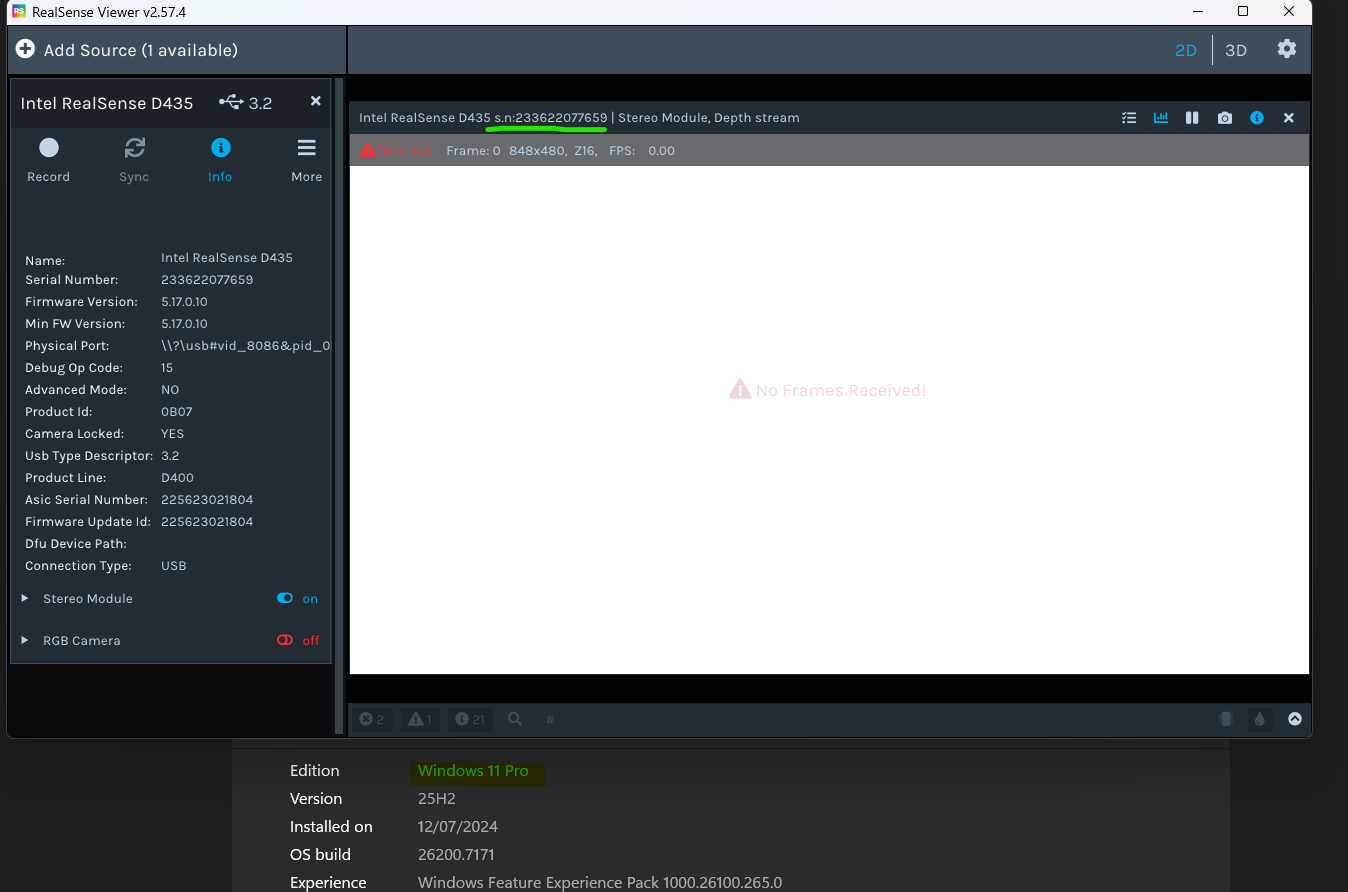
If the camera is working on Windows 10 Pro then there is fortunately not likely to be a hardware failure caused by storage conditions, otherwise depth would not work on any computer the camera was attached to.
On the Windows 11 Pro computer, please check whether permission to access the camera hardware and permission for applications to use the camera are both set to On in the Windows camera privacy settings using the instructions at the link below.
https://github.com/realsenseai/librealsense/issues/3381#issuecomment-503424789
Please sign in to leave a comment.
Comments
16 comments