L515 Wavy Point Cloud
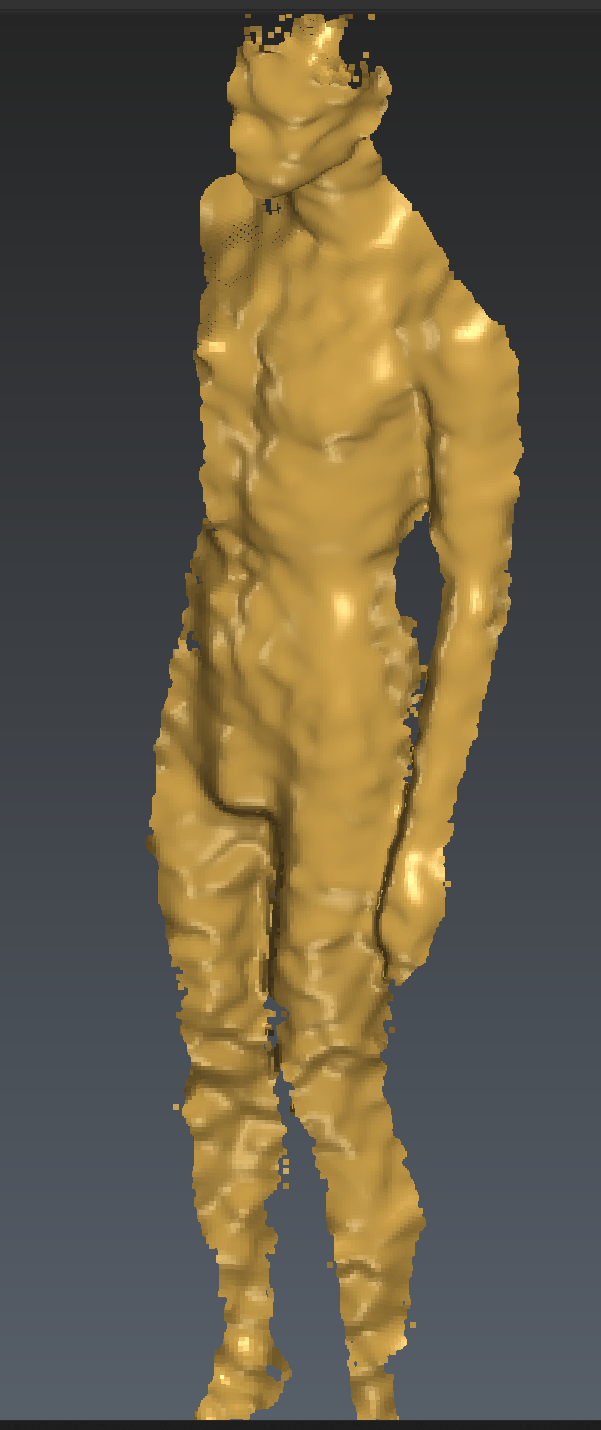 I have a 9 camera setup of L515s, and two of them appear with a very wavy point cloud. This camera is facing a mannequin from the front, positioned at around its neck level and angled towards its ribs. Two other cameras (positioned at the back) at a similar height and angle do not produce wavy point clouds. Why does this happen and how can it be fixed?
-
Hello Jesus, if you have confirmed that all of the cameras have the same firmware and the same configuration settings then the problem is likely caused by optical interference due to camera positioning. You must minimize the amount of cross-laser interference. If your cameras are pointed in angles rather than straight ahead then it is likely that one camera's lasers are bouncing off and being received by other cameras. Notice in the L515 Muticam Paper that the cameras all point straight ahead and there are only a few degrees of overlap in their FOVs.
Where is the 9th camera placed? If it is placed in the front is it possible that the lasers from Camera 9 are being picked up by the problem cameras?
Sincerely,
Jesus G.
Intel Customer Support
Please sign in to leave a comment.
Comments
1 comment