Realsense Viewer Calibration View Does Not Correspond to the Documentation
When accessing the calibration data for my D455 I receive the following layout from the app:
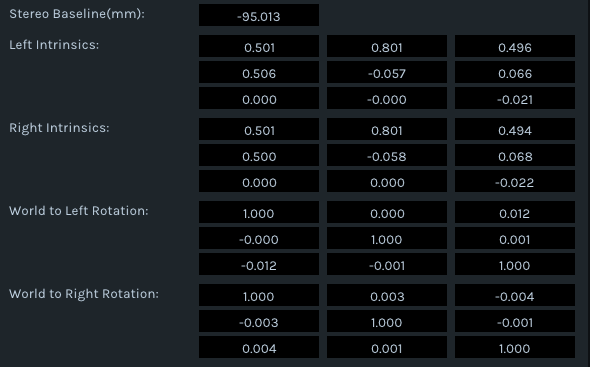
According to Intel_RealSense_D400_Dynamic_Calibration_User_Guide.pdf Brown's Distortion Model is used [k1,k2,p1,p2,k3]
There are 2 problems with this:
1) The layout does not make it clear which values correspond to the coefficients in the model. Labels would be very good here.
2) There seem to be more values in the intrinsics "matrix" than in the model.
If this is the wrong place to look for the distortion parameters any help pointing to the correct place would be appreaciated.
-
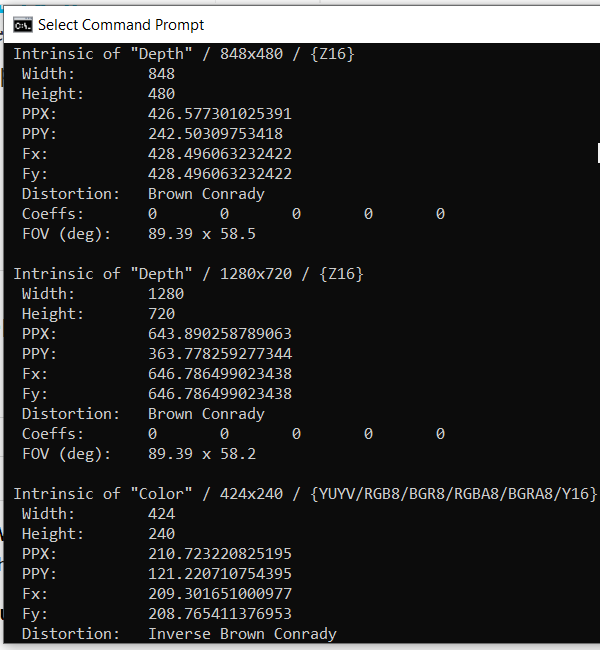
Hi Marc Dhaubenstock You can read detailed calibration information from your camera by running the rs-enumerate-devices tool with the launch command below:
rs-enumerate-devices -c
If you are using Windows, instructions for doing so in the Windows Command Prompt interface can be found in the link below.
https://github.com/IntelRealSense/librealsense/issues/3569#issuecomment-615365409
-
I am not aware of future plans to integrate the calibration information retrieval of rs-enumerate-devices into the RealSense Viewer.
You can perform calibration from within the Viewer though by going to the More option near the top of the Viewer's options side-panel and selecting the On-Chip Calibration menu option.
https://dev.intelrealsense.com/docs/self-calibration-for-depth-cameras
-
The 400 Series cameras set all the coefficients to zero.
https://github.com/IntelRealSense/librealsense/issues/1430
The discussion in the link below about distortion values on D455 may also be useful to you.
-
Thank you very much! I have one last question I promise.
The viewer seems to only save (ros) bagfiles. Is it possible to save the images directly on disk similar to what the calibration does?
I checked Intel_RealSense_Viewer_Userguide.pdf but it doesnt mention output formats.
-
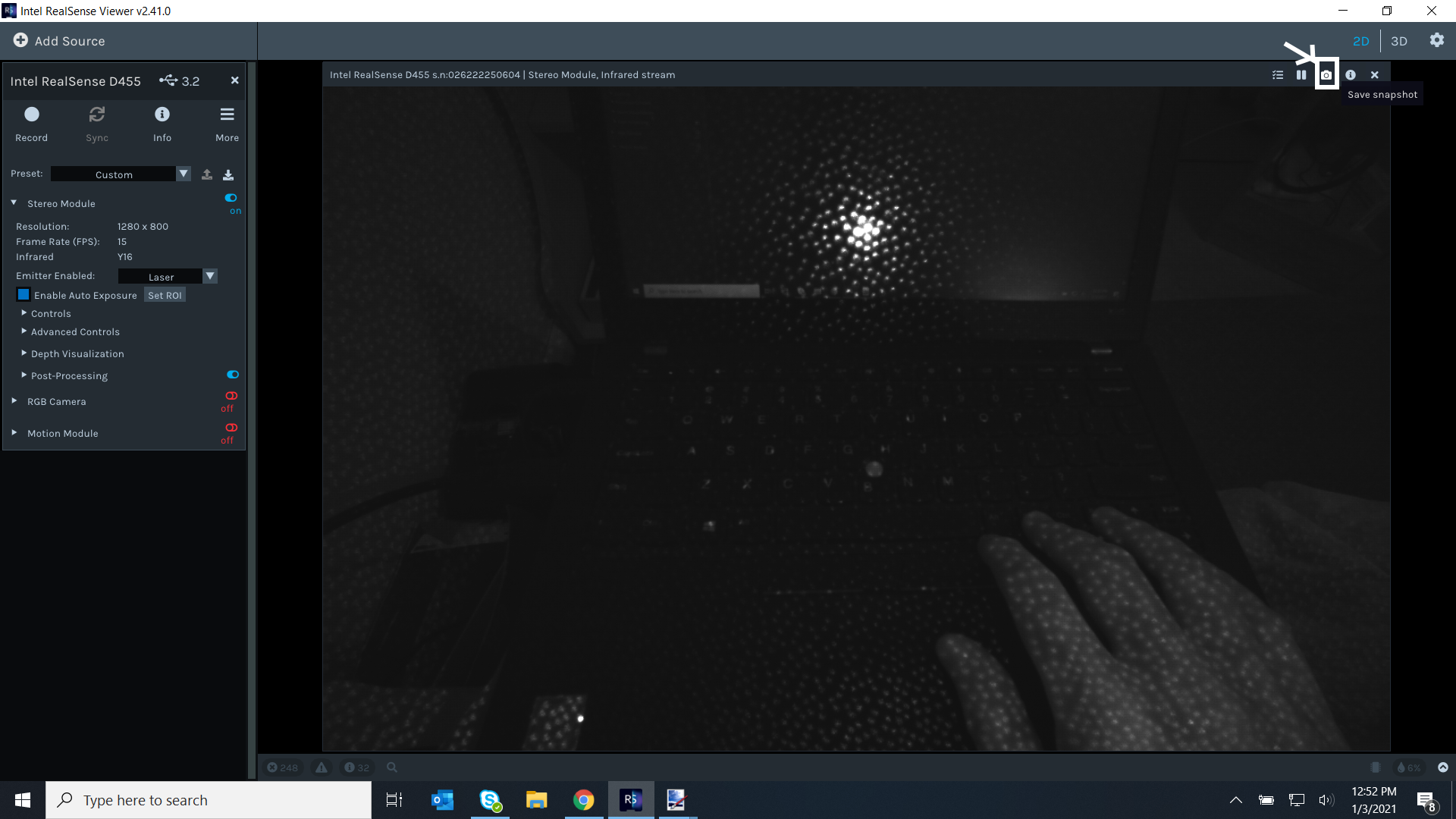
The 2D mode of the Viewer has a Save Snapshot option in the top corner of stream panels that will save the content of the panel to a chosen location as three files of different formats (png, csv and raw).
In 3D point cloud mode, data can be exported as a ply format file.
If you need to export images of all frames instead of a single frame, you can either do this with program scripting or record a bag and extract the images from it with the rs-convert SDK tool. On Windows, a pre-built version of rs-convert is in the SDK Tools folder and can be launched through the Command Prompt using the same process as rs-enumerate-devices.
https://github.com/IntelRealSense/librealsense/tree/master/tools/conver
-
After trying to record data. I have two issues.
1) My depth images that are captured are not the ones that are displayed in the viewer. It seems the viewers config is not taken into account? I added post processing and changed the display schema.
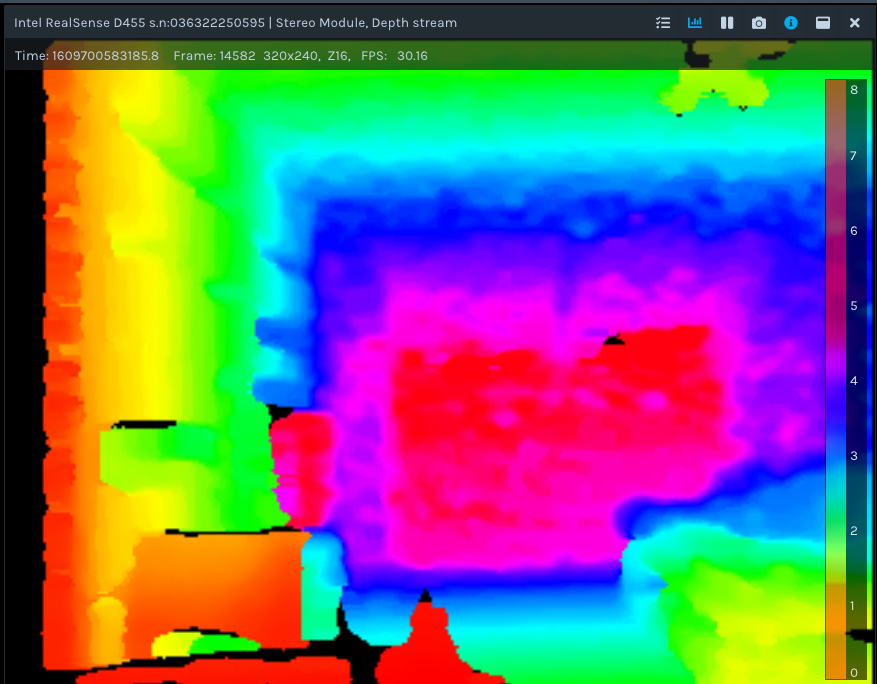
The captured image from the converted ros bag
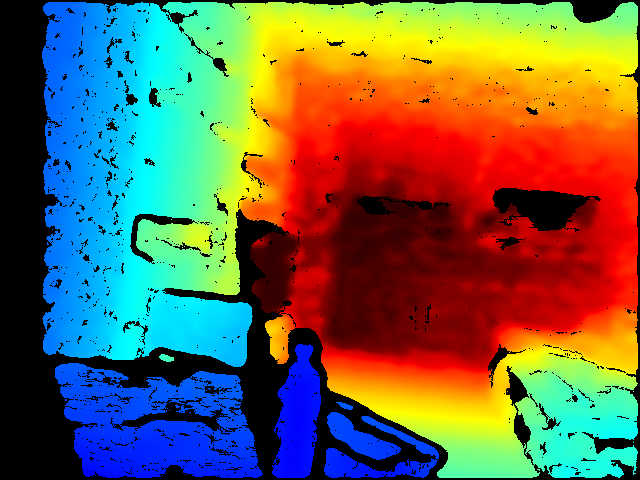
2) Even though I enabled global timestamp in the viewer the depth and color frame have a different timestamp. Is it possible to sync these two streams to a common id?
Best, Marc
-
1. Operations such as post processing and depth to color alignment are not saved into a bag file. The bag records raw camera stream data and then allows you to load the bag back into the Viewer and do further work on the data in real-time (for example, applying post-processing filters).
2. Dorodnic the RealSense SDK Manager advises in the link below about depth-RGB sync to use the same FPS for RGB and depth and also disable the Auto-Exposure Priority option (found under the RGB options in the side-panel of the Viewer).
https://github.com/IntelRealSense/librealsense/issues/2224#issuecomment-412504223
Please sign in to leave a comment.
Comments
14 comments