D435 hardware monitor, power consumption issues
in our forklift, we use 2 depth camera D435, the system: ubuntu 1604,ROS,
some API questions:
1: how we get the USB Vbus voltage and current by the API function? or the total power consumption of the Devices.
2: how to close the RGB camera independent? now we don't use the RGB camera.
3: how to adjust the IR projector's power? we want to reduce the power consumption from USB bus, we hope to balance the IR projector power and the measure distance.
thanks.
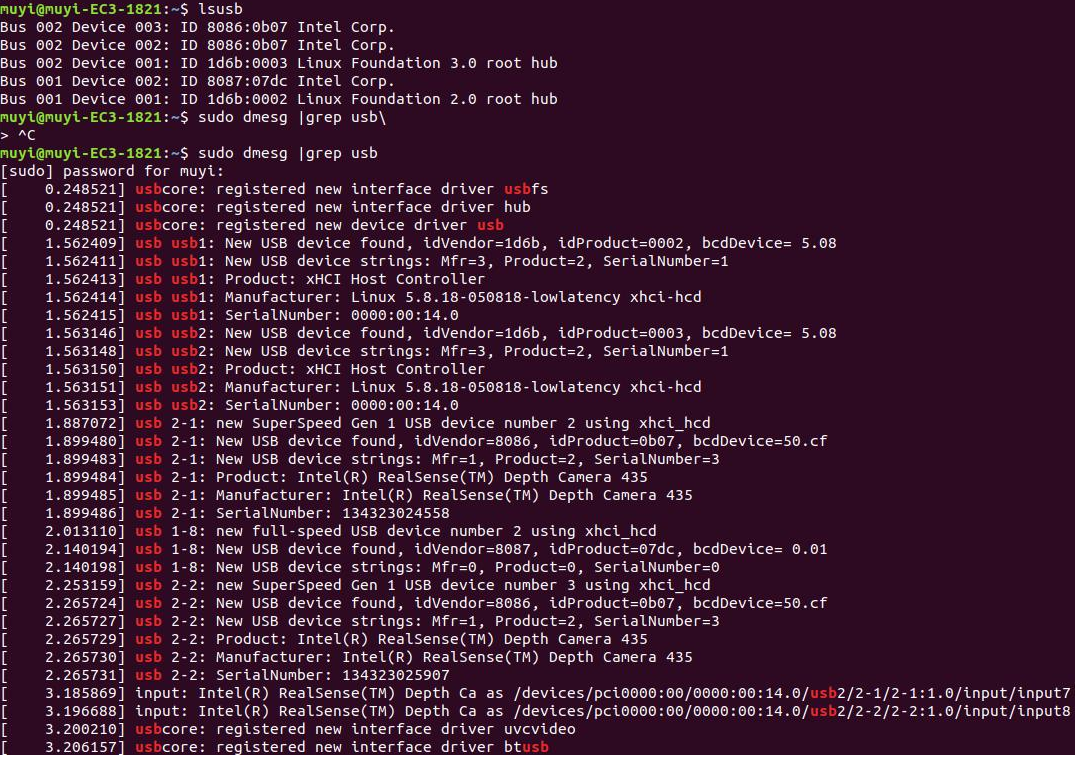
we use one 5m USB cable, we often meet the D435 out of services(SDK can't get the point cloud data), but use the linux command lsusb | grep 8086, the devices are online, any advice to solve this problem?
-
Hi Huanchengfei Thank you very much for your questions.
1. There is not a RealSense SDK API instruction for monitoring USB voltage. You may be able to monitor USB voltage in real-time by attaching a multimeter device to the USB cable though.
In regard to total power consumption, the Power section of Intel's multiple camera white-paper guide linked to below advises to budget for a maximum power consumption of around 2W per camera.
https://dev.intelrealsense.com/docs/multiple-depth-cameras-configuration#b-power
2. If your camera's RGB stream is not enabled then you do not need to be concerned about the RGB sensor's power consumption. The sensor is disabled by default until deliberately enabled by a program instruction or a user input.
3. The projector power can be controlled by adjusting the Laser Power setting. The amount of detail on the depth image may increase as the Laser Power value is increased, whilst becoming more sparse (less detail) as Laser Power is reduced.
The visibility of the projector's infrared dot pattern is also tied directly to Laser Power, so the pattern will become more visible to the camera as Laser Power increases and become progressively less visible as Laser Power reduces. Reduced dot pattern visibility can result in degradation of the depth image, as the 400 Series cameras can use the dot pattern projection as a 'texture source' to analyze surfaces for depth information.
The 400 Series cameras can alternatively use ambient light to analyze objects / surfaces for depth information though, so a well lit scene may compensate for the absence of the dot pattern projection.
The links below provide scripting resources for controlling the laser power value with RS2_OPTION_LASER_POWER
C++
https://github.com/IntelRealSense/librealsense/wiki/API-How-To#controlling-the-laser
Python
https://github.com/IntelRealSense/librealsense/issues/1258#issuecomment-374112555
In regards to your point cloud data issue, when using a longer USB cable of your own choice it is recommendable to use a high quality cable such as 'industrial grade'. RealSense cameras can transmit a high volume of data bandwidth through the cable, so if the cable is not high quality then there may be degraded performance or disconnections with cable lengths greater than 2 meters.
Please sign in to leave a comment.
Comments
1 comment