Convert .bag file to .ply
Hello everyone, i have tried to convert a .bag file made with the Realsense viewer to a .ply, but i have this error when i used the rsconverter.exe : "RealSense error calling rs2_pipeline_start_with_config(pipe:000001E63219F2C0, config:000001E63219F4C0):
Failed to resolve request. Request to enable_device_from_file("Alex.bag") was invalid, Reason: Failed to create ros reader: Error opening file: Alex.bag"
Someone know a solution for this issue ? Thnkas a lot.
-
Hi Alexis Matton If you have not specified a path for a folder on the computer that the rs-convert tool can find the bag file in, have you placed the bag file in the same folder that rs-convert is in, please?
For example, an rs-convert instruction without a file path that would require the bag file to be in the same folder as rs-convert would be:
rs-convert.exe -v test -i Alex.bag
-
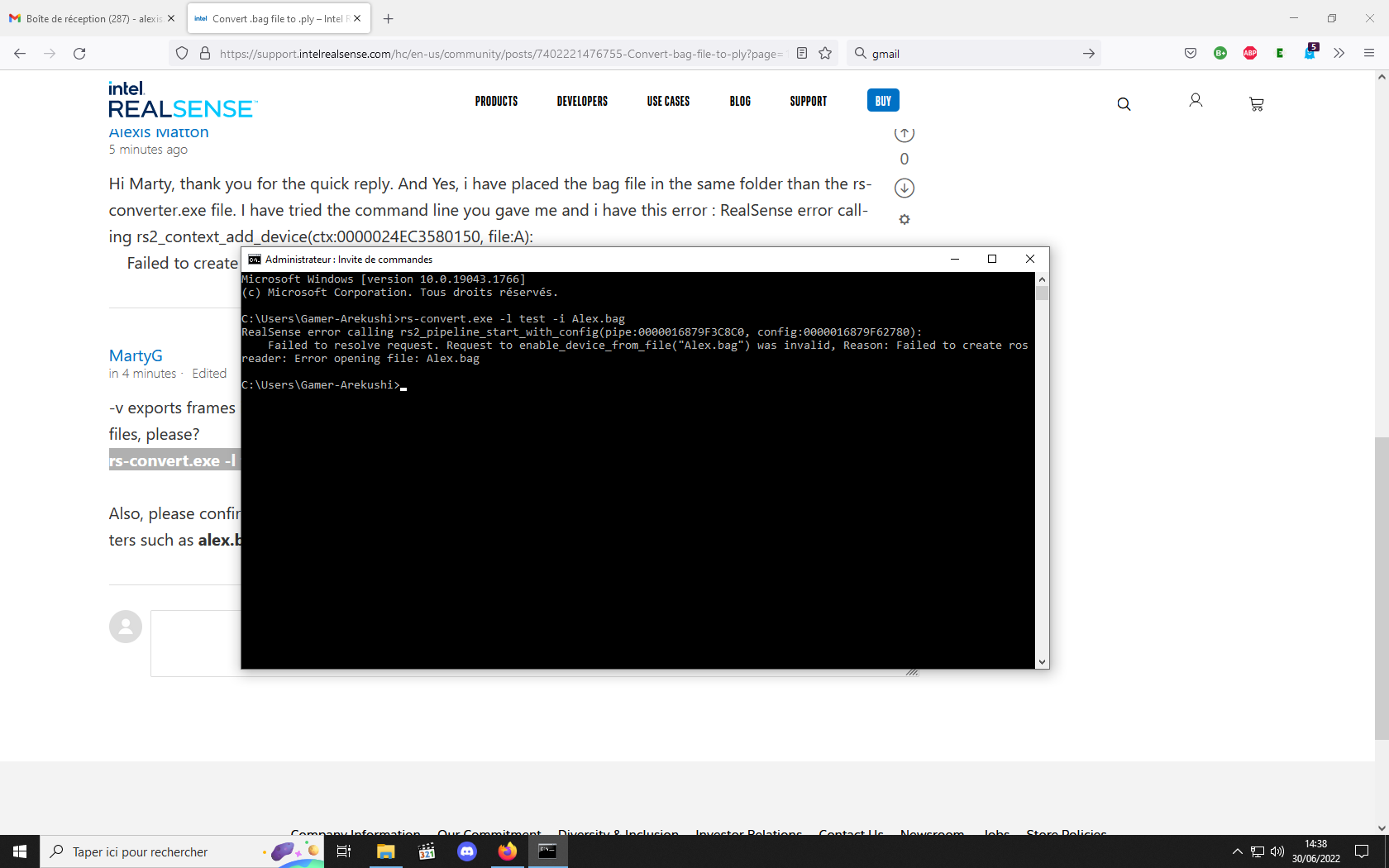
Hi Marty, thank you for the quick reply. And Yes, i have placed the bag file in the same folder than the rs-converter.exe file. I have tried the command line you gave me and i have this error : RealSense error calling rs2_context_add_device(ctx:0000024EC3580150, file:A):
Failed to create ros reader: Error opening file: Alex.bag -
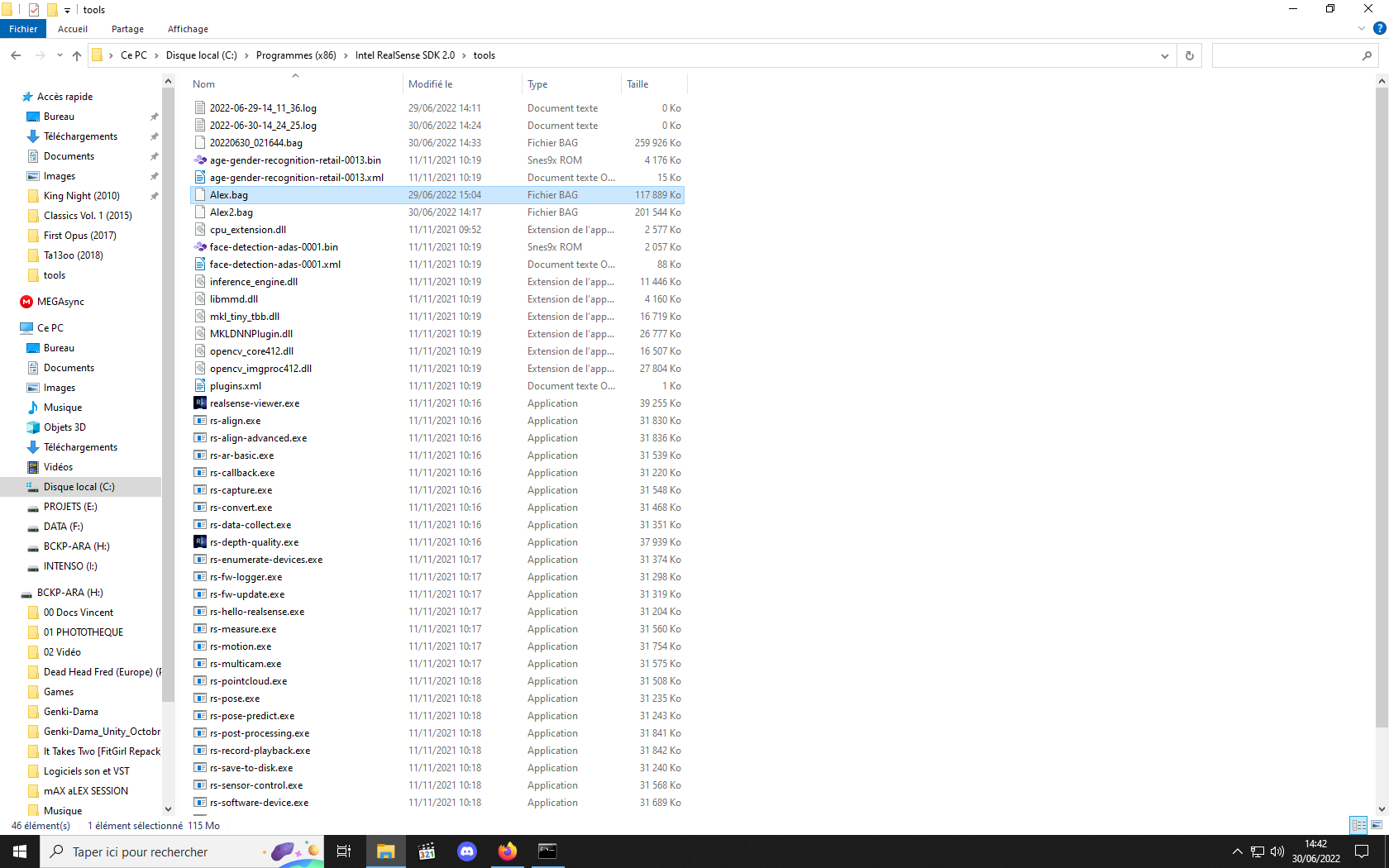
I note that in your Command Prompt Windows image you are not in the SDK Tools directory when inputting the rs-convert command but the 'Gamer-Arekushi' directory instead.
After copying the bag to the Tools folder as you have already done, the command below should be input into the Command Prompt window to change its directory to Tools.
cd C:\Program Files (x86)\Intel RealSense SDK 2.0\tools
After you are in the Tools directory, input the ply export command.
rs-convert.exe -l test -i Alex.bag
Please sign in to leave a comment.
Comments
7 comments