Intel RealSense 435 camera / Dell Precision 3650 workstation Windows 11 Pro Operating system
Product Support Team!
For a Dell Precision 3650 workstation with Windows 11 OS, an external Intel RealSense Depth Camera 435 is connected with USB-Ctype to Camera connecting cable.
Intel(R) RealSens(TM) Depth Camera 435 with RGB module RGB seems recognized by the OS and object before the camera are getting captured and being shown on the screen well. But for Intel(R) RealSense(TM) Depth Camera 435 with RGB Module Depth, camera input is not being shown.
Please guide.
-
Hi Purchase Please check the Windows privacy settings to confirm whether permission for the camera hardware to be accessed and permission for applications to access the camera are both set to On. Instructions for doing so in Windows 11 can be found at the link below.
https://allthings.how/how-to-enable-or-disable-camera-in-windows-11/
Windows 10 users can use the instructions here instead:
https://github.com/IntelRealSense/librealsense/issues/3381#issuecomment-503424789
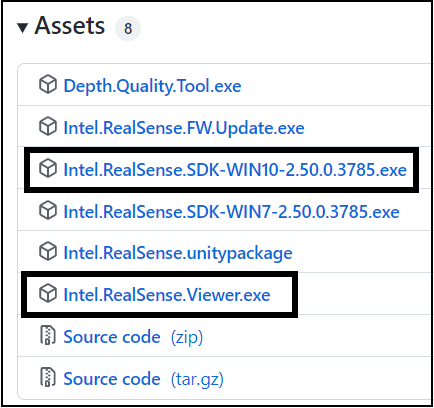
May I also confirm whether software that can access the Depth stream of the RealSense D435 camera, such as the RealSense SDK and its RealSense Viewer tool, has been installed. The software can be downloaded and installed on Windows 10 and Windows 11 using the 'Assets' file list at the bottom of the page linked to below.
https://github.com/IntelRealSense/librealsense/releases/tag/v2.50.0
Please sign in to leave a comment.
Comments
1 comment