Custom Flex Interposer: Left I2C Config error
Environment: D430 module + Vision Processor D4 board (V1), FW 5.17.0.10, SDK 2.58.3, Windows, USB 3.2.
Problem: I made a 5 cm, 4-layer flex interposer between the depth module and the D4 board, wired 1:1 per Table 3-38 of the D400 datasheet. With the original rigid interposer everything works; with my flex, pipe.start() succeeds but I immediately get Left IC2 Config error (notifications.cpp:512) and no frames.
What I checked:
- No shorts; all 50 nets measure 0.15 Ω, power rails 0.1–0.2 Ω.
- The module is still correctly identified through the flex (PID 0AD4, serial and calibration table all correct), so the module EEPROM is being read over the flex.
- Cutting the left MIPI clock pair on a spare board still gives the same IC2 error, not a MIPI error.
- Two independently assembled flexes fail identically.
- Presets, sync modes and all stream profiles make no difference.
Questions:
- Could you share the D400 firmware-log XML matching FW 5.17.0.10, or point me to where to obtain it? Without it the raw log cannot be decoded.
- What does the firmware actually check when it raises error 18 — the I2C bus itself, or the imager's supply / clock / reset? Is there any way to see the failing I2C transaction from the host?
- Are there interposer requirements beyond Table 3-38 (I2C pull-ups, series resistors, bus capacitance, or XVCLK / ST_RST_N routing)?
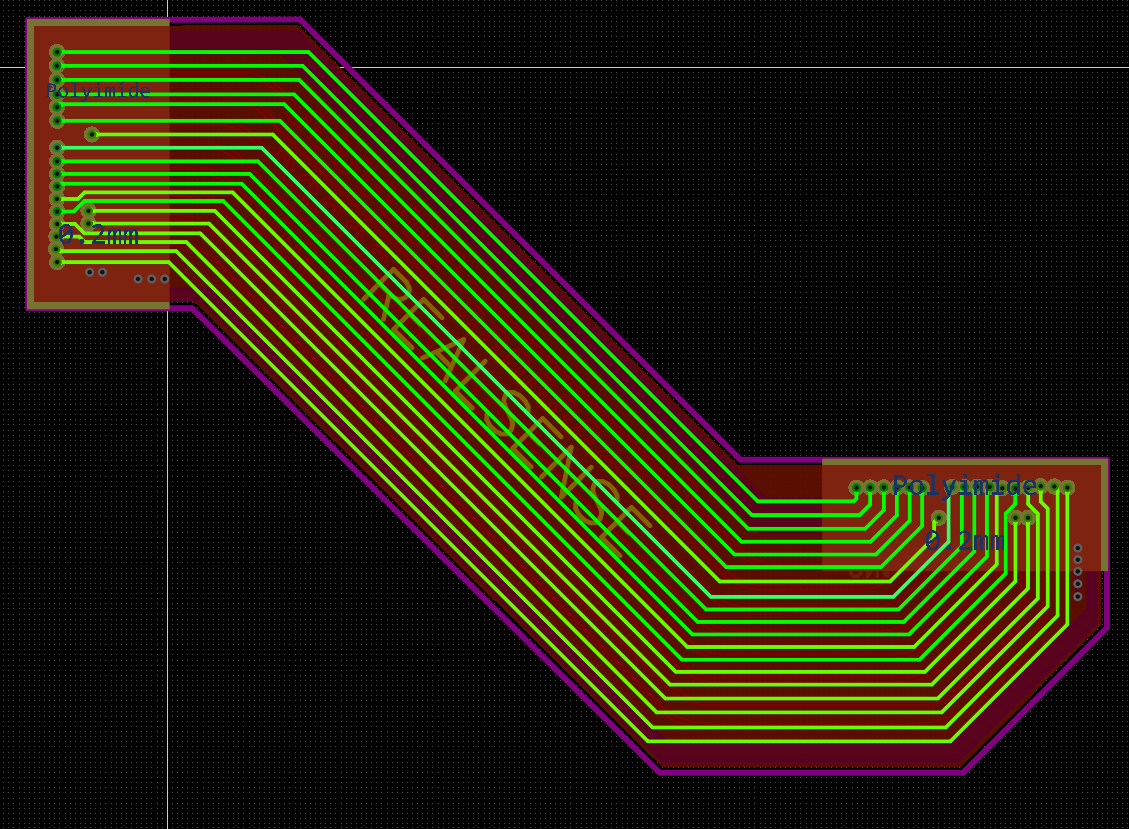
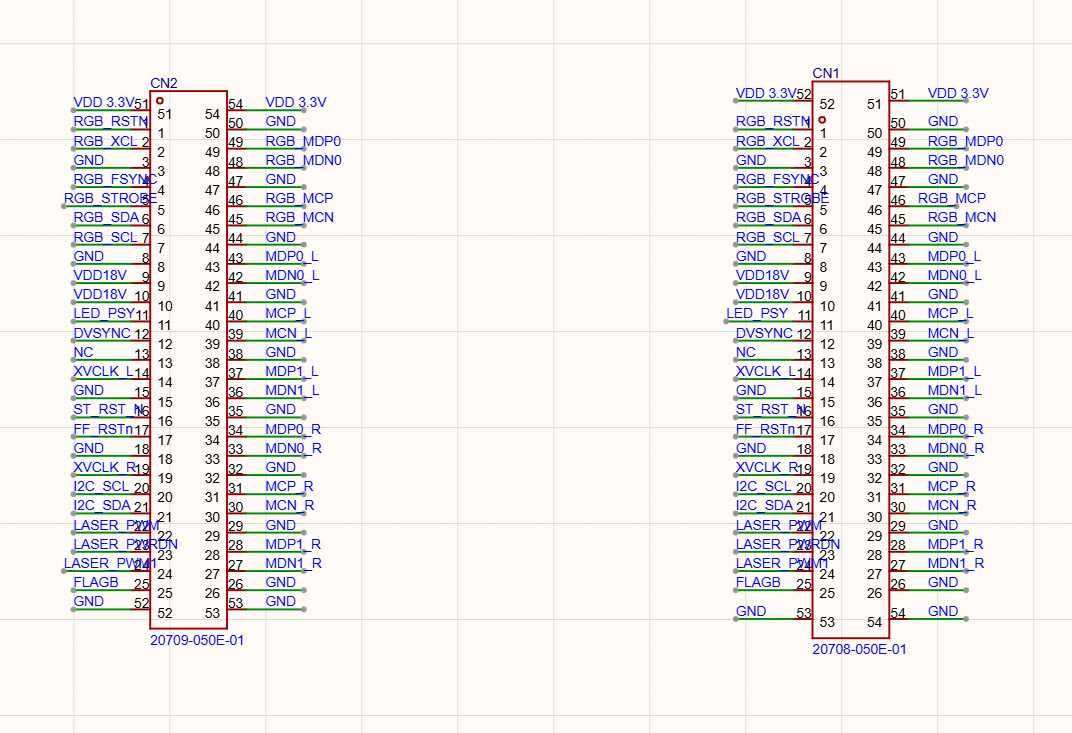
I have attached PCB layout, stack-up and connector routing images for review 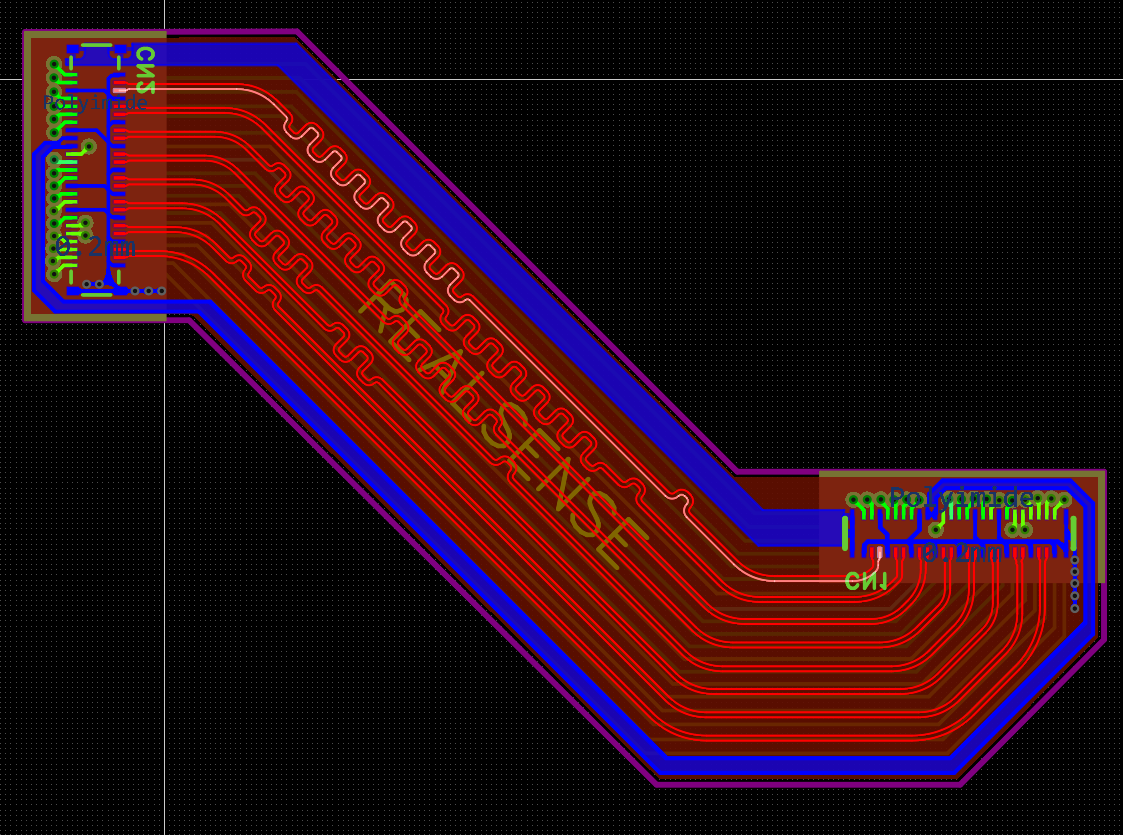
-
Hi XUSHI YUAN Thanks very much for your questions.
Firmware logs are for RealSense engineering staff with specialist firmware knowledge to analyze. They are not decodable by RealSense users or myself, unfortunately.
A 'Left IC2 Error' typically indicates a problem occurring on one or more pins of the interposer connection. For example, if the cable was not fully seated on the 50-pin connector on the Vision Processor D4 Board or the D430 depth module board.
The data sheet document for the 400 Series cameras provides a contact for ordering a custom flex interposer cable, which illustrates the difficulty for RealSense users in attempting to create one themselves.
The above contact Cocom also sell pre-made ones in 5, 10, 15 and 20 cm lengths in their online store.
https://cocomce.com/products/pcb0305a
If you need to produce your own interposer cable and debug it, there are no public reference sources for doing so other than the pin lists. For the level of technical support that your questions require, it would be necessary to apply to RealSense to sign a Non-Disclosure Agreement (NDA) in order to receive private advanced-level assistance from RealSense engineers. This would be feasible to do if you are part of a company. If you are an individual user then I would recommend purchasing a pre-made flex interposer cable from Cocom instead of attempting to create your own.
-
Hi XUSHI YUAN Do you require further assistance with this case, please? Thanks!
Please sign in to leave a comment.
Comments
3 comments