Inquiry about RealSense D457 depth capture issue on glossy black automotive bumper
We are currently testing an Intel RealSense D457 camera for building an RGB-D dataset of automotive bumper surface defects.

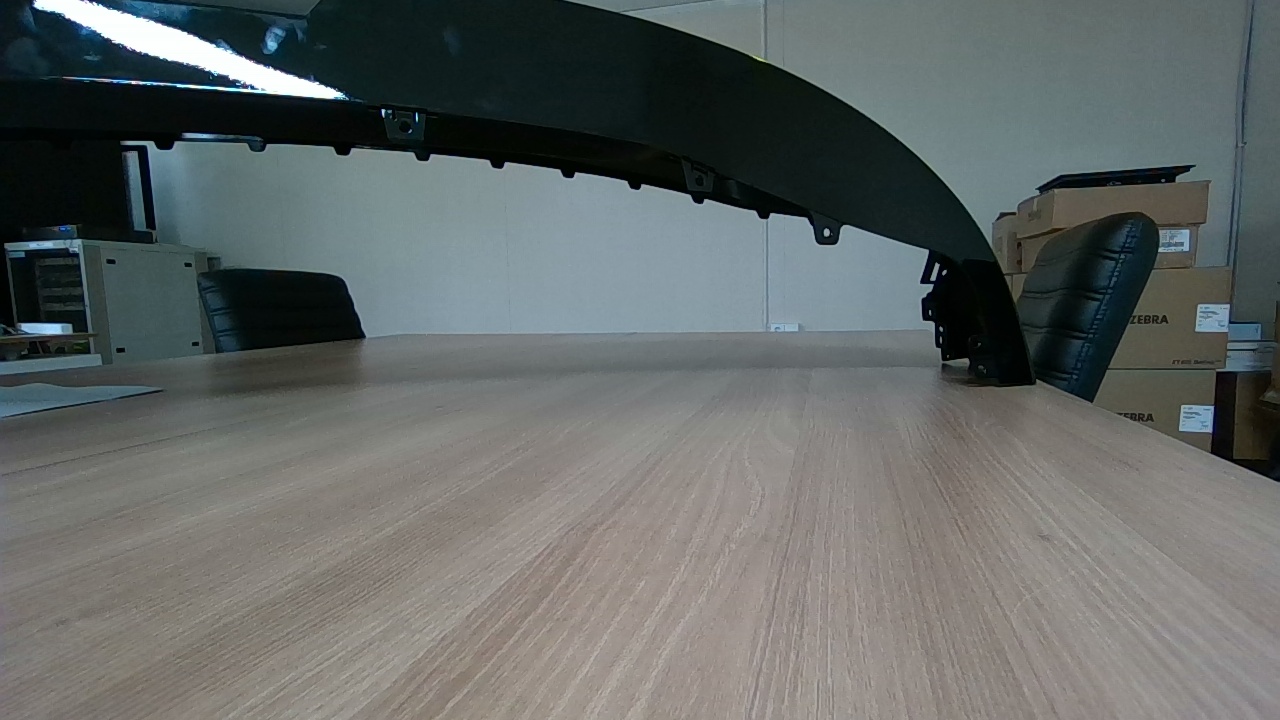
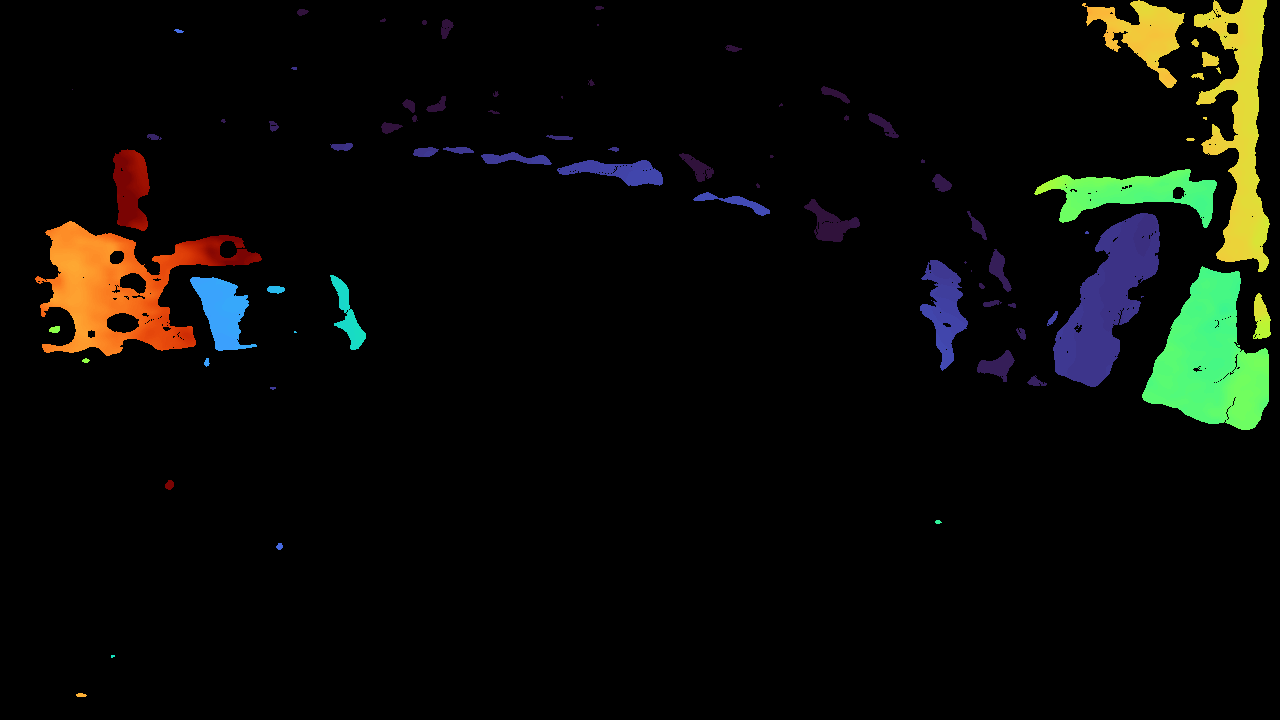
Our target object is a glossy black plastic bumper. In RGB images, the bumper is visible, but in the depth image, most of the bumper area becomes invalid or missing. Only a few scattered depth points are captured. We suspect this may be caused by low IR reflectance, specular reflection, and lack of surface texture.

Our current test conditions are approximately:
- Camera model: Intel RealSense D457
- Target object: glossy black automotive bumper
- Shooting distance: around 50 to 60 cm
- Use case: capturing RGB and depth images for surface defect dataset construction
- Defect size: mostly under 1 cm
- Environment: offline/local capture, not installed on a production line

We would like to ask the following questions:

1. Is the D457 suitable for capturing reliable depth data from glossy black plastic surfaces?
2. Are there recommended RealSense Viewer or SDK settings for this type of object?
   For example:
   - Laser power
   - Exposure / gain
   - High Accuracy vs High Density preset
   - Spatial / temporal / hole filling filters
   - Threshold filter
3. Would adding polarizing filters over the left/right IR cameras help reduce false depth or missing depth on glossy black surfaces?
4. If D457 is not suitable for this target, would you recommend another RealSense model such as D405 or D585 for close-range inspection of small surface defects?
5. Do you have any technical documents, application notes, or recommended test procedures for glossy, black, reflective objects?

Here is RGB image and depth image.
-
Hi joosung lee D457 has a minimum depth sensing distance of around 50 cm, so it is appropriate for use at 50 to 60 cm range, though a
It is a general physics principle (not specific to RealSense) that dark grey or black absorbs light and so makes it more difficult for depth cameras to read depth information from such surfaces. The darker the color shade, the more light that is absorbed and so the less depth detail that the camera can obtain.
Casting a strong light source onto such surfaces can help to bring out depth detail. If the surface is glossy though then this could cause reflective glare that also makes it difficult for the surface to be analyzed by the camera for depth information.
Spraying the bumper with an anti-reflective aerosol spray like the kind used when photographing jewellery for catalogs could help to dampen reflections. The link below has an example of such a product.
https://www.laserdesign.com/3d-scan-spray/?language=en_US
I would first though recommend trying increasing the RealSense Viewer's Laser Power setting under Stereo Module > Controls to its maximum value of '360'. This increases the visibility to the camera of the invisible IR dot pattern projection cast onto surfaces by the camera, which aids depth analysis.
If changing the camera model is an option then as long as you do not need to fit the entire bumper into the viewpoint of the camera then the D415 model would be recommendable. It excels at accurately scanning stationary objects and has 2x better depth accuracy / 2x less depth noise than other models in the RealSense 400 Series range. It also supports 1280x720 depth and RGB resolutions by default.
-
Hi joosung lee Do you require further assistance with this case, please? Thanks!
Please sign in to leave a comment.
Comments
2 comments