Question about processing depth camera data for wound area/volume calculation
Hello, I would like to ask a question about processing depth camera data. I am using a D405 camera to capture .bag files of pressure injury (pressure ulcer) wounds, and I need to calculate the surface area and volume of the wounds from this data. As a beginner, I have only followed the instructions to install the SDK 2.0. My questions are:
-
From the .bag file to finally obtaining the area and volume, what are the main steps involved? For example, do I need to first convert to a point cloud, then segment the wound, and then calculate?
-
Which library or toolbox (e.g., Open3D, PCL, MeshLab) do you recommend for computing area and volume? Are there any simple code examples or tutorial links available?
Thank you!
-
Hi Menghuan Yang It is possible to measure volume in the RealSense Viewer tool using a bag file without programming your own solution. The steps for doing so are:
1. Open the Viewer without the D405 being plugged in and click on the '3D' option in the top corner of the Viewer to enter its 3D pointcloud mode.
2. Drag and drop the bag file into the center panel of the Viewer to automatically start playback of the bag and generate a 3D pointcloud.
3. Click on the 'Measure' icon at the top of the Viewer window to enter measurement mode. You can now select two or more coordinates on the pointcloud to draw a measuring line between the coordinates and then hover the mouse pointer over the line to see a text overlay of the measured distance between the coordinates.
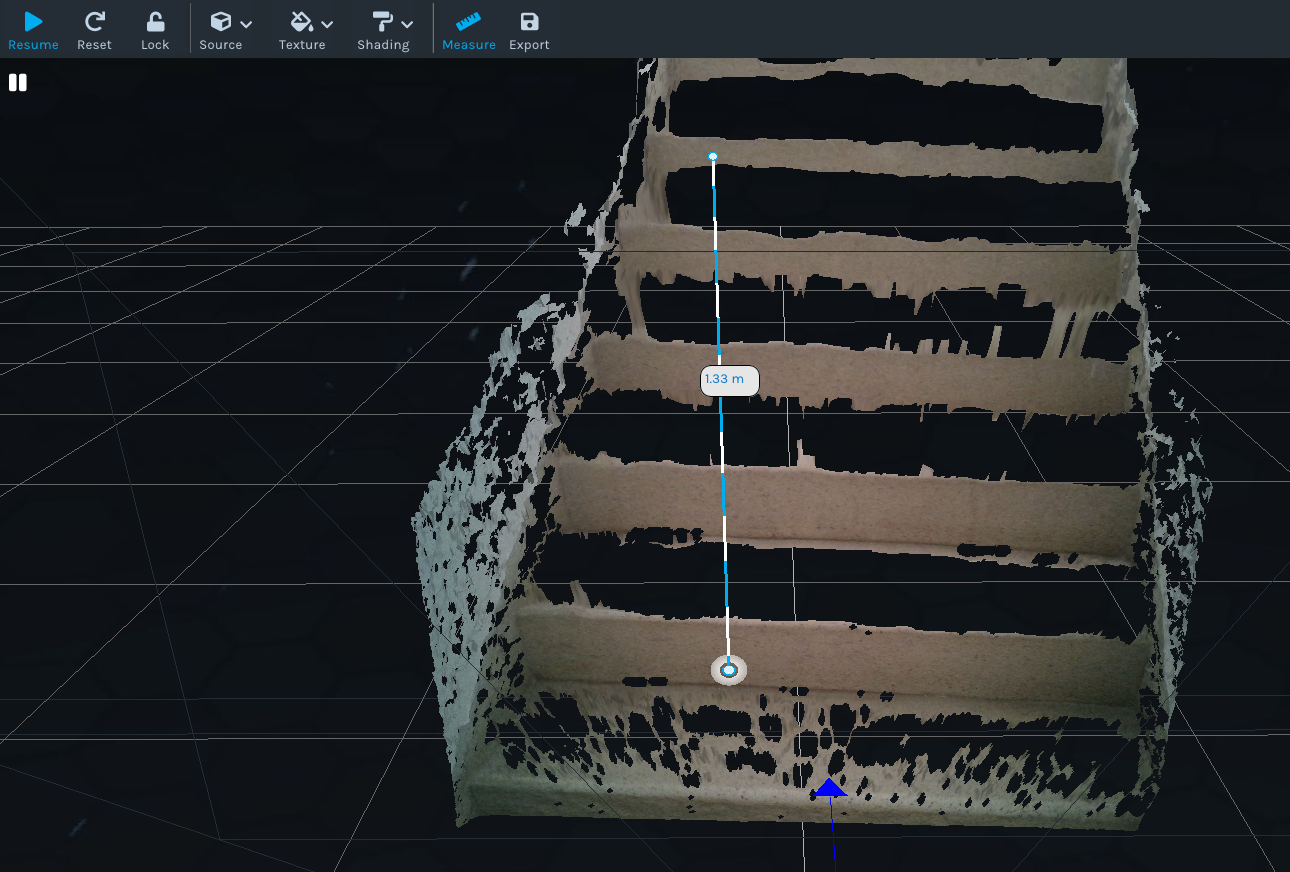
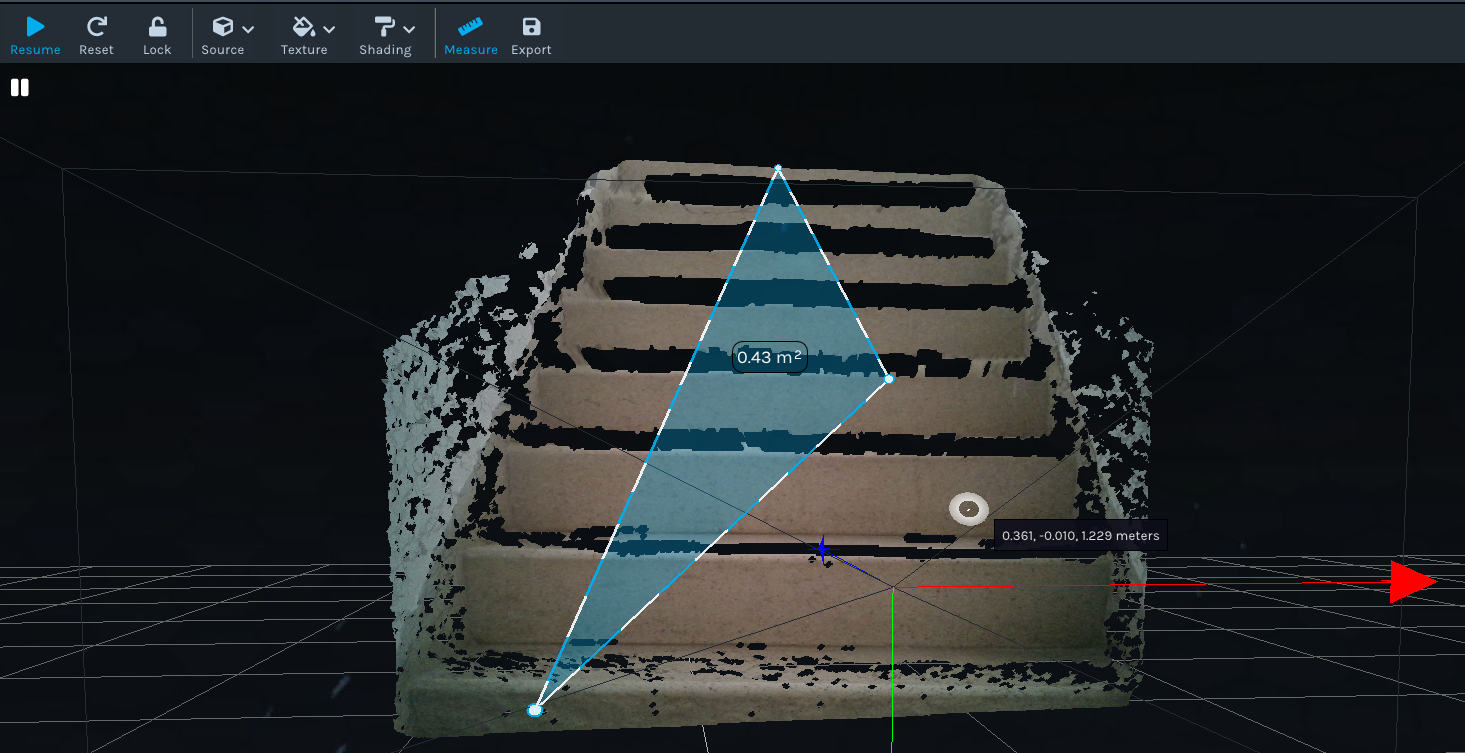
You can draw a line between two points by moving the pointer to a coordinate where a circle appears around the pointer, left-clicking once and moving the mouse to draw a measurement line, then left-clicking again to fix the line.
More than two points can be selected by holding down the shift key when moving the mouse so that every time a left-click fixes a line position, the line to the next point starts being drawn out when the mouse is moved again.
-
Hello, thank you for your previous guidance. I have followed your instructions and learned how to manually measure the distance of pressure injury wounds in the RealSense Viewer.
However, in my research, the pressure injury wounds are usually quite small, mostly within 5 centimeters. Manual point selection introduces significant measurement errors, which is not ideal for the accuracy required in my scientific research.
Therefore, I would like to ask for your further advice:Are there any more accurate code libraries or software tools available for calculating the surface area and volume of the wound?If there are any relevant example code, tutorial links, or recommended tools, I would greatly appreciate your guidance.
Thank you very much! -
If you need to move the D405 closer than the default minimum depth distance of 7 cm in order to perform extremely close examination, a setting in the Viewer called Disparity Shift can be used to reduce the minimum depth distance of D405 as low as 4 cm to enable the camera to be moved nearer to the small wound area.
https://github.com/realsenseai/librealsense/issues/10963#issuecomment-1274941411
The Disparity Shift setting can be found in the Viewer under the Advanced Controls > Depth Table section. I recommend giving it a value of 100.
Also, you may be interested in a recently released video on the official RealSense YouTube channel about how the company Truss Health is using D405 in combination with AI for wound detection and care.
https://www.youtube.com/watch?v=oKkf3wpbOts&t=2s
And a research paper about wound measurement using RealSense can be found here:
-
Hi Menghuan Yang Do you require further assistance with this case, please? Thanks!
Please sign in to leave a comment.
Comments
4 comments